
One short drop onto paving slabs can leave a Pixel looking mostly fine but sounding dead. If your ringtone, videos, alarms or speakerphone stopped working straight after impact, the fault is often fixable.
We see this a lot at Repair My Crack. In most cases, a silent Pixel needs either a careful clean, a proper diagnosis, or a straightforward pixel speaker repair, not a full replacement phone. The trick is working out whether the drop caused a simple blockage, knocked something loose, or damaged the lower speaker area.
What usually breaks when a Pixel lands hard
A drop can affect more than one audio part at once. Most Pixel models use a bottom loudspeaker for media and speakerphone, plus an earpiece speaker near the top for calls. If the phone lands on a corner, the frame can flex and shock the speaker housing, the connector, or the lower board.
That means the fault can show up in different ways. Media may go silent, calls may sound tinny, or audio may crackle and cut in and out. If the problem started the moment the phone hit the ground, we treat hardware as the likely cause until testing proves otherwise.
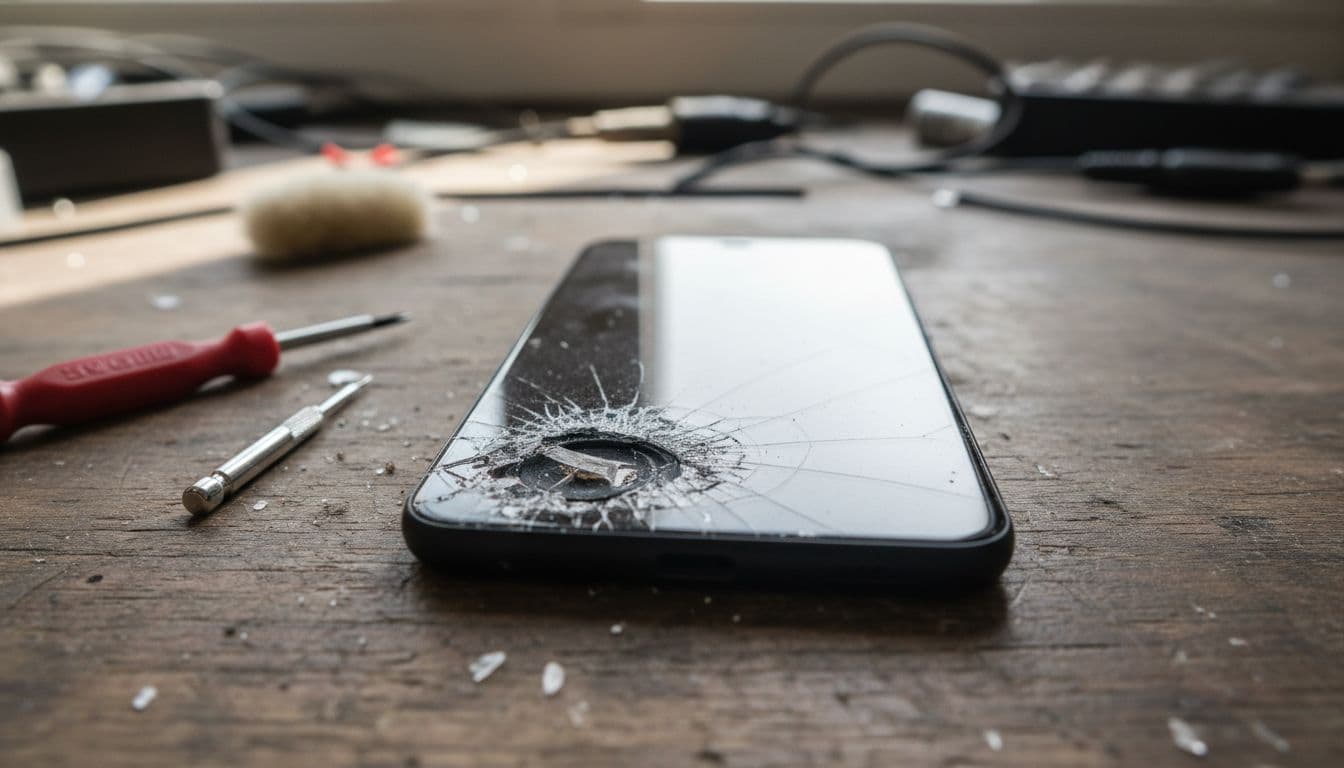
The good news is that not every “no sound” fault means internal damage. Google still recommends a few basic checks first, including restarting the phone, checking Bluetooth and testing volume settings. Their own Pixel sound troubleshooting guide is a sensible place to start if the issue is fresh.
Still, after a drop, we often find one of these problems:
- Debris packed into the speaker grille after the phone slid on the floor
- A dented frame pressing against the speaker chamber
- A loose connector from impact
- Damage around the lower charging and speaker area
- Water or dirt entering through a cracked edge after the fall
When the sound is distorted rather than fully gone, that often points to a partly damaged speaker module. When there is no sound at all, especially alongside charging trouble, we start thinking about the lower board or a broken connection.
Checks worth doing before you book a Pixel speaker repair
Before you send the phone in, spend five minutes on the basics. These steps rule out the easy stuff and help us diagnose the fault faster if you do need repair.
- Restart the phone fully. A hard reboot can clear a temporary audio route error after a shock.
- Turn Bluetooth off. Pixels sometimes keep sending sound to earbuds, car audio or a speaker you forgot about.
- Test three things. Play a video, trigger a ringtone, and make a call on speakerphone. This shows whether one speaker or both are affected.
- Check Sound and Do Not Disturb settings. Make sure media, ringtone and alarm sliders are up.
- Inspect the speaker grille and USB-C port. Lint, grit and pocket dust can block sound or confuse audio accessories.
If you can hear callers through the earpiece but videos stay silent, the lower loudspeaker is the main suspect. If both speakers seem dead, the issue may be wider.
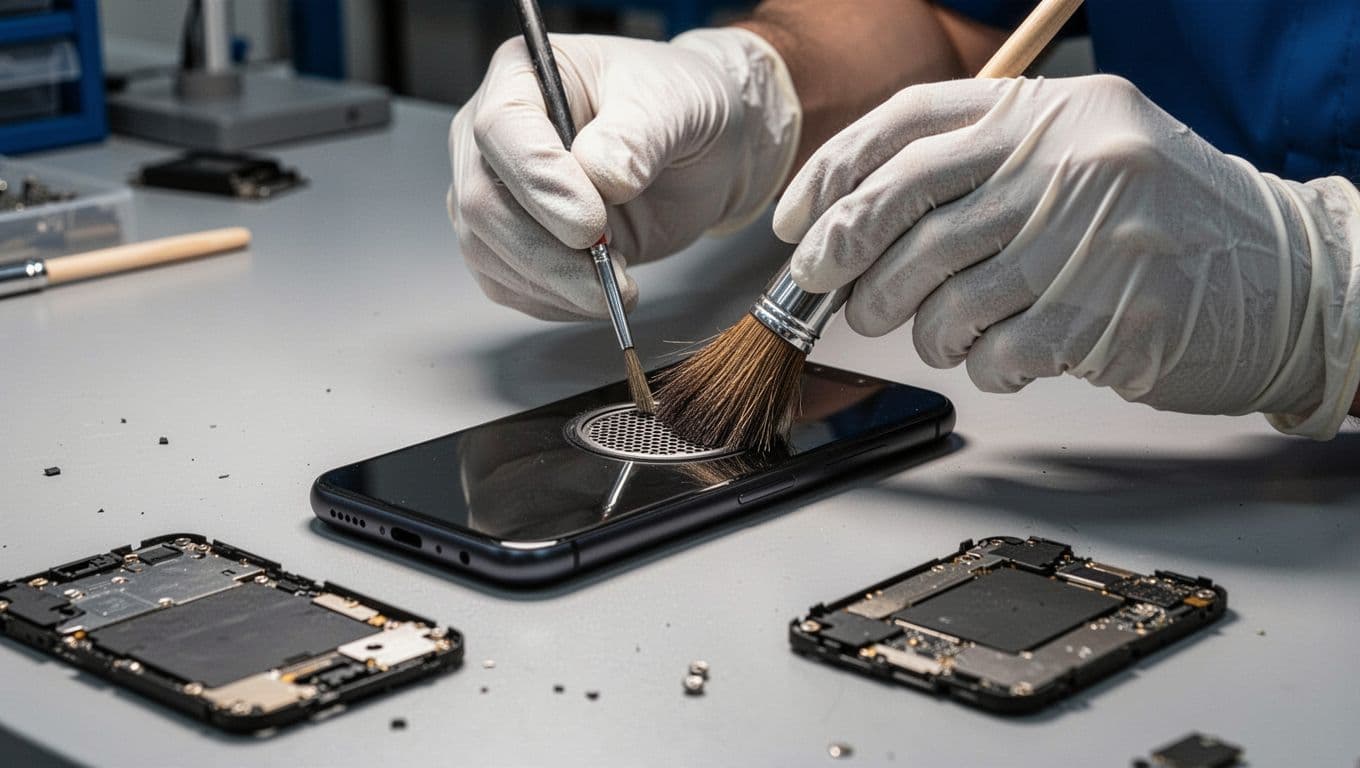
Cleaning needs care. Use a soft dry brush, a microfibre cloth, or a little air from a blower. Keep moisture away, and don’t force anything into the mesh.
Don’t poke the grille with a pin or needle. We see that turn a blocked speaker into a torn mesh or punctured speaker far too often.
If the phone still works but audio stays missing, try Safe Mode. That helps rule out apps that hijack sound. Google also advises checking for system updates, because audio bugs do crop up from time to time. We leave factory resets until last, because a drop-related fault is usually physical, not software.
For extra fault-finding, the iFixit Pixel no-sound guide is useful for separating app issues from speaker or board damage. We still wouldn’t recommend opening a modern Pixel at home unless you’re set up for it. The screens, seals and battery adhesive make it easy to turn one repair into three.
How to tell whether the speaker, earpiece, or board took the hit
This quick table shows what the symptoms usually point to.
| Symptom | Likely fault | Best next step |
|---|---|---|
| Videos, music and alarms are silent, but calls at the ear still work | Bottom loudspeaker blocked or damaged | Clean safely, then test for speaker replacement |
| Calls sound faint at the ear, but speakerphone works | Earpiece speaker or top mesh issue | Check top grille, then book diagnosis |
| Sound crackles, then cuts out after movement | Loose connection or impact damage | Professional internal inspection |
| No sound at all, plus charging trouble | Lower board or charging-area damage | Book repair, because both faults may share the same area |
| Sound only works through Bluetooth or USB-C audio | Routing issue, port debris, or board fault | Disable Bluetooth, clean port, test again |
The main pattern is simple. The more faults you have, the less likely a quick clean will sort it.
We also watch for signs outside the audio. A bent corner, a lifted screen, back glass movement, or poor charging after the drop all make hardware damage more likely. In those cases, a proper inspection matters more than another restart.
A recent Pixel repair from our Essex workshop
Not long ago, a customer from Chelmsford brought in a Pixel 7 that had bounced out of a pocket onto block paving. The screen survived, which felt lucky, but media sound vanished and speakerphone was barely audible.
When we opened it up, the lower speaker housing had taken the hit. Grit had also packed into the mesh, and the frame near the corner was slightly knocked in. We replaced the loudspeaker module, cleaned the area, tested charging and audio, and the phone went back sounding normal again.
That sort of job is common for us. If you’re local, our phone repair Essex service makes it easy to book. If you’re further away, the process works just as well by post.
Repair costs in the UK, and when repair makes sense
For a Pixel speaker fault after a drop, UK repair prices usually depend on the model and what else was damaged. A simple speaker clean and diagnosis may be modest, while a full speaker replacement often sits around £45 to £95. If the charging assembly, frame or board area is also damaged, the quote can rise from there.
We always prefer diagnosis first. That matters because what looks like a speaker issue can turn into a charge-port or lower-board issue once the phone is opened and tested. We give exact quotes once we’ve confirmed the fault.
A lot of customers first find us after searching for “iphone screen repair UK” or “iphone battery replacement UK”, then ask whether we handle Pixel audio problems too. We do, and the same workshop also sees searches for “cracked iphone screen repair”, “samsung phone repair UK”, “phone repair Essex”, “mobile phone repair UK”, and “postal phone repair UK” every day.
If you’re not near Harlow, our mail-in phone repair UK service covers customers across the country. We use tracked Royal Mail, aim to start work as soon as the device arrives, and test everything before return. That makes it handy for people who need a proper fix without trekking to a shop.
Repair usually makes sense when the phone still powers on, the screen is mostly intact, and the only real issue is sound. It makes less sense if the frame is badly bent, the OLED is failing, the battery is swelling, and the board has taken a hard hit as well. In those cases, we’ll say so plainly.
We also carry out iPhone repairs in Harlow and plenty of Samsung work, so we’re used to comparing repair costs against replacement value. The same rule applies across brands: fix the part that failed, use quality parts, and don’t throw money at a phone that has too many stacked faults.
Getting your Pixel ready for postal repair
If you do send it in, a few small steps save time and hassle:
- Back up the phone if the screen still works
- Remove the case and any SIM tray accessories you don’t want to post
- Include your order number in the parcel
- Add the passcode if testing needs it
- Pack the phone snugly so it can’t rattle around in transit
That helps us get from intake to diagnosis without the usual faff.
Conclusion
A Pixel that loses sound after a drop usually isn’t beyond saving. In our experience, the fault is often a blocked grille, a damaged loudspeaker, or impact around the lower board, and a proper pixel speaker repair is usually far cheaper than replacing the phone.
If the basic checks don’t bring the sound back, don’t keep prodding the mesh or hoping the next reboot will do the trick. Book it in, get it tested properly, and let us tell you whether it’s a quick fix or a wider impact fault.
If you’re stuck with a silent Pixel right now, you can book online and send it to us from anywhere in the UK, or arrange a local repair in Essex. We’ll diagnose it, quote clearly, and get it sorted as quickly as we can.
Repair Your Google Pixel
We repair screens, batteries, charging ports, cameras and back glass across the Pixel range, with free tracked Royal Mail postage both ways and transit insurance up to £750. Every repair is tested before it’s returned, and covered by a 12-month warranty.
- Pixel 9 Pro, Pixel 9, Pixel 9a
- Pixel 8 Pro, Pixel 8, Pixel 8a
- Pixel 7 Pro, Pixel 7, Pixel 7a
- Pixel 6 Pro, Pixel 6, Pixel 6a
- Pixel Fold
Get an instant price for your Pixel model, or contact us if you’re not sure what’s wrong.
James Waterston, Device Repair Specialist at Repair My Crack