
The worst thing most people do after dropping a Samsung in water is turn it on to “see if it’s okay”. In many cases, Samsung water damage repair is possible, but only if the phone is switched off quickly and checked before corrosion spreads.
At Repair My Crack, we see this all the time, from rain-soaked Galaxy phones to handsets dropped in sinks, baths and pint glasses. A wet phone can look fine for a day, then stop charging on day two. That is why speed matters more than guesswork.
What to do first if your Samsung gets wet
The first half-hour matters more than most people realise. Current Samsung UK’s advice after water exposure still says the same thing in May 2026, air dry with cool airflow, avoid heat, and get the device checked as soon as you can.
This is the order we recommend:
- Power it off straight away. Don’t test the screen, don’t unlock it, and don’t plug it in.
- Remove the case, SIM tray, and anything else attached to it.
- Pat the outside dry with a clean cloth. A fan is fine. A radiator, hairdryer, or airing cupboard is not.
- If it fell into salt water, pool water, or a sugary drink, residue is the real problem. On an intact IP-rated Samsung, a gentle fresh-water rinse of the exterior can help, but only if you know the seals are still sound.
- Get it assessed within 24 to 48 hours if possible.
If your Samsung has been in water, keep it off. Charging it “just for a minute” is one of the fastest ways to turn a repairable fault into a dead board.
Rice still gets mentioned, and it still doesn’t solve the main problem. It may dry the outside a bit, but it won’t remove liquid trapped under shields, connectors, or cameras. Worse, rice dust can make the USB-C port a mess.
A lot of people also trust the IP rating too much. Galaxy S and Note models with IP67 or IP68 protection are water-resistant, not waterproof. Seals weaken with age, a past drop can shift the frame, and non-fresh water is much harsher than clean tap water. In other words, a five-second dip can still do real damage.
The signs water has reached the inside
Sometimes the clues are obvious. More often, they creep in after the phone seems to recover. We get plenty of Samsungs that worked fine on the day of the spill, then came back with charging faults, patchy touch, or camera mist a few days later.
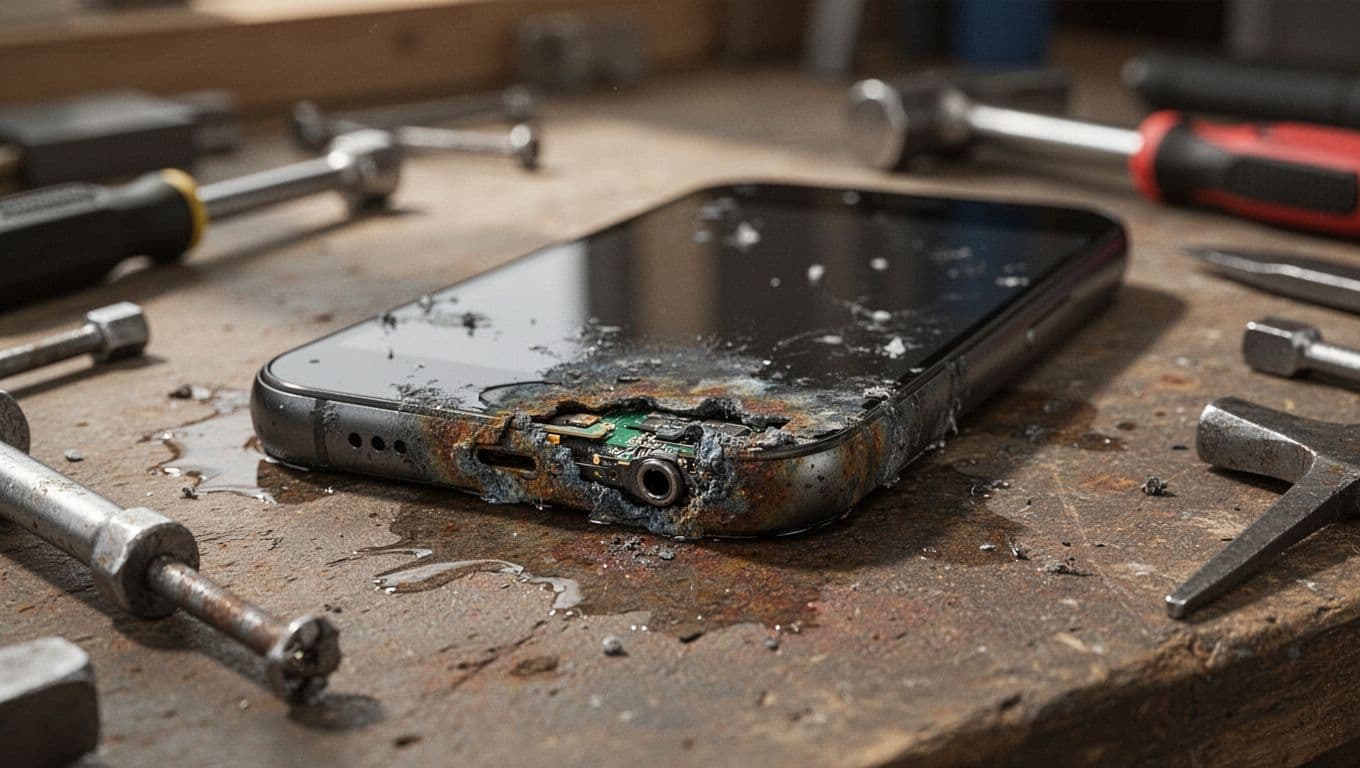
Corrosion around the port or board usually means the liquid made it past the outer shell.
These are the signs we take seriously:
- A “moisture detected” warning that won’t clear after proper drying
- Charging that only works at an angle, or not at all
- Crackly sound, weak speaker volume, or failed microphones
- Cameras that look foggy inside the lens
- Random restarts, overheating, or sudden battery drain
- Green, white, or blue residue around the SIM tray or port
The charging port is often the first part to complain, but it isn’t always the only damaged part. Liquid can travel down cables, sit under shielding, and start corroding connectors where you can’t see it. That is why a phone might charge badly, then later lose network signal or stop booting.
We see this with newer Galaxy flagships and older A-series phones alike. Budget models often make the decision harder because the repair cost can catch up with the handset’s value more quickly. Premium phones are usually worth a closer look because the replacement cost is much higher.
What Samsung water damage repair looks like in a real workshop
A proper liquid-damage repair starts with diagnosis, not guesswork. When a wet Samsung lands on our bench, we open it carefully, disconnect power, inspect the board and sub-boards, and look for corrosion on connectors, cameras, charging parts, and battery contacts.
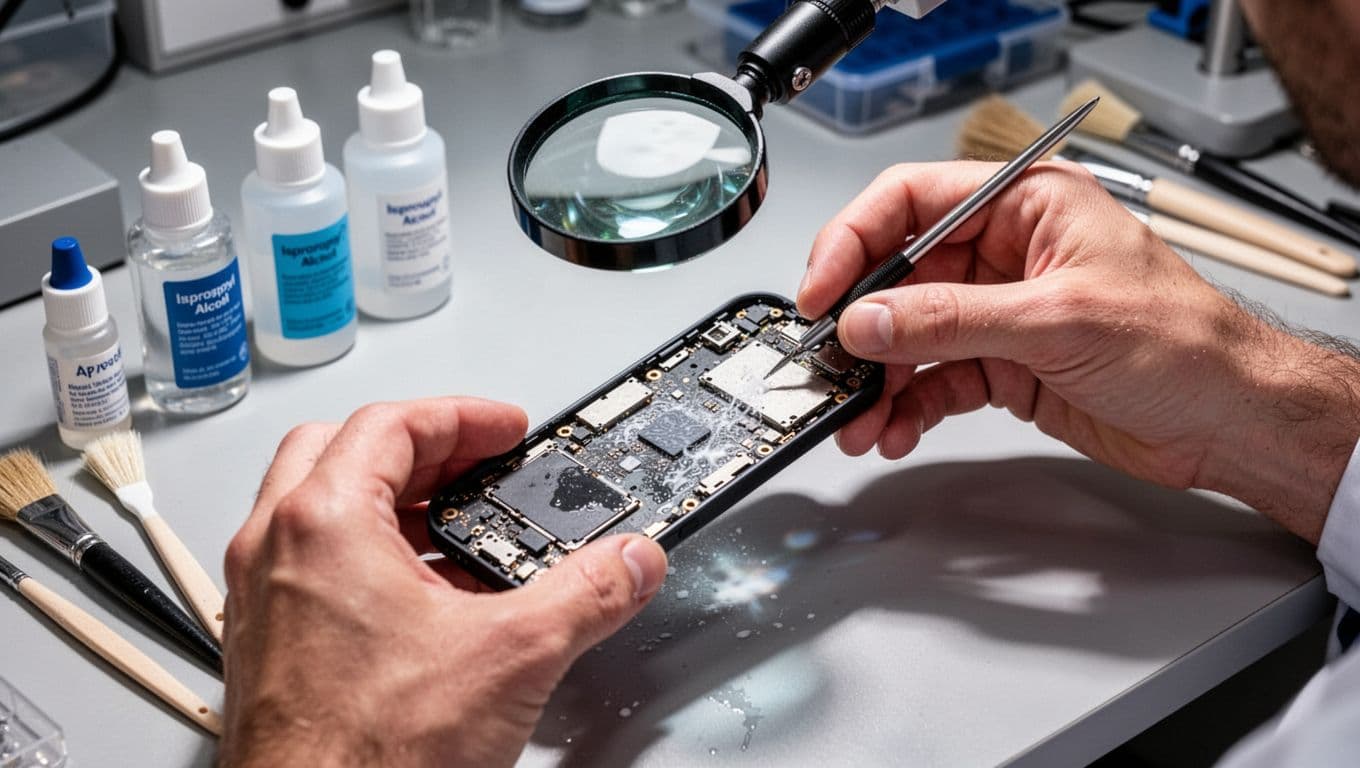
Liquid damage repairs are rarely one-step jobs. Cleaning, testing, and then replacing failed parts is the safer route.
After that, we clean affected areas with the right solvents and tools. If corrosion is light, the phone may only need a deep clean and testing. If the damage has spread, we may need to replace a charging port, battery, speaker, camera module, or other affected part. Board-level faults are the most expensive, and they are also the least predictable until the device is open.
This is why Samsung water damage repair is different from a straightforward screen or battery job. A cracked panel tells us where the fault is. Liquid doesn’t. One spill can hit three areas at once, then hide the real damage until current starts flowing through the board again.
Across our wider mobile phone repair UK work, liquid exposure is the fault that punishes delay the most. The same pattern shows up in our iPhone repair service as well. People often compare these jobs with iPhone screen repair UK prices, cracked iPhone screen repair quotes, or an iPhone battery replacement UK booking, but those are usually simpler because the damage is limited to one part. Water can affect the charge circuit, battery health, speakers, cameras, and storage at the same time.
If you are comparing samsung phone repair UK options, ask how the shop handles liquid diagnostics. A shop that only swaps the obvious part may miss the corrosion still sitting under the board shields.
How much Samsung water damage repair costs in the UK in 2026
Price depends on what the liquid touched, how long it stayed there, and whether corrosion has spread to the board. That is why we never give a final figure on a wet phone without inspection first.
Current UK pricing sits roughly in this range:
| Damage level | What we usually find | Typical UK cost | Repair sense |
|---|---|---|---|
| Mild | Port moisture, light residue, no major parts failed | £50 to £150 | Usually worth it |
| Moderate | Corrosion plus a failed port, battery, speaker, or camera | £150 to £300 | Often worth it on newer models |
| Severe | No power, board corrosion, multiple failed parts | £300 to £500+ | Depends on model and data value |
The key point is simple. Board work changes the whole conversation. A charging port and clean-up on a recent Galaxy can be good value. A four-year-old budget Samsung that needs board repair, battery, and display is often harder to justify.
Official routes matter too. Samsung repair support is worth checking, especially if you have Samsung Care+ or insurance. Standard warranties usually exclude liquid damage, but Care+ may help with a service fee. We always tell customers to check that before paying out of pocket.
For comparison, recent UK repair guides such as this water damage cost and timeline guide land in a similar place. Real-world quotes still vary by model. A Galaxy S24 Ultra is a very different risk from an older Galaxy A13.
People often ask why the quote can change after inspection. The answer is that wet phones hide damage well. The first fault may be the charging port, while the battery or face ID equivalent, cameras, or display are also starting to fail. Until the phone is cleaned and tested, nobody honest can promise a fixed outcome.
When repair is worth it, and when we tell people to stop
One recent phone repair Essex job involved a Galaxy S23 that had gone into a kitchen sink for a few seconds. The owner did one thing right and one thing wrong. They switched it off quickly, but later plugged it in because the battery had dropped below 10 per cent.
When it reached us, the charge warning kept appearing and the bottom speaker had gone muffled. Inside, we found corrosion around the lower charging sub-board and early residue near the battery connector. After cleaning and part replacement, the phone powered normally, charged properly, and the customer’s data stayed intact.
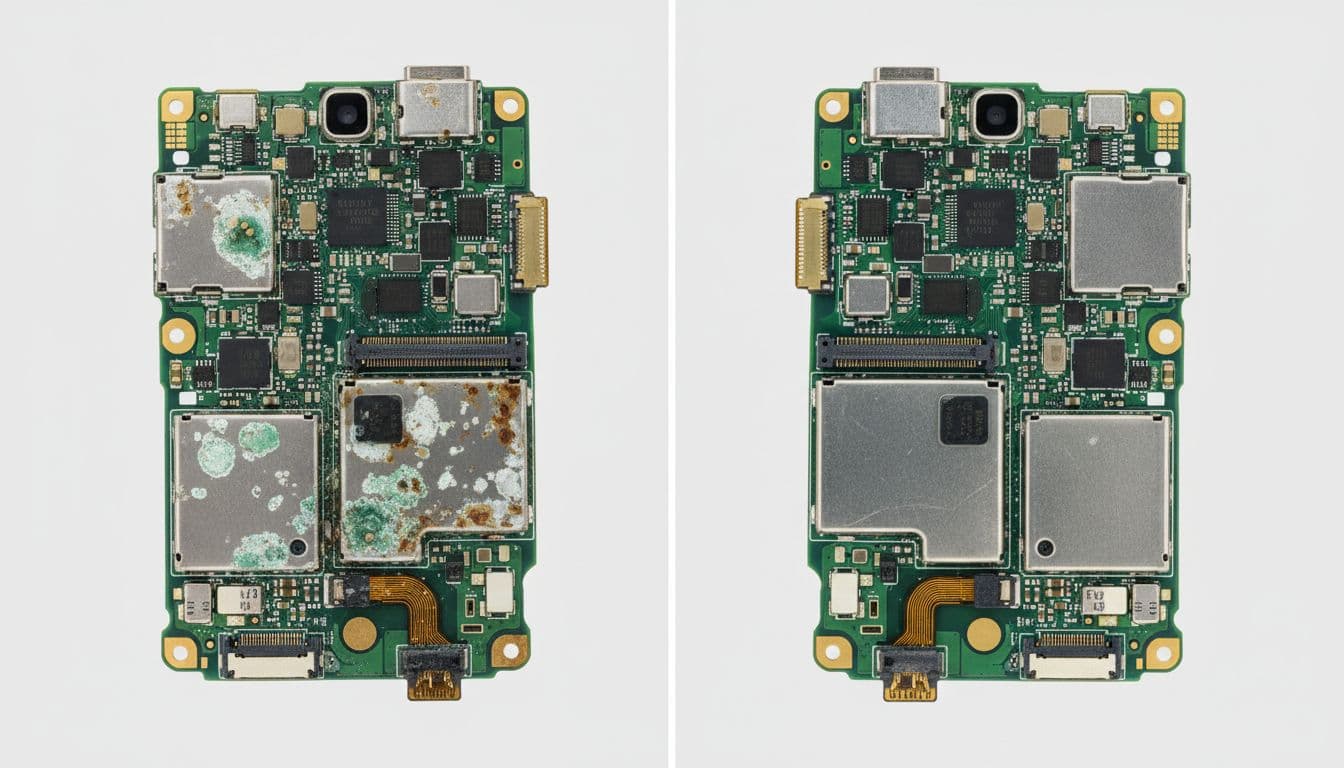
A quick response can turn a nasty spill into a manageable repair.
We also see the other side of it. An older Galaxy A-series phone that sat in a salty coat pocket for a weekend may come in with a dead screen, heavy board corrosion, and a battery that has taken a hit. At that stage, repair costs can overtake the value of the handset. When that happens, we say so.
That honesty matters. For local Essex phone repairs, we would rather give a straight answer than sell somebody a repair that makes no sense. Data recovery needs can still make a job worth attempting, but the phone itself may not be the part worth saving.
Age, model, storage value, and condition all matter here. A newer flagship with family photos and banking apps set up is often worth trying to rescue. A battered older handset with low resale value may be better replaced, especially if several parts have already failed.
Local in Essex or sending it by post
If you are nowhere near Harlow, speed still matters. A postal phone repair UK option can be a lot better than leaving a damp handset in a drawer for a week while you decide what to do.
We handle both local drop-ins and nationwide post. For broader mobile phone repair UK coverage, our mail-in phone repair UK service is built for exactly this sort of problem. We aim to start diagnostics as soon as the device arrives, often the same day, and we return it securely once testing is complete.
If you need Samsung repairs by post, keep the process simple:
- Book the repair online and note your order number
- Pack the phone securely, without loose accessories unless we ask for them
- Include any passcode we need for testing, if the device still powers on
For local phone repair Essex customers, a Harlow appointment may be the easiest route. For everyone else, tracked post works well, and it avoids the faff of gambling on the nearest random kiosk.
When you compare postal repair services, ask practical questions. Do they offer a proper liquid-damage diagnosis? Do they use quality parts if replacement is needed? Is there a price promise? What warranty applies after the repair? At Repair My Crack, we focus on clear quotes, quality parts, and fast turnaround, with a one-year warranty on repairs where applicable and subject to terms. With liquid damage, we also explain that hidden faults can appear later because water rarely damages one part only.
What customers usually ask us at the bench
Can rice fix a wet Samsung?
No. It delays the proper repair, and it doesn’t clean corrosion. We would rather see a phone switched off and posted in quickly than left in a bowl of rice for two days.
My Samsung still works, should we leave it alone?
Usually not. A phone can behave normally for a short time because the corrosion hasn’t bridged the wrong contact yet. Once it does, the repair often becomes harder and dearer.
What if it only shows “moisture detected”?
That can be genuine dampness, residue in the USB-C port, or a damaged port board. Rain, steam, gym sweat, and drink splashes all cause it. If the warning keeps returning after proper drying, it needs inspecting.
Can data usually be saved?
Often, yes, especially if the phone stayed off and the board damage is local rather than widespread. Still, no repair shop should promise data recovery on a water-damaged device before testing it.
A final point is worth keeping in mind. Liquid damage often gets treated like bad luck, but the outcome usually comes down to the first few choices. Turning it off, avoiding charge, and getting it checked quickly gives the phone its best chance.
Conclusion
If your Samsung has gone for an unplanned swim, the urge to test it is exactly what causes more trouble. Fast action, proper cleaning, and honest diagnosis give Samsung water damage repair the best chance of success.
Some phones need nothing more than careful cleaning and a replacement port or battery. Others are too far gone, and it is better to know that early than throw money at the wrong fix.
If you are stuck with a wet Galaxy right now, book it in and we will take a proper look, whether you need local help in Essex or a secure postal repair across the UK.
- James Waterston, Device Repair Specialist at Repair My Crack