
A drop can do more than crack glass. If your Google Pixel no service message appeared straight after a knock, the fault may be a loose SIM tray, a shifted antenna, or damage inside the frame.
We usually start with the simple stuff before opening the phone. If the Pixel still powers on and the screen looks fine, there’s a decent chance we can get it back without replacing the whole handset.
Why a dropped Google Pixel loses signal
When a phone lands badly, the damage is often smaller than the scare it gives you. Signal parts sit around the frame, the SIM tray, and the top section of the handset, so a hard impact can upset them without leaving much visible damage.
That is why a Pixel can look almost normal and still lose network. The drop may have nudged a connector, bent the frame slightly, or cracked the SIM tray just enough to throw the phone off.
The common culprits are usually:
- A damaged SIM tray, which stops the card sitting properly
- A loosened antenna connection, which weakens reception
- A bent frame, which changes the way parts line up
- Impact damage to the board, which is less common but more serious
- Moisture getting in after the drop, which can cause corrosion later
If the phone shows “Searching”, “No service”, or “Emergency calls only”, we pay close attention to when it started. A fault that appears right after a drop is often hardware related. A fault that starts after an update can point elsewhere.
We also see people panic because the phone still charges and the screen works. That does not rule out signal damage. It only tells us the problem is more local than total.
The checks we do before opening the phone
Before we reach for a tool, we ask a few basic questions. They save time, and they can save you money as well.
Start with these home checks:
- Remove the SIM tray and put it back in carefully
- Restart the phone
- Switch airplane mode on for 20 seconds, then off again
- Try another SIM, if you have one handy
- Check whether your network has an outage in your area
- Look for warning signs such as a loose tray, frame bend, or a screen that no longer sits flush
If the phone still says no service after a reboot and SIM swap, the fault is usually deeper than a settings glitch.
If the issue began after a recent update, it can be worth checking wider reports. Google’s own Pixel network drop thread shows that some signal problems can look like a software issue at first, especially on dual SIM setups.
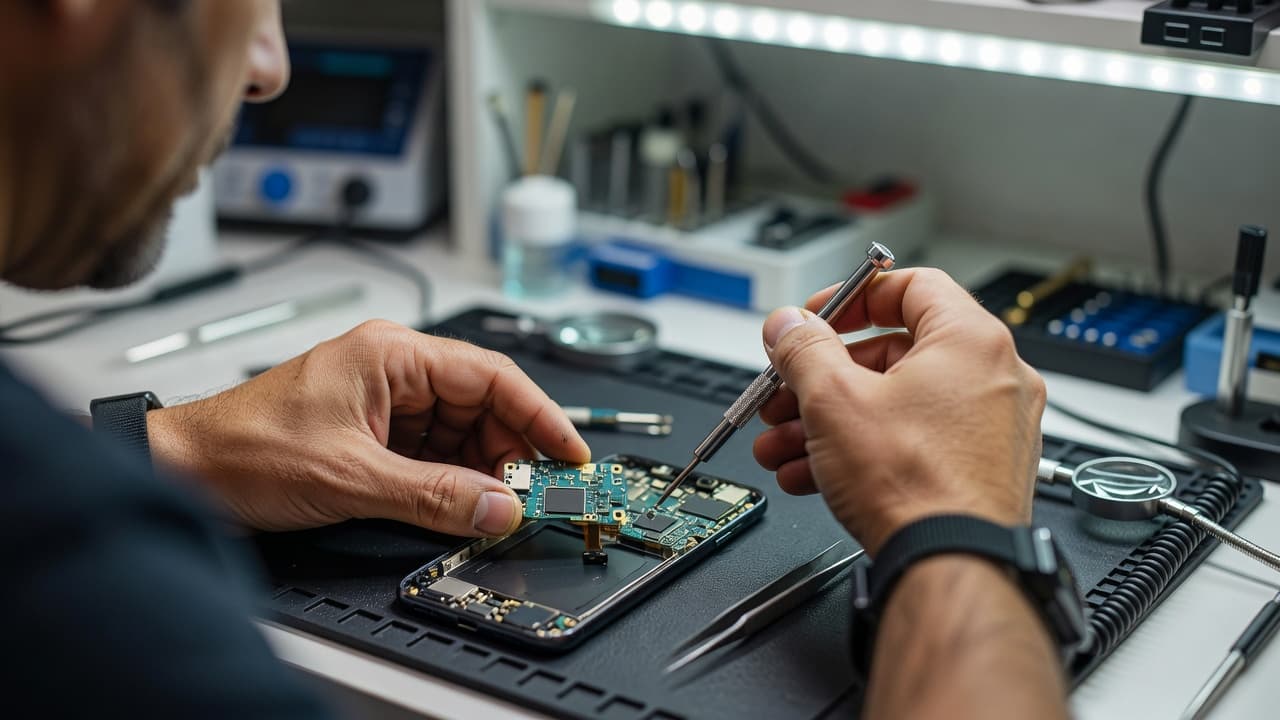
A quick visual check matters too. If the SIM tray is chipped, the frame is bent, or the back glass has taken the hit, we treat the signal loss as part of the impact rather than a random network hiccup.
What the fault usually is inside the phone
Once the basic checks are done, we look at how the fault behaves. That tells us a lot.
| Symptom | What it often points to |
|---|---|
| No service straight after a drop | SIM tray, antenna contact, or frame pressure |
| Signal comes and goes when the phone flexes | Loose connector or bent chassis |
| Charging and signal both play up | Port damage or wider impact damage |
| Phone reboots or shuts down | Board fault or battery connection issue |
| SIM not detected at all | Tray fault, SIM contact issue, or board problem |
In our workshop, we often find that the outside damage is only half the story. A Pixel can land on a kerb, keep its display alive, and still lose network because the antenna line no longer sits where it should.
We had a customer from Essex bring in a Pixel after a drop onto paving slabs. The screen still worked, but the phone would not hold signal for more than a few seconds. The SIM tray had a fine crack, and the internal contact had shifted after the impact. Once we rechecked the fit, tested the connections, and confirmed the frame was sound, the signal came back.
That sort of job is common in phone repair Essex work. It is also the kind of fault that looks worse than it is.
A Pixel with no service after a knock can still be repairable if the damage is local. If the board is badly affected, the picture changes. Corrosion, heavy bending, or water entry make the job harder fast.
When repair makes sense and when it doesn’t
This is where we stop guessing and look at the whole handset.
Repair usually makes sense when:
- The phone still powers on normally
- The screen and battery are otherwise healthy
- The frame is only lightly bent, or not bent at all
- The signal fault started after one clear drop
- There is no sign of heavy corrosion or liquid damage
Replacement starts to make more sense when:
- The frame is badly bent
- The phone has several faults at once
- Charging is flaky as well as signal
- The board has taken a serious hit
- The device is older and already had battery trouble
We use the same thinking on other repairs too. The logic behind iPhone screen repair UK, iPhone battery replacement UK, cracked iPhone screen repair, and Samsung phone repair UK jobs is simple. If the handset is sound apart from one fault, repair often wins. If the damage spreads across several parts, the bill and the risk both climb.
That is the same judgement we use across mobile phone repair UK work. A single clean fault is one thing. Three faults on a tired phone are another matter.
For context, common repairs on other handsets often sit around these ranges:
- Screen replacement, £60 to £180
- Battery replacement, £40 to £80
- Charging port repair, £50 to £90
- Water damage treatment, £60 to £120
Those figures are not Pixel-specific, but they give a rough idea of how repair usually compares with buying a new phone. A straightforward fix is often far easier on the wallet than a replacement handset.
How our postal phone repair UK service works
If you are not near Essex, our postal phone repair UK service keeps things simple. We aim to make the process as painless as possible.
- Book the repair online.
- Pack the phone safely, then include your order number.
- Add any passcode or unlock details needed for testing.
- Send it with tracked Royal Mail postage.
- We aim to start work as soon as it arrives, often the same day.
- We test the phone, then send it back once it passes.
If the Pixel belongs to a business user, or a few handsets have gone down at once, our business phone and tablet repair services are a better fit. That keeps staff moving when devices are part of the workday, not a spare luxury.
We also keep things straightforward for local customers in Harlow and the wider area. A drop-in appointment can be the quicker route when you want someone to inspect the phone in person.
Before you post the handset, a quick backup is wise. If the screen still works, save your photos, contacts, and messages. It is a small job that can spare a lot of grief later.
Conclusion
A Google Pixel no service fault after a drop is often more fixable than it first looks. The first checks are simple, but the real clue usually comes from how the phone behaves after the impact.
If the Pixel still powers on, the problem may be limited to the SIM tray, antenna, or frame. If several faults arrived together, we start thinking bigger.
If you are stuck with a phone that has gone silent after a knock, book a repair online and send it through our postal service, or bring it in by appointment if you are local. We will inspect it properly and give you a straight answer.
James Waterston, Device Repair Specialist at Repair My Crack