
A MacBook keyboard spill can ruin a working day in a few seconds. One mug of tea, one knock of a glass, and suddenly the keys feel sticky, the trackpad starts acting odd, or half the keyboard stops responding.
We see this all the time, and the first rule is simple. Power it down quickly and stop testing the keys. The sooner we stop the liquid moving, the better the chance of saving the machine.
What to do in the first 10 minutes after a spill
The first few minutes matter more than most people realise. A quick, calm response can stop a small mess becoming a full top-case replacement.
- Shut the MacBook down straight away. Hold the power button if needed.
- Unplug the charger and any accessories. Power and liquid do not mix.
- Turn the laptop upside down in a tent shape if you can. This helps any liquid drain away from the keyboard.
- Blot the outside gently with a dry cloth. Do not rub hard.
- Leave it switched off until it has been checked properly.
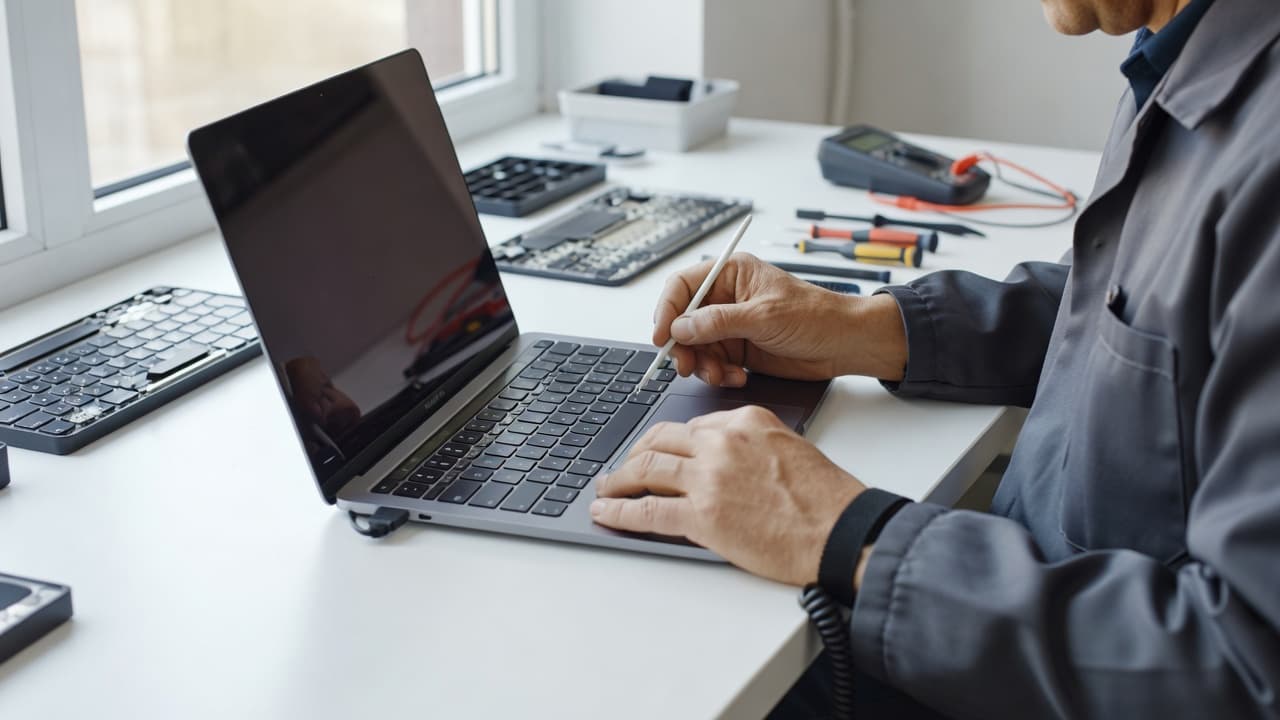
If the machine is still wet, every key press can push liquid deeper into the board.
We also avoid the usual bad ideas. Rice does little. A hairdryer can push moisture further inside. Charging it “to see if it works” is a good way to turn a repair into a board fault.
What a spill usually damages inside the keyboard
Liquid does not stay polite and local. It spreads under the keys, across the trackpad cable, and sometimes down to the battery area.
Here is a quick way to read the warning signs.
| Symptom | What it may mean | What we check |
|---|---|---|
| A few keys feel sticky | Liquid residue under the key mechanism | Keyboard, top case, and key travel |
| Several keys stop working | Moisture has spread across the board | Keyboard matrix and connector damage |
| Trackpad behaves oddly | Spill has reached nearby cables or the trackpad area | Cable, trackpad, and surrounding corrosion |
| MacBook powers on but acts erratically | Liquid may have reached deeper components | Logic board, battery, and connectors |
A spill with sugar, milk, or syrup is worse than plain water. Those liquids leave residue behind, so the keys may work for a while and then seize up later. That delayed failure catches a lot of people out.
Apple’s own community advice is blunt on this point, because water and electronics do not mix. That sounds obvious, yet people still try to “see if it’s fine” after a spill. It usually isn’t.
When drying helps and when it doesn’t
Drying can help when the spill is minor and the machine was powered off quickly. It helps far less once the liquid has had time to move around, especially if the drink was sticky or the MacBook stayed on.
A sensible drying routine is outlined in Back Market’s spilled-water guide, and it matches what we see on the bench. Power off, remove the charger, and let the machine drain. Do not keep opening apps or tapping keys to “check”.
For a plain water spill, we sometimes find the keyboard is recoverable after a proper clean and inspection. For tea, coffee, or soft drinks, the residue often means deeper work. If corrosion has already started, the damage may keep spreading even after the laptop looks dry.
We also watch for these signs:
- keys repeating or missing letters
- the trackpad clicking by itself
- the MacBook getting warm in the wrong places
- the battery draining unusually fast
- a faint burnt or sweet smell after the spill
If any of those show up, the problem is no longer just surface drying. It needs a proper workshop check.
A real workshop example from a tea spill
Last week we had a MacBook Air in after a tea accident. The owner had tipped the cup near the right side of the keyboard, then spent half an hour trying to keep working. By the time it arrived, the space bar and a few nearby keys were sticky, and the trackpad had started to feel sluggish.
We stripped it down, cleaned the affected area, and checked for corrosion around the connectors. The keyboard itself had taken the worst of it, but the rest of the machine was still worth saving. That is the key point with a macbook keyboard spill, timing often decides whether we are cleaning a fault or replacing half the top case.
A second job was less lucky. That one involved a sugary drink and a machine that stayed switched on for hours. The keyboard came back patchy, and the battery had also started to swell. At that stage, the repair became a wider parts job rather than a quick clean.
Repair or replacement, which makes more sense?
Not every spill means a dead MacBook, but not every machine is worth a full rebuild either. We look at the model, the liquid, the time since the spill, and whether the damage has spread.
Repair usually makes sense when:
- the MacBook was switched off quickly
- only a few keys are affected
- the trackpad and battery still behave normally
- there is no sign of heavy corrosion
- the spill was plain water rather than a sticky drink
Replacement becomes more likely when:
- the keyboard has multiple dead zones
- the battery has been hit as well
- the logic board shows corrosion
- the top case is badly damaged
- the laptop has already had a few expensive faults
If the screen or battery also needs attention, the numbers change again. Our MacBook screen replacement pricing guide is useful if the spill has caused display trouble too. If battery health has taken a hit, our MacBook battery replacement prices page shows the sort of costs people usually face.
The same repair-first thinking applies across the rest of our work. We use it for phone repair Essex, mobile phone repair UK, iphone screen repair UK, cracked iphone screen repair, iphone battery replacement UK, samsung phone repair UK, and postal phone repair UK. We diagnose first, then fix the fault that is actually there.
How our postal repair service works
If you are not near Essex, posting the MacBook is often the easiest route. We use a tracked Royal Mail service, and we aim to start work as soon as the machine arrives, often the same day.
The process is simple:
- Book the repair online.
- Pack the MacBook safely in a sturdy box.
- Include the order number inside the parcel.
- Send it with the tracked postage method.
- We inspect, test, repair, and return it to you.
If the device needs access for testing, we will tell you what passcode or account steps are needed. That keeps everything tidy and avoids delays. For local customers, we also have drop-in appointments in Harlow, Essex.
We handle more than MacBooks too. The same workshop covers iPhone and Samsung jobs, from batteries and charging ports to screen repairs and liquid diagnostics. That matters when one household has a laptop problem and a phone problem on the same week, which happens more often than people expect.
Quick answers to common questions
Can a MacBook keyboard recover after a spill?
Yes, sometimes. A quick power-off and a careful clean give the best chance.
Should we keep using it if some keys still work?
No. Partial function often hides deeper liquid damage.
Is a full keyboard replacement always needed?
No. Some spills need cleaning, connector work, or a smaller part swap.
How long should we wait before turning it back on?
Only after it has been checked properly. Turning it on too soon can make the fault worse.
Conclusion
A MacBook keyboard spill is one of those accidents that looks small at first and then turns into a proper headache. The best outcome usually comes from acting fast, keeping the machine off, and getting a proper diagnosis before more damage spreads.
If the spill has stayed local, we can often clean and test the machine. If it has reached the battery, trackpad, or board, we will give a straight answer on repair versus replacement. Either way, the sooner we see it, the better the odds.
If your MacBook has been soaked, book it in and send it our way. We’ll check it properly, explain the options clearly, and get it sorted as quickly as we can.
James Waterston, Device Repair Specialist at Repair My Crack