
A phone can look cracked on the outside yet still have a healthy display panel beneath the damaged outer glass. Equally, a small impact can damage the panel without leaving much visible glass damage. Knowing how to identify this type of display damage helps you choose the right repair. That might mean glass work, a complete screen replacement or a wider diagnostic check.
We see this confusion regularly at the repair bench. Black blotches, flickering, coloured lines and dead touch areas often signal internal damage. A sharp crack with a clear picture may affect only the glass. The right diagnosis starts with understanding what has failed.
Key Takeaways
- A cracked outer glass does not always mean the display panel is damaged; a clear picture and fully working touch may indicate a glass-only repair.
- Black blotches, coloured lines, flickering, dead touch areas or a completely black screen with working sounds usually point to internal display or touch-layer damage.
- OLED and LCD panels fail differently, but the correct replacement must match the phone’s original display technology, connector and physical design.
- Back up your data as soon as the screen starts behaving strangely, and switch the phone off if it is hot, lifting or showing signs of a swollen battery.
- Screen replacement costs depend on the handset, part grade, frame condition and any additional damage, so a full diagnostic check is important before repair.
OLED vs LCD damage: what the symptoms reveal
A modern phone screen is made from several layers. The outer glass protects the display, while the touch layer detects your fingers. Underneath sits the display panel, along with delicate cables and connectors.
If only the outer glass has cracked, the picture may remain bright and stable from normal viewing angles. Touch may also work normally. However, the crack can spread, allow moisture inside and make the handset unsafe to use. A glass crack also puts pressure on the touch layer, so a phone that works today may develop dead areas later.
Internal display damage usually produces clearer warning signs:
- Black spots that look like spilled ink suggest a damaged panel.
- Vertical or horizontal lines often indicate broken display connections or panel damage.
- Flickering, flashing or sudden changes in brightness can point to a failing screen assembly.
- A completely black display with vibration, sounds or incoming calls still working suggests image loss rather than a dead phone.
- Touch that works in some areas but not others indicates damage to the digitizer or touch layer.
- Green, purple or white bands can appear after pressure or impact, particularly on OLED screens.
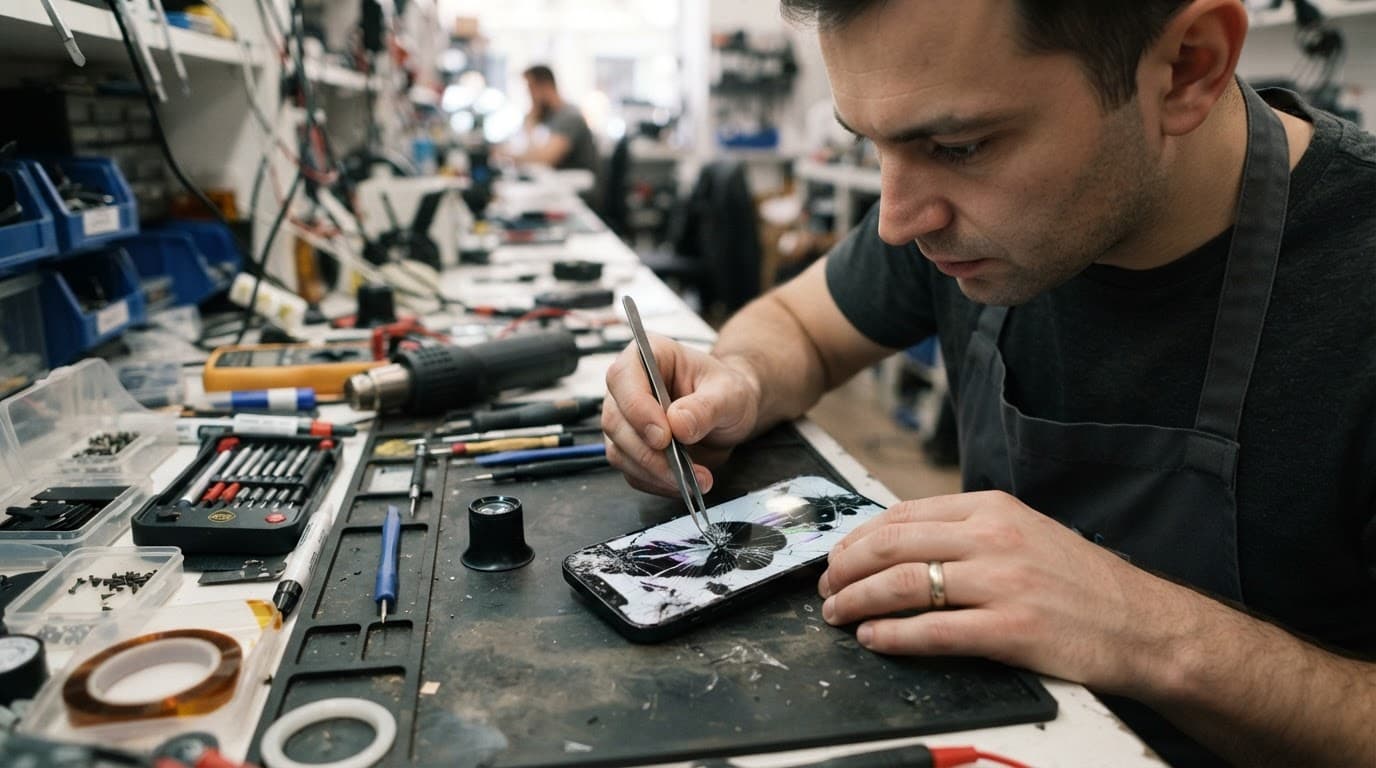
A screen protector can also confuse the diagnosis. Remove the protector carefully if it has cracked, then inspect the actual cover glass in good light. If the display remains clear after that, the damage may be cosmetic. Never press on a spreading dark mark to see whether it changes. Pressure can destroy more of the panel.
How OLED and LCD panels fail differently
An organic light-emitting diode (OLED) panel creates light at each pixel, so it needs no separate light source. A liquid crystal display (LCD) controls light from a separate source, usually a backlight.
That construction affects display quality, contrast ratio and the way damage appears.
| Display feature | OLED screens | LCD screens |
|---|---|---|
| How it produces light | Each pixel lights itself | A separate backlight shines through liquid crystals |
| Black areas | Pixels switch off for deep blacks and a high contrast ratio | The light source can make blacks look grey |
| Viewing angles | Usually wide with less contrast shift | Can lose colour or contrast off-centre |
| Physical design | Thin and flexible, but delicate | Often thicker because of layered construction |
| Colour reproduction | Often strong color accuracy | Varies by panel quality; some products use quantum dot technology |
| Common failure signs | Coloured lines, flickering and image retention | Dark patches, lines, uneven lighting and flickering |
| Permanent burn-in | Possible after uneven pixel wear | Classic burn-in is not a normal LCD problem |
OLED screens usually provide stronger contrast, richer blacks and excellent viewing angles. Individual pixel control lets black pixels switch off, improving energy efficiency with dark content. Bright full-screen content at high brightness levels can still use considerable power.
LCD screens benefit from mature production and can be forgiving in some devices, but viewing angles vary by panel type. They need a backlight, which adds thickness and can increase energy use, but the structure can offer good everyday durability. The frame and cover glass often matter most for impact resistance after a drop, while viewing angles vary between models.
Replacement OLED parts often cost more because OLED screens require organic layers and careful encapsulation. Their manufacturing process also demands tight tolerances, and those organic materials age over time. Published estimates for lifespan and durability vary, with OLED panels often discussed in the region of 40,000 to 100,000 hours under suitable conditions. LCD estimates commonly sit around 40,000 to 60,000 hours. Actual service life depends on brightness, heat, usage and part quality.
Burn-in is different from sudden impact damage
Screen burn-in happens when pixels in OLED screens age faster than others. Static elements such as navigation bars, news tickers or game controls can leave a permanent ghost image after repeated use at high brightness.
That’s a gradual wear problem, not the same as a black mark caused by dropping the phone. Burn-in usually shows faint outlines or uneven colour across an active image, visible from normal viewing angles. A cracked OLED panel, by contrast, may develop a dark patch that expands from the impact point.
Traditional LCD screens don’t suffer from classic permanent OLED burn-in because their liquid crystals don’t create light independently. They can experience temporary image retention in unusual circumstances, but that’s different from the persistent uneven pixel degradation associated with OLED.
A repairer should separate these problems before recommending a replacement. Burn-in can make a screen unpleasant to use, but it doesn’t always mean the panel suffered physical impact. A spreading black area, dead pixels or a line that appeared immediately after a drop usually points to panel damage.
A phone that still vibrates under a black screen may only need a display assembly, but its data could be at risk if the panel fails completely.
Checks to make before booking a screen repair
You can carry out a few safe checks without opening the phone. They won’t replace a professional inspection, but they can help you describe the fault accurately to a technician.
- Remove the case and screen protector, then inspect the phone under a bright light.
- Restart the handset and check whether the fault returns on the startup logo.
- Open a plain white image, then a plain black image, to inspect the display panel for lines, blotches, uneven colour or dead sections. Compare the screen at normal and high brightness levels, then view it from different viewing angles.
- Test touch across the whole screen by slowly moving an icon or typing in different areas.
- Take a screenshot and view it on another device if possible. If the screenshot looks normal elsewhere, the physical panel is more likely to be at fault.
- Check whether calls, vibrations, charging and notifications still work while the display is failing.
If the display flickers or black spots are spreading, back up your phone immediately while you can still unlock it. Use iCloud for an iPhone, Google Backup or Smart Switch for a Samsung, then copy important photos or files to a computer if necessary.
A failing panel can stop responding without warning. Once that happens, accessing your data becomes much harder. If the screen is lifting, the phone is hot or the battery looks swollen, switch it off and don’t press the display back into place. A damaged battery needs careful handling.
Can an LCD replace an OLED screen?
Usually, a screen replacement should use the same display technology the phone was designed to use. An OLED-native handset doesn’t contain the same backlight arrangement as LCD screens. A generic LCD panel may have the wrong electrical requirements, connector design, thickness or touch behaviour.
Even if an LCD replacement physically fits, you could see poor colour, reduced brightness, thicker edges, weaker viewing angles or battery drain. Some premium LCD screens use quantum dot technology to improve colour, but that does not make them compatible with an OLED phone. Part quality and frame fit can also affect impact resistance against future knocks, regardless of the technology. In some cases, an incompatible part can cause electrical faults, display errors or backlight circuit problems.
The difference matters on iPhones. An iPhone 11 uses an LCD display, while models such as the iPhone X, XS and 11 Pro use OLED panels. Samsung Galaxy models also vary, although many flagship Galaxy phones use AMOLED technology. Check the precise model number before ordering a replacement screen.
We compare the quoted part, warranty and testing process rather than choosing the cheapest screen. A low price can mean a lower-grade panel with weaker color accuracy, narrower viewing angles or unreliable touch response. That can reduce overall display quality. For more detail on repair choices, our phone screen repair guide covers the main options.
Repair costs and the right service option
Typical UK screen replacement prices vary by model and part type. As a broad guide, common screen jobs may fall between £60 and £180. OLED assemblies often cost more than LCD screens, but the cheapest part may offer less impact resistance. The exact price depends on the handset, frame condition, screen grade and any damage to connectors.
A hard drop can create more than one fault, increasing repair complexity. We may find a damaged screen alongside a bent frame, loose charging port or weakened battery. Battery replacements often sit around £40 to £80, while charging port repairs can be roughly £50 to £90. These are guide figures, not a fixed quote.
For example, on iPhone 12 repairs, a drop can leave the glass shattered while the image still works. If black patches or dead touch areas appear later, the touch layer may also be damaged. The job then needs a complete screen assembly, rather than a cosmetic glass repair. That is why we test the whole handset before chargeable work begins.
People searching for iphone screen repair UK or cracked iphone screen repair should ask three practical questions:
- Which display technology and part grade will be fitted, and what color accuracy and viewing angles should it provide?
- Does the price include adhesive, testing and labour?
- What warranty applies to that particular replacement?
We provide express repairs for iPhone and Samsung devices, with quality parts, accredited technicians and a price promise where possible. Our complete guide to iPhone repairs also covers batteries, charging ports and other faults. If the battery has deteriorated as well, an iphone battery replacement UK quote may make sense at the same time.
Local and postal repair options across the UK
Customers booking phone repair Essex appointments can arrange a drop-in repair in Harlow by appointment. We also handle mobile repairs and mobile phone repair UK jobs by post, including display faults on iPhones, Samsung phones, tablets and other supported devices.

For postal phone repair UK bookings, you can book online, package the handset securely and use the tracked Royal Mail service provided with the order. Include the order number and any passcode needed for testing. We keep customer data untouched during normal repair work, but a backup is still the safest step.
We aim to begin testing as soon as the device arrives, often on the same day, although parts and additional faults can affect the timeframe. If testing finds a bent frame, corrosion or a different fault, we contact you with the revised options before proceeding.
The same approach applies when comparing Samsung phone repair UK services. We diagnose the original fault, fit a compatible quality part and test brightness levels, viewing angles, touch response, cameras, charging and other relevant functions before return. Repairs include warranty cover, with the exact screen term depending on the quoted part, so check the written terms.
Frequently Asked Questions
How can I tell whether only the glass is cracked?
If the picture remains clear and stable and touch works across the whole screen, the damage may be limited to the outer glass. A spreading black mark, coloured line, flickering or dead touch area usually means the display assembly also needs attention.
Is OLED damage different from LCD damage?
OLED panels can show coloured lines, dark patches, flickering and permanent burn-in because each pixel produces its own light. LCD screens use a separate backlight and may show uneven lighting, dark areas or lines when the panel or backlight is damaged.
Can an LCD screen replace an OLED screen?
Usually not, because OLED-native phones do not use the same backlight arrangement, electrical requirements or display connections as LCD panels. An incompatible replacement can cause poor brightness, inaccurate colours, thicker edges, battery drain or other electrical faults.
Should I back up my phone before a screen repair?
Yes, back up your phone immediately if the display is flickering, developing black spots or becoming difficult to use. A failing panel can stop responding without warning, making access to photos, files and other data much harder.
How much does a UK screen replacement cost?
Common UK screen replacements may cost roughly £60 to £180, although OLED assemblies and additional damage can increase the price. The exact quote depends on the phone model, part grade, frame condition, connectors and the repair service’s warranty.
Conclusion
Working out OLED vs LCD damage means separating the outer glass from the rest of the screen. A clear picture with working touch may mean only the glass has cracked. Spreading black patches, lines, flickering or dead touch usually indicate a full screen assembly fault.
OLED screens can offer wider viewing angles than LCD screens, but impact resistance depends on the complete handset construction and replacement-part quality. Back up the phone as soon as the display starts behaving strangely, and don’t force an incompatible LCD onto an OLED-native device.
Whether you use a Harlow appointment or a tracked postal repair, a proper diagnosis prevents a cheap-looking screen job from becoming a much bigger problem.
James Waterston, Device Repair Specialist at Repair My Crack