
An iPad screen that starts lifting from the frame is more than a cosmetic nuisance. The gap may point to a swollen battery, failed adhesive, impact damage or a problem caused by an earlier repair.
iPad screen lifting should be treated as a possible battery fault until checked. Battery swelling needs prompt attention, while adhesive failure may be less urgent but still needs proper inspection. Pressing the screen back down can damage the display, cables or battery.
We see this fault on older iPads, models that have suffered a knock, and tablets that have spent years exposed to heat during charging. The first step is working out what is creating the gap.
What iPad Screen Lifting Usually Means
The same lifted appearance can come from two very different problems. One needs urgent safety precautions. The other may need fresh adhesive and a careful display refit.
Battery swelling is the urgent possibility
A lithium-ion battery can expand as it ages or develops an internal fault. Inside an iPad, the battery sits beneath the display, so expansion has limited places to go. The screen may start rising from one edge, lift across the middle or make the aluminium frame look slightly bowed.
Look for several signs together:
- The display gap is getting wider over time.
- The iPad no longer lies flat on a table.
- The device becomes unusually warm during light use or charging.
- Battery life has dropped sharply.
- The screen shows pressure marks, bright patches or changes in colour.
- The casing appears distorted around the lifted area.
An Apple Community report about a bent iPad describes heat and increasing distortion alongside a suspected swollen battery. A forum post cannot diagnose your iPad, but those symptoms are good reasons to stop using the tablet and arrange a professional inspection.
Adhesive failure can look similar
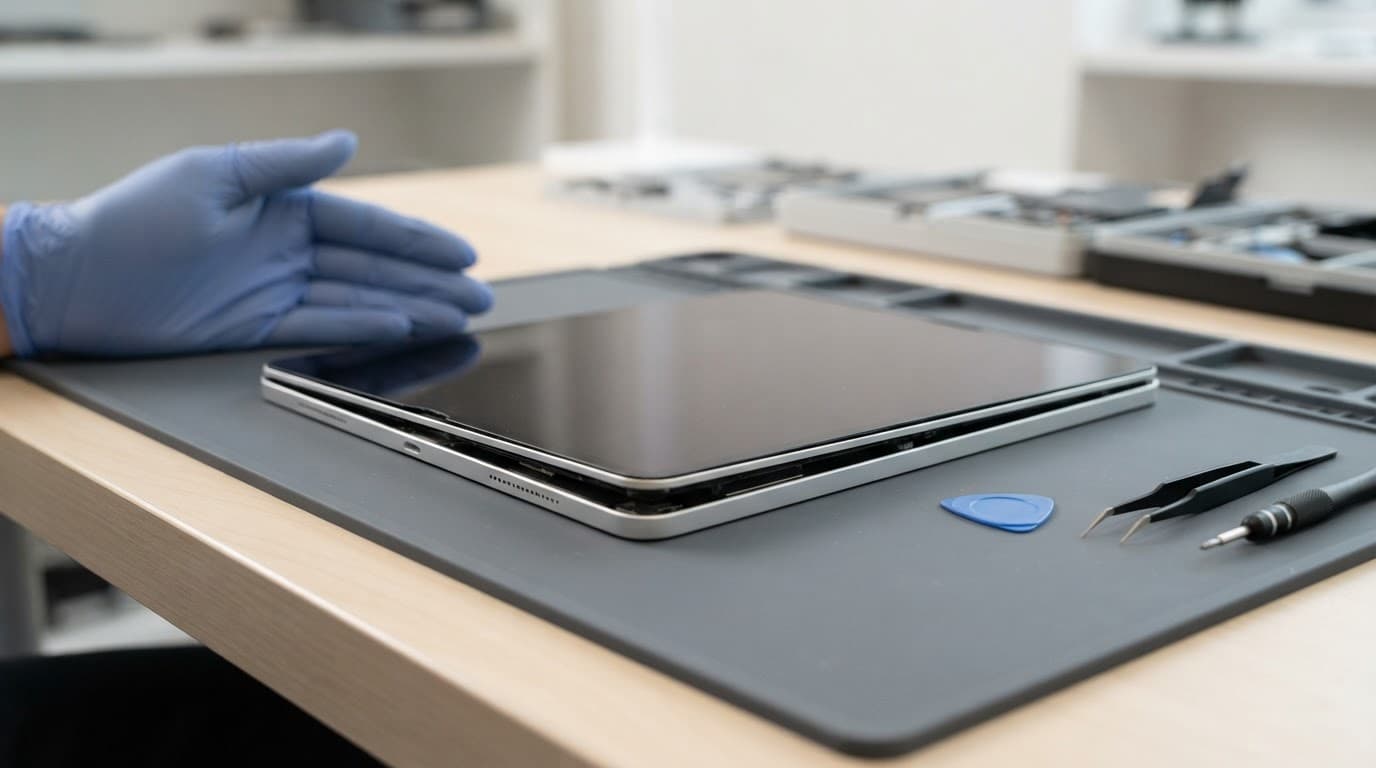
The adhesive around an iPad display can weaken after years of use, heat exposure, an impact or a previous screen repair. In that situation, the lift is often limited to a corner or narrow edge. The tablet may still lie flat, remain cool and have normal battery performance.
Adhesive failure does not prove the battery is healthy, though. A technician still needs to check underneath the screen before applying new adhesive. If the battery is expanded, sticking the display down could trap pressure against the panel and create a more serious problem.
Safe Diagnosis Before Any Repair
A gap around the display is only one clue. We also check how the iPad charges, whether it stays cool, and whether the screen and touch layer still work.
The same method applies when we assess an iPhone component fault after a drop, a Samsung component fault after a drop or a Google Pixel component fault after a drop. For an iPad component fault or diagnosis, the visible damage never tells the whole story.
Checks you can make without opening the iPad
Remove the case first, as a tight case can make a small edge gap appear worse. Then inspect the tablet under good lighting without pressing the display.
If the screen is only slightly loose and there are no signs of heat or distortion, note:
- Which edge or corner has lifted.
- Whether the iPad still responds to touch.
- Whether the image has lines, black areas or flickering.
- Whether charging remains stable.
- Whether the battery drains faster than usual.
- Whether the problem followed a drop, repair or period of heavy heat.
Common screen or display fault symptoms include ghost touches, dead areas, flickering, missing backlight, black patches and a picture that disappears when the iPad moves. These symptoms can come from the screen assembly, a connector or the main board.
A device won’t turn on or won’t charge diagnosis also needs more than one quick test. We check the cable, charger, port, battery response and power circuits rather than assuming the screen is responsible.
What we check on the repair bench
We begin with the external condition and record existing cracks, dents and frame distortion. Next, we test charging, power, touch response, display brightness, cameras, speakers and buttons where the tablet allows it.
A lifted screen may hide a damaged display cable or pressure damage to the LCD. If a previous repair has left old adhesive, dust or a bent frame beneath the screen, a simple reseal may not hold.
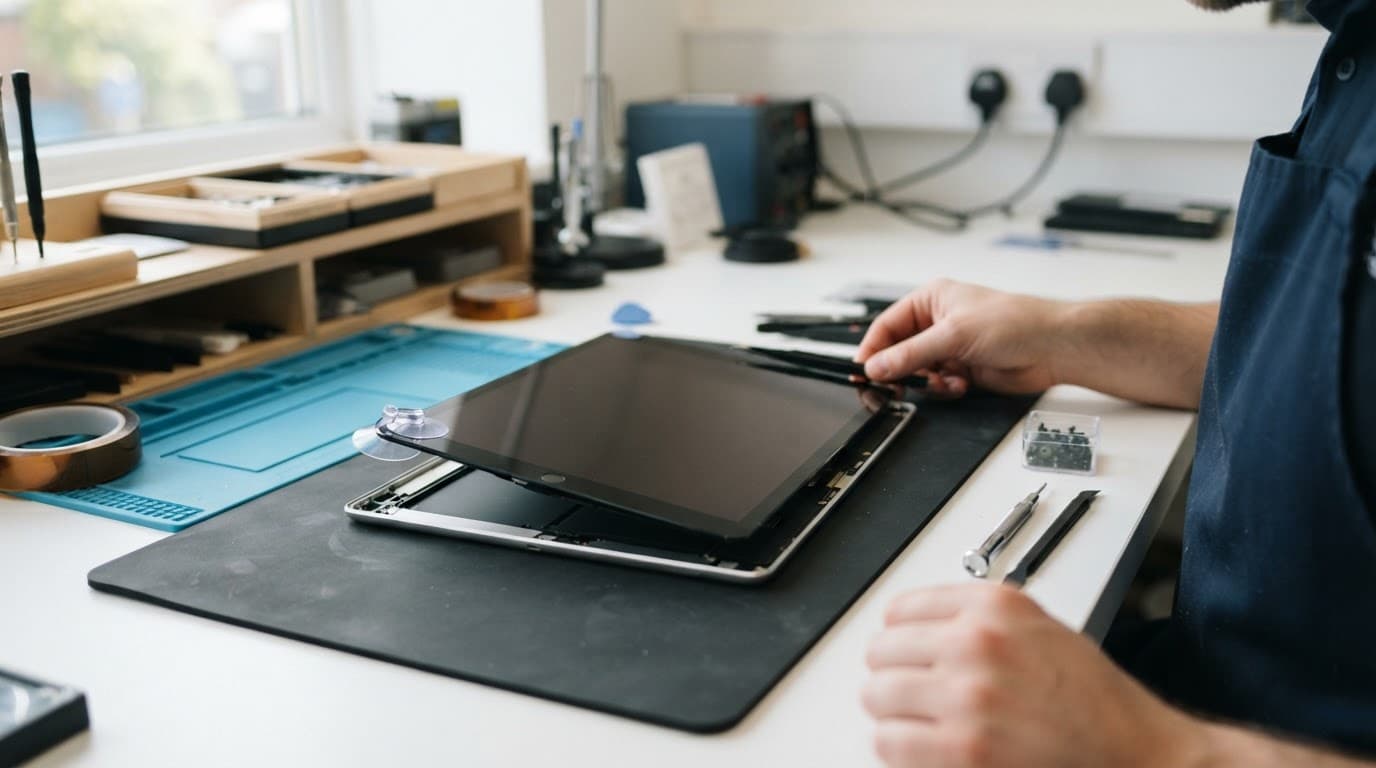
We never recommend forcing the screen down or lifting it further at home. iPads use strong adhesive and have delicate cables close to the display edges. A screwdriver, craft knife or too much heat can turn an adhesive problem into a broken screen and damaged battery.
What to Do If the Screen Has Started Lifting
If you suspect battery swelling, stop charging the iPad and power it down if you can do so safely. Avoid using it until a technician has checked the battery and frame.
Take these steps:
- Move the iPad away from heat, direct sunlight and anything that could press against the screen.
- Do not push the display back into place, bend the chassis or puncture the battery.
- Avoid hairdryers, radiators and heat guns, even if the adhesive appears to be the obvious cause.
- Photograph the front, back, corners and lifted edge from a safe distance.
- Contact the repairer before posting if the tablet is hot, badly bowed or visibly swollen.
Our phone repair checklist before posting includes useful photos and information to record. However, a device showing possible battery swelling should not be sent through the post without speaking to the repair team first.
If another repair shop fitted the screen recently, contact that provider before using someone else. Opening the iPad elsewhere can affect the original repair warranty, and the first repairer should have the opportunity to inspect a fitting or part fault.
For general phone hardware troubleshooting in the UK, details about the original incident make a real difference. Tell the repairer if the iPad was dropped, exposed to liquid, repaired before, left in a hot car or used with a damaged charger.
iPad Repair Costs in the UK
The price depends on the iPad model, screen type, battery condition and frame damage. A standard iPad, iPad Air and iPad Pro can look similar from the outside but use different parts and require different repair methods.
Typical price ranges
Current UK repair prices vary, but these guide figures give you a sensible starting point:
- Battery replacement often falls between £109 and £195.
- Screen replacement may range from roughly £80 to £300 on common models.
- Larger or newer iPad Pro displays can cost several hundred pounds.
- A severely bent frame or multiple internal faults may require a model-specific quote.
- Whole-device replacement or exchange can cost more than repairing one clear fault.
These are not fixed quotes. The exact price depends on the model, whether it is Wi-Fi or cellular, the part available and what the inspection finds. Apple also offers an official service route, so check Apple Support if keeping manufacturer handling is your priority.
At Repair My Crack, we explain the likely repair cost before chargeable work where possible. If an inspection finds no fault, an inspection fee may apply under our standard charges.
When repair makes financial sense
Repair usually makes sense when the iPad has one clear problem and the rest of the tablet works properly. A battery replacement is often reasonable when the screen is intact, the frame is straight and the device still meets your needs.
A screen refit may be suitable for adhesive failure, provided the display, battery and chassis pass inspection. However, a new screen will not solve a swollen battery. Both jobs may be needed, and the frame may need extra work if the battery has pushed it out of shape.
Replacement becomes more sensible when the tablet has several costly faults, such as a dead display, poor battery, charging failure, liquid corrosion and a badly bent frame. We look at the total repair cost rather than recommending one cheap fix that leaves another serious problem behind.
Workshop Experience and the Postal Repair Route
A typical job starts with a customer saying, “The screen has popped up, but the iPad still works.” That description helps, but it does not identify the cause.
Why testing can change the repair plan
We recently dealt with the type of fault we see regularly on ageing tablets: the display had lifted at one edge, and the owner thought the adhesive had simply let go. The iPad still showed an image and responded to touch, but the casing was no longer flat and the battery life had worsened.
Inspection showed that the display was being pushed from underneath. Replacing the adhesive alone would have hidden the problem and put pressure back on the screen. The safer repair plan involved addressing the battery first, checking the display for pressure damage, cleaning the frame and testing the tablet before refitting the assembly.
That is why we don’t quote every lifted screen as a quick reseal. The visible gap is sometimes the first warning of a deeper fault.
How nationwide repair works
Customers in Essex can arrange an appointment-only drop-off in Harlow. For everyone else, our postal repair service provides a practical option across the UK.
You can book the repair online, pack the iPad securely with padding around every side and include your order number with the fault details. If testing requires access to the device, provide the necessary passcode through the booking instructions rather than writing personal information loosely on the box.
We aim to start work soon after the device arrives, often on the same day, although parts, diagnosis and workload affect the turnaround. Tracked Royal Mail postage and tracked returns help you follow the parcel throughout the process.
Our published terms include a 12-month warranty for tablets and iPads, with separate cover applying to batteries and other repair components. Warranty protection normally relates to defective parts or workmanship. It does not usually cover a fresh drop, liquid exposure, accidental damage or tampering with warranty seals. Apple’s own service preparation guidance is also useful when backing up data and preparing a device for repair.
Conclusion
iPad screen lifting can come from failed adhesive, but battery swelling is the urgent cause to rule out first. Stop charging if the tablet is hot, bowed or progressively separating, and never press the screen back down.
A careful inspection checks the battery, display, frame, charging system and internal connectors together. When the iPad has one repairable fault and the rest of the device is healthy, professional repair is often far cheaper than replacing the tablet.
If your iPad has started to separate, send us the model and symptoms before packaging it. We can explain the safest next step and provide a clear quote once the fault is confirmed.
James Waterston, Device Repair Specialist at Repair My Crack