
When your mobile hits the floor, the first worry is often the display. Safety around a damaged display matters because broken glass can cause cuts, and the impact may have affected other components.
A cracked screen may be usable briefly if the fracture is small and stable, the glass feels smooth, and the frame is straight. Stop using the handset if you notice sharp edges, spreading fractures, a lifting display, unusual heat or charging faults.
Key Takeaways
- A small, smooth and stable corner crack may be manageable briefly, but stop using the handset if the glass is sharp, the damage is spreading, the display is lifting, or the phone becomes hot.
- Use clear packing tape as a temporary cover and avoid sliding your finger over damaged glass. Only fit a screen protector or case when the phone is flat, stable and free from loose glass or swelling.
- Power down and don’t charge a handset showing heat, swelling, chemical smells, smoke, unusual battery drain or charging faults. Move away from a smoking or burning device and call 999 without handling it.
- Back up your data and arrange a full inspection, as a drop can damage the battery, frame, connectors, cameras, charging port or internal components as well as the visible screen.
- Compare the confirmed repair cost with the phone’s current value, remaining lifespan and any other faults, and check your mobile insurance before paying privately.
Is your handset safe to keep using after a crack?
A small hairline crack in a corner is usually a low-risk cosmetic issue when the glass feels smooth, the frame is straight and the display works normally. If touch sensitivity remains reliable and no fragments are coming away, you may be able to use the handset briefly while arranging a repair.
That changes when the crack reaches the edge, covers much of the display or forms spider web cracks. Several intersecting fractures put more pressure on the glass, and everyday tapping or a tight pocket can make the damage spread.
Use this quick guide to judge the situation:
| What you notice | Likely risk | Sensible next step |
|---|---|---|
| One smooth hairline crack | Mostly cosmetic | Use a fitted screen protector and protective phone case only when the glass is flat and stable. Don’t force either over moving glass, a bent frame or a swollen handset; arrange repair when practical |
| Rough edge or loose glass | Finger cuts and further breakage | Stop touching the damaged area and cover it |
| Black patches, lines or dead touch areas | Display assembly damage | Back up your data and book an inspection |
| Heat, swelling or chemical smell | A swollen battery or electrical fault | Power down and don’t charge the handset |
| Crack followed by moisture exposure | Corrosion and internal damage | Switch it off and seek a proper diagnosis |
A damaged display also weakens the phone’s original seal. Water resistance depends on adhesives, gaskets and an intact housing, so don’t rely on an IP rating after serious damage.
A handset can remain fully usable while hidden faults are developing. A reliable touch response and bright display don’t rule out a damaged battery, charging port or internal connector.
How broken glass can cut your finger
Modern phone displays usually have an outer glass layer, a digitizer layer with a touch sensor, and the actual display panel. A cracked screen can release tiny fragments along its fracture lines. Loose glass shards may feel like grit rather than large pieces, so they are easy to miss.
The risk increases if you slide your finger across a crack, wipe the display with a cloth, or put the phone in a pocket with keys. Fine splinters can catch on skin or clothing. This explanation of tiny glass fragments covers why a damaged display deserves more care than a simple scratch.
Until the repair, take these steps:
- Turn the phone off if the display is badly shattered or touch controls behave unpredictably.
- Avoid testing the crack with your fingertip. Hold the handset by its undamaged edges.
- Apply clear packing tape over the damaged area as a temporary fix. Smooth it down without pressing hard.
- Fit a quality screen protector only if the display is reasonably flat and no glass is moving underneath it.
- Use a protective case with a raised lip, but don’t force a tight case over a bent or swollen phone.
If you cut your finger, wash the wound with clean water and apply firm pressure with a clean dressing. Contact NHS 111 or attend A&E if the cut is deep, won’t stop bleeding, contains embedded fragments or causes numbness. Don’t pick fragments out with bare fingers.
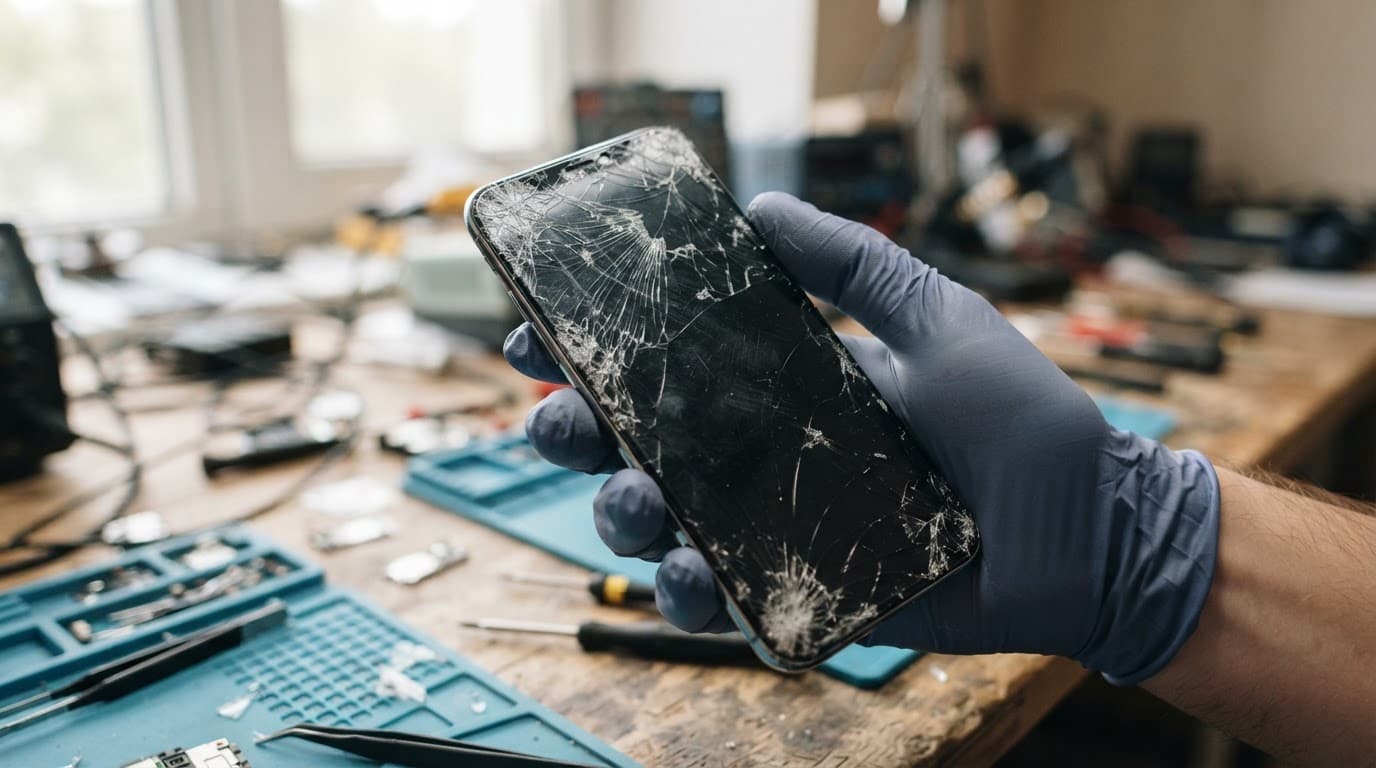
Warning signs that mean you should power down
The most serious risk after a drop isn’t always the glass. Lithium-ion batteries can suffer battery damage if an impact bends the housing, damages a cell or crushes a nearby connector. A damaged circuit can also create an electrical short, leading to unusual heat generation.
Heat alone doesn’t prove there’s a battery fault. However, a handset that becomes unusually hot after the display breaks shouldn’t go straight back into your pocket or onto charge.
Power it down as soon as you can if you notice:
- The display or back is lifting away from the frame, suggesting a swollen battery.
- The handset becomes hot while idle or during light use.
- You smell chemicals, burning plastic or a sweet, solvent-like odour.
- The battery drains suddenly, the handset restarts or shuts down without warning.
- Charging only works at one angle, repeatedly stops or makes the connector hot.
- You hear hissing, crackling or popping.
- Smoke appears, or the device shows signs of swelling.
If the handset is safe to handle, unplug it and switch it off. Put it on a cool, non-flammable surface away from bedding, paper and other items that could catch fire. Don’t press a lifting display back into place, puncture the battery or continue charging it.
A smoking or burning device needs distance, not another troubleshooting attempt. Leave the area and call 999. Don’t handle a hot handset or one showing swelling.
Moisture is another reason to stop. Rain, a spilled drink or condensation can pass through a broken display edge and reach the touch circuitry, connectors and logic board. Moisture damage can lead to internal damage even when the handset still appears to work. A device that won’t turn on or won’t charge needs a full diagnosis before anyone orders a part.
What a drop can damage besides the glass
A broken display shows where the phone took the impact, but not every fault inside. The frame may have bent, a connector may have shifted, or the charging port may have taken another knock.
An iPhone component fault after a drop can affect the display, Face ID sensors, cameras, buttons or charging circuit. A Samsung component fault after a drop may involve the OLED panel, side frame or an internal flex cable. Samsung’s curved displays can be costly because the screen assembly often contains several bonded layers.
A Google Pixel component fault after a drop may appear as a loose connection, camera problem or intermittent charging. With an iPad, an iPad component fault or diagnosis may involve the digitiser, display connector or charging circuit. A tablet can look fine while its larger panel has lost touch response in one section.
For phone hardware troubleshooting in the UK, we start with basic checks:
- Remove the case and inspect the frame for bends or pressure around the buttons.
- Test the touch screen across the full panel, including areas without visible damage.
- Record any change in touch sensitivity while testing different sections.
- Check cameras, speakers, microphones, Face ID or fingerprint unlocking.
- Try a known-good cable and charger, but stop if the phone heats up.
- Save copies of photos, contacts and important files before further testing.
Common screen or display fault symptoms include flickering, coloured lines, dark patches, ghost touches or dead zones from a faulty touch sensor, uneven brightness and intermittent touch response.
We recently checked an iPhone 12 where the glass was shattered, but the picture looked normal. After further use, black patches and dead touch areas appeared. The complete display assembly needed replacing, rather than a cosmetic glass-only fix. That is why we check the frame, cameras, audio, biometrics and charging before chargeable work begins.
Repair or replacement: what makes financial sense?
A phone screen repair can make sense when the phone has a straight frame, healthy battery and one clear fault. A £150 repair on a recent phone worth around £400 second-hand is a different decision from the same repair on an older handset worth £180.
We compare the confirmed repair quote with the phone’s current used value, expected remaining life and other faults. Include the cost of tools and the risk of a DIY repair in your calculation. If the battery is weak and the charging port is damaged too, repairing only the glass may not be the best use of your money. Also check your mobile insurance before paying privately, particularly after accidental damage.

Photo by Towfiqu barbhuiya
These are useful Repair My Crack guide prices, although the exact quote depends on the model, part and damage found:
| Repair | Typical UK guide price |
|---|---|
| Screen replacement | £60 to £180 |
| Battery replacement | £40 to £80 |
| Charging port repair | £50 to £90 |
| Water-damage assessment or treatment | £60 to £120 |
Premium iPhone and Samsung OLED screens can cost more than these figures. Ask which display grade the replacement screen uses, whether testing and adhesive are included, and whether warranty coverage includes the part and labour, with exclusions explained. The listed term varies by part, with premium iPhone screens having 12 months and standard iPhone screens having a shorter term. Accidental damage after collection and liquid damage are normally excluded.
For model-specific options, you can book an iPhone repair or Book a Samsung Repair. We offer express repairs with quality replacement parts, but timing depends on stock, workload and the condition of the device.
Getting a damaged phone repaired safely in the UK
Cloud services such as iCloud, Google One and Google Drive make it easy to backup data before repair. Save copies of photos and contacts, and check you can restore access to two-factor authentication elsewhere.
If the phone still works, remove your SIM if appropriate and photograph its condition before sending it. A technician may need your passcode to test functions after repair. We handle customer data carefully, but a current backup gives you peace of mind.
Avoid a DIY screen replacement unless you have the correct tools and experience. Opening a damaged handset as a DIY repair can release loose fragments, tear display cables or puncture a damaged battery. Guidance on safe screen work from SlashGear explains why this work can be riskier than it first appears.
A handset with a cracked screen, loose glass, heat, swelling or liquid exposure shouldn’t be posted until it has been assessed.
You can also use our phone screen repair service if the handset is safe to send. A reputable repair shop or professional phone repair service can advise on the safest option. We serve customers in Essex, offer appointment-only drop-off in Harlow and provide postal repairs across the UK. Pack the phone securely, include your order number and follow the booking instructions. We aim to start work soon after arrival, often on the same day, but confirm timing after inspection.
Frequently Asked Questions
Can I keep using a phone with a small crack?
You may be able to use it briefly if the crack is small and stable, the glass feels smooth, the frame is straight and all functions work normally. Arrange a repair promptly and stop using it if the fracture spreads or any glass becomes loose.
What should I do if the broken glass feels sharp?
Don’t test the crack with your fingertip or slide your finger across it. Switch the phone off if necessary, hold it by its undamaged edges and cover the area with clear packing tape without pressing hard.
How can I tell whether a cracked phone has battery damage?
Power down if the phone becomes unusually hot, the display or back lifts, the battery drains suddenly, charging becomes unreliable, or you smell chemicals or burning plastic. Don’t press a lifting display back into place or continue charging the handset.
Can I use a cracked phone in the rain?
No. A damaged display can weaken the phone’s original water resistance and allow moisture to reach internal connectors and circuitry. Switch it off after liquid exposure and arrange a proper diagnosis, even if it still appears to work.
Is it better to repair or replace a cracked phone?
Compare the confirmed repair quote with the phone’s current used value, expected remaining life and any faults affecting the battery, charging port or frame. Check your mobile insurance and ask which replacement part, testing and warranty are included before approving the work.
What to do next
- A smooth corner fracture may be manageable briefly, especially inside a protective case.
- Arrange prompt help if the edges are sharp, the damage is spreading, or moisture is present.
- Stop using the handset if it becomes unusually hot or swollen.
Back up your files, stop charging a hot or swollen device, and arrange a full handset inspection. Don’t assume the visible fault is the only problem.
For a clear quote or advice about a handset that isn’t listed, get in touch.
James Waterston, Device Repair Specialist at Repair My Crack