
Your iPhone 15 or iPhone 16 feels hot while it’s on charge, and now you’re staring at it like it’s a kettle. Annoying, and a bit worrying too.
Here’s the straight answer: some warmth is normal, especially with fast charging, wireless charging, or a heavy app running. However, if it’s too hot to hold, shows a temperature warning, shuts down, or gets hot every single time, stop charging and treat it as a fault.
I’m James Waterston from Repair My Crack, and I see this one daily. Below are safe checks you can do at home, what usually fails, and the clear signs you’re looking at an iPhone battery replacement (or another hardware repair).
Is it normal for an iPhone to get warm while charging?
A mild temperature rise is expected. Fast charging pushes more power in, and that creates heat. Add a thick case, warm room, or streaming video, and it stacks up.
What isn’t normal is heat that escalates quickly, repeats in cool rooms, or comes with other symptoms. Apple iPhones also protect themselves, so you might see dimming, slow charging, or the phone pausing charging until it cools.
If you want extra background reading, these guides cover common triggers and user experiences: common causes of iPhone heating on charge and a UK guide to iPhone overheating while charging. I don’t agree with every suggested “fix” online, but they’re good for context.
If your phone is hot enough to be painful to touch, unplug it, remove the case, and let it cool on a hard surface. Don’t try to “power through” the heat.
Safe checks at home for iPhone overheating charging
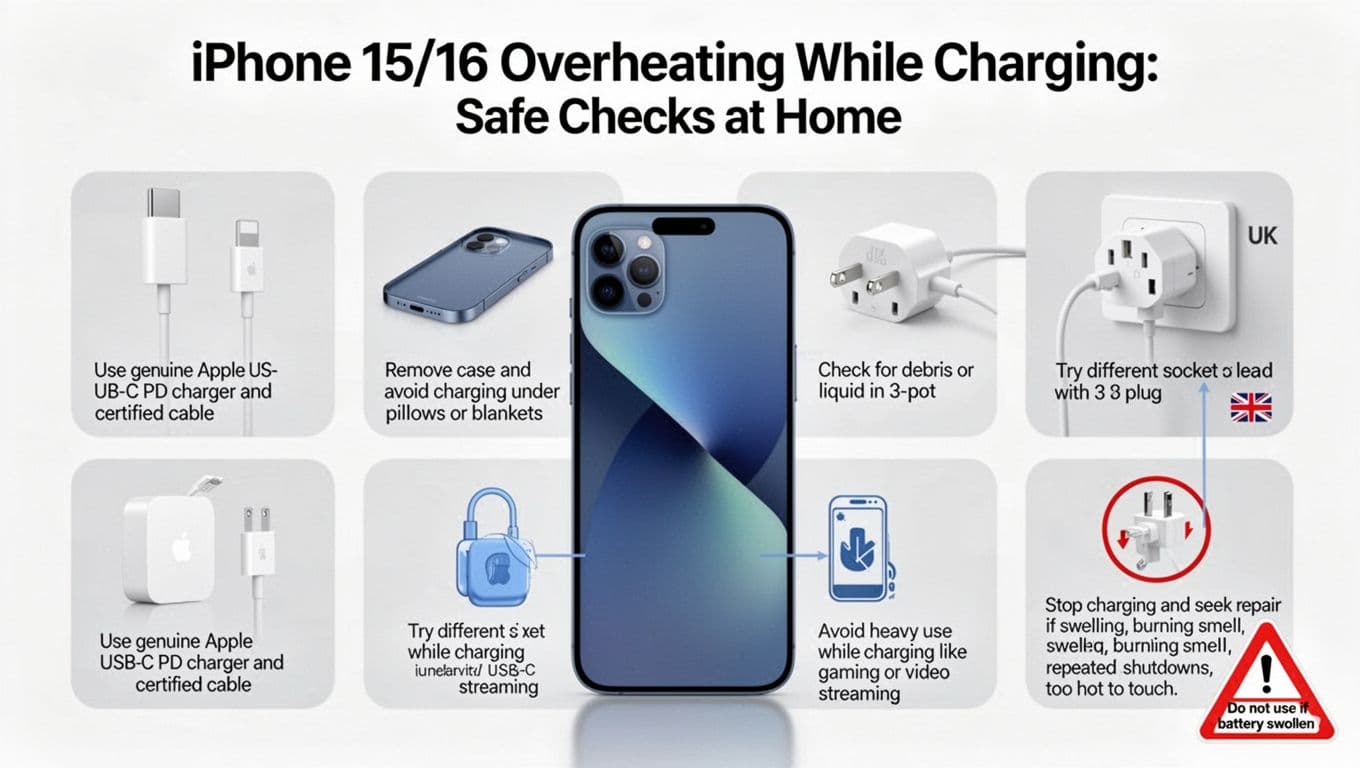
Start simple, because most overheating callouts come down to one of a few basics.
- Swap the charger and cable first. Use a genuine Apple plug, or a reputable USB C PD plug, plus a certified cable. Cheap cables can run hot, charge badly, and damage ports.
- Remove the case while charging. Some cases trap heat like a duvet. Also avoid charging under pillows or blankets.
- Try a different wall socket. A tired extension lead or loose plug can cause weird charging behaviour. Use a solid UK wall socket if you can.
- Stop heavy use while charging. Gaming, video calls, sat-nav, and 4K video are the usual heat monsters.
- Check the USB C port. Pocket fluff, grit, or moisture increases resistance, which makes heat. If you see debris, don’t poke metal inside. A gentle puff of air is safer.
- Restart after an iOS update. Some iPhones run warm for a day after updating or restoring a backup.
If you’re still seeing repeat heat, it’s time to think hardware, not settings.
What usually fails when an iPhone overheats on charge
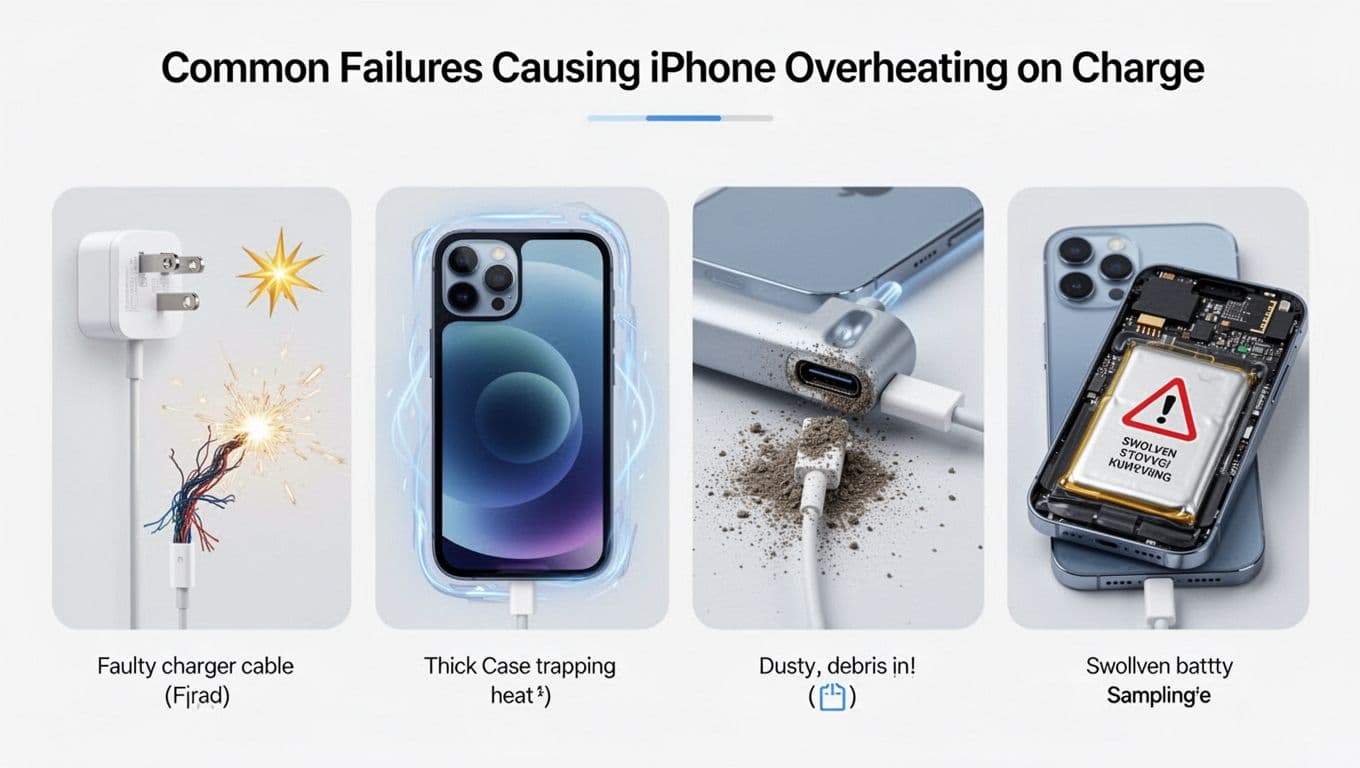
In the workshop, the “usual suspects” are pretty consistent.
1) Cable or plug issues
A worn cable can heat up at the connector. Likewise, a low-quality plug can deliver unstable power. If the heat is mostly at the cable tip, don’t ignore it.
2) Debris or damage in the charging port
If the iPhone has been “wiggled to charge” for months, the port can loosen. Sometimes there’s corrosion from a small liquid splash. This is where a broken charging port repair or phone not charging repair comes in.
3) Battery ageing or internal damage
As batteries wear, internal resistance can rise. That creates more heat during charging. If the phone also drops from 30 percent to 5 percent randomly, I’m already suspicious.
4) Liquid exposure
A “tiny spill” is still liquid damage. If your phone has had a bath, a water damaged phone repair UK diagnostic matters because corrosion can create heat and shorts.
For broader user reports and generic troubleshooting, this roundup is a decent reference point: general iPhone 16 overheating tips. Just remember, software advice won’t fix a failing battery or port.
When overheating means it’s time for an iPhone battery replacement
Heat alone doesn’t always mean battery failure. The pattern matters.
Here are the signs I treat as “stop and book it in”:
- The iPhone gets hot on charge even in a cool room, with the screen off.
- Charging is erratic, it starts and stops, or it only charges at certain angles.
- The phone shuts down, reboots, or shows a temperature warning often.
- The back looks raised, the screen lifts, or you feel a wobble on a flat table.
If you suspect swelling, don’t keep charging “just to get through the day”. A swollen battery can damage the display, and that can turn into an iPhone screen replacement job too.
At Repair My Crack, we’ll inspect the device, confirm the fault, and fit a quality replacement where needed. If it’s the battery, that’s an iPhone battery replacement. If it’s the port, we quote for a proper port service rather than a bodge. Either way, you get phone repair with warranty UK cover for peace of mind.
Repairs in Essex and across the UK (plus common searches I hear every day)
We handle iPhone repairs and Samsung Repairs all the time, including mobile phone repairs Essex and UK-wide postal phone repair UK options. If you’re local, people often find us for iPhone repair Essex, iPhone screen repair Essex, phone screen repair Essex, and iPhone battery replacement Essex. Samsung owners usually search Samsung Phone repair, Samsung phone repair Essex, or Samsung screen repair Essex.
For the wider picture, we also see searches like mobile phone repair UK, cracked screen repair UK, fix cracked iPhone screen, and phone battery replacement UK. Cost questions come up too, such as iPhone screen replacement cost UK and Samsung screen replacement cost UK. Exact pricing depends on model and part quality, so we quote once we’ve confirmed the fault.
Screen questions often tag along with overheating, because drops and bends can damage more than glass. People ask: is it worth repairing a cracked iPhone screen, how long does phone screen repair take UK, and alternatives to Apple Store screen repair UK. In many cases, a same-day turnaround is realistic once the device is in hand, although I won’t promise it blindly.
If you can’t get to us, phone repair by post UK (also called postal phone repair UK) is straightforward. Book online at Repair My Crack, pack the phone securely, include your order number, and send it in. We aim to start repairs as soon as it arrives, often the same day.
A quick note on warranties: some people compare shops offering “lifetime warranty phone repairs“. Always read the terms. We provide a clear warranty on repairs and parts, and we stick to it.
And yes, I see these searches word-for-word: Repair My Crack phone repair and Repair My Crack reviews. best phone repair shop in Essex. If you’re checking reviews before you post your phone, that’s a sensible move.
Quick FAQ
Will MagSafe or wireless charging make it hotter?
Often, yes. Wireless charging is less efficient, so it can run warmer.
Should I put my iPhone in the fridge to cool it?
No. Rapid cooling risks condensation, which can lead to corrosion.
Could this be a charging port issue, not the battery?
Absolutely. If it only charges at an angle, think port. A broken charging port repair can solve both heat and charging dropouts.
The simple way to decide what to do next
If your iPhone 15 or 16 is showing iPhone overheating charging symptoms only occasionally, start with the safe home checks and a charger swap. If it’s repeat heat, warning screens, shutdowns, or any swelling, stop charging and get it inspected properly. The fix is often a battery or port job, and it’s usually far cheaper than replacing the phone.
If you’re stuck, book online with us at Repair My Crack and we’ll sort it quickly, whether you’re in Essex or using our UK postal service.
– James Waterston, Device Repair Specialist at Repair My Crack