
A drop can leave the rest of the phone looking fine, then the iPhone 16 camera control goes quiet for no obvious reason. It is a bit of a faff when one small button stops doing the job you bought the phone for.
If the button failed straight after the impact, we usually treat that as a hardware problem first. A quick software check is still worth doing, but a bent frame, shifted button assembly, or hidden screen damage is often the real cause.
The good news is that we can narrow it down pretty quickly. Some faults need a proper repair, while others only need a reset, a clean test, or a better look at the frame.
Why the Camera Control stops responding after impact
The Camera Control on the iPhone 16 is touch-sensitive, so it does more than a plain clicky button. That makes it useful, but it also means a knock can upset the alignment or the pressure points behind it.
A hard landing can bend the side frame by a tiny amount. That is enough to make the button feel dead, soft, or inconsistent. Moisture can make things worse, especially if the phone landed on a wet pavement or into a puddle.
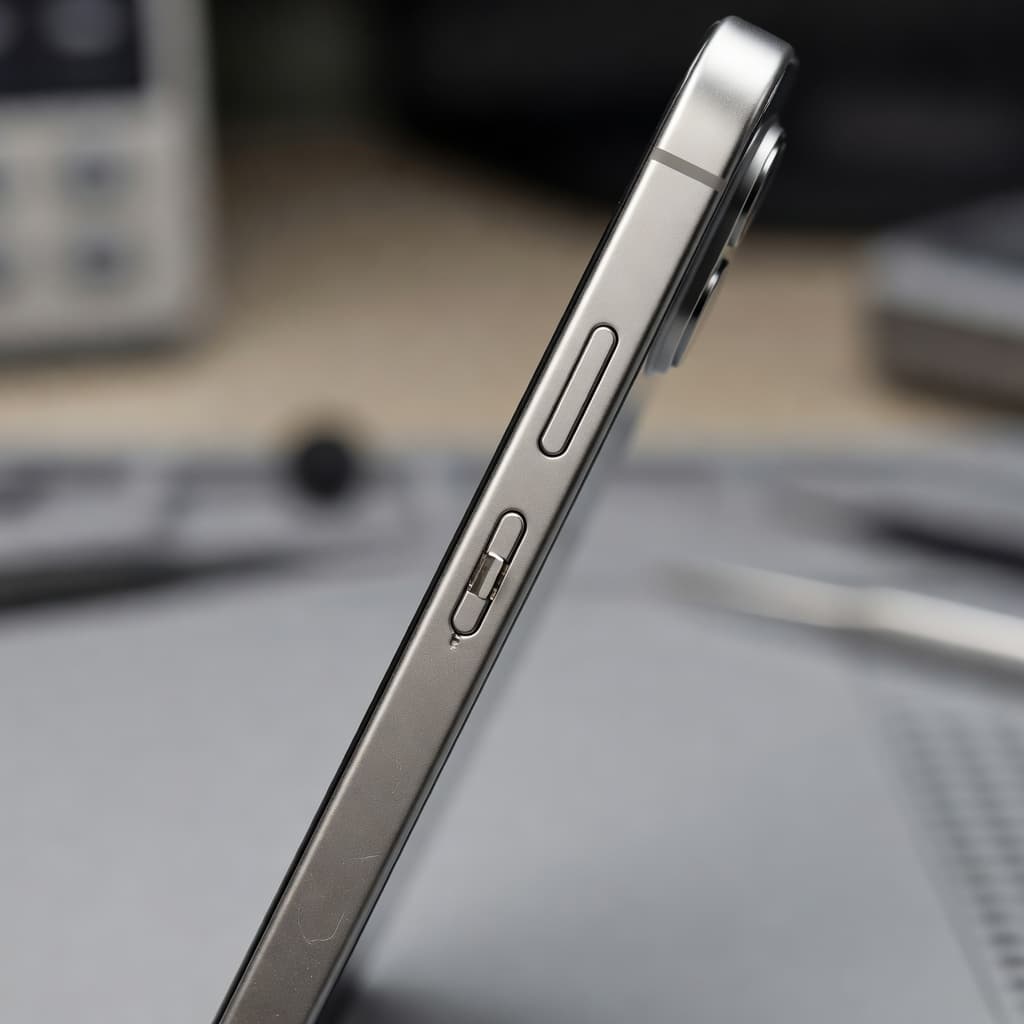
Side impact damage can leave a button looking fine while it feels wrong in use.
We also see the same sort of knock-on damage in a Reddit report of a shattered Camera Control button, where a single drop was enough to cause a nasty break. That is why we do not judge this by the glass alone.
Signs that point to physical damage include:
- The button clicks, but nothing happens.
- The control only works when pressed at a certain angle.
- The phone wakes, but the Camera app does not open.
- The edge of the frame looks dented or slightly twisted.
- The control feels mushy compared with the other side buttons.
We see the same pattern in samsung phone repair UK work too, because a side hit can shift button assemblies on both brands. A small impact often causes more than one fault.
Safe checks we try before booking a repair
Before we open the phone, we always start with the easy stuff. It saves time, and sometimes it saves a repair as well.
The first checks are simple:
- Remove the case and try the button again.
- Restart the iPhone once.
- Check Settings > Camera > Camera Control.
- Open the Camera app and test a light press, then a full press.
- Look closely at the side frame for dents, gaps, or raised glass.
If the phone got wet in the same incident, stop pressing the control over and over. Water and repeated button presses are a poor mix, and we would rather dry and inspect the phone properly than make the fault worse.
An Apple Support Community thread on Camera Control issues shows that some users have had luck by changing the Camera Control settings and switching them back again. That can help when the fault is software-related. After a drop, though, we still expect hardware to be the more likely answer.
If the button only fails after impact, we treat that as a hardware clue first.
When the drop has caused more than one fault
The Camera Control often sits alongside other impact damage. That is where the repair gets more interesting, because the button may not be the only part that took a hit.
Last week we had an iPhone 16 Pro from Essex with a side dent, a stubborn Camera Control, and a screen that had started lifting near the edge. The owner thought it was only the button. Once we checked it properly, the frame had shifted just enough to upset the button assembly and the display seating.
That is why we look at the whole phone, not just the visible crack. A drop can lead to:
- a cracked iPhone screen repair job as well as the button fault
- an iPhone screen repair UK request if the glass or display layer has failed
- an iPhone battery replacement UK if the battery starts draining fast after the impact
- a mobile phone repair UK diagnosis when the fault spreads beyond one part
- a phone repair Essex case where the frame, screen, and side controls all need checking
On some handsets, the safest route is a simple part replacement. On others, a bent chassis or corrosion means the problem runs deeper. A cracked iPhone screen repair is often sensible when the rest of the handset is healthy, but once several faults pile up, we start looking carefully at value.
What a proper repair usually involves
When the issue is hardware, we inspect the side button assembly, the frame, and the screen edge. If the frame is bent, the control can sit under the wrong pressure. If the display sits proud, it can press on nearby parts and make the fault worse.
We also check for other damage that often turns up at the same time. A weak battery, a loose port, or internal corrosion can all show up after a heavy drop. That is why we never treat the outside damage as the full story.
For context, our common repair prices usually sit in these ranges once the fault is confirmed:
- Screen replacement, about £60 to £180
- Battery replacement, about £40 to £80
- Charging port repair, about £50 to £90
- Water damage treatment, about £60 to £120
Those figures are only a guide. The exact quote depends on the model and what we find in testing. If there are three separate faults on an older handset, replacement can make more sense than stacking up repairs.
For local jobs, our iPhone repair page is the quickest place to start. It covers the kind of button, screen, and charging faults we see every day.
How to send it in if you are not local
If you are not near Essex, our postal phone repair UK service is the easy route. We handle a lot of phones this way, and it keeps the process tidy.
You can book the repair online, send the phone in a secure parcel, and include your order number plus any passcodes we need for testing. We use tracked Royal Mail postage, so the handset is easy to follow on the way in and back out.
If you want the wider mail-in option, our mail-in iPhone repairs page explains the process. For customers nearby, our iPhone repair specialists in Essex can help with drop-in work by appointment.
That same postal route also works well for other models, including Samsung. It is a handy option when a side-button fault turns into a bigger repair and you do not want to waste time guessing.
Quick FAQ
Can Camera Control fail even if the screen looks fine?
Yes. A drop can shift the side assembly or bend the frame without cracking the glass.
Is it probably software?
Sometimes, yes. A settings reset may help, but after a drop we usually expect physical damage.
Can we post the phone in for checking?
Yes. Our postal phone repair UK service is set up for that, and we can test the phone properly once it arrives.
Conclusion
If the iPhone 16 camera control stopped working straight after a drop, we would not keep prodding it and hoping for the best. The safer move is to check the settings once, then look hard at the frame, the screen edge, and the button itself.
When the fault sits on its own, repair is often straightforward. When it arrives with a cracked screen, battery trouble, or a bent side rail, we need to test the whole phone and decide what makes sense.
If that is the situation you are in, we can take a look in Essex or by post and get it sorted with as little fuss as possible.
James Waterston, Device Repair Specialist at Repair My Crack