
A dropped iPhone can leave you with more than a cracked corner. If your iPhone Emergency SOS screen appears repeatedly, or the handset starts calling emergency services on its own, it needs attention quickly.
Sometimes the drop has triggered a setting. More often, a damaged side button, bent frame, loose SIM, or broken display is pressing the wrong controls. We can usually narrow it down without guesswork.
First, make sure the phone cannot place another accidental call.
Key Takeaways
- Repeated Emergency SOS calls after a drop often point to a stuck Side or volume button.
- iPhone 14 models and newer can also react to a hard impact through Crash Detection.
- Turn off the relevant Emergency SOS call options only after checking that you are safe.
- A broken screen, bent side rail, or swollen battery can all put pressure on the button assembly.
- If the SOS message stays on screen but no calls are being made, the issue may be mobile signal or SIM-related.
Is it Calling Emergency Services, or Showing SOS Only?
There are two very different problems, and they need different fixes.
An iPhone that calls Emergency SOS may sound an alarm, start a countdown, and then dial emergency services. This usually happens when the Side button and a volume button are held together, or when the Side button receives five rapid presses.
An iPhone that shows SOS in the top-right corner has lost its normal mobile network connection. It can still make emergency calls, but it cannot connect to your usual carrier. A knocked SIM card, damaged SIM tray, carrier outage, or internal antenna fault can cause that version.
The explanation of what SOS means on an iPhone is useful if your phone has signal trouble but is not actively dialling anyone.
After a fall, test the physical buttons carefully. Do not force them. Press the Side button and both volume buttons one at a time. They should move evenly and click back cleanly.
Warning signs of a physical fault include:
- A button feels jammed, soft, or sits lower than the other button.
- The phone starts the SOS countdown in a pocket or bag.
- The side rail is dented near the volume buttons.
- A cracked screen lifts slightly from the frame.
- The SOS screen appears when you squeeze the handset.
If an iPhone is triggering Emergency SOS by itself, keep it away from your pocket and place it on a flat surface until you have checked the buttons.
A heavy case can sometimes keep a damaged button pressed in. Remove it before testing anything else.
Stop False iPhone Emergency SOS Calls Safely
If the phone is working normally between alerts, start with the settings. On most current iPhones, go to Settings, then Emergency SOS.
Look for these options and switch off the ones causing false calls:
- Call with Hold and Release, which starts an SOS call when you hold the Side button and a volume button.
- Call with 5 Button Presses, which starts a call after rapidly pressing the Side button.
- Call After Severe Crash, available on iPhone 14 and later models with Crash Detection.
Crash Detection is designed to ask whether you are OK after a serious impact. A dropped phone can sometimes create a sharp enough movement to cause a false alert, especially if it lands hard on concrete or tiles. Turning this setting off stops the feature, so we would only do it if false alerts are a repeated problem.
Next, restart the handset. For an iPhone 8 or later, press and release Volume Up, press and release Volume Down, then hold the Side button until the Apple logo appears. Do not hold the volume buttons during this process, as that can start another SOS sequence.
If the screen is frozen, a force restart may clear a software hiccup. However, it will not fix a Side button trapped by a dented housing.
Check the SIM card as well if the phone is stuck on SOS network status. Power it off, remove the SIM tray, inspect the card for obvious damage, then reinsert it properly. If you use eSIM, try turning Airplane Mode on for 30 seconds, then off again.
Apple community posts, including this report of an iPhone stuck on SOS after a fall, show how often impact damage and signal loss can appear together. The drop may have shifted a connection even where the glass looks fine.
What We Usually Find After the Drop
At Repair My Crack, we see this fault most often where an iPhone has landed on its side. The aluminium or stainless-steel rail takes the impact. Even a small dent can pinch the button bracket behind it.
On recent iPhones, the Side button and volume controls connect through small internal flex cables. A damaged cable can send repeated button signals. The phone reads those signals as an SOS command.
A cracked display can also be part of the problem. Loose glass or a screen that no longer sits flush can press against nearby components. That is why we treat a cracked iphone screen repair and recurring SOS calls as one incident, rather than two unrelated jobs.
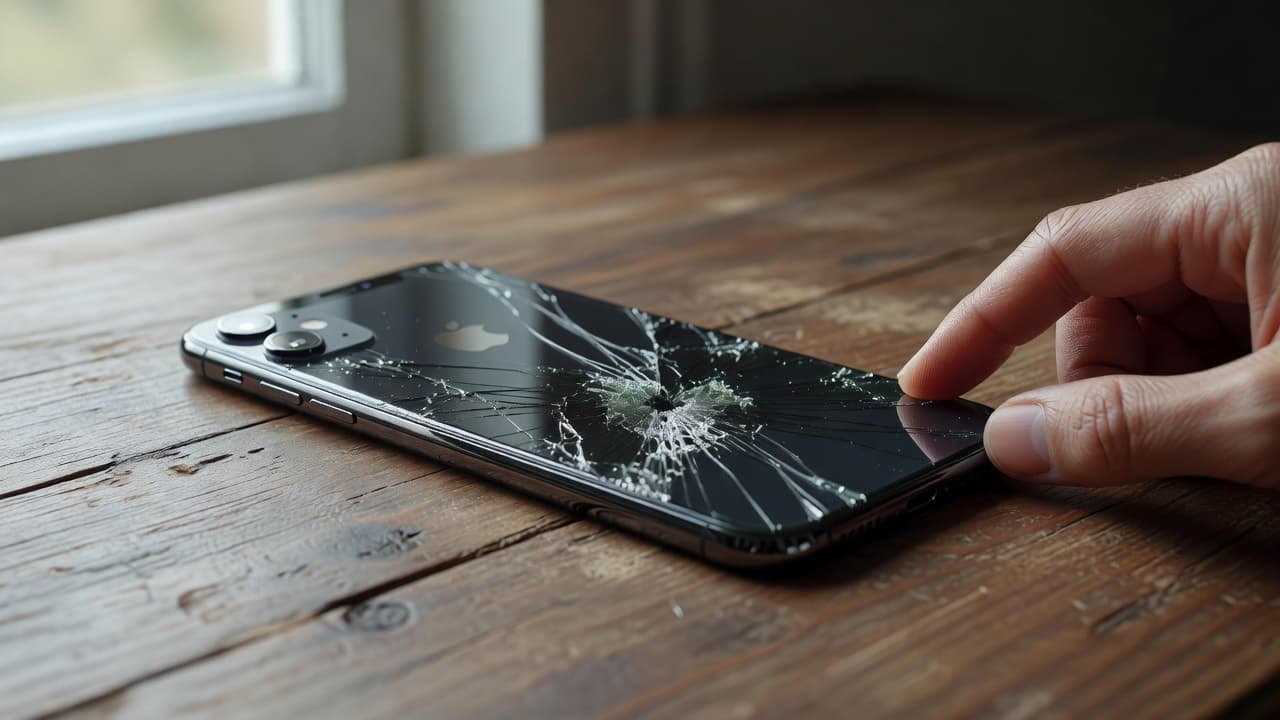
Last week, we inspected an iPhone 13 from Essex that called Emergency SOS whenever its owner gripped the left edge. The display had survived, but the frame had a small dent beside Volume Down. The button flex was under pressure, so the handset registered a held button. We corrected the housing issue, checked the flex cable, then tested every button before return.
Other faults can sit alongside it:
| Symptom after a drop | Likely cause | Usual next step |
|---|---|---|
| SOS countdown starts in a pocket | Stuck Side or volume button | Check frame and button flex |
| SOS network message remains | SIM, antenna, or network issue | Test SIM and signal connection |
| Screen lifts from the frame | Screen damage or battery swelling | Stop using it and inspect promptly |
| Charging cuts out too | Port or wider impact damage | Run power and connector tests |
The key point is that a drop can damage more than the visible glass. We check the buttons, screen seating, battery condition, charging port, cameras, and mobile signal before recommending the repair.
When Repair Makes Sense, and When It Does Not
A button or frame-related SOS fault is usually worth repairing when the iPhone still powers on, charges normally, and has no serious liquid damage. A local repair often costs far less than replacing a recent handset and moving your entire digital life across.
If you are comparing options, our complete guide to professional iPhone repairs covers screens, batteries, ports, liquid exposure, and the wider repair-versus-replacement decision.
We are more cautious if the handset has several expensive issues at once. A badly twisted frame, damaged motherboard, poor battery health, charging problems, and shattered screen can make replacement more sensible, particularly on an older model.
Guide prices vary by model and confirmed fault, but common UK ranges look like this:
| Repair type | Typical guide price |
|---|---|
| Screen replacement | £60 to £180 |
| Battery replacement | £40 to £80 |
| Charging port repair | £50 to £90 |
| Water-damage diagnostics and treatment | £60 to £120 |
| Button or frame fault | Quote after inspection |
A search for iphone screen repair UK often begins after a simple drop. Yet a proper quote should account for any button fault, battery issue, or frame damage at the same time.
The same applies to an iphone battery replacement UK query. A screen lifting away from the body does not always mean loose adhesive. A swollen battery can push the display upwards, and we would not keep charging that phone until it has been checked.
Getting an SOS Fault Checked in Essex or by Post
For phone repair Essex customers, we can assess an iPhone by appointment in Harlow. We inspect the controls, confirm whether Emergency SOS can be reproduced, and explain the repair options before chargeable work starts.
If you are farther away, our postal phone repair UK service is a practical option. Book online, back up the device if possible, remove the SIM card, and package the phone securely with the order number. We aim to begin diagnostics as soon as it arrives, often on the same day.
Before sending it, tell us whether the SOS issue started immediately after the fall, whether any buttons feel wrong, and whether charging or mobile signal has changed. Those details speed up testing.
We repair iPhones regularly, but we also handle samsung phone repair UK work where a dropped handset has stuck volume or power buttons. The same rule applies across most phones: a button that feels physically wrong needs a physical inspection.
For broader mobile phone repair UK support, we also test screens, batteries, charging ports, water damage, microphones, speakers, and cameras. Quality parts and a clear repair warranty matter, particularly where an impact has affected more than one component.
Conclusion
An iPhone Emergency SOS alert after a drop is often a sign that a button, frame, or internal connection has taken the hit. Turn off false-call settings where needed, but do not ignore a button that sticks or an SOS screen that keeps returning.
If the phone has a dented edge, lifting screen, weak signal, or repeated emergency calls, a proper inspection is safer than hoping it settles down. We can test the fault, give a straight answer, and get a repair booked without the faff.