
A screen repair should sort a problem, not create a new one. When iPhone Face ID isn’t working after screen repair, the fault is usually tied to the tiny parts at the top of the phone, not the cracked glass itself.
We see this after drops, rushed repairs, and bargain replacement parts. The good news is that some cases are fixable, so it is worth checking a few things before you assume the phone is done for.
The key point is simple: if the original Face ID hardware survived, we can often get things back on track.
Why Face ID stops working after a screen replacement
Face ID relies on a group of delicate parts in the TrueDepth system. They sit around the top of the display and earpiece area. During a screen swap, those parts or their flex cables have to be handled with care. If one tears, folds, sits badly, or gets replaced with the wrong part, Face ID can stop straight away.
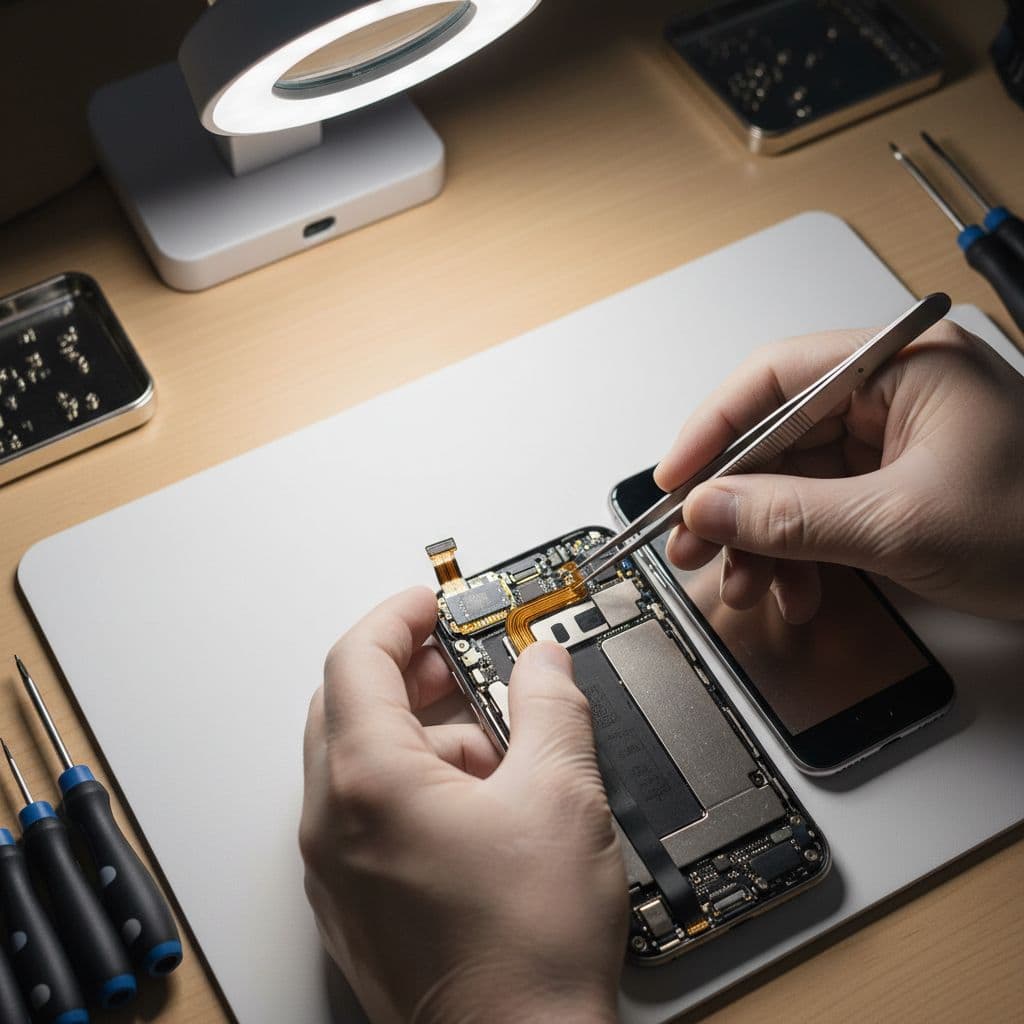
The trouble often starts with a rushed cracked iPhone screen repair after a hard drop. Sometimes the fall already damaged the front sensor assembly before anyone even opened the phone. In other cases, the damage happens during the repair because the top flex is easy to nick or crease.
We also see trouble when a poor-quality screen goes on the phone. The display may light up and touch may work, yet other features can go odd. True Tone might disappear, the proximity sensor may stop dimming the screen on calls, and Face ID can give up. If you are comparing iPhone screen repair UK options, that is the question to ask: how does the repairer protect and transfer the original top sensor assembly?
If the original TrueDepth parts are torn, swapped, or badly damaged, a new screen on its own usually will not bring Face ID back.
Apple users report the same pattern in this Apple Support Community discussion. The official line is strict, but in day-to-day repair work the real issue is usually physical damage, poor fitting, or incompatible parts. That is why one shop can leave Face ID dead and another can recover it, provided the original hardware is still there and still healthy.
What to check before you book another repair
Before you pay for another job, do a few simple checks. We would rather rule out the easy stuff first than have you spend money for no reason.
- Restart the iPhone and update iOS if an update is waiting. A software glitch is not the most common cause, but it is quick to rule out.
- Open Settings and look for warnings. Messages about Face ID being unavailable or a problem with the TrueDepth camera matter.
- Test the front camera, earpiece, and screen dimming during a call. If several top-edge functions have failed together, the sensor flex is a likely suspect.
- Look at the screen fit. If the display is sitting high on one side, clips are not flush, or touch feels odd near the notch, the phone needs rechecking.
This quick table shows the patterns we watch for at the bench.
| Symptom | Likely issue |
|---|---|
| “Face ID is not available” | Sensor assembly or connector problem |
| Front camera works, but screen does not dim on calls | Proximity or earpiece flex fault |
| True Tone has gone | Screen change or transfer issue |
| New gaps around the display | Poor fit, trapped cable, or another internal issue |
The takeaway is simple. If several features near the top of the phone stopped together, the problem is rarely random software.
If you want a clear picture of what should happen during a proper screen swap, our guide to repairing iPhone screens without damaging Face ID explains why that top section needs such careful handling. For a repairer, it is the fiddly bit. For the customer, it is the bit that decides whether Face ID still works by the time the phone goes back in your pocket.
We would also avoid factory-resetting the phone too early. That can turn a repair visit into a longer faff if your data is not backed up. If you are curious about the hands-on side, this iFixit troubleshooting guide shows the sort of connector and flex issues technicians look for.
What we see in the workshop, and what can actually be fixed
A recent job sums it up well. A customer from Essex brought in an iPhone 12 after a low-cost repair elsewhere. The new screen worked, but Face ID had stopped, calls did not dim the display, and the top speaker sounded muffled. We opened it up and found the earpiece and sensor flex pinched under the screen edge. The original assembly was still intact, so we re-seated it properly, fitted a better-quality screen, tested everything, and Face ID came back.
That is the best-case version. When the original dot projector or paired sensor hardware is genuinely damaged, the job gets much harder. Some phones can be repaired with board-level work by specialist teams, but many everyday repair shops will be honest and say it is not economical. We prefer straight answers over false hope.
Across the mobile phone repair UK market, this is where good parts and careful fitting matter. Cheap repairs often look fine for a day or two. Then the warnings start, or Face ID never returns. We have covered that in more detail in our piece on why quality parts matter for screen replacement, because the cheapest quote can end up costing more.
It is also worth keeping the fault in context. iPhone battery replacement UK jobs rarely disturb the top sensor assembly, so Face ID problems after a battery repair point to a different mistake. Meanwhile, Samsung phone repair UK work does not use Apple’s paired Face ID system in the same way, so the failure pattern is different. On iPhones, the original front hardware matters far more.
Getting it sorted in Essex or by post
If you are local, our phone repair Essex service is handy because we can inspect the handset in person and tell you quickly whether the Face ID issue looks recoverable. For customers in Harlow and nearby areas, that often means less guesswork and less back-and-forth.
If you are not local, our postal phone repair UK service is usually the simplest option. We aim to start repairs as soon as the device arrives, often the same day, and we return it with tracked delivery once testing is done. That is useful when you need mobile phone repair UK coverage without hunting round your high street for a shop you trust.
When sending a phone in, keep it simple:
- Book the repair online and include your order number.
- Pack the handset securely, without loose chargers or extras unless we ask for them.
- Add any passcode we need for testing, because Face ID faults often need full checks after the repair.
We use quality parts, accredited technicians, and a strong price promise. We also provide a one-year warranty on many repairs, subject to terms, because a repair should come with some peace of mind. Most importantly, we will tell you straight if the phone is worth repairing. If the original Face ID hardware has failed beyond a sensible fix, we will say so before you sink more money into it.
Conclusion
If your iPhone Face ID isn’t working after screen repair, the problem is usually not mysterious. It is normally a damaged flex, a badly seated connector, or a poor-quality screen job around the TrueDepth parts.
That means the right next step is a proper inspection, not endless resets and crossed fingers. If the original sensor assembly is still healthy, there is every chance the phone can be sorted.
If you are stuck with it now, you can book online and send it in, or visit us in Harlow by appointment. We will check it, tell you what is realistic, and get it sorted as quickly as we can.