
Should we remove the SIM card before phone repair? In most cases, yes. It takes seconds, it keeps the card safe, and it removes one small worry from the handover.
We see people leave the SIM in all the time, especially after a cracked screen or a dead battery. That usually is not a disaster, but it can become a faff if the tray is bent, the card goes missing, or the phone has to travel by post.
The rule changes a bit with eSIM-only handsets, because there may be no physical card at all. So the sensible answer is simple, remove what you can, then let the repair team deal with the rest.
Why we usually remove the SIM card before phone repair
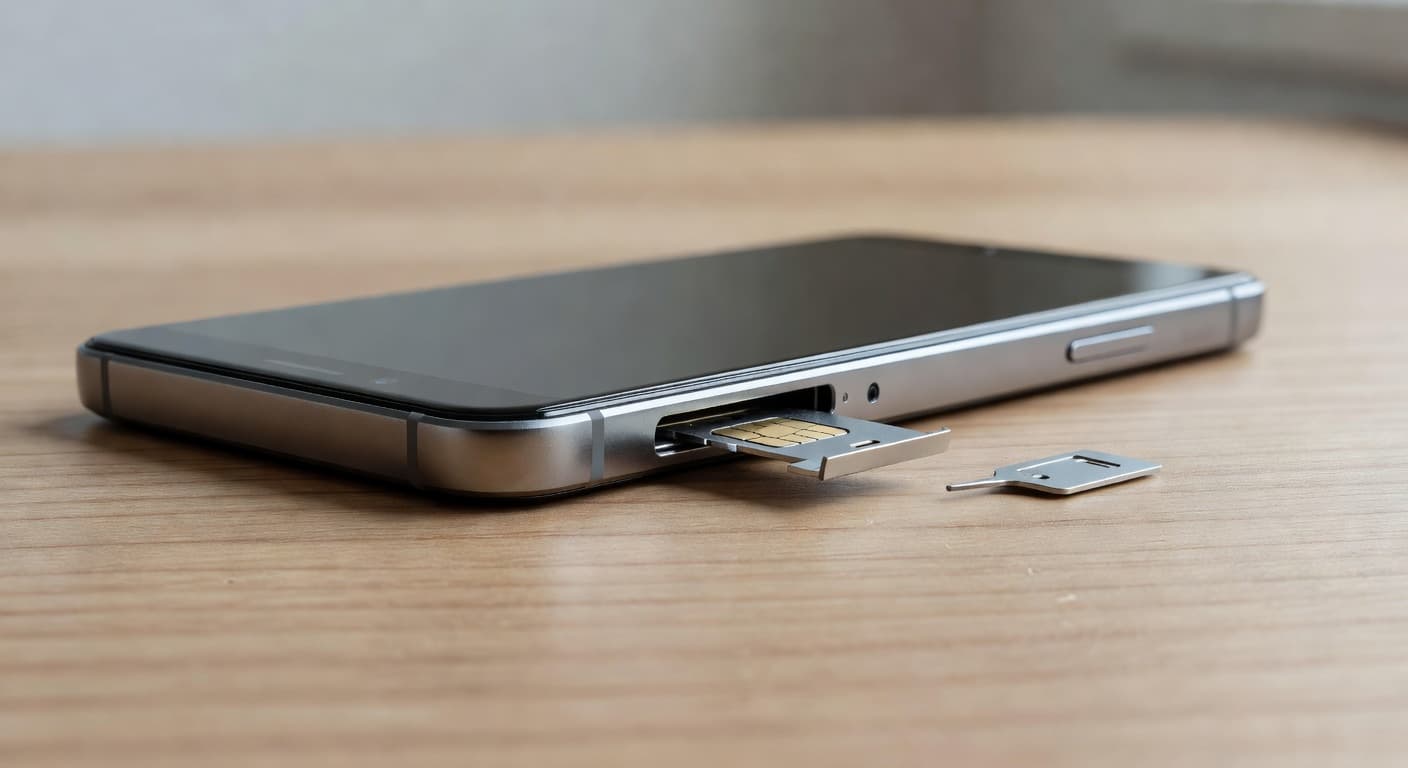
We usually tell customers to remove the SIM card first because it is the easiest thing to control. Your photos, apps, and chats live on the phone or in the cloud, but the SIM is a tiny physical card that can be lost in a second.
It also helps when the phone is going on a bench, into a courier bag, or through postal phone repair UK. Once the tray is out, there is less chance of mix-ups. If you need bank codes, work calls, or two-step texts during the repair, pop the SIM into a spare handset and keep life moving.
A SIM card does not fix a fault, and it does not protect the phone. It only carries your mobile line. That is why we treat it as part of the handover, not part of the repair.
What the SIM does, and what it leaves behind
A lot of confusion comes from what the SIM actually stores. Here is the short version.
| Item | On the SIM? | On the phone or cloud? |
|---|---|---|
| Mobile network access | Yes | No |
| A few saved contacts, on older setups | Sometimes | Often |
| Photos, videos, apps, chats | No | Yes |
| eSIM profile | No physical card | Yes, built into the device |
We see this catch people out after a cracked iPhone screen repair or a battery swap. They think the SIM is the backup, then discover their photos were never on it in the first place. A SIM is useful, but it is not your archive.
With eSIM, there is no tray to remove. The network profile sits inside the handset, so the physical card question disappears. In that case, we focus on backing up the device and checking the account setup before we start.
When leaving the SIM in makes sense
There are times when we tell customers not to fight the tray. If the phone has taken a hard knock, the tray may be bent. If water has got in, the slot may be gritty or swollen. If the phone uses eSIM, there is no physical card to pull anyway.
If the tray is stiff or jammed, don’t force it with a pin. A damaged tray can turn a small handover into a bigger repair.
The same advice applies across iphone battery replacement UK work, samsung phone repair UK jobs, and wider mobile phone repair UK bookings. The SIM card rarely changes the repair itself, but it can change the risk level. If a customer is unsure, we can remove it when the handset arrives.
The one thing we would not do is keep trying to prise out a tray that does not want to move. A few extra seconds of force can bend the pins or split the slot.
What to do before you hand the phone over
Before a repair, we usually suggest a quick five-minute check.
- Power the phone off.
- Back up photos, messages, and anything else you care about.
- Remove the SIM card and, if fitted, the memory card.
- Take off any bulky case or cracked screen protector.
- Make a note of the passcode, account details, and any water damage or drop history.
That is the same sort of advice you will see in this UK repair-shop preparation guide, and it keeps the handover tidy.
If you’re local, phone repairs in Harlow are a handy drop-in option by appointment. For phone repair Essex customers, we see the same process every day, whether the fault is on the screen, battery, or charging port.
Removing the SIM is only part of the job. A proper backup matters more, because a SIM does not save your photos, app logins, or most of your messages. If the phone still turns on, back it up before it comes to us. That one step saves a lot of stress later.
A real workshop example from Essex
Last week, we had an iPhone 12 in from Essex with a smashed screen and a charging port that only worked at an angle. The SIM was still in place, which was fine, but the owner had tried to keep using the phone for days. By the time it reached us, lint had packed into the port and the dock connector was worn.
We removed the SIM, checked the device, and sorted the screen and port together. The card itself had nothing to do with the fault, but taking it out made the return simpler. That sort of job is common through our iPhone repair specialists in Essex service, because a cracked front glass often comes with a tired charging port or a weak battery.
The SIM was not the problem, but it still mattered at the handover. That is the sort of small detail that keeps repairs tidy.
Does the SIM card matter for different repairs?
The answer barely changes from one repair to the next, but the reason can shift a bit.
| Repair type | Remove SIM card? | Why |
|---|---|---|
| Screen replacement | Yes | Keeps the card safe while the phone is opened |
| Battery replacement | Yes | The phone is powered down, so the SIM can come out first |
| Charging port repair | Yes | The port area often needs close work |
| Water damage diagnostics | Yes, if possible | Loose cards and trays can trap moisture |
| eSIM-only handset | No tray to remove | The network profile is built in |
For a cracked iPhone screen repair or a battery booking, the SIM makes little difference to the actual fault. It still makes sense to remove it, because we want the handset as clean and simple as possible. The same goes for a samsung phone repair UK booking or any wider mobile phone repair UK job.
Whether it is a local drop-in or a postal phone repair UK parcel, the advice is the same. Fewer loose bits means fewer headaches.
Postal repairs make SIM removal even easier
When a phone is travelling by Royal Mail, we want the parcel as simple as possible. A removed SIM is one less loose item rattling around in the box. It also means the card cannot be bent in transit or lost if the phone needs extra handling.
For postal phone repair UK customers, we suggest a plain routine, phone off, SIM out, device wrapped well, then the order details and any passcode information inside the package. If the phone is the only device that receives your codes, move the SIM into a spare handset first.
We use quality parts, clear quotes, and a warranty on our repairs, because a tidy handover should lead to a tidy result. The aim is simple, get the device back working without turning the admin into a headache.
If a customer is local, we can deal with the tray in person. If they are further away, the post is usually the easiest route.
Quick questions we hear at the counter
Does removing the SIM delete anything?
No. It only removes the network card. Your photos, apps, and most contacts stay where they were.
Should we remove the SIM before a screen repair?
Yes, if the tray comes out easily. It is a quick win before any repair, especially if the phone is going in for screen work or a mail-in job.
What if the tray is stuck?
Leave it alone and tell us. A jammed tray, bent pin, or swollen slot needs care, not force.
Can we keep using the same number during repair?
Yes, if you put the SIM into another phone. That works well for calls and texts while the repair is underway.
The safest default
If the tray comes out cleanly, we should remove the SIM card before phone repair. It protects a tiny part that is easy to lose, and it keeps the handover straightforward.
If the tray is stuck, the phone has been wet, or the device uses eSIM, tell us what you are dealing with and let us handle it. If you’re ready, use the Fix My Phone option, book a repair online, and send the handset in or drop it off in Harlow. We will get it sorted as quickly as we can.