
A used Samsung phone can look spotless and still have a tired battery hiding inside it. That matters, because battery life changes how the phone feels every single day, from screen-on time to charging speed.
On newer Galaxy models, we can check samsung battery health directly in Settings. On older phones, Samsung often gives us a condition rating instead of a precise percentage, so we need to read the signs properly before we hand over our money.
Key Takeaways
- Newer Samsung phones running One UI 7.0 can show battery health percentage and cycle count in Settings.
- Most older Galaxy phones use Samsung Members for a simple battery status result such as Normal, Weak, or Bad.
- A healthy-looking phone can still hide battery wear, so charging behaviour matters as much as the menus.
- If the battery is weak, compare repair cost with the phone’s asking price before buying.
- We can help with checks, quotes, and repairs in Essex or through our postal phone repair UK service.
What Samsung battery health actually tells us
Battery health is a rough measure of how much useful capacity the battery still has left. A new battery holds a full charge for longer, while an older one drops faster, warms up more, and can make the phone feel sluggish at the worst moments.
That is why we look at more than the age of the handset. A two-year-old phone used gently can still be fine, while a newer one that has been charged hard every day may already feel worn out.
Samsung now gives us better information on some phones. Samsung’s own official battery guide explains the built-in diagnostics route, and on the newest devices that can include exact battery health and cycle count.
The quickest way to check battery health in Settings
If the phone is new enough, this is the cleanest way to check it.
- Open Settings
- Tap Battery
- Look for Battery information
- Check the battery health percentage
- Note the cycle count if it is shown
On newer Galaxy models with One UI 7.0 or later, that menu can show a proper percentage and battery cycles. On many older phones, the menu is simpler and the percentage is missing, which can be annoying when you are trying to buy second-hand and keep your wits about you.
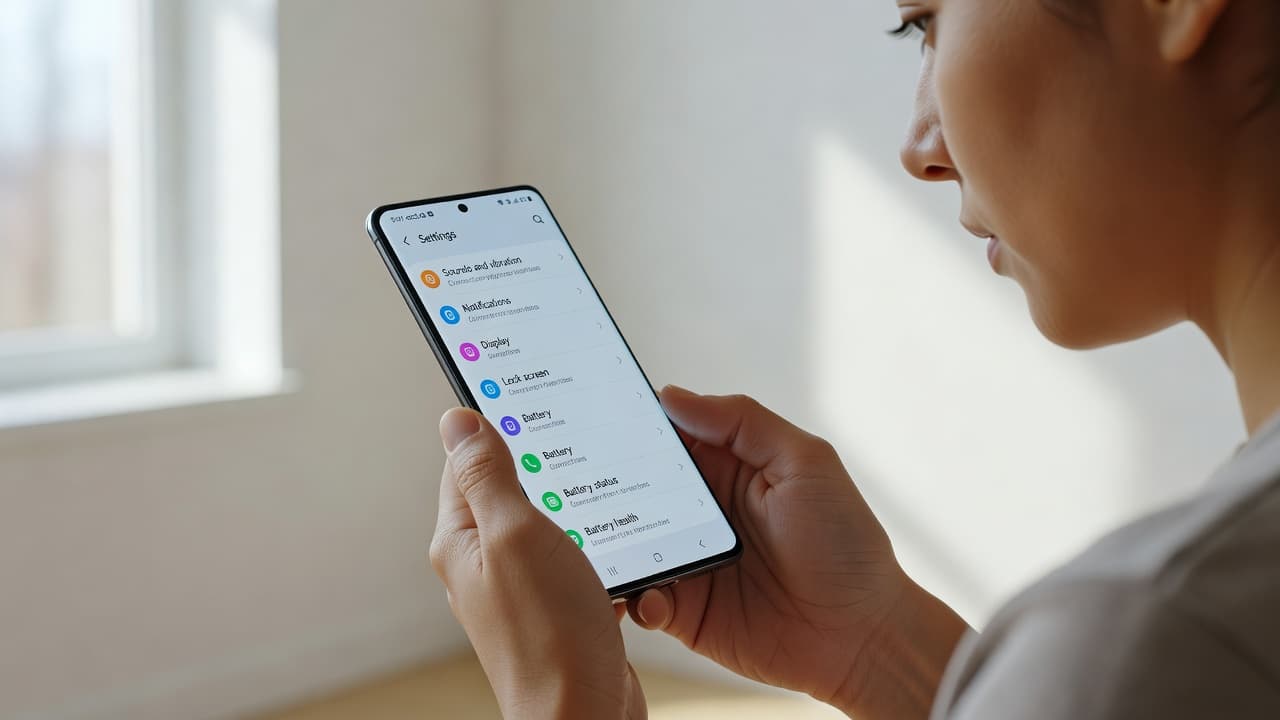
We like to combine the settings check with a quick real-world test. A battery that looks fine on paper should still charge normally, hold power through a screen session, and avoid sudden drops.
| Check | What it tells us | What we want to see |
|---|---|---|
| Settings > Battery > Battery information | Exact health percentage and cycle count, on supported phones | A strong percentage and sensible cycle count |
| Samsung Members > Phone diagnostics | Battery status such as Normal, Weak, or Bad | Normal |
| Everyday use | Heat, sudden drops, slow charging, or fast drain | Stable charging and no odd behaviour |
If your Samsung does not show a battery percentage
That does not automatically mean the battery is bad. It usually means the phone is older, or the software does not expose the figure in Settings.
In that case, the Samsung Members app is the next stop. Open Samsung Members, tap Support, then Phone diagnostics, then Battery status. The result is usually a simple condition rating rather than a percentage.
A hidden percentage is not the same as a healthy battery. It just means the phone is not giving us the full picture.
That rating is still useful. Normal usually means the battery is doing its job, while Weak or Bad tells us to expect shorter run time and more frustration down the line.
If you are buying a used Samsung online, ask the seller for screenshots from both places if the phone supports them. That is a lot better than trusting a glossy listing photo and a cheerful caption.
Signs the battery is wearing out
When the battery is tired, the phone often leaves clues. We usually spot the problem before the owner does, because the warning signs stack up.
- The phone drops from a decent percentage to near empty very quickly
- It gets warm during basic tasks, not just gaming or video
- Charging takes longer than it used to
- The percentage jumps around, especially below 20%
- The phone switches off before it reaches 0%
- Battery saver feels like it is always on duty
A swollen battery is a different matter. If the back cover looks lifted, the screen starts to bow, or the phone rocks on a flat table, stop using it and get it checked. That is no longer a battery life question, it is a safety issue.
We see this sort of thing in samsung phone repair UK jobs all the time. A phone can still switch on and look tidy, yet the battery has gone past its best.
When battery health means repair, not replacement
If the phone is otherwise in good shape, a battery replacement is usually the sensible move. That is especially true for a decent Galaxy S or A series phone, where the cost of a new battery is far lower than the cost of replacing the handset.
Our Samsung battery jobs usually sit in a broad range, depending on model and parts supply. In 2026, a lot of jobs land somewhere from about £45 to £119. We keep the numbers updated on our Samsung battery replacement cost guide, and we always quote before any work goes ahead.
The same thinking applies across mobile phone repair UK work. We see it with iphone screen repair UK and iphone battery replacement UK jobs too. A cracked iphone screen repair makes sense when the rest of the handset is still solid, but once the battery, port, and frame all need attention, the value changes fast.
If you want us to handle the job, our Samsung battery replacement service is the cleanest route. We use quality parts, we aim for quick turnaround, and our price promise means we try to match or beat other quotes where we can.
A quick workshop example from a used Galaxy
Last week we checked a Galaxy S22 that looked fine from the outside. The seller swore it was “barely used”, which is a phrase we hear a lot.
Once we ran the checks, the battery was weak and the phone was dropping charge alarmingly fast. The owner had thought the problem was software, because the phone still powered on and the screen was perfect. In reality, the battery had aged enough to make daily use a nuisance.
We replaced the battery, tested the charging path, and the phone was back to behaving properly. That is the sort of repair that makes sense when the rest of the handset still has plenty of life left.
How we check battery health before we buy or post a phone
If we are looking at a used Samsung, we start with the basics and keep the process simple.
- Check the Settings battery menu first, if the phone supports it
- Run Samsung Members diagnostics for a quick condition result
- Test charging from a proper cable and plug
- Watch the battery percentage for a few minutes
- Feel for heat during light use
- Ask whether the phone has ever had water damage or a previous repair
For local customers, our phone repair Essex service in Harlow is handy when a device needs a closer look. If you are not near us, our postal phone repair UK option works well too. We can receive the phone, inspect it, and get on with the repair once we know what is wrong.
If you are comparing options with other jobs, the same common sense applies. We use it on Samsung batteries, on cracked screens, and on laptop faults too. A clear diagnosis saves time, money, and a lot of head-scratching.
Conclusion
A used Samsung phone is only a good buy if the battery still matches the rest of the handset. On newer models, we can check health percentage and cycle count directly. On older ones, Samsung Members and a proper real-world test tell us most of what we need to know.
If the battery is weak, the phone is not doomed. It just needs the right repair, and the price has to make sense.
If you are stuck with a used Samsung that feels tired, we can test it, quote it, and sort it in Essex or by post, with no drama.
— James Waterston, Device Repair Specialist at Repair My Crack