
A Samsung that suddenly says “No service” after a drop is usually not beyond help. More often than not, the impact has knocked loose an antenna connection, shifted the SIM tray, bent the frame, or damaged a board-level contact that carries the signal.
That is a proper nuisance, especially when the phone still turns on and seems fine apart from the network bar. We see this kind of fault all the time in mobile phone repair UK work, and the good news is that a sensible diagnosis usually points us in the right direction quickly.
Samsung no service fix: what a drop usually damages
When a Samsung loses signal after impact, we look at the phone as a whole, not just the network warning. The drop might not have broken anything visible, but the shock can still unsettle the parts that handle mobile reception.
A few common causes stand out straight away:
- The SIM tray is cracked, bent, or not sitting properly.
- The antenna path inside the frame has come loose.
- A coax cable has lifted or been pinched by the frame.
- The main board has taken a knock, especially near the modem section.
- The frame has bent just enough to stop parts making clean contact.
That is why a phone can work on Wi-Fi but still refuse to find a network. The handset is alive, but the path to the mast has been broken somewhere inside. A similar pattern comes up in iFixit discussions about poor coverage after a drop, where the first checks often centre on the SIM, the antenna path, and a restart.
We see it often on Galaxy S and A series devices. A Galaxy S23 can come in with no signal after a corner hit, while the screen still looks fine. On the bench, the frame may be fractionally out of shape. That tiny bend is enough to cause real trouble.
If the phone only lost signal after the drop, we treat it as a hardware fault until the checks prove otherwise.
How we diagnose the signal loss in the workshop
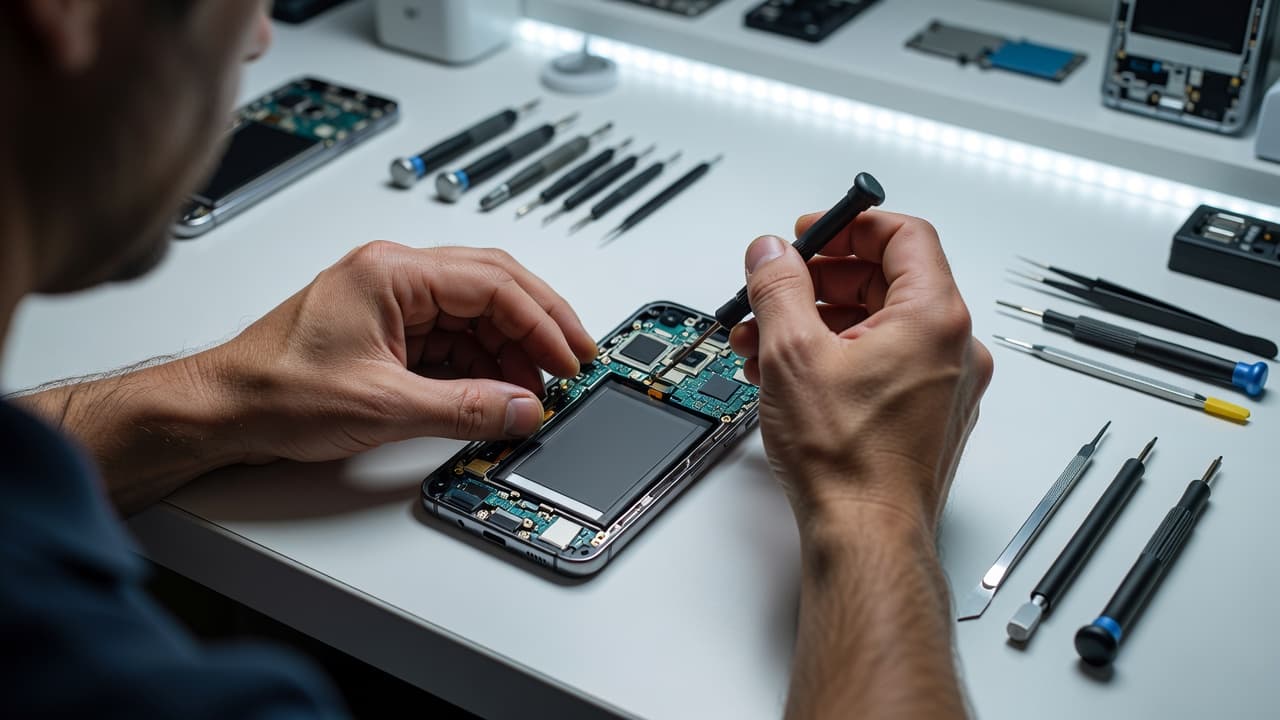
We start with the simple things, because a lot of poor signal faults look worse than they are. A known-good SIM tells us more than guesswork ever will. So does a proper look at the tray, the frame, and the way the back cover sits.
Here is the sort of pattern we often see:
| Symptom | Likely cause | Usual fix |
|---|---|---|
| “No service” straight after a drop | Antenna flex or coax cable knocked loose | Open the handset, reseat or replace the damaged part, then test the frame |
| Signal comes and goes when the phone is pressed | Frame pressure or a poor internal contact | Correct the alignment and replace worn parts |
| Wi-Fi works, but calls and texts fail | Mobile network path fault | Check the SIM tray, antenna path, and board contacts |
| No IMEI, no baseband, or random restarts | Board damage | Carry out deeper diagnostics and advise on repair value |
The table tells the story well. If the fault is local, repair usually makes sense. If the board is involved, we need to be honest about the price and the age of the phone.
We also test whether the phone behaves differently with another SIM. That matters, because a network issue and a damaged handset can look similar from the outside. The same approach is part of our Samsung repair service in Harlow, whether the job is signal loss, a charging fault, or a broken screen.
Quick checks worth trying before you book a repair
A few home checks can save time, as long as we keep them sensible. None of these fixes a bent frame, but they do help rule out simple faults.
- Restart the phone fully.
A clean reboot can clear a temporary network glitch after a knock. - Remove the SIM and check the tray.
Look for bends, chips, or anything that stops the tray sitting flush. - Toggle airplane mode on and off.
That forces the phone to search for a signal again. - Test another known-good SIM, if you have one.
If the other SIM works, the fault may not be the handset at all. - Check whether calls, texts, and data all fail.
One weak area can point us towards the right repair faster.
Do not poke the tray with a pin or force the SIM in. That is a quick way to turn a small problem into a bigger one. If the phone also feels hot, restarts, or shows strange charging behaviour, stop there and let us inspect it properly.
We see this kind of thing on other models too. A drop can lead to cracked iPhone screen repair jobs, an iphone battery replacement UK request, or an iPhone screen repair UK booking at the same time. The phone still needs a full check, whether it is an iPhone or a Samsung, because impact damage rarely stays neat and tidy.
When repair makes sense, and when it does not
Most of the time, a Samsung that loses service after a drop is worth repairing if the rest of the handset is still healthy. That is especially true on newer Galaxy S models, where replacing the whole phone would cost far more than sorting the fault.
Typical repair prices give a useful benchmark. Screen replacement often sits around £60 to £180, battery replacement is commonly £40 to £80, charging port repairs are often £50 to £90, and water damage treatment can land around £60 to £120, depending on the damage and model. Signal faults do not always follow the same pattern, but the same idea applies, a small fix is usually better value than a full replacement.
Repair starts to lose sense when the phone has multiple serious issues. A bent chassis, a swollen battery, a cracked screen, charging trouble, and no service at the same time can push the job into write-off territory. In that case, we would rather say so than sell a repair that does not stack up.
That is also how we handle professional iPhone repair services, [samsung phone repair UK] work, and general mobile phone repair UK jobs. We look at the whole device, then tell you if repair is sensible or not.
Postal phone repair UK for signal faults and drop damage
If you are not near Essex, postal repair is often the easiest route. Our postal phone repair guide explains the process, and it is straightforward.
You book the repair online, pack the phone securely, and include the order number. If we need a passcode for testing, we will let you know. Once the phone arrives, we aim to start work quickly, often the same day, then test the handset before sending it back by tracked Royal Mail.
For local customers, we also handle phone repair Essex bookings by appointment in Harlow. That works well when you want the fault checked face to face and you do not want the post involved.
What to send with the phone
A little preparation helps the repair move faster:
- The phone and charger, if the charger seems relevant.
- Your order number inside the parcel.
- The SIM removed from the tray.
- Any passcode we have asked for.
- A short note describing what happened after the drop.
If the same impact also damaged the screen or battery, we can check that at the same time. A drop that causes no service sometimes also loosens the charging port, weakens the battery, or cracks the back glass. We see the same sort of chain reaction in workshop repairs every week.
A recent workshop example
A Galaxy S23 Ultra came in from Essex after it slipped off a car roof at a petrol station. The screen was fine, but the phone showed no service and kept hunting for a network.
The SIM itself was healthy. The real problem was a slightly bent frame and a disturbed antenna contact near the edge. Once we corrected the fit, replaced the worn part, and tested it with a known-good SIM, the signal came straight back. That sort of repair is a lot cheaper than replacing a handset that still has plenty of life left.
We get the same kind of story with iPhones too. One drop can mean signal loss, a cracked screen, or a weak battery all at once. The trick is to test properly before spending money in the wrong place.
Conclusion
A Samsung no service fault after a drop usually points to hardware, not bad luck. The SIM tray, antenna path, frame, or board contact is often to blame, and the right fix depends on which part took the hit.
If your phone has lost signal after an impact, we can check it properly, tell you what has failed, and give you a straight answer on repair or replacement. For samsung phone repair UK, phone repair Essex, or postal phone repair UK, book online and send the handset over, and we will get it looked at as quickly as we can.
James Waterston, Device Repair Specialist at Repair My Crack