
You drop your Samsung, pick it up, and the screen still lights up. Then you press the volume key and nothing happens. That small fault can be more annoying than a cracked screen, because you notice it all day.
If your Samsung volume buttons are not working after a drop, the cause is usually physical. In most cases, the button has jammed, the side frame has bent, or the internal button flex has taken the hit. The good news is that many of these faults are repairable without replacing the whole phone.
The short answer when Samsung volume buttons stop working
We see this fault a lot in the workshop. A drop doesn’t always smash the display. Sometimes it lands on the phone’s edge, and the impact goes straight into the side buttons.
That means the first job is to work out whether the fault is software or hardware. Samsung’s own key troubleshooting guide is worth checking, because it covers case pressure, diagnostics, and settings resets before you spend money.
Most of the time, though, a dropped phone with dead volume keys has a hardware problem. If the button feels loose, sunken, overly stiff, or stuck down, we treat that as physical damage until proven otherwise.
A jammed volume-down key can also trigger odd behaviour. On some models, it can keep changing the sound level, boot into Safe Mode, or stop you using normal shortcuts. That’s why it helps to test the phone early, before the fault gets worse.
Why Samsung volume buttons stop working after a drop
The volume rocker looks simple from the outside, but there’s a bit going on under that tiny strip of metal or plastic. On many Galaxy models, the outer button presses a small internal flex cable switch. A drop can upset that setup in a few ways.
Sometimes the frame takes a knock and pinches the rocker. The button is still there, but it can’t travel properly. Other times, dust or grit gets shoved into the gap on impact, which leaves the button feeling sticky or dead. We also see buttons that have shifted out of line, especially when the side of the phone lands first.
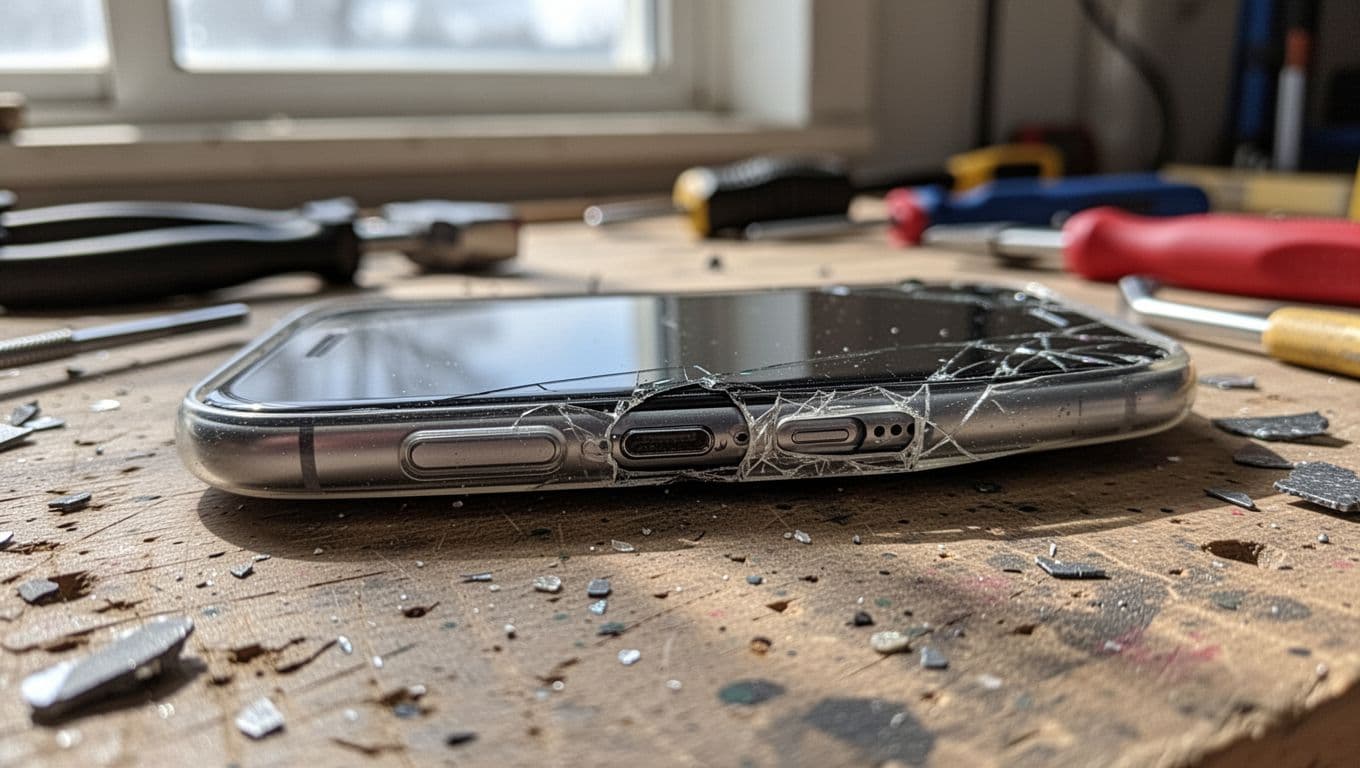
Even a small dent around the rocker can stop the button from moving properly.
On newer models, the outside can look fine whilst the internal switch has torn or detached. That’s common on phones that hit paving, concrete, or the corner of a table. We also see combo damage, where the button fault comes with a cracked back glass, lifted screen, or bent frame.
If the button feels sunken, loose, or permanently pressed, stop forcing it. Extra pressure can turn a simple button repair into a bigger frame job.
Safe checks to try before booking a repair
There are a few things we suggest before opening the phone. Keep them gentle. If you start digging at the button with a pin, you’ll likely make it worse.
- Remove the case and test the buttons again. Some cases press on damaged keys and make the fault look worse.
- Inspect the side of the phone in good light. Look for dents, gaps, or a button sitting lower than it should.
- Restart the phone. If needed, do a forced restart with the side key and volume-down combination for your model.
- Open Samsung Members and run the button test if your phone still responds normally.
- Wipe the button area with a dry soft brush or cloth. If you use isopropyl alcohol, use a tiny amount on the cloth, not sprayed into the phone.
- Use the on-screen volume slider for now, then back up your data.
We also tell customers to check accessibility settings, because a shortcut can change how the keys behave. If the phone started acting strangely after the fall, a settings reset can help rule software out without wiping your data.
If you want another view on model-specific faults, this Galaxy S23 button repair guide explains why the internal flex often needs replacing after an impact.
What we don’t recommend is prising the button out, squeezing the frame back by hand, or pouring cleaning fluid into the gap. That might work once, but it often turns a tidy repair into a mess.
How we fix it in the workshop
Once the phone reaches us, we test the button feel first. That tells us a lot before the handset is opened. A click with no response points one way. No click at all points another. If the frame is dented, we check whether the rocker is being trapped by the housing.
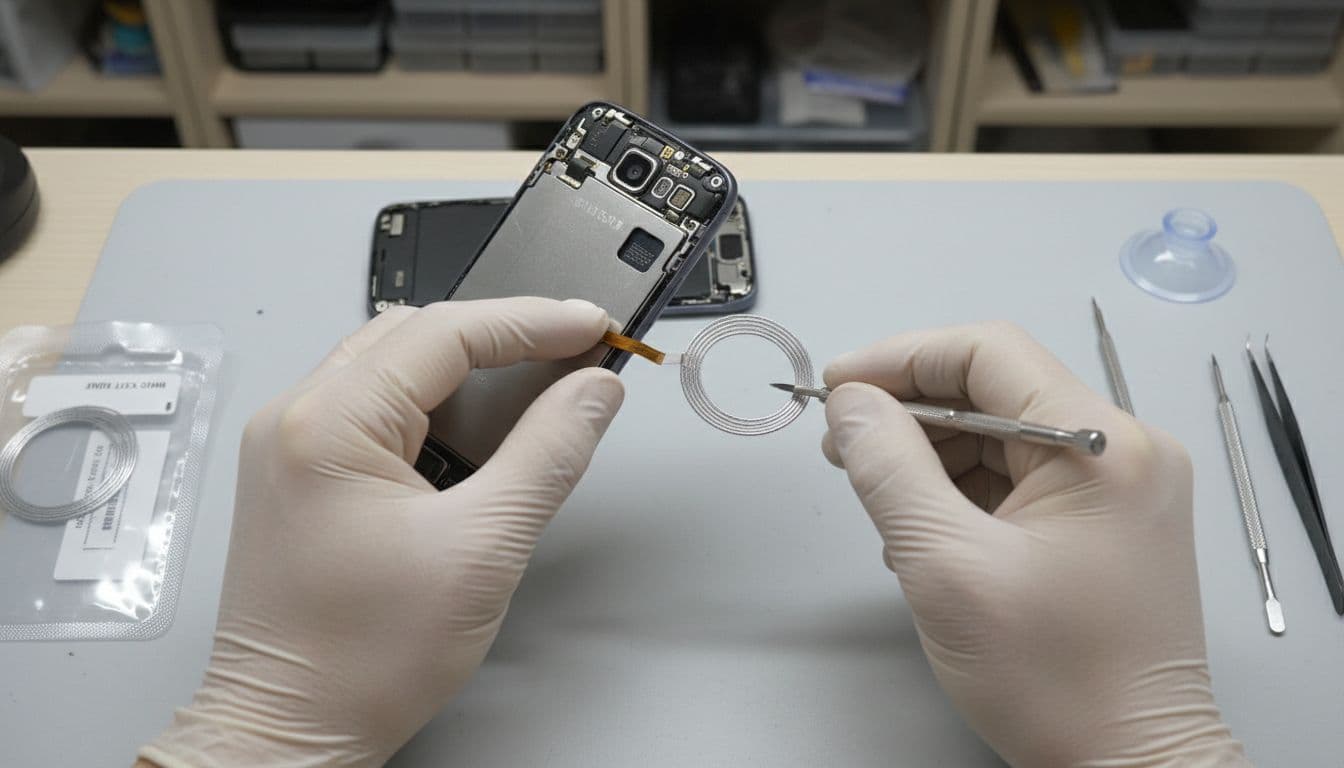
Most proper fixes involve opening the handset and replacing the damaged button assembly or flex.
On many Samsung models, the repair involves removing the back glass, disconnecting the battery, and replacing the side button flex or the button cap itself. If the frame has bent, we may also need to correct that area so the new part doesn’t bind. After that, we run button tests, audio checks, and general function checks before the phone goes back.
A recent repair from the bench
Last week, we had a Galaxy S23 sent in from Essex. The owner said the screen survived the fall, but volume-down had stopped completely. Once opened, the fault was clear. The side frame had taken a tiny knock, and the internal flex had split. We replaced the part, checked the rest of the handset, and sent it back working properly. It was a small repair, but only because the customer stopped pressing the damaged key.
That part matters. The sooner a stuck button is checked, the better the chance of keeping the repair simple.
Typical UK repair costs in 2026
Prices vary by Samsung model, part availability, and how much impact damage sits around the button. This quick guide shows the ranges we usually see across the UK.
| Repair type | Typical UK price | When it fits |
|---|---|---|
| Clean and free a jammed button | £20 to £40 | Grit or minor sticking, no torn parts |
| Replace the button flex or rocker parts | £60 to £120 | The most common post-drop repair |
| Frame or side housing work | £100 to £250 | The phone edge is bent or pinched |
| Screen and button repair together | £200 to £400 | The fall damaged multiple parts |
For many A-series and S-series phones, a button repair still makes sense. For an older handset with a bent frame, weak battery, and cracked screen, the maths can change. In those cases, we’ll say so plainly.
We also keep our price promise in mind. If you’ve had a like-for-like quote elsewhere, ask us about it. We use quality parts, our accredited technicians carry out the work, and repairs come with a one-year warranty on eligible work, subject to terms.
Local in Essex or post-in from anywhere in the UK
Because we run a mobile phone repair UK service, we see this fault from all over. Some customers book local drop-ins. Others send devices in because the nearest shop can’t handle Samsung internals properly.
If you’re looking for phone repair Essex, we offer Harlow appointments as well as post-in jobs. For Samsung-specific faults, our Samsung phone repair Essex booking page is the quickest place to start. We also cover the wider UK through a postal phone repair UK service, and we aim to start work as soon as the handset arrives, often the same day.
Alongside samsung phone repair UK bookings, we handle iphone screen repair UK jobs, iphone battery replacement UK requests, and plenty of cracked iphone screen repair work. The same drops that kill a Samsung volume key often leave an iPhone with switch or screen damage. If your Apple handset has taken a similar knock, our guide to iPhone button repair after a drop may help.
When you post a phone in, pack it securely, include your order number, and add any needed passcode so we can test it properly. That keeps things moving and cuts down on delays.
Conclusion
If your Samsung volume buttons are not working after a drop, don’t write the phone off straight away. Most cases come down to a jammed rocker, a damaged flex, or a bent frame around the button.
Try the safe checks first, back the phone up, and stop pressing a key that feels wrong. If it still won’t respond, we can test it properly, quote it clearly, and get it sorted with express repairs, quality parts, and sensible advice.
If you need help, book online and send the phone in, or arrange a local visit in Essex. We’ll take a proper look and tell you the truth about whether it’s worth repairing.
James Waterston, Device Repair Specialist at Repair My Crack