
Wireless charging is meant to be the easy option. So when samsung wireless charging not working crops up, it feels like your phone’s playing a practical joke, especially when you’re trying to get out the door.
The good news is this fault is usually simple. In our workshop, most “dead” wireless charging cases come down to placement, cases, power, or a setting that’s been toggled off after an update. Only a smaller chunk ends up being a parts issue.
Below, we’ll walk through the checks we’d do at the bench, in the same order, so you don’t waste time.
First checks when samsung wireless charging not working (the 2-minute wins)
Before we go anywhere near repairs, we rule out the boring stuff. Boring is good, because boring is cheap.

Start here:
- Centre the phone properly: Wireless pads have a “sweet spot”. If the phone sits slightly off-centre, it may connect, then drop. Take the case off, lay it flat, and nudge it until it holds a steady charge.
- Remove anything between phone and pad: Thick cases, MagSafe-style rings, pop sockets, metal plates, cards, and even some camera bump protectors can block charging.
- Wipe both surfaces: A bit of grit on the pad can lift the phone just enough to break the link. Use a soft cloth, not kitchen roll.
- Try a different wall plug and cable: Many wireless pads rely on a decent mains adapter. A tired USB plug can make charging start, then fail.
- Test without “fast wireless” expectations: Some pads will charge slowly but reliably. That’s still a useful clue.
If you want an official baseline for how Samsung expects it to behave, Samsung’s own guide on issues with wireless charging is worth a quick skim.
If wireless charging works with the case off, the phone usually isn’t “broken”. It’s just being blocked.
Settings and software that can quietly stop wireless charging
If the basics don’t help, we move to the phone itself. In 2026 we’re seeing more cases where a setting change or a small glitch is the real culprit, not hardware.
Check charging settings (it’s easy to miss)
On many Galaxy models, you can toggle wireless speed and behaviour:
- Go to Settings > Battery > Charging settings
- Make sure Fast wireless charging is switched on (where available)
It won’t fix every case, but it’s a fast win when the phone accepts a connection then gives up.
Restart properly, then update
A normal restart solves more than people expect because it resets charging services.
- Hold Power + Volume Down to reboot
- Then check Settings > Software update > Download and install
If you’re still stuck, a quick sanity check from a reputable troubleshooting summary can help you spot something you missed. TechWiser’s rundown of fixes for wireless charging on Samsung Galaxy phones covers the common user-side issues well.
A quick diagnosis table we use at the counter
Here’s how we usually interpret the symptoms:
| What you see | What it often means | What to try next |
|---|---|---|
| Charging starts, then stops | Misalignment, case, weak adapter | Reposition, remove case, try different adapter |
| No response at all | Pad/adapter fault, debris, hardware | Test another pad, clean, then diagnostics/repair |
| Works on one pad but not another | Power mismatch, pad quality | Use a stronger adapter, certified Qi pad |
| Phone gets warm, no charge gained | Poor connection or coil issue | Case off, re-seat, then inspect for damage |
If wireless works on any other pad, we can usually keep it as a home setup problem.
When it’s not your pad: common hardware faults we repair
If you’ve tried multiple chargers and it still won’t play ball, we start suspecting hardware. Wireless charging has a few parts that can fail without any obvious outside damage.
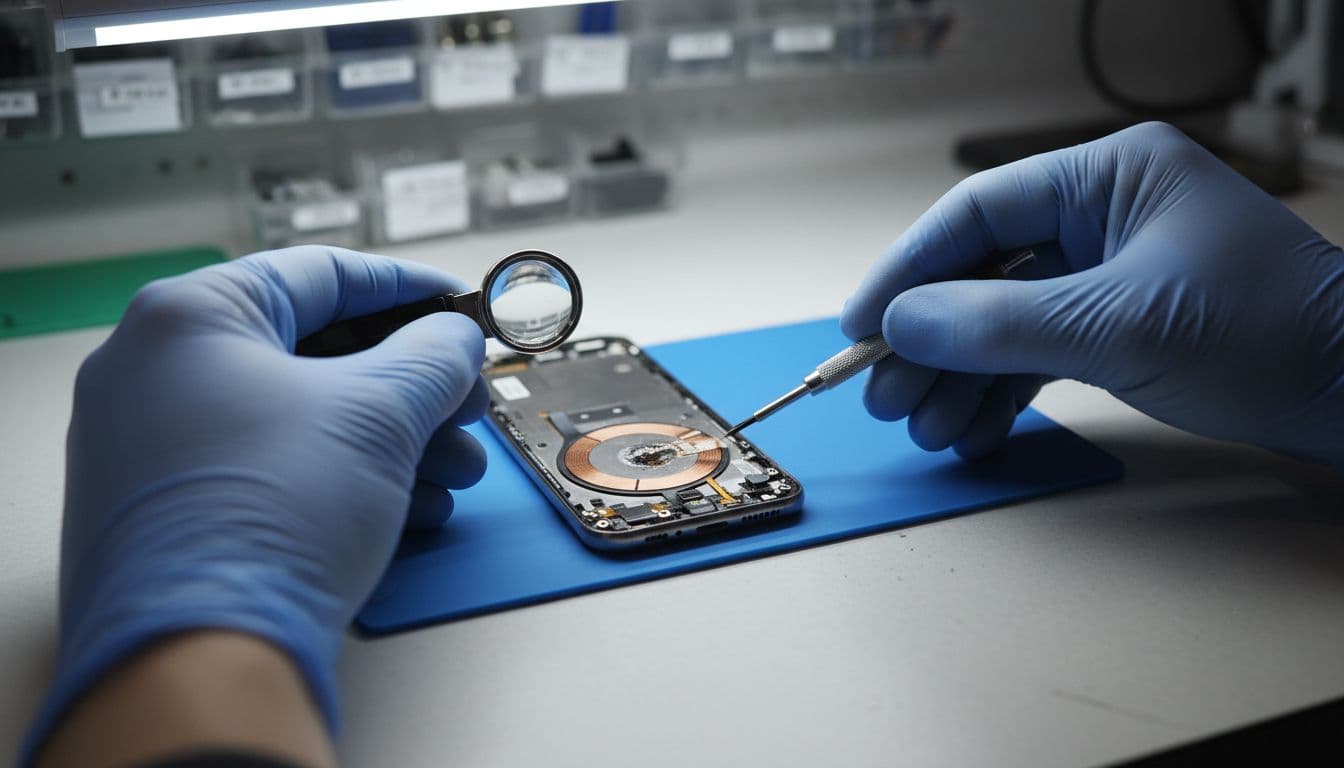
The faults we see most
- Damaged wireless charging coil: A drop can crack the coil or disturb its alignment. Sometimes the back glass looks fine, yet the internals have taken the hit.
- Back glass damage letting in dust or moisture: Even small cracks can create long-term problems. This is one reason we’re big on sorting back glass early, the same logic applies whether it’s a Galaxy or an iPhone (we see it daily on iPhone screen repair and back glass jobs too).
- Charging port board issues on some models: On certain Samsungs, related components share boards or connectors. A “wireless only” symptom can still trace back to a connection issue inside.
A real workshop example (from last week)
We had a Galaxy S-series handset in from Essex that “wouldn’t charge wirelessly on any pad”. Wired charging worked, so the owner assumed the pad was the issue. After a quick strip-down, we found a slightly torn coil flex and signs the phone had been opened before. We replaced the damaged part, re-seated the connections, and wireless charging came straight back.
If you’re weighing up options, our Samsung repair services page covers the sort of faults we deal with every day, including charging-related issues.
Getting it sorted in Essex or by post (and what we need from you)
When troubleshooting runs out, we can still keep it simple.
For locals, phone repair Essex customers often drop into our Harlow set-up for quick diagnostics. For everyone else, we offer postal phone repair UK options, so you don’t have to take a day off work just to get a handset charging again.
A few quick notes that make repairs smoother:
- Back up your data first if you can.
- Include your order number in the box.
- Add your passcode/pattern if you want us to fully test charging after the fix (we don’t go through your personal content, we just need to verify functions).
If you’re wondering how safe it is to send a phone away, our guide on mail-in phone repair safety explains how we recommend packaging and tracking.
We repair across brands too, so if your household has a mix of devices, you can keep it all under one roof: mobile phone repair UK for everyday faults, samsung phone repair UK when Galaxy hardware gets fussy, plus the Apple classics like iphone battery replacement UK, iphone screen repair UK, and the all-too-common cracked iphone screen repair after a pocket-height drop onto pavement.
Quick FAQ we get in the UK
Will a thick case really stop charging?
Yes. It’s like trying to toast bread through the bag. Some cases are fine, but anything chunky, metal-lined, or with add-ons can break the connection.
Is slow wireless charging a fault?
Not always. Pad quality, adapter wattage, and heat all affect speed. If it holds charge steadily, the phone may be fine.
Should we keep trying different pads?
Try one known-good Qi pad and a decent adapter. If two reliable setups fail, it’s time for diagnostics.
Conclusion
When samsung wireless charging not working, it’s usually a simple block: placement, case thickness, dust, or the wrong power adapter. After that, settings and updates are the next best bet. If none of that helps, a coil or internal connection may need attention.
If you’re stuck, we can diagnose it quickly and talk you through the sensible fix, either in Essex or via post, with our usual price promise and quality parts.
– James Waterston, Device Repair Specialist at Repair My Crack