
A dropped phone rarely shows every problem straight away. The display might still glow while a connector, battery contact or charging port has taken the hit, and the wrong repair mistakes can turn a manageable job into a much bigger bill.
We see this regularly across Essex and our UK postal repair service. A phone gets a quick home fix, a cheap part, or a blast of heat, then arrives with extra damage that could have been avoided. These are the five habits that cause the most trouble, plus the safer checks to make first.
Repair mistakes that create bigger bills
Modern phones pack delicate components into a very small space. A small movement inside the frame can affect the screen, camera, charging system or buttons. That is why the visible fault is not always the full fault.
1. Treating the visible damage as the whole problem
A cracked screen attracts attention, but the impact may have damaged more than the glass. The display assembly, touch layer, earpiece, camera, battery connection and frame can all suffer during the same fall.
An iPhone component fault after a drop can hide beneath a screen that still responds. Likewise, a Samsung may have a bent side rail or loose flex cable even when the glass looks perfect. Common screen or display fault symptoms include:
- Lines, flickering or dark patches across the picture.
- Touch that works only in certain areas.
- A display that stays black while the phone still rings or vibrates.
- Brightness, proximity sensor or front camera problems after a screen replacement.
We recently checked an iPhone 12 from an Essex customer after a pavement fall. The glass was shattered, but touch still worked. A few days later, black patches appeared and parts of the display stopped responding. Testing showed that the impact had damaged the screen assembly, not only the outer glass.
That is why we test the full handset before recommending parts. Our iPhone screen repair guide covers the warning signs in more detail, but the practical point is simple: do not assume the cheapest visible fix is the complete repair.
2. Forcing a port, button or screen into place
When a cable feels loose, a button sticks or a screen lifts slightly, many people press harder. That can bend connector pins, tear a flex cable or push a damaged battery further out of position.
A Samsung component fault after a drop often involves the side key, volume rocker or the thin cable beneath it. The button may still click, but the phone does not register the press. A dented frame can also hold the key down, causing repeated commands and rapid battery drain.
The same problem appears with tablets. If an iPad has a component fault, diagnosis should come before anyone starts prising around the display. iPads use strong adhesive and delicate cables, so a kitchen knife or metal tool can turn a charging or screen inspection into a full display replacement.
Avoid these common repair mistakes:
- Do not use a pin to clear a charging port.
- Do not press down on a lifted screen.
- Do not force a cable into a port that feels blocked.
- Do not poke around a stuck button with a knife or screwdriver.
- Do not keep testing a sharp crack with your fingertip.
If the cable only works at one angle, or the phone flashes “Accessory not supported”, the port may have physical wear or corrosion. A simple clean might help when lint is the cause, but a damaged dock connector needs proper testing.
3. Using rice, hairdryers or heat after moisture exposure
Rice is still recommended in plenty of group chats, but it does not remove moisture from connectors and board shields. It can also leave dust and starch inside the charging port.
Heat creates another set of problems. A hairdryer or radiator can soften adhesive, damage seals and push moisture further into the handset. Charging the phone too soon is more serious because liquid around closely spaced USB or Lightning contacts can cause a short.
If your phone gets splashed, dropped in a sink or exposed to a drink, take these steps:
- Disconnect the charger and remove accessories.
- Switch the device off if it remains safe to handle.
- Wipe the outside with a dry, lint-free cloth.
- Leave it in a dry place without applying heat.
- Arrange a proper inspection before charging again.
Water-damaged phone repair in the UK often starts with a careful internal inspection, cleaning and testing. Corrosion can continue after the outside appears dry, so a phone that works today may develop charging, microphone or camera faults later.
A working screen does not prove that the charging circuit or battery connection is safe.
4. Choosing the cheapest quote without checking what it includes
A low quote can look attractive until you discover that it covers only the part, not the labour, adhesive, testing or warranty. Two repair prices are only comparable when they describe the same result.
Here are broad UK guide prices for common jobs. Exact figures depend on the model, part grade and confirmed fault.
| Repair type | Typical guide range |
|---|---|
| Screen replacement | £60 to £350 |
| Battery replacement | £40 to £80 |
| Charging port repair | £50 to £90 |
| Water-damage treatment | £60 to £120 |
A newer OLED screen can cost more than an older LCD panel. A basic port clean costs less than replacing a damaged connector. Similarly, a phone with a bent frame may need extra work before a new screen can sit correctly.
Before booking, ask:
- Which part grade will be fitted?
- Does the price include testing and adhesive?
- What warranty applies to this repair?
- Will the repairer contact you if the diagnosis changes?
- Are postage and return costs included?
We provide a price promise, quality replacement parts and a repair warranty with terms that depend on the work completed. We also explain the likely fault before chargeable work where possible. Consumer Reports’ screen-kit guidance highlights how easily DIY screen jobs can go wrong, even when instructions appear straightforward.
5. Resetting or opening the phone before protecting the data
A factory reset cannot reconnect a damaged flex cable or straighten a bent frame. It can, however, erase the information you wanted to save. Software checks have their place, but they should not replace sensible preparation after physical damage.
When a device won’t turn on or won’t charge, diagnosis should begin with safe checks:
- Try a known-good cable and charger.
- Remove the case and inspect the frame under good light.
- Check for a lifted screen, cracked rear glass or unusual heat.
- Call the phone from another handset to see whether it rings.
- Hold the relevant restart buttons for the model.
- Back up photos, contacts, messages and authentication details if it still works.
Good phone hardware troubleshooting in the UK follows the symptoms and the timing. If a fault began immediately after impact, hardware deserves more attention than repeated resets. A phone that clicks normally but ignores a button may have a damaged flex cable. A mushy or sunken button points more towards mechanical or frame damage.
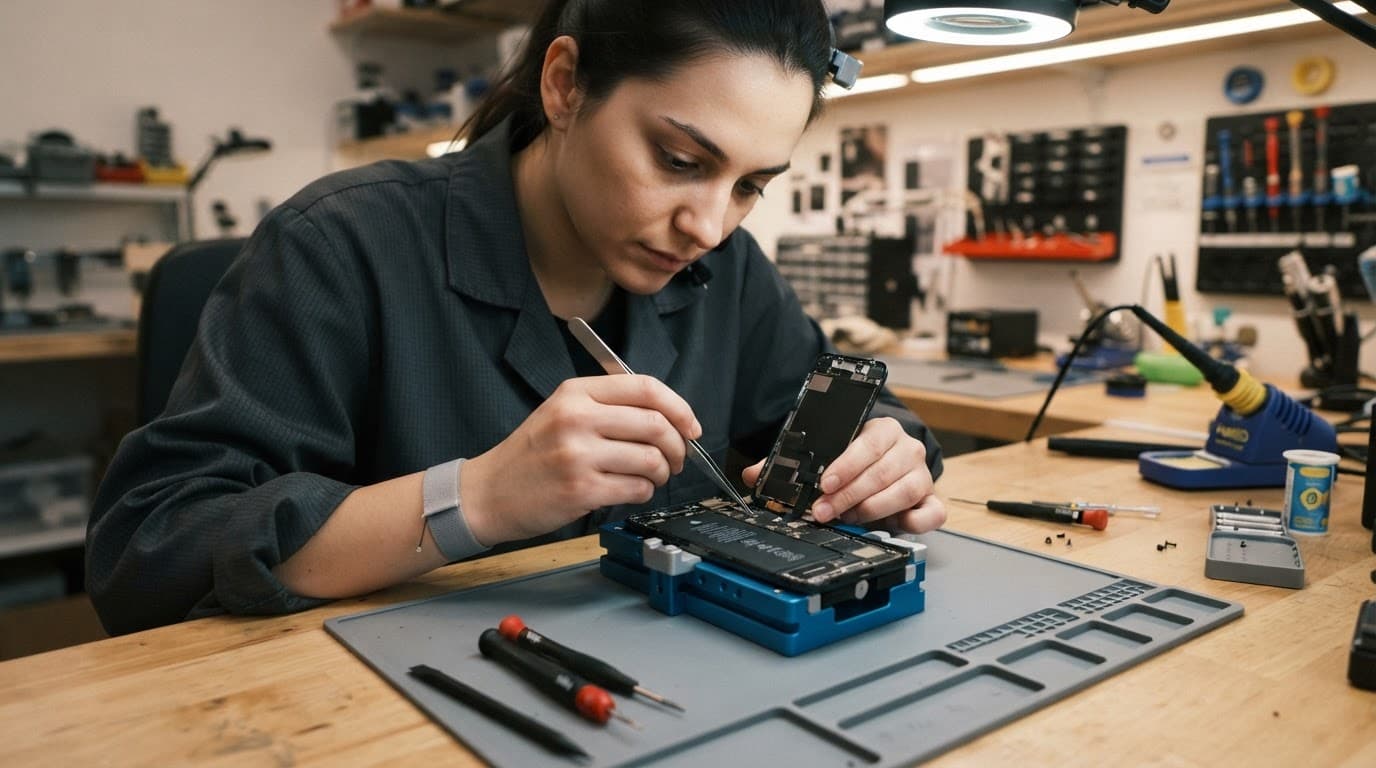
Opening the handset at home adds risk. Screens, batteries and internal cables sit close together, while adhesive can make removal difficult. Our Samsung fingerprint troubleshooting guide explains how a poor screen fit can create sensor problems after an otherwise routine repair.

Photo by Tima Miroshnichenko
A safer diagnosis before sending a device for repair
A few basic checks can save time, but stop if the phone becomes hot, smells unusual, shows a swollen battery or has a lifting display. Never charge a handset that may still contain liquid.
For Google Pixel component fault after a drop problems, remove the case and check whether the side buttons still have springy feedback. Test the camera and torch as well, because a damaged camera connection can affect both. If the screen stays black, call the phone and listen for vibration or ringing.
Google Pixel customers can book a Google Pixel repair once the basic checks point towards hardware. For an iPad, make a note of whether the fault affects charging, touch, sound or the home button before arranging an iPad repair. Those details help a technician test the right areas first.
Back up the device before posting it whenever possible. Then remove your SIM card, record the fault clearly and package the handset securely. At Repair My Crack, customers across the UK can book online, use free tracked Royal Mail postage and include the order number with the device. We aim to begin work soon after it arrives, often on the same day, although parts and diagnosis can affect the timing.
When repair makes more sense than replacement
Repair is usually sensible when the phone has one clear fault, a straight frame, a healthy battery and no signs of liquid damage. A screen, battery, button or charging port repair can cost far less than replacing a working handset and transferring everything to a new one.
Replacement becomes more reasonable when several expensive problems have arrived together. A cracked display combined with a bent chassis, weak battery, unreliable charging and board corrosion may cost more than the phone is worth. We assess the whole device before recommending that route.
If the model is unclear or the fault does not fit a standard booking, get in touch before ordering parts. Customers with iPhones can book an iPhone repair, while Galaxy owners can Book a Samsung Repair and select the model and fault.
Keep a small fault from becoming a large bill
Most expensive repair outcomes start with a rushed decision. Forcing a cable, applying heat, ignoring moisture or choosing a quote without checking the parts can add damage that was never caused by the original accident.
Protect your data, stop using a dangerous device and arrange a full diagnosis when symptoms continue. Avoiding these repair mistakes gives your phone the best chance of a straightforward fix, a fair quote and a useful life after the repair.