
A car tyre over your mobile is enough to turn an ordinary day into a proper nightmare. The immediate question is whether the phone run over is salvageable or heading straight for the recycling bin, especially when it contains your banking apps, work messages and family photos.
Sometimes, the answer is yes. A smashed screen, damaged charging port, broken button or loose battery connection may be repairable. However, a crushed frame, swollen battery or cracked main board can make repair unsafe or poor value. We inspect the handset before recommending anything.
Switch it off if it feels hot, looks swollen or has a badly shattered display. Avoid charging it until the battery and internal components have been checked.
Can a phone run over be repaired?
Yes, many run-over phones can be repaired, but the result depends on where the impact landed and how far the damage travelled.
If the frame remains fairly straight, the battery is stable and the handset still boots, replacing the screen or a damaged component may restore normal use. A phone that has been flattened, twisted or crushed around the battery needs a more cautious assessment.
Modern mobiles contain several separate layers. The outer glass can break while the display still shows an image. The impact may also damage the touch sensor, camera, charging circuit, speakers or internal connectors. A handset that vibrates but shows no picture may still be running.
A working screen does not prove the phone is healthy. A hard impact can damage charging, cameras or internal connections without leaving an obvious mark.
Damage hiding behind the broken glass
We often find faults that are not obvious during a quick visual inspection. An iPhone component fault after a drop may affect Face ID, the camera, charging or the battery connection. A Samsung component fault after a drop can involve the OLED display, side rail or USB-C port.
A Google Pixel component fault after a drop may affect the screen cable, buttons or battery connector. An iPad component fault needs a full diagnosis too, particularly when the casing has bent and the display has lifted from its frame.
These faults need more than a glass replacement. We test the whole device so you are not paying to fix one visible problem while another serious fault remains.
When the handset is unsafe to use
Stop using the phone and arrange an inspection if:
- The battery looks swollen, the screen is lifting or the phone becomes hot.
- You smell burning, see smoke or notice a hissing sound. Move away from it and call 999 if there is an immediate fire risk.
- The frame has sharp metal edges or loose glass.
- The phone repeatedly restarts, sparks near the charging port or refuses to charge after the impact.
Do not bend the frame back, clamp the phone or use a hairdryer. These actions can damage delicate cables and make battery problems worse.
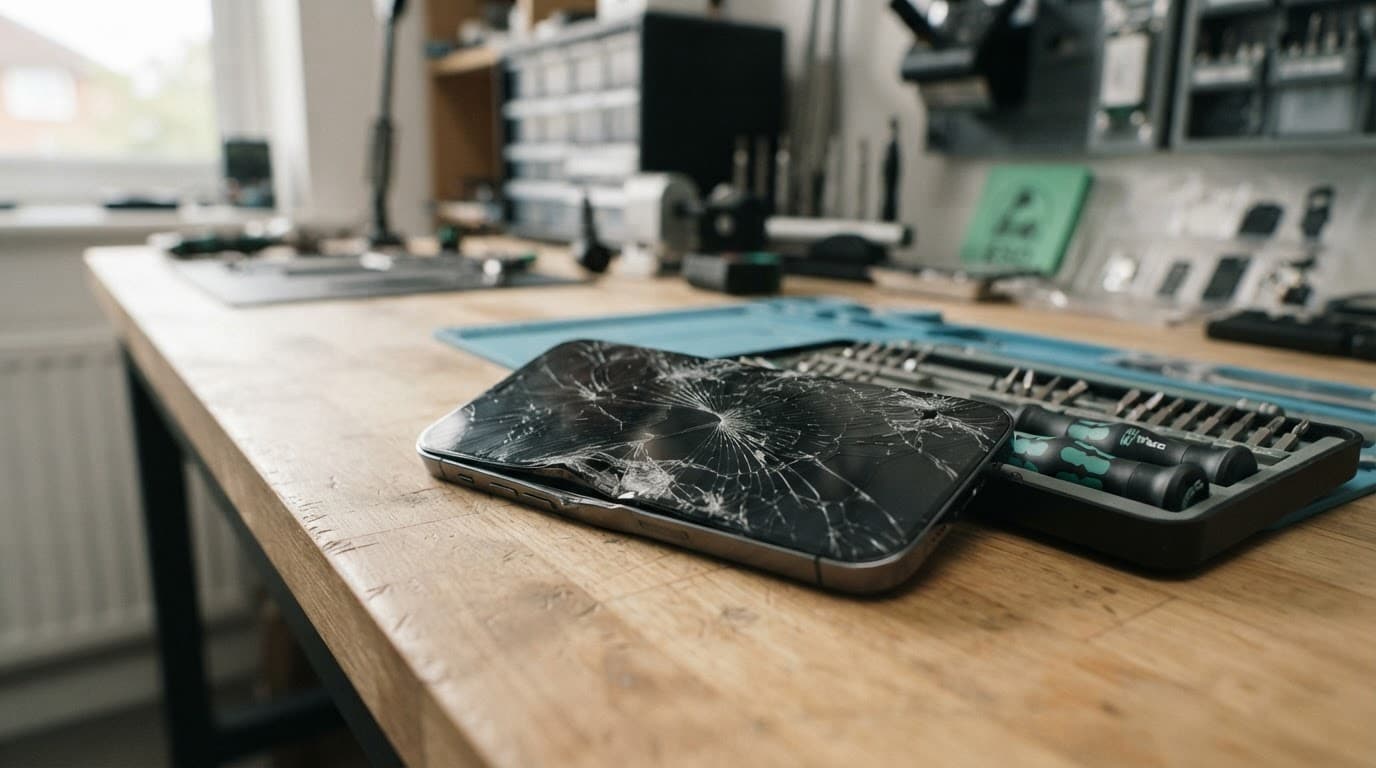
How we diagnose a phone run over in the workshop
Our phone hardware troubleshooting in the UK starts with safety and a full inspection. We record the visible damage, check the frame for distortion and look for gaps around the display or rear cover.
Next, we test the handset with suitable equipment. That includes the screen, touch response, cameras, microphones, speakers, buttons, biometrics, wireless functions and charging. We also check for battery swelling, loose connectors and signs of liquid entering through the cracks.
For Pixel owners, Google’s official repair guidance covers hardware problems such as cracked screens, charging faults and phones that will not turn on. Independent diagnostics can still be useful when accidental impact has caused several faults at once.
Screen or display fault symptoms to watch
Common warning signs include black patches, coloured lines, flickering, dim areas, ghost touches and sections of the display that no longer respond. A cracked screen can look usable at first, then develop dead touch areas after further pressure.
When a device won’t turn on or won’t charge, diagnosis should come before ordering a screen. The display may be dead while the phone itself is powered, or the impact may have damaged the charging path instead.
We also check whether another phone can call the handset, whether it makes notification sounds and whether a computer recognises it. These checks help separate a display fault from a deeper power or board problem.
Protecting data before further testing
If the screen still works, back up photos, contacts and important files before sending the phone anywhere. Use iCloud, Google, Samsung Cloud or a computer, depending on the device.
Avoid factory resets when the handset has suffered physical damage. If it will not boot and the data is important, repeated charging attempts can make a battery fault worse. Specialist phone data recovery services may be an option when normal repair cannot restore access.
Repair or replacement: the UK cost check
A repair usually makes sense when the phone is reasonably recent, the frame is mostly straight and the damage is limited to one or two parts. Replacement becomes more sensible when the handset has a crushed chassis, heavy corrosion, a damaged main board and a poor battery at the same time.
Our common guide prices are:
| Repair | Typical UK guide price |
|---|---|
| Screen replacement | £60 to £180 |
| Battery replacement | £40 to £80 |
| Charging port repair | £50 to £90 |
| Water-damage assessment or treatment | £60 to £120 |
These are guide figures, not fixed quotes for a phone run over. A premium OLED screen, bent frame or extra internal damage can increase the cost. We confirm the fault and explain the options before chargeable work begins. An inspection fee may apply if no fault is found.
Warranty terms also matter. Under our terms, premium iPhone screens have a 12-month warranty, while standard iPhone screen cover can differ. Batteries and other components have their own stated warranty terms. Independent repair may also affect a remaining manufacturer’s warranty, so check that before proceeding. Our UK phone repair warranty information explains the main conditions.
What to do before sending the phone
Take these steps before booking a repair:
- Back up the device if it is safe to switch on and the display responds.
- Power it down, remove the case and take out the SIM card.
- Note every symptom, including charging behaviour, unusual heat, missing touch response or camera problems.
- Pack the phone securely so it cannot move inside the box, then include the order details we request.
Customers in Harlow and Essex can arrange an appointment-only drop-in. For everyone else, our tracked postal phone repair service lets you book online and send the handset securely through Royal Mail. We aim to start work soon after it arrives, although timing depends on parts, workload and the damage found.
Conclusion: repair first, but do not gamble with safety
A phone run over is not automatically beyond repair. If the battery is safe, the frame is recoverable and the damage is limited, a screen or component repair may cost far less than replacing the handset.
The sensible route is a full diagnosis rather than a quick guess based on the cracked glass. Back up your data, stop using the device if it becomes hot or unstable, and ask for a clear quote before work begins.
James Waterston, Device Repair Specialist at Repair My Crack