
Dropped your iPhone and now it says No SIM? That usually points to a physical fault from the impact, not a random network problem.
At Repair My Crack, we see this a lot after a phone lands on the SIM-tray side, bends slightly in the frame, or takes a harder knock than it first appears. If your iPhone SIM card is not detected after a fall, there’s a good chance the phone is still repairable, and the right first steps can stop it getting worse.
Why a drop can stop an iPhone reading the SIM
A SIM card setup is simple, but it’s delicate. The tray has to sit flat, the card has to line up perfectly, and the tiny contacts inside the phone have to touch properly. After a drop, even a small bend can throw that off. The SIM itself may be fine, but the phone can still show No SIM, Invalid SIM, or keep searching for signal.
We usually see four common causes. First, the tray gets bent or knocked out of shape. Second, the frame around the tray pinches it, so it no longer sits flush. Third, the contact pins inside the reader get damaged. Fourth, the impact travels deeper and affects the signal path on the board. That last one is less common, but it does happen, especially after a sharp corner hit.
The awkward part is that the obvious damage often steals the attention. People search for iPhone screen repair UK prices because the glass is smashed, or they book a cracked iPhone screen repair and only later notice calls won’t connect. The same goes for iphone battery replacement UK enquiries after a bad drop, because a weakened battery can show up around the same time. Meanwhile, the SIM fault sits there stopping texts, data and calls.
If the phone also got wet, even briefly, the picture changes. Moisture around the tray or reader can cause corrosion, and that can mimic impact damage. In those cases, our advice is to stop charging it and follow our guide on what to do if an iPhone gets wet.
How we diagnose an iPhone SIM card not detected fault
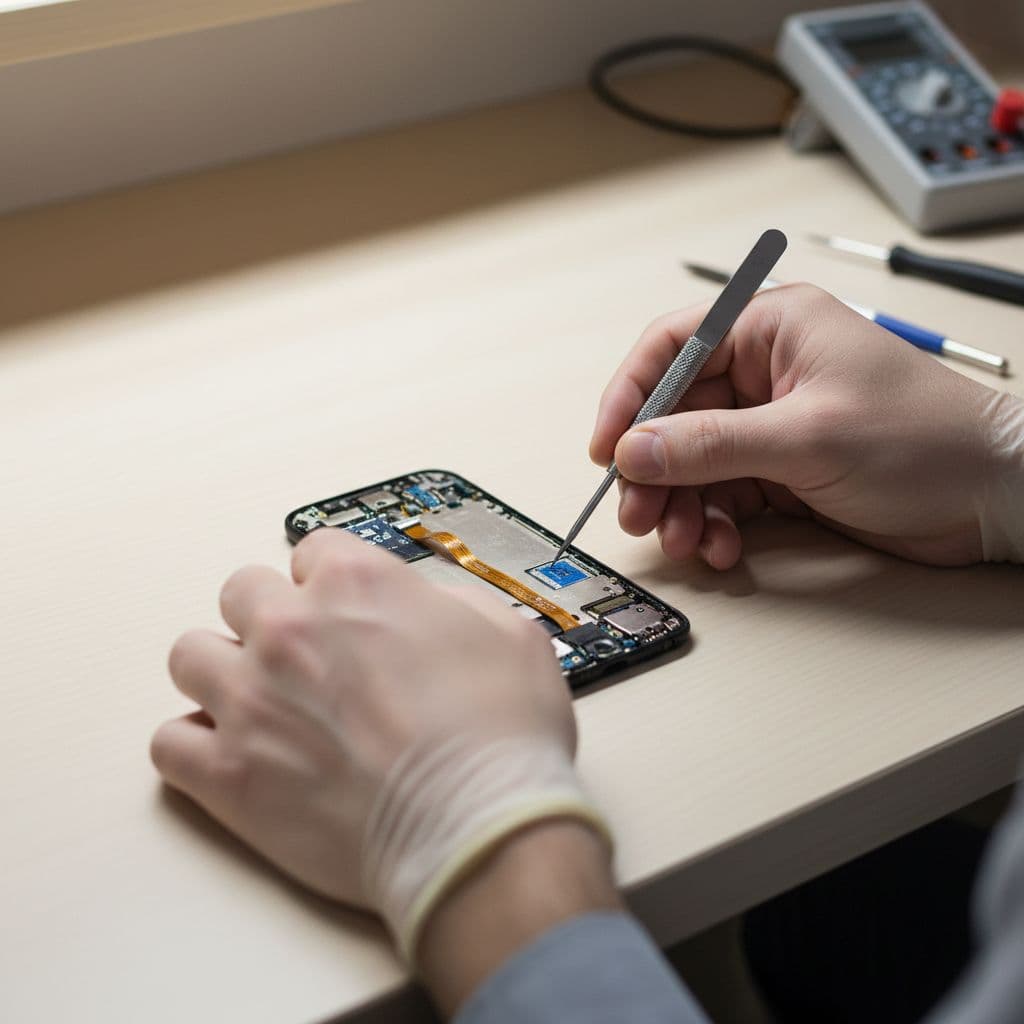
We start with the simple stuff, because simple faults are common. A bent tray or shifted card can cause the same warning as a bigger internal issue, so it makes sense to rule that out first before anyone spends money.
Safe checks you can do at home
- Power the iPhone off fully before touching the SIM tray.
- Remove the tray and inspect the card for cracks, chips, dirt or a worn gold surface.
- Check whether the tray looks twisted, dented or tight going back in.
- Reinsert the SIM carefully, then power the phone back on.
- If possible, test your SIM in another phone, or test a known-working SIM in your iPhone.
If the fault started right after a drop, don’t keep forcing the tray in and out with paper clips and guesswork. That can turn a minor alignment issue into damaged contacts.
Apple’s own guide on Invalid SIM and No SIM messages is useful for the basics, and it’s worth following those steps once. If the timing lines up with a fall, though, we treat it as impact damage until proven otherwise.
This quick table shows what we tend to find:
| What you see | Likely issue after a drop | What we check |
|---|---|---|
| No SIM all the time | Tray, contacts or reader damage | Tray fit, pin condition, internal reader |
| Invalid SIM with one card only | Damaged SIM card | Test with another SIM |
| Searching or no service | Signal path or antenna fault | Signal test, board inspection |
| Works if tray is pressed | Bent frame or weak contact pressure | Frame alignment, tray seating |
The main takeaway is simple. If the phone reads a different SIM, your own card may be damaged. If it reads none at all, the handset usually needs inspection. We also check whether the impact affected mobile data, because SIM-related faults can show up alongside iPhone hotspot issues after a fall.
What we see in the workshop, and when repair makes sense
Last week, we had an iPhone 12 in from Essex that had landed hard on the tray side on a pavement. The screen still lit up, Face ID still worked, but it showed No SIM from the moment it restarted. In that case, the tray had a slight twist and the frame edge had tightened around it. We replaced the tray, checked the fit, tested signal, and the phone came back to life without needing a full device replacement.
That sort of repair is often worth doing. Replacing a whole phone because the SIM reader lost contact is a bit like binning a toaster because the plug got bent. The important part is finding out whether the fault stops at the tray area or goes deeper.
Repair usually makes sense when:
- the phone still powers on and works normally on Wi-Fi
- the drop damage is local to the tray side or frame
- the handset is otherwise in good condition
- the repair cost is far below the price of a replacement iPhone
We give honest advice if it doesn’t stack up. If an older phone has severe frame damage, a dead battery, and a failing display on top of the SIM issue, replacement can be the better call. Still, plenty of customers assume the worst too soon. A tray fault or contact issue is usually far cheaper than buying another handset, and our price promise helps if you’ve already had a quote elsewhere.
We also see similar problems on Galaxy models, so the same thinking applies to samsung phone repair UK jobs. A fall can knock a Samsung tray out of line just as easily. People looking for mobile phone repair UK services often expect signal faults to be software-related, but after a drop they’re often mechanical.
Repair forums such as this iFixit case about a SIM not being recognised after a drop show how common impact-related tray and contact faults can be. We still wouldn’t recommend DIY paper shims or bits of tape, because they can jam the tray or damage the reader.
Sending it in, or booking local phone repair in Essex
If you need help quickly, there are two easy routes with us. Customers after phone repair Essex support can book a local drop-off in Harlow by appointment. If you’re further away, our postal phone repair UK service is often the easiest option, because you don’t need to hunt around for a decent shop nearby.
We handle plenty of these faults through the post. That’s useful for anyone comparing mobile phone repair UK options and wanting a clear answer without wasting time on a chain-store guess. Once the phone arrives, we aim to inspect it promptly and start the repair as soon as the fault is confirmed.
Before you send your iPhone to us
- Back up your iPhone if the screen still works.
- Leave a note with your order number, the fault message, and your network.
- Pack the phone securely, and use tracked post.
- Include passcode details only if they’re needed for testing and you’ve agreed that with us.
If the same drop also cracked the display, we can often sort that alongside the SIM issue with one repair booking. That saves time, and it means the phone gets a proper once-over instead of a piecemeal fix. We use quality parts, accredited technicians, and we back repairs with a warranty, subject to terms.
For most people, the goal is simple. They want their phone working again without a load of faff, and they want an honest price before going ahead. That’s what we try to give, whether it’s a local booking or a postal repair from elsewhere in the UK.
A sensible next step
When an iPhone SIM card is not detected after a drop, the problem is often physical, and that means it can often be fixed. The trick is not to treat it like a random network glitch if the warning started straight after the impact.
If you’re stuck with this now, stop forcing the tray, back the phone up if you can, and get it checked properly. Book online, send it in securely, or arrange a local appointment with us, and we’ll tell you plainly whether it’s a quick repair or something more serious.