
A newly fitted screen may look ready straight away, but the phone screen adhesive still needs time to bond properly. Using the device too heavily too soon can leave the display sitting proud, create edge gaps, or weaken the seal.
The safe approach is simple: careful handling is usually fine once the screen has been fitted and held securely, but wait at least 24 hours before normal use. Liquid adhesives can need 24 to 48 hours for full strength. During that time, avoid pressure, moisture, tight pockets and heavy charging use.
The phone screen adhesive safe-use timeline
Repairers use different products. Some screens arrive with pre-cut adhesive strips, while others need a liquid adhesive around the frame. The product, temperature, frame condition and fitting pressure all affect the final bond.
Pre-cut strips can hold the display in place quickly, especially when the frame is clean and straight. However, a screen that looks flush is not necessarily fully cured. Liquid products begin setting within minutes, but many need much longer before they reach their strongest bond. This adhesive curing guide explains why the first day matters.
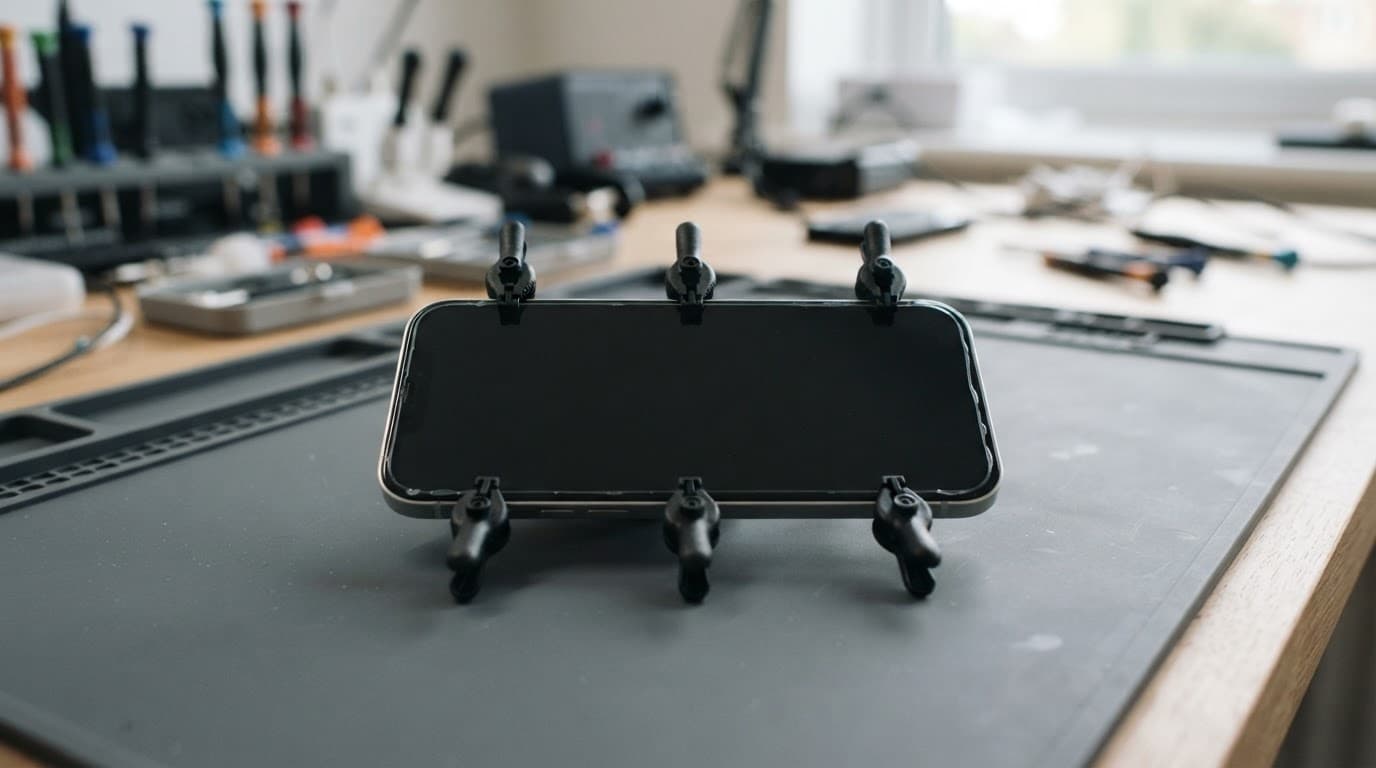
What to avoid during the first 24 hours
Keep the phone flat or handle it gently while the adhesive settles. We recommend avoiding:
- Pressing hard around the edges or centre of the display.
- Keeping the phone in a tight trouser pocket.
- Charging it under a pillow or while using demanding apps.
- Exposure to rain, steam, spills or a hot car.
- Bending the handset or placing it under books, bags or other weight.
Don’t try to improve the fit by pushing the screen down yourself. Uneven pressure can damage the panel, disturb the cables or force adhesive into the sensor area. Apple also explains that water resistance is not permanent, so a repaired phone should never be treated as fully sealed against liquid.
When light use is reasonable
If the screen is secure, the phone is cool and no liquid adhesive has squeezed into the frame, brief light use may be acceptable after the initial set. We still advise waiting a full day before returning to normal work, gaming, travelling or exercise.
For phones repaired with liquid adhesive, a longer wait may be sensible. Ask the repairer exactly which product was used and whether the device should remain taped or clamped.
Screen and display fault symptoms after repair
A successful screen replacement should leave the display firmly seated and the handset working as expected. Check the phone carefully before removing any tape or protective film.
Common screen or display fault symptoms include:
- Touch not responding in one area.
- Flickering, coloured lines or black patches.
- Uneven brightness or a yellow tint.
- A screen that clicks, creaks or moves under gentle pressure.
- A gap appearing along one edge.
- Face ID, proximity sensors or under-display fingerprint recognition failing.
If a fault appears straight after repair, stop pressing the screen and contact the original repairer. Opening the phone elsewhere may affect the first repair warranty.
A drop can damage more than the glass
We recently had an iPhone 12 from Essex with shattered glass, intermittent charging and a small frame bend. The image still worked, so the owner assumed adhesive would solve everything. Testing showed a damaged display assembly and a worn charging port. We quoted for both faults rather than treating it as a simple glass job.
An iPhone component fault after a drop can affect the display, Face ID parts, battery connection or charging circuit. A Samsung component fault after a drop may involve the AMOLED panel, curved frame or fingerprint sensor. A Google Pixel component fault after a drop can also include the display cable, side buttons or rear housing.
For display quality and part choices, our guide to original versus compatible phone screens explains why the cheapest panel is not always the best fit.
Checks before returning to normal use
Test the whole handset
Before relying on the repaired phone, run through a few basic checks. This is useful phone hardware troubleshooting in the UK, especially after a hard impact.
- Unlock the phone and swipe across every part of the screen.
- Check brightness, colour, cameras, speakers and the earpiece.
- Test Wi-Fi, mobile signal, buttons and biometric unlocking.
- Connect a known-good cable and check whether charging stays stable.
- Make a short call and confirm the screen turns off near your face.
- Inspect the edges for gaps, lifted corners or adhesive residue.
A device that won’t turn on or won’t charge needs diagnosis before anyone orders a screen. The cause could be the battery, port, power circuit or impact damage elsewhere.
An iPad component fault or diagnosis also needs a wider inspection because a bent aluminium frame can stop a replacement display sitting flat. Large screens are more vulnerable to pressure during fitting.
Stop using the phone if the screen lifts
A lifted corner is not a cosmetic nuisance. It can allow moisture inside and may point to a poor bond, a bent frame or battery swelling. Stop charging the device if the screen rises suddenly, the phone becomes hot, or the display starts separating.
Don’t straighten the frame at home. A repairer needs to check the battery, display cables and chassis before applying fresh phone screen adhesive. Samsung owners with fingerprint problems can also refer to our guide on Samsung fingerprint sensor repair after a screen replacement.
UK repair costs, warranty and sensible next steps
Repair prices vary by model, screen technology and extra damage. These are our usual guide ranges, not fixed quotes.
| Repair | Typical guide price | Common warranty term |
|---|---|---|
| Screen replacement | £60 to £180 | 3 or 12 months, depending on screen |
| Battery replacement | £40 to £80 | 12 months |
| Charging port repair | £50 to £90 | 12 months |
| Water-damage assessment or treatment | £60 to £120 | Separate terms apply |
Premium OLED screens for newer iPhone and Samsung models can cost more. We confirm the fault and provide the repair cost before chargeable work begins where possible. An inspection fee may apply if testing finds no fault.
Repair My Crack offers express repairs with quality parts and accredited technicians. Customers in Essex can arrange an appointment-only drop-off in Harlow, while customers across the UK can use the postal service with tracked Royal Mail returns. We aim to start work soon after a device arrives, although parts, workload and additional damage affect timing.
Warranty cover normally applies to faults linked to the replacement part or workmanship. It does not usually cover a later drop, cracked glass, liquid damage or tampering with warranty seals. Check the exact term for the screen fitted, as premium iPhone screens and standard screens can have different cover.
Safe use starts with patience
A phone screen adhesive bond may look finished before it has reached full strength. Give the repaired device at least 24 hours without pressure or moisture, and allow longer when liquid adhesive was used.
If the screen lifts, shifts, flickers or loses touch response, stop using it and arrange an inspection. We can test the display and wider handset before recommending the right repair, whether you send it through our UK postal service or arrange a Harlow appointment.
James Waterston, Device Repair Specialist at Repair My Crack