
A dropped Pixel can look completely fine, then leave you missing calls because it no longer buzzes in your pocket. If your Google Pixel vibration not working problem began straight after an impact, treat it as a possible hardware fault rather than a random setting change.
The good news is that a few checks can rule out simple causes. However, a hard knock can shift the vibration motor, damage its connector, or bend the frame around it.
Start with the safe checks below, then decide whether the phone needs a proper inspection.
Key Takeaways
- A Pixel that stopped vibrating immediately after a fall may have a damaged motor, loose connector, or pressure from a bent frame.
- Check vibration settings, Do Not Disturb, Battery Saver and Safe Mode before assuming the motor has failed.
- Restarting the phone can clear a software hiccup, but it cannot repair impact damage.
- Avoid opening a Pixel at home, as the screen and battery are easy to damage during disassembly.
- If other faults appeared after the drop, such as screen flicker or charging trouble, book a diagnostic rather than fixing one symptom at a time.
Why a dropped Pixel can stop vibrating
Your Pixel uses a small haptic motor to create vibration for calls, alarms, typing feedback and notifications. It is a compact component, but it sits alongside delicate connectors, the battery and the display assembly.
When a phone lands on a corner or flat on its back, the force travels through the frame. The screen may survive while an internal connector loosens. In other cases, the motor itself takes the hit and stops moving altogether.
We often find one of these problems after a fall:
- The vibration motor has failed internally after the impact.
- Its connector has partly lifted from the main board.
- The frame has bent slightly and is putting pressure on internal parts.
- A cracked screen or lifted rear cover has allowed moisture or dirt inside.
- The drop triggered a software crash, which a restart may clear.
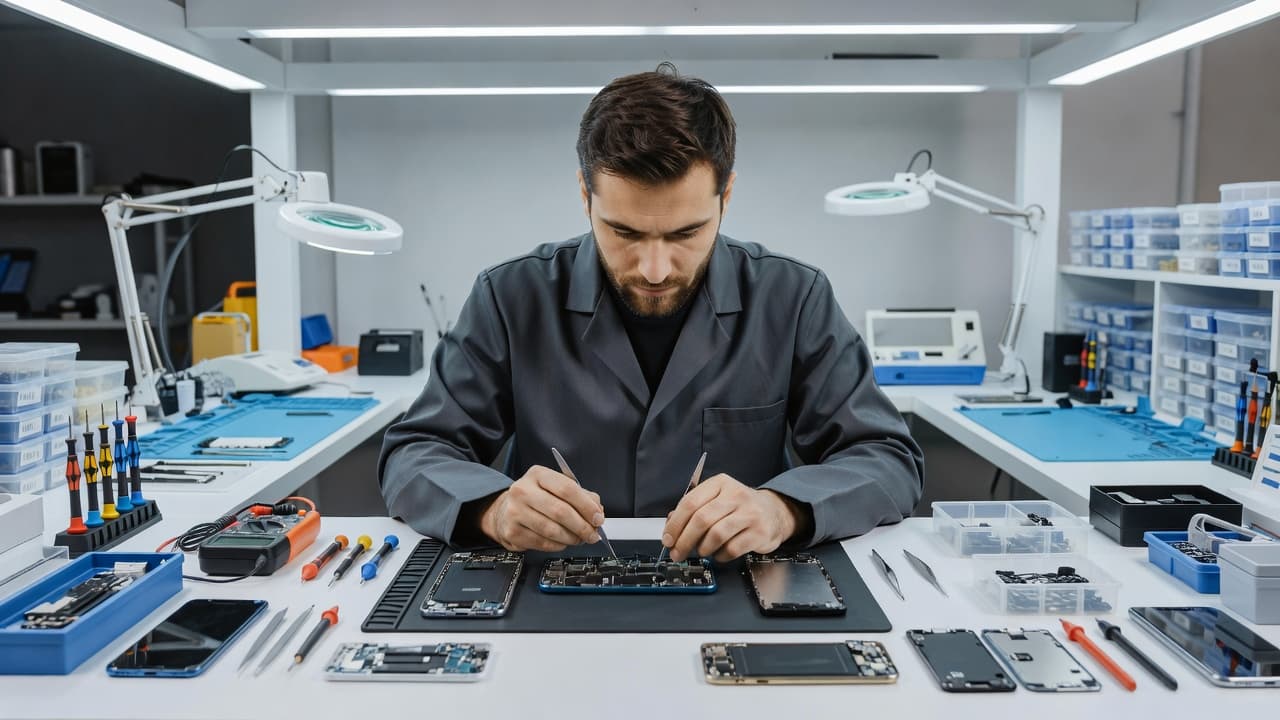
A damaged motor is not always visible from outside. Your Pixel might still charge, make calls and show no cracks. Yet the absence of vibration after a knock is still a useful clue.
Opening a Pixel is not a quick back-cover job. Modern handsets use strong adhesive and tightly packed flex cables. The Pixel vibration motor replacement process shows the amount of careful disassembly involved, even on a newer model. A rushed DIY attempt can crack an otherwise healthy display or damage the battery.
If vibration and the screen both started acting up after one drop, the impact may have affected more than one component.
Google Pixel vibration not working: safe checks first
Before arranging a repair, work through the settings that can mute vibration. These checks take only a few minutes and do not put the handset at risk.
First, go to Settings, then Sound and vibration. Check that ring vibration, notification vibration and touch feedback are switched on. Set the vibration strength above the lowest level, then ask someone to call you.
Next, open Do Not Disturb. This setting can silence calls and notifications without making it obvious. Also check Bedtime mode, because it may change alert behaviour overnight.
Battery Saver can reduce haptics on some phones. Turn it off temporarily and test again. Bluetooth is worth checking too, as a connected smartwatch may be handling call alerts instead.
Then restart the Pixel. A normal restart clears minor system glitches. If vibration returns and stays reliable, there is no need to take the phone apart.
If it still does nothing, try Safe Mode. This starts Android without downloaded apps running in the background. Should vibration work in Safe Mode, an app may be interfering. Remove recent apps one at a time, particularly keyboard, automation, ringtone or battery-management apps.
Do not factory-reset your phone as the first move after a drop. A reset can waste time and risks losing data if the issue is physical. Back up photos, messages and authenticator codes before any major software step or repair booking.
Signs the fault needs a repair bench
A Pixel vibration motor fault needs hands-on testing when it follows an impact and the basic checks make no difference. We look at the whole handset because drop damage rarely follows a neat script.
Take the case off and inspect the phone under good light. Check whether the screen lifts at an edge, the rear panel has separated, or the handset rocks on a flat surface. Pressing a raised screen back into place is a bad idea. A distorted frame can put pressure on the battery or tear a display cable.
Power the phone down straight away if you see a swollen battery, a lifting screen, a split casing or unusual warmth. Do not charge it until a technician has checked it.
Other warning signs include:
- Rattling inside the phone after the fall.
- A side button that feels stiff or sits lower than usual.
- Screen flicker, black marks or touch problems.
- Charging that only works when the cable sits at a certain angle.
- Rear glass cracks around the camera or charging area.
A Google Pixel vibration not working issue can be a small repair when the rest of the phone is sound. However, a bent chassis, water exposure or several new faults can change the sensible option. We would rather explain that plainly than fit a part into a handset that has larger problems waiting.
A recent impact repair from the workshop
We recently inspected a Pixel sent in after it slipped from a kitchen worktop onto tile. There was no dramatic smash, only a tiny chip near the lower frame. Calls came through normally, but vibration had disappeared, and the owner was missing work notifications.
Testing confirmed that the vibration function was enabled. The frame had taken a light impact near the lower section, and an internal connection needed attention. We checked the display, charging, cameras, buttons and battery before completing the repair, then tested vibration through calls, alarms and keyboard feedback.
That wider test matters. A phone can pass a quick call test but still fail under pressure, while charging, or after it warms up. We also see the same approach needed with a cracked iPhone screen repair or a Galaxy that has lost signal after a fall. The visible damage is not always the full fault.
For customers looking for phone repair Essex support, we offer appointment-based drop-ins in Harlow as well as nationwide post-in repairs. The same inspection process applies either way.
Repair, replacement and likely costs
There is no useful fixed price for a Pixel vibration repair without knowing the exact model and condition. Part availability, frame damage and previous repair work all affect the quote.
A motor or connector issue is usually more reasonable than replacing a newer phone. The calculation changes if the Pixel also needs a display, battery, rear housing and charging repair. Once several costly faults stack up, we will tell you if replacement makes better financial sense.
This is the same practical calculation we use across our wider repairs. Many people comparing iPhone screen repair UK options only need a display replacement. Others need an iPhone battery replacement UK service because their handset is otherwise healthy. Likewise, a straightforward Samsung phone repair UK job often makes sense when the frame and main board remain in good condition.
We check the likely fault before carrying out chargeable work where possible. If no fault is found, an inspection fee may apply under our standard charges. Once a repair is agreed, we use quality replacement parts and cover components such as batteries and other repairs with a 12-month warranty under our terms. Accidental damage after collection is not covered, and an independent repair may affect any remaining manufacturer warranty.
Sending a Pixel for repair from anywhere in the UK
You do not need to be local to arrange mobile phone repair UK support. Our postal phone repair UK service includes a tracked Royal Mail label, so you can book online and send the device securely.
Before packing the handset, back it up if it still turns on. Remove the SIM card if you prefer, take off the case, and note the fault in clear terms. Mention whether vibration stopped immediately after the drop and whether any other symptoms appeared.
Use a sturdy box with padding, not a loose envelope. Include your order number and any necessary passcode details so we can test the phone properly. We aim to start work as soon as the device arrives, often on the same day, although timing depends on the model, diagnosis and parts.
Our price promise means we will try to match or beat a comparable quote. The cheapest quote is not always the best value, though. Ask whether it includes testing, quality parts, adhesive resealing and a clear repair warranty.
Common questions about Pixel vibration faults
Can an Android update stop a Pixel vibrating?
It can, although it is less likely when the problem began seconds after a drop. Check for updates after backing up your phone, but do not assume software is the cause if the handset also has physical damage.
Will tapping or shaking the phone fix the motor?
No. Shaking can make a loose part move temporarily, but it can also worsen damage. Avoid knocking the phone against your hand or desk to make it buzz again.
Does a cracked screen mean the vibration motor has failed?
Not necessarily. The screen and vibration motor are separate parts. Still, both can suffer from the same impact, so a proper check is sensible.
Can a case prevent this fault?
A decent case reduces risk, especially around corners, but no case guarantees protection from every drop. If your phone has already taken a heavy knock, inspect it even when the case looks unmarked.
Getting reliable alerts back
When your Google Pixel vibration not working fault follows a drop, settings checks are worth doing, but do not ignore the timing. A working ringtone is no proof that every internal part survived the impact.
Back up the phone, avoid forcing the casing or screen, and get the handset assessed if vibration stays dead. A focused repair can often get your alerts back without the cost and hassle of replacing a perfectly usable Pixel.
James Waterston, Device Repair Specialist at Repair My Crack