
A phone can slip into the sink, get splashed by a drink, then appear completely normal. A few days later, it may refuse a cable, drain overnight or develop a flickering screen. It is a bit of a nightmare when the phone seemed to survive.
That delayed behaviour is typical of phone corrosion water damage. Liquid can leave residue inside the handset, even after the outside looks dry, and that residue can slowly damage connectors and components.
At Repair My Crack, we see this with iPhones, Samsung Galaxy phones, Google Pixels and iPads every week. Quick action gives you the best chance of avoiding a small issue becoming a costly one.
Phone corrosion water damage and late-onset faults
Water inside a mobile does not always cause an instant short circuit. Sometimes it does, especially if the handset is powered or charging. However, the more frustrating cases start when moisture dries and leaves minerals, salts or sticky residue behind.
That residue can corrode metal contacts around the charging port, battery connector, display cable, cameras and mainboard. As those tiny contacts deteriorate, the phone becomes less reliable.
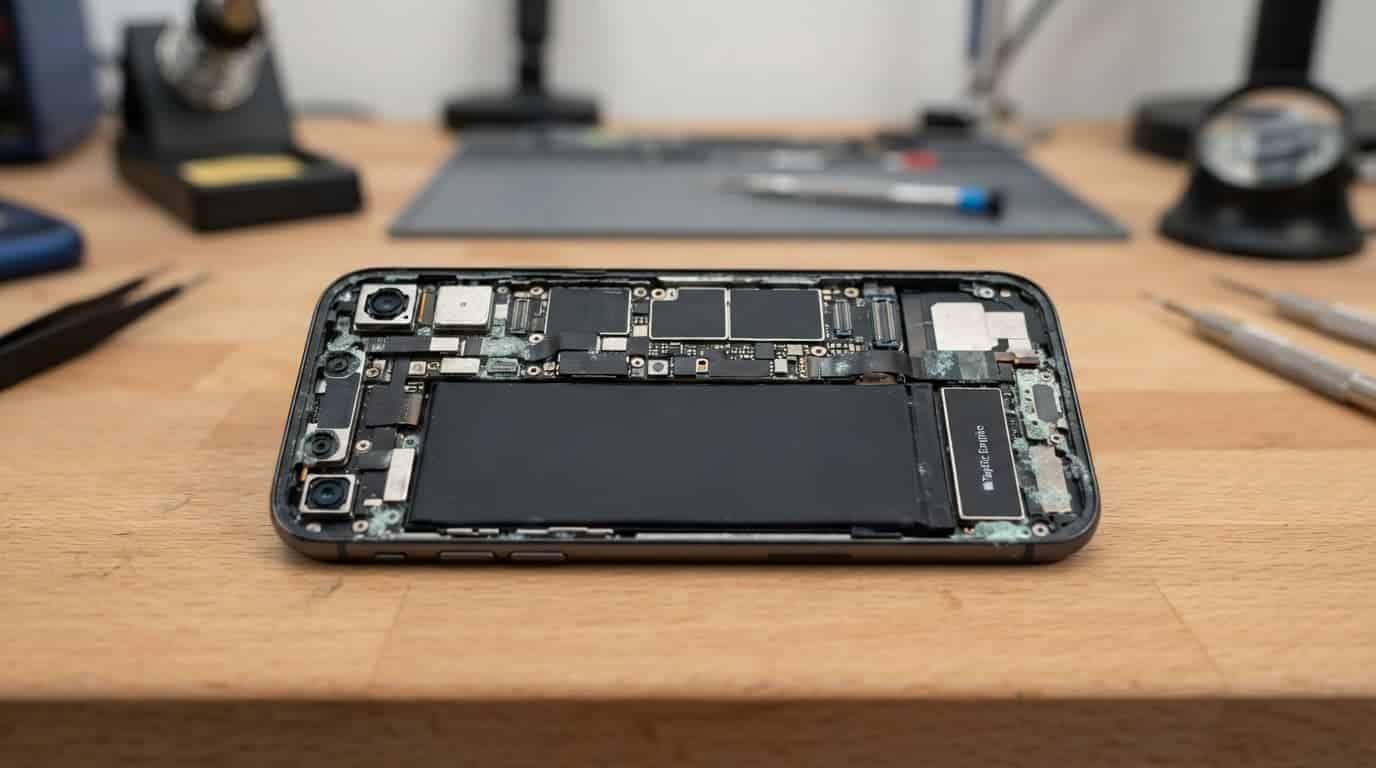
Why a dry exterior proves very little
A handset can feel dry within hours while moisture remains beneath shields, inside connectors or behind the screen. Temperature changes, normal movement and repeated charging can then expose the fault.
Salt water, fizzy drinks and coffee are often worse than clean tap water because they leave more conductive residue. We also see phones affected by rain, condensation in a bathroom and damp pockets after a wet commute.
Water resistance does not last forever
An IP rating describes how a phone performed in controlled testing. It does not promise that every seal will stay perfect after years of use, a hard drop or a previous repair.
Google’s Pixel water-damage guidance also advises allowing a wet phone to dry at room temperature. Treat water resistance as useful protection, not a reason to keep using a wet device as normal.
The first hour after a phone gets wet
The safest move is to stop adding power. Disconnect any charging cable, remove the case and gently dry the outside with a clean, lint-free cloth. If the phone is already switched off, leave it off.
Avoid the usual kitchen-table fixes. They can turn a recoverable problem into a larger repair.
- Do not charge the handset while there may still be moisture in the port.
- Do not use a hairdryer, radiator or oven. Heat can soften adhesive and push moisture deeper inside.
- Do not put it in rice, as dust and starch can enter the charging port.
- Do not shake it hard or keep pressing buttons to see if everything still works.
Repeated charging tests are risky because liquid around closely spaced port contacts can create a short circuit.
If an iPhone shows a liquid-detection warning, unplug it and give it time to dry. Apple’s liquid-damage service policy states that liquid damage is not covered by its one-year limited warranty, so acting early can save a lot of faff.
Delayed fault patterns worth taking seriously
A working screen does not rule out internal damage. Corrosion can affect one small part at first, then spread along nearby contacts.
Charging and power problems
A device that won’t turn on or won’t charge needs a proper diagnosis, especially after a spill. The issue might be a dirty port, but it could also be a damaged charging assembly, weak battery connection or corrosion on the power circuit.
Look out for a cable that only works at one angle, a port that feels loose, sudden heat while charging, unexplained restarts or a battery percentage that drops far too quickly. These faults often worsen if you keep forcing a cable into the port.
For a Galaxy that starts acting up after moisture exposure, you can Book a Samsung Repair once the handset is safely dry and backed up.
Screen or display fault symptoms to watch for
Water damage can affect a display cable or the screen itself. Common screen or display fault symptoms include:
- Flickering that appears at low brightness or after charging.
- Green or white lines, black patches and unusual colour changes.
- Touch working in some areas but failing in others.
- A black screen while the phone still vibrates, rings or makes notification sounds.
- Brightness changing on its own, or a display that fades in and out.
Muffled speakers, a weak microphone, misty camera lenses and Face ID or fingerprint faults can also point to trapped moisture. If a Pixel has these signs, you can book a Google Pixel repair before corrosion has more time to spread.
Proper diagnosis goes beyond restarting the phone
A restart or software update can resolve a genuine software glitch. It will not remove corrosion from a connector. For reliable UK phone hardware troubleshooting, we start with the simple checks before inspecting deeper.
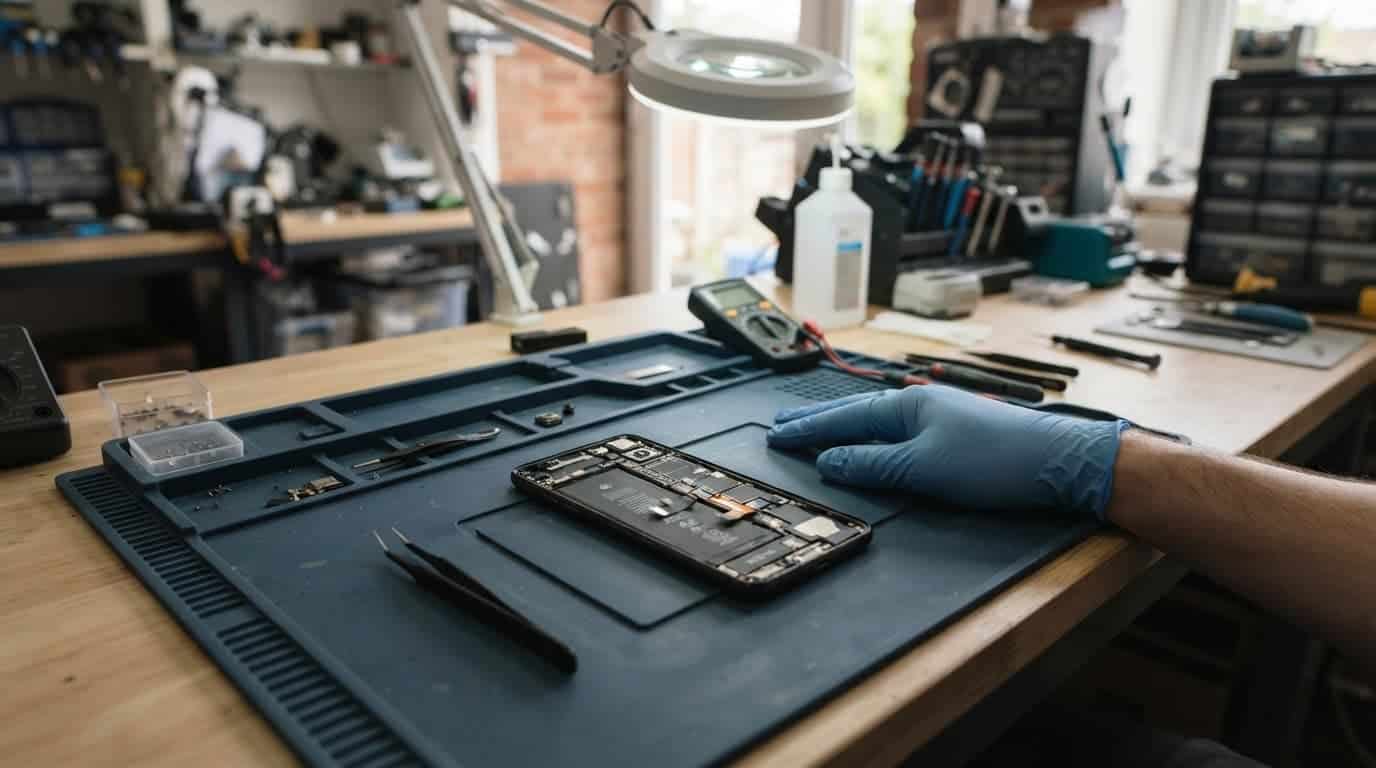
What technicians check on the bench
We test with a known-good cable and charger, check whether the port grips properly, assess battery response and inspect affected connectors for residue. We also test charging stability, screen response, cameras, audio and wireless functions where the fault calls for it.
A phone can have more than one issue after liquid exposure. That is why phone repair quotes after inspection are more useful than a guess based on one symptom. If testing finds no fault, an inspection fee may apply under our standard charges.
A recent drop can complicate the picture
An iPhone component fault after a drop may sit alongside liquid residue, a bent frame or a loosened display connector. The crack on the front is not always the full story.
The same applies when a Samsung component fault after a drop affects the charging port, button flex or OLED display. A Google Pixel component fault after a drop can show up as intermittent charging, restarts or a black screen that still vibrates.
For an iPad, component-fault diagnosis needs extra care because the large display, battery and charging system sit in a thin housing. If your tablet has had both a knock and a spill, you can book an iPad repair for a full assessment.
A workshop example from Harlow
A recent iPhone 12 came into our Harlow workshop after a drink spill. It worked for two days, so the owner carried on using it. Then charging became unreliable, and the battery started dropping sharply overnight.
We found residue around the charging area and corrosion beginning near a connector. After careful cleaning and testing, the charging assembly needed replacement. The mainboard was still healthy, which kept the repair sensible.
Cleaning is not always the final repair
Internal cleaning can stop further corrosion, but it cannot bring back metal contacts that have already failed. Some phones then need a charging port, battery, screen or camera repair as well.
For an iPhone with a black screen, intermittent charging or sudden heat after a spill, you can book an iPhone repair and select the model before sending it in. We inspect the handset before carrying out chargeable work where possible.
Repair costs depend on what corrosion has reached
Water-damage treatment or assessment often starts around £60 to £120, depending on the handset and the level of corrosion. A charging port repair commonly falls around £50 to £90, while a battery replacement is often £40 to £80.
If the liquid has damaged an OLED display, camera module or power circuit, the quote can rise because those parts cost more. A damaged frame or previous poor-quality repair can also add work.
Google’s repair-charge information makes an important point for Pixel owners: internal damage is not always visible. That applies to every brand, which is why we test before promising a fixed outcome.
When repair is still the sensible choice
Repair usually makes sense when the phone has one clear fault and the screen, frame, battery and cameras remain healthy. A recent model with a corroded charging port is often worth saving.
The sums change when an older handset has a cracked display, weak battery, bent housing and board damage at the same time. We explain the options plainly rather than pushing a repair that does not add up. Independent repairs can affect remaining manufacturer cover, so Pixel owners may also want to check Google warranty eligibility before booking.
Sending a water-damaged phone for repair
Back up your data as soon as the phone is stable enough to do so. Then switch it off and avoid further charging tests.
Customers in Essex can arrange an appointment-only drop-off at our Harlow workshop. If you are elsewhere in the UK, use our postal repair service with free tracked Royal Mail postage. Pack the handset securely, include your order number and provide any required passcode so we can test the relevant functions.
We aim to start repairs as soon as a device arrives, often on the same day. However, corrosion, parts availability and additional faults can affect turnaround.
Questions customers ask after water exposure
Can a phone recover after drying out?
It can, but drying alone does not remove mineral deposits or corrosion. If the phone remains stable for several days, that is encouraging. New charging, battery, screen or sound faults still need attention.
Should a wet phone be switched on to back it up?
If it is wet, hot or showing charging warnings, keep it off. If it is already dry, stable and working normally, back up important data promptly before arranging a repair.
Does liquid damage have a warranty?
Liquid-damage treatment has separate terms from standard screen, battery and component repairs. Our warranty covers the work and parts stated on your repair, but it cannot cover a new spill, later impact damage or tampering.
Act before a small fault spreads
Phone corrosion water damage often starts with a minor annoyance, such as slow charging or a muffled speaker. Leaving it alone can give corrosion more time to affect parts that were healthy on the day of the spill.
Keep the handset switched off if symptoms are developing, back up what you can and get the fault checked before repeatedly charging it. If you are unsure what has failed, get in touch and we will help you choose the sensible next step.
James Waterston, Device Repair Specialist at Repair My Crack