
A Samsung with a broken screen can still hold every photo, message, and contact you care about. So the first job is to back it up before the fault gets worse.
That is easier when the touchscreen still works, but it is often possible even when the display looks finished. The trick is to use the phone while it is still alive, or let a computer do the heavy lifting.
What we need to check first
Before we start tapping through menus, we need to work out how broken the phone really is. A cracked front glass is annoying. A dead display or frozen touch panel is a different story.
These quick checks tell us a lot:
- Does the phone still power on, vibrate, or ring?
- Can we see anything on the screen, even faintly?
- Does touch still respond in any area?
- Is the phone charging normally?
- Was there any water exposure as well as the crack?
If the phone lights up and accepts a charger, the data is often still there. That is the point to act fast. A cracked panel can get worse with pressure, heat, or a knock in a pocket.
If the phone still turns on, do not wait a week and hope for the best. Back up first, repair later.
For a wider look at screen faults and repair options, our what to expect during phone screen repair guide explains the usual repair path.
Backup options for a Samsung broken screen
Samsung has built a few decent escape routes into its phones. The best one depends on what still works.
Samsung’s own support page on broken-screen data access is a handy reference, because it covers Smart Switch, Find My Mobile, and using a mouse, keyboard, or external display.
Here is the quick comparison.
| Method | Best for | What we need | Works if touch is dead? |
|---|---|---|---|
| Smart Switch on a PC or Mac | Full backup to a computer | USB cable and Samsung Smart Switch | Often, yes |
| Find My Mobile | Cloud backup already set up | Samsung account and internet access | Yes, if we can sign in |
| OTG mouse or keyboard | Unlocking the phone | OTG adaptor and a mouse or keyboard | Often, yes |
| USB-C hub with HDMI monitor | Using the phone on a bigger screen | Hub, HDMI cable, monitor, mouse, keyboard | Yes, on supported models |
| SD card copy | Media stored on a memory card | SD card reader or laptop slot | Yes |
The order matters. We usually try Smart Switch first, then Find My Mobile, then an external display or mouse setup. If the phone asks for a PIN after a restart and we cannot enter it, the options narrow fast.
Using Smart Switch, Find My Mobile, and an external display
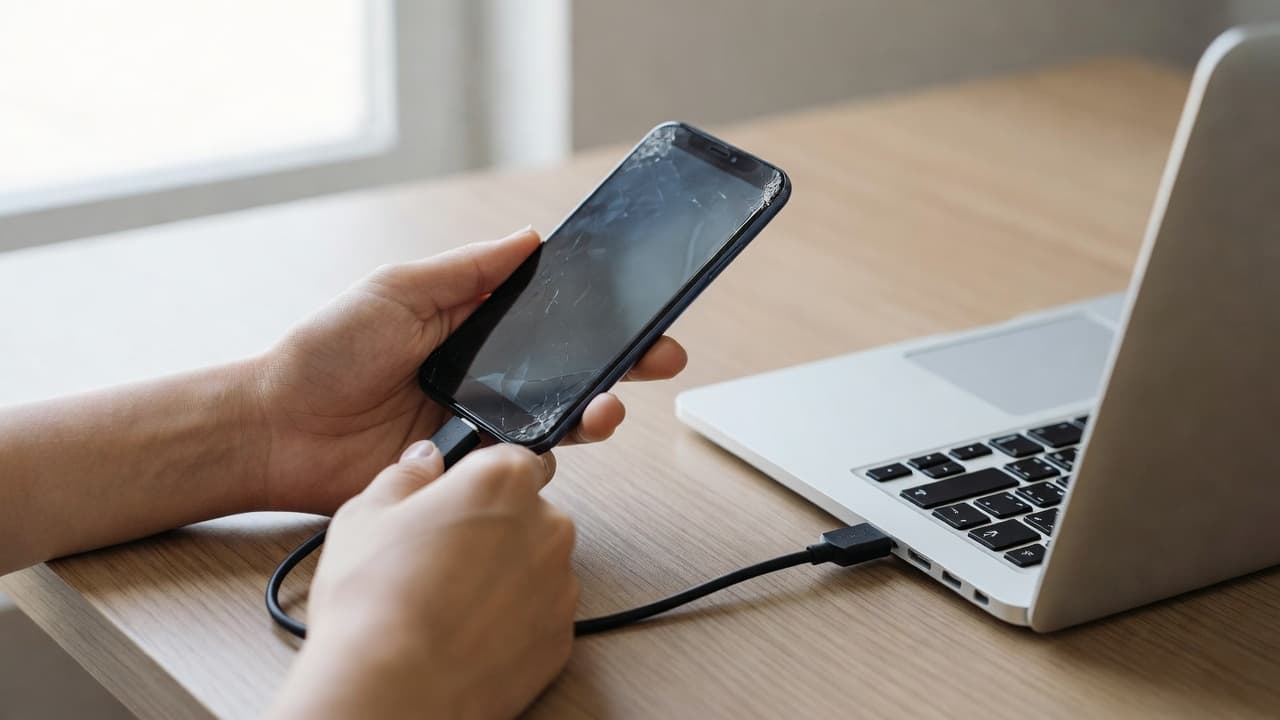
Smart Switch is usually the cleanest option when the phone still wakes up. Install Samsung Smart Switch on a PC or Mac, connect the phone with a data-capable USB cable, and see whether the handset is detected.
If the screen is black but the phone still runs, a USB-C hub with HDMI can help. Samsung supports setups that use an external display, mouse, and keyboard, which can turn a broken phone into something we can still control for a few minutes.
A simple process looks like this:
- Connect the phone to the computer with a known-good cable.
- Open Smart Switch and look for the device.
- If the phone is not seen, try a different USB port or cable.
- If touch does not work, use an OTG mouse or an external display.
- Start the backup as soon as the phone unlocks.
If the phone already synced with a Samsung account, Find My Mobile can be even quicker. Sign in on a browser, then look for the backup option. It will only help if that feature was turned on before the screen failed.
That is why a damaged screen is such a nuisance. We do not just lose visibility, we lose control.
If touch still works, use the time you have
A cracked screen that still responds is a gift. It may not feel like one, but it is. In that case, we should copy the important stuff before the touch panel gives up.
Start with the basics:
- Back up photos and videos to Google Photos or a computer.
- Sync contacts and calendar data to the Google account already on the phone.
- Check WhatsApp backups separately, because those are easy to forget.
- Copy voice notes, documents, and downloads if they matter.
- Remove the SD card and copy it to a laptop if the phone uses one.
If the crack is spreading, keep the phone cool and dry. Do not press hard on the glass. Do not keep testing the same broken corner for the fun of it, because that is how small damage turns into a bigger bill.
A lot of people expect the phone to survive one more day. Then one more tap makes the display fail completely. We see that all the time.
When backup stops being possible, repair comes first
Sometimes the screen is so far gone that we cannot get into the menus at all. In that case, a repair may be the quickest route back to the data. Once the display works again, the backup usually becomes straightforward.
That does not mean every phone needs a full replacement. It depends on the fault. A routine screen issue is often worth fixing, while heavy liquid damage or several faults at once can push the phone into awkward territory.
At Repair My Crack, we handle mobile phone repair UK jobs every day, including iPhone screen repair UK, iphone battery replacement UK, phone repair Essex drop-ins, cracked iphone screen repair, samsung phone repair UK, and postal phone repair UK bookings. We also see plenty of devices where the screen fault is only part of the story, so we check the charging, battery, and data risk before we do anything else.
Typical repair prices are often in these rough bands:
- Screen replacement, £60 to £180 depending on the model
- Battery replacement, £40 to £80
- Charging port repairs, £50 to £90
That is why we always say the same thing to customers, back up the phone first if you can. If you cannot, get the display sorted and then save the data straight away. For local customers, our phone screen repair guide is a good place to see how the repair side works.
We serve Essex and the wider UK, so if you are nowhere near Harlow, our postal route is often the easiest answer. Book online, send the phone securely with your order number, and we can aim to get it checked as soon as it arrives.
A real workshop example from Essex
Last week we had a Galaxy in from Essex with a smashed screen and no usable touch. The owner could see the lock screen, but that was about it. We connected it to a monitor, used a mouse through a USB-C hub, and got Smart Switch running within minutes.
The backup finished before the replacement screen even went in. That saved the photos, the contacts, and a lot of grief.
We also see the opposite version. A customer waits too long, the crack spreads, moisture gets in, and the display dies completely. By then, a simple backup becomes a repair job first. It is a bit of a faff, and it is never the cheaper path.
Quick questions we get all the time
Can we back up a Samsung if the screen is black?
Yes, sometimes. If the phone still powers on, Smart Switch, Find My Mobile, or an external display can still work.
What if the touchscreen does not respond at all?
An OTG mouse, keyboard, or HDMI setup may still let us unlock the phone. If not, a screen repair may be needed first.
Will the data be safe if we send the phone for repair?
Usually yes, because a screen repair should not touch the data. We still recommend backing up first whenever possible, just in case the phone has more than one fault.
Conclusion
A broken Samsung screen does not always mean the data is lost. If the phone still powers on, we usually have a route, even when the touch panel has given up.
The safest move is simple, back up first, then sort the screen. If the backup blocks you, a repair may be the quickest way to get your files back.
If you are stuck with a Samsung broken screen, we can help with the next step, whether that is a postal repair, a drop-in visit in Essex, or a quote before you send it in.