
You've just watched your phone leave your hand, hit the pavement and land face down. The display still lights up, but a jagged line runs across the glass, your finger catches on one sharp edge and you're wondering whether a protector, a DIY kit or a repair shop makes the most sense.
That decision isn't as simple as comparing one repair quote with the price of another handset. A temporary fix can protect you while you arrange help, but it won't restore the display. A DIY replacement can work on some devices, yet a rushed repair can damage cables, sensors or the frame. Professional repair costs more upfront, but it transfers much of the technical risk to someone equipped to manage it.
Table of Contents
- Why Cracked Screens Are a Persistent UK Problem
- Temporary Fixes That Buy You Time Safely
- What a DIY Screen Replacement Really Involves
- UK Screen Repair Costs by Brand and Model Tier
- Professional Repair Routes and What to Expect
- Deciding Whether to Repair or Replace Your Device
Why Cracked Screens Are a Persistent UK Problem
A phone can suffer serious screen damage during an ordinary moment. It slips from a kitchen worktop, catches on a coat pocket or slides from a car seat at a set of traffic lights. The display may remain bright and responsive, making the crack seem cosmetic. Fractured glass can still leave sharp edges, let moisture and dust reach internal components, and put extra stress on the touch layer beneath it.
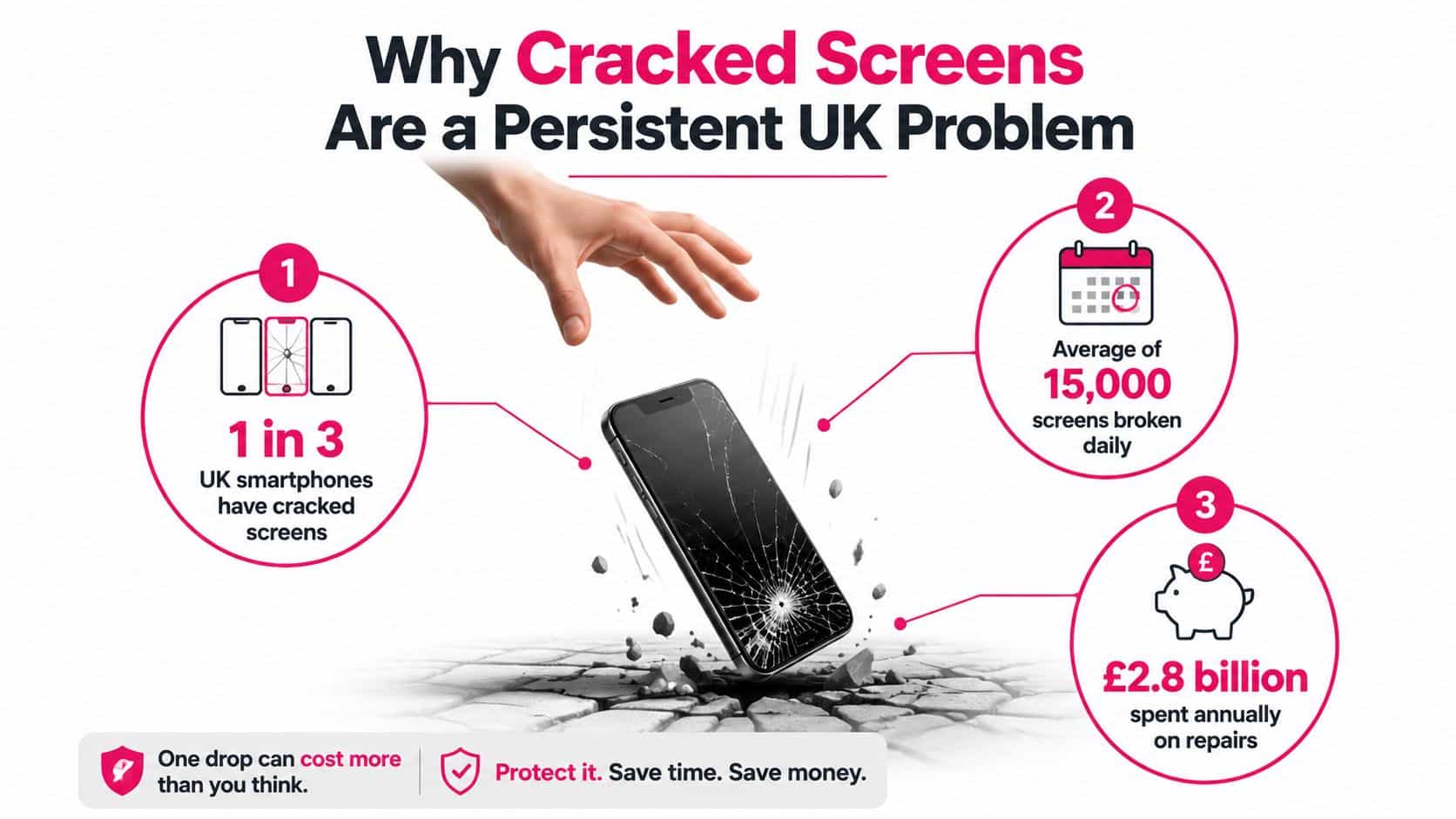
The scale of the problem is clear. A major UK survey found that 7.5 million people had a device with a cracked phone screen at any one time, while half of smartphone owners had damaged their screen at least once. The same report recorded around 2.6 million people cracking their phone straight after buying it. More than 20% of people with cracked screens lived with the damage for over six months, and only 1% sent the phone for repair within one day, according to Mobile News' report on the UK cracked-screen problem.
That delay can create hidden costs. Loose glass may cause cuts, moisture can turn a display repair into a wider component failure, and continued use can worsen touch faults. A low-cost temporary measure may buy time, but it cannot restore the phone's original protection or confirm that the frame and internal parts remain sound.
The figures also vary by region. 61% of Londoners reported a cracked screen, compared with 39% in the East of England, showing that the issue affects different groups of phone owners across the UK. People must weigh accepting the damage, attempting a repair themselves, or booking a professional service.
Three practical routes
A temporary protective fix covers exposed fractures and reduces the chance of cuts while you arrange an assessment. It suits a phone whose display still works, though it leaves the broken glass and any hidden damage unresolved.
A DIY screen replacement requires controlled disassembly, heat, precision tools, component testing and careful reassembly. It may suit someone experienced with small electronics, but modern phones often combine the screen with the digitiser and other delicate hardware.
A professional repair reduces technical risk when the phone matters, the replacement screen is expensive or touch and display quality have deteriorated. A technician can check for frame distortion, hidden faults and signs of moisture before fitting the replacement.
Practical rule: If the crack has loose glass, dead touch areas, lines, dark marks or a lifting screen, stop treating it as cosmetic damage.
Temporary Fixes That Buy You Time Safely
A temporary measure should do one job well: keep the damaged phone safer until you can arrange a permanent solution. It shouldn't be presented as a way to polish, seal or structurally rebuild the display.
Start by switching the phone off if the glass is loose, the display is flickering or the handset has suffered liquid exposure. Wash and dry your hands, then inspect the surface without pressing directly into the fracture. If the screen protector itself is cracked, remove it carefully from a corner and check whether the phone glass beneath remains intact. In that situation, replacing the protector may be all that's required.
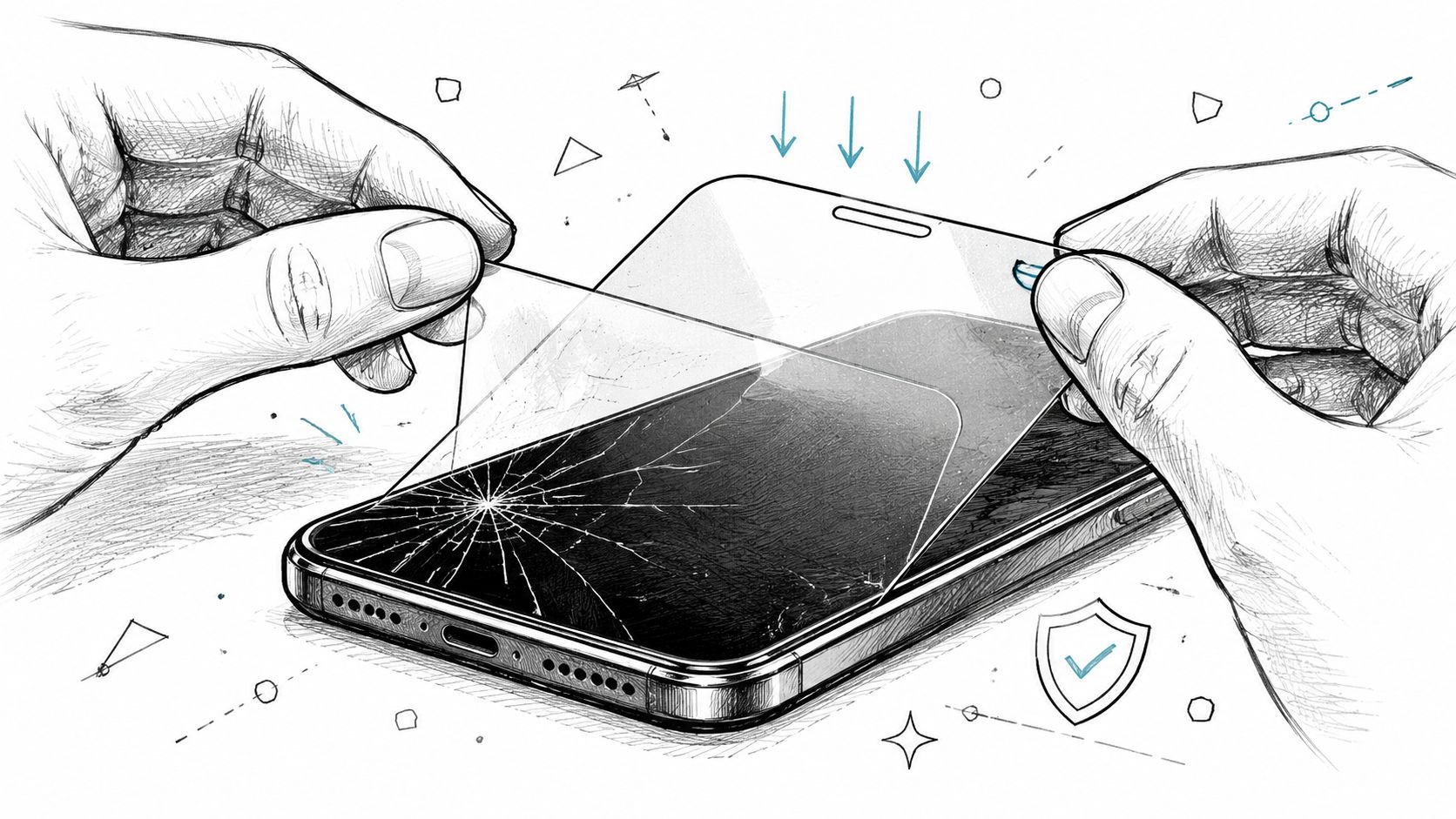
If the phone's own glass is damaged but remains mostly flat, a tempered-glass protector can hold small fragments in place and create a smoother surface for your finger. Clean around the display rather than scrubbing into the crack, align the protector once and lower it gently. Don't force bubbles or press hard over a missing section of glass, because pressure can push fragments towards the digitiser.
When a protector won't hold
A protector may fail to adhere where the glass has lifted, shattered or developed a deep ridge. In that case, a small piece of clear screen-safe tape can cover the affected area temporarily, provided it doesn't obstruct the camera, speaker or buttons. Trim it away from the phone's edges and avoid wrapping tape around openings, since trapped residue makes later cleaning and repair more difficult.
Keep the phone away from rain, steamy bathrooms, spilled drinks and damp pockets. A protector or tape layer can reduce exposure, but neither recreates the manufacturer's original seal.
Hacks that create more work
Superglue is a bad repair material for a phone display. It can run into the earpiece, buttons or touch-layer edges, bond parts that need to move and leave residue that a technician must remove. Toothpaste and abrasive polishing compounds won't rebuild fractured hardened glass, and clear nail varnish can leave an uneven surface that interferes with touch response.
Back up important photos, contacts and authentication information while the phone still works. For practical precautions around handling, storage and continued use, follow this cracked-screen safety guide. Arrange a proper assessment promptly if the crack is spreading, the display is changing or the handset has taken another impact.
What a DIY Screen Replacement Really Involves
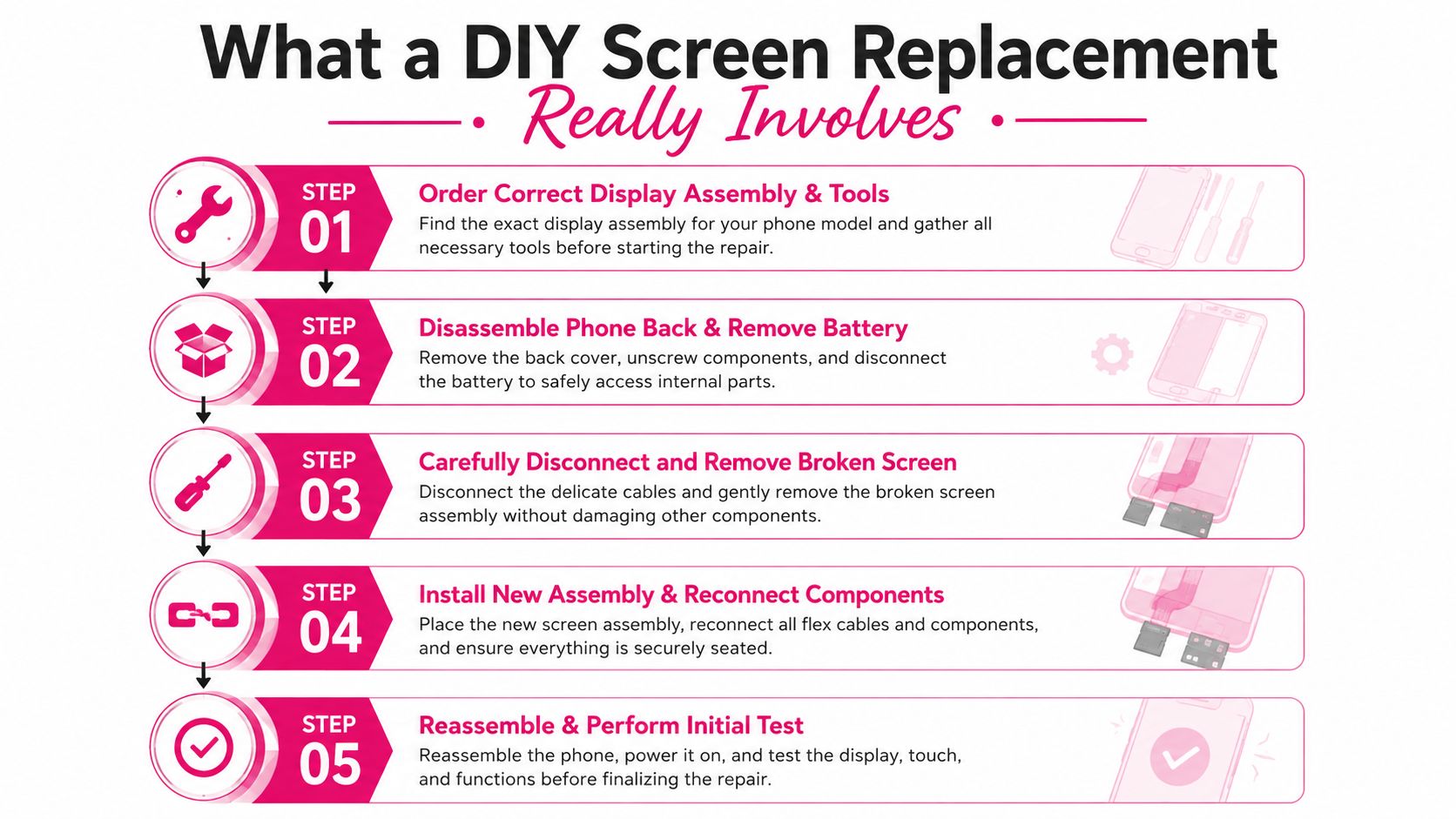
Before buying tools or ordering a display assembly, identify the exact model, confirm the correct part, choose suitable adhesive, and gather precision drivers, plastic opening picks, a suction handle, tweezers and controlled heat. A visually similar display can still have different connectors, dimensions or sensor cut-outs, so a cheap listing may become an expensive mistake.
Back up the phone, then power it down. Remove the SIM tray before opening the device, as Samsung's UK self-repair guidance states in its preparation steps. Use a clean, well-lit work surface, photograph each stage and place screws in a marked layout. Screws that look identical can differ in length. Put one in the wrong position and it may damage the board or stop the phone reassembling correctly.
Preparation decides the outcome
Inspect the frame after removing the broken panel. A drop can bend an edge even when the replacement screen appears to fit. Installing a panel against that distortion leaves uneven adhesive contact and can put pressure on the new display.
Disconnect the battery before touching display connectors. Use plastic tools around flex cables, avoid levering against the motherboard and control the heat carefully. Too much heat can affect the battery, adhesives and nearby components. Metal tools can mark contacts or create a short while power remains connected.
Parts and methods vary by model. Some phones use a complete assembly containing the glass, touch digitiser and display panel. Others may allow glass-only replacement, but that usually needs specialist separation and bonding equipment rather than a standard home toolkit. The lower part price can therefore hide equipment costs, wasted adhesive and the risk of damaging a working panel.
Test before sealing
Connect the replacement screen without securing it fully. Power on the phone and test brightness, colour, touch response across every edge, the front camera, proximity behaviour, speaker output and biometric functions where applicable. A lit display does not prove the repair has worked. Resolve dead touch zones, uneven brightness or a loose connector before applying adhesive.
Common failures include cracked flex cables, trapped dust, broken clips, incorrect screw placement and rushed adhesive work. Modern flagship phones may also need model-specific calibration or component handling that a home repairer cannot reproduce. Read this iPhone screen replacement explanation before deciding whether the job suits your experience and equipment.
A bent frame, heavily shattered panel or phone containing valuable data makes professional repair the safer financial choice. Avoiding the labour charge offers little saving if installation damages the replacement, removes a feature you rely on or leaves the handset needing another repair.
UK Screen Repair Costs by Brand and Model Tier
Screen repair pricing varies sharply by handset. The display technology, the model generation, whether the glass and panel are bonded together, and the availability of quality parts all influence the quote. A crack on an older budget phone may be uneconomical to repair, while a premium device with an otherwise healthy battery and frame can justify a substantial screen bill.
A current independent UK price guide places the average screen replacement cost at about £215, with prices ranging from roughly £60 to £485 depending on brand and handset generation. It also puts recent Samsung Galaxy S-series repairs at around £240 on average, while newer Google Pixel repairs average around £210, according to PhoneMend's UK repair price guide.
Samsung's own UK pricing provides another useful benchmark. Samsung lists a £226 screen repair price for at least one mobile device, as shown in its official UK screen repair pricing guidance.
Typical UK Screen Repair Costs by Device Tier
| Device Tier | Typical Repair Cost | Repair vs Replace Verdict |
|---|---|---|
| Older or entry-level handset | Roughly £60 to the lower end of the guide's range | Compare the quote with the handset's current value and battery condition |
| Mid-range smartphone | Model-dependent, often between budget and flagship pricing | Repair can make sense when the phone is otherwise reliable |
| Recent Samsung Galaxy S series | Around £240 average | Usually worth comparing with replacement pricing before booking |
| Newer Google Pixel models | Around £210 average | Repair is often sensible if the phone has strong remaining value |
| Premium flagship or complex bonded display | Up to roughly £485 in the independent guide | Get a written quote and assess age, frame condition and other faults |
The figures describe a market range, not a guaranteed quote for your exact model. A technician may quote differently for an original manufacturer part, a quality compatible panel, a glass-only service or a complete display assembly. Ask what part is being fitted and whether the price includes testing, adhesive, labour and warranty cover.
For a more model-specific view, use this UK iPhone screen repair cost guide. The sensible comparison isn't just repair price versus a brand-new phone. Compare the repair with a reliable replacement of similar capability, then account for data transfer, setup time, accessories and the inconvenience of changing devices.
Professional Repair Routes and What to Expect
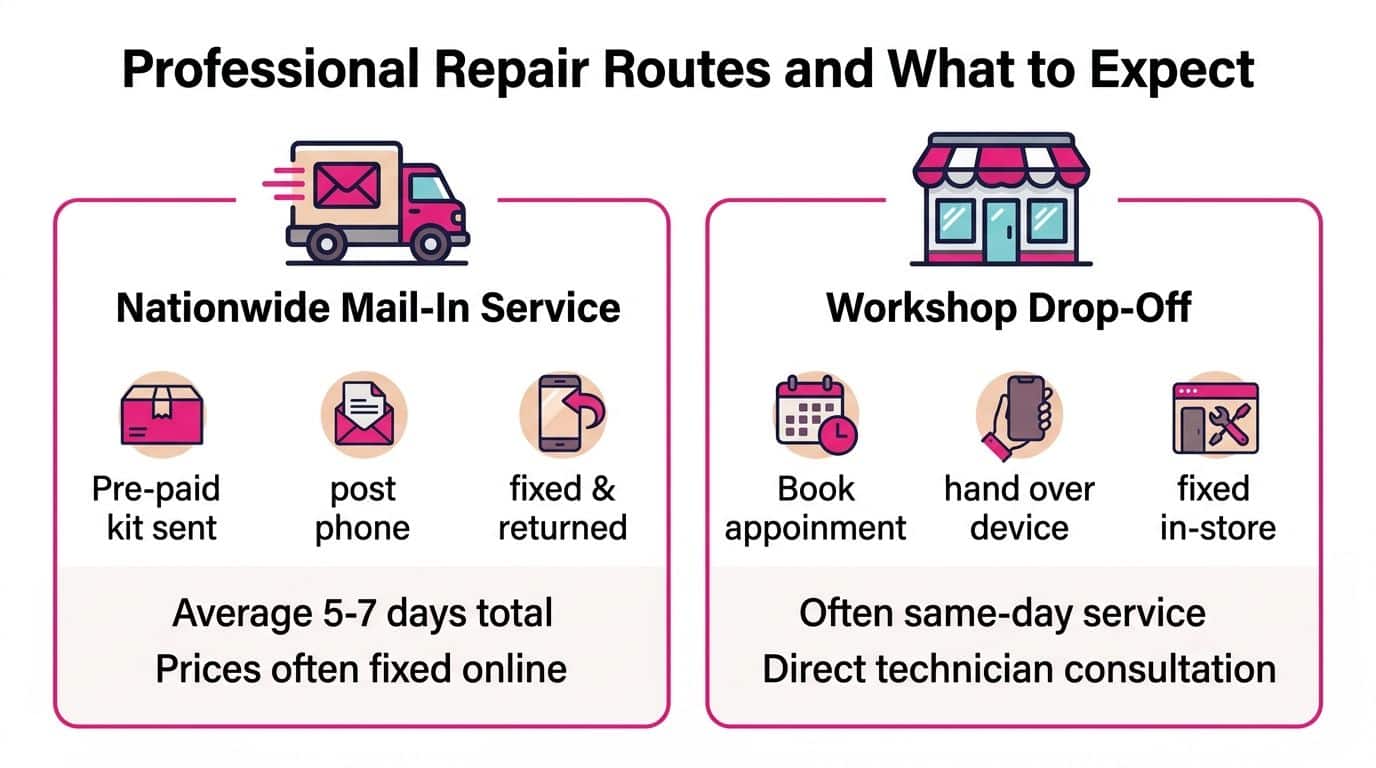
Professional repair generally comes in two convenient forms for UK customers. A mail-in service suits someone who can be without the phone while it travels to a repair centre. A workshop drop-off suits local customers who want to speak directly with the technician and, where feasible, wait for work to be completed.
A mail-in process normally involves an online booking, clear posting instructions and secure packaging. The technician receives the handset, records its condition, confirms the fault and checks whether the crack has caused secondary damage. After the repair, the device should undergo functional testing before tracked return delivery.
Mail-in versus workshop service
Mail-in repair removes the need to find a nearby specialist, but you'll need a safe backup phone if you rely on your handset every day. Check how the service handles transit, whether postage is tracked, whether transit insurance applies and what happens if the inspection finds a different fault from the one described.
A workshop appointment gives you a direct conversation about part quality, frame damage and repair limitations. You can ask the technician to demonstrate touch response, cameras, charging and biometric features before accepting the device. Appointment-only services can also offer same-day diagnostics where feasible, although the final turnaround depends on the model and parts availability.
Before handing over the phone: Record its condition, remove the SIM card, back up your data and ask for the confirmed repair scope in writing.
The repair itself should include more than lifting off broken glass. The technician assesses the display assembly, checks for edge-frame deformation and looks for signs of moisture or battery trouble. Once the new part is installed, the phone should be checked for display quality, touch accuracy, cameras, speakers, charging and other relevant functions.
Warranty terms matter. Repair My Crack provides UK-wide mail-in repairs with free tracked Royal Mail postage both ways, transit insurance up to £750, an appointment-based workshop in Harlow, Essex, online booking and a 12-month warranty on eligible repairs, according to its published repair service information. Those details help reduce uncertainty, but you should still read the applicable warranty terms and confirm exactly what the quoted repair covers.
Consumer law also remains relevant. The Consumer Rights Act 2015 guidance gives consumers rights to insist on repair or replacement for faulty goods, with the trader bearing associated costs where the Act applies. That doesn't automatically make accidental screen damage a free warranty repair, so distinguish manufacturer faults from damage caused by an impact.
Deciding Whether to Repair or Replace Your Device
Start with the condition of the whole handset, not just the crack. A recent phone with a healthy battery, straight frame, working cameras and a responsive display is a stronger repair candidate than an older device with several existing faults. If the frame is bent or moisture has entered, a screen replacement may only solve part of the problem.
Use this checklist before accepting a quote:
- Compare like for like: Check the repair price against a replacement with comparable performance, storage and condition.
- Inspect the hidden risk: Ask whether the technician has checked the frame, digitiser, battery area and signs of liquid exposure.
- Consider temporary use: A protector may make the phone safer for a short period, but it doesn't restore structural integrity or water resistance.
- Check the repair terms: Confirm the part type, testing process, warranty coverage and what happens if another fault appears during inspection.
- Protect your information: Back up the phone before sending it away or opening it yourself.
The UK repair market gives a broad financial reference point. Independent pricing ranges from roughly £60 to £485, with an average around £215, so the same repair decision can be sensible for one model and poor value for another. Samsung's listed £226 benchmark reinforces why model age and current handset value matter more than the existence of a crack alone.
Consumer rights can affect the route when the issue is a faulty product rather than accidental damage. If repair or replacement isn't possible, fails to resolve the fault or the statutory right is breached, the consumer may be entitled to a price reduction or a final right to reject the goods under the Consumer Rights Act provisions on remedies. Keep your receipt, quote and repair correspondence, and give the trader a reasonable opportunity to complete an agreed remedy where the law requires it.
– James Waterston, Device Repair Specialist at Repair My Crack
Repair My Crack offers UK-wide mail-in screen repairs with tracked postage, transit cover and eligible repair warranty support, as well as appointment-based drop-off at its Harlow, Essex workshop. If you're unsure whether your cracked phone deserves a screen replacement or replacement handset, visit Repair My Crack, enter your model and request a clear repair route before committing.