

iPhone Camera Repair UK Guide to Costs and Common Fixes
[Repair_All brand="Apple"]iPhone camera repair in the UK usually lands somewhere between £70 and £220, depending on the model, and most mail-in jobs take 2 to 5 working days. A lot of camera complaints don't need a replacement at all, because the fault is often software, accessory interference, or even a back-glass problem rather than a dead camera module.
Table of Contents
- What to Expect From This iPhone Camera Repair Guide
- Quick Free Checks Before You Book a Repair
- The Four Faults We See Most on the Bench
- A Simple Self-Diagnosis You Can Run at Home
- Apple vs Third-Party Mail-In vs Local Walk-In
- Realistic UK Costs and Turnaround Times
- Why Parts Quality and Calibration Matter
- Your Next Step and Frequently Asked Questions
What to Expect From This iPhone Camera Repair Guide
A customer walks in convinced the camera is dead, then the phone takes fine photos after a restart. Another case is the flash acting up, or the rear glass being cracked right around the lens. That is the normal bench reality. Separate software faults, hardware faults, and rear-glass or flash-path problems before anyone starts talking about a full module swap. For a broader repair overview, see our iPhone repair guide.
Start with clarity, not panic. If the camera issue can be fixed at home in minutes, do not pay for a repair yet. If it really is hardware, the next question is simple, whether you should use Apple, a mail-in specialist, or a local walk-in shop.
Practical rule: if both cameras misbehave together, or the problem started after a drop or moisture exposure, treat it as hardware until proven otherwise.
Apple's service path, third-party mail-in repair, and walk-in counter repairs all solve different problems well, but they do not offer the same parts assurance, turnaround, or price structure. Apple's own repair materials treat the camera as a formal service category, and its support guidance makes it clear that genuine camera components and model-specific checks matter for a proper fix.
By the end, you should know three things clearly. First, whether the fault is fixable without opening the phone. Second, what a realistic UK repair looks like in cost and timing. Third, which repair route fits the device, not just the headline price.
Quick Free Checks Before You Book a Repair
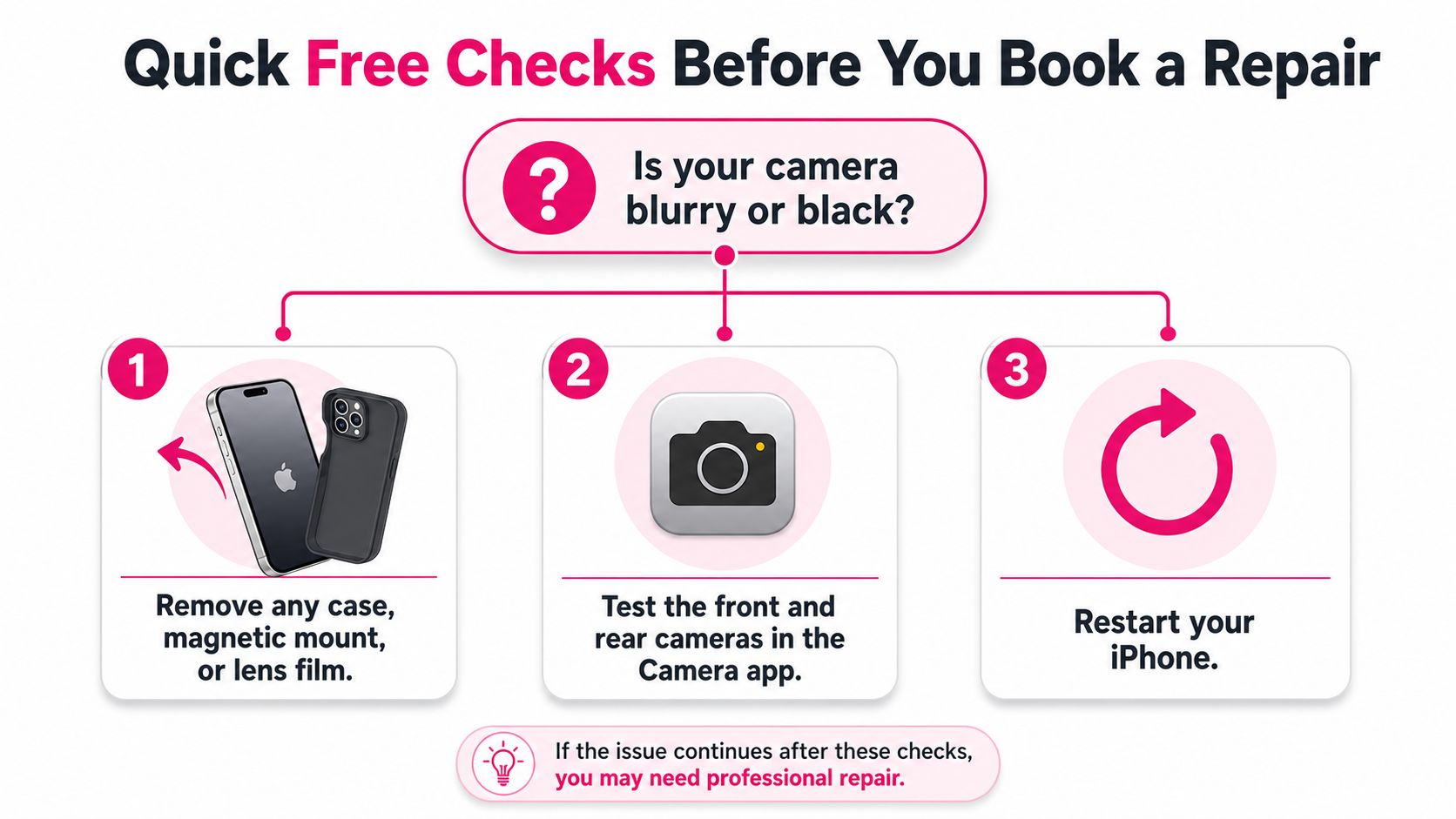
A camera complaint does not always mean a broken camera. Start with the cheap fixes first, because that is where a lot of these faults live. Pull off the case, remove any magnetic mount, and take away any lens film, since each one can interfere with focus, flash, or the camera's alignment. Clean the lens with a microfiber cloth. Use nothing rougher.
Check the camera path before you blame the module
Open the Camera app and test the front camera, then the rear camera. That tells you fast whether you are dealing with one lens, one side of the phone, or a wider system fault. If one camera works and the other does not, stop blaming generic software first and look at a specific hardware path. Apple says to restart the iPhone and update iOS before you assume the camera module has failed (Apple camera troubleshooting).
If the phone has already had a non-genuine camera repair, watch for an “Unknown Part” style warning or anything similar in iOS. Apple's genuine-parts guidance is clear that non-genuine modules can trigger parts and service warnings, so the message may be pointing to the earlier repair rather than the fault you are seeing now (Apple genuine parts guidance).
On iPhone 14 and iPhone 14 Plus, check the flash and the area around the rear glass. Apple's UK guidance says some flash problems are resolved by back-glass replacement, which means the camera may still be fine and the fault sits in the light path instead (Apple UK back glass guidance).
If the lens is clean, accessories are off, the phone has restarted, and iOS is current, you have done the free checks properly.
If the camera still fails after that, book a repair. If it does not, you have avoided paying for a parts swap you did not need.
The Four Faults We See Most on the Bench
Camera complaints usually fall into four buckets, and each one tells you something different about the fault. The mistake people make is assuming every blurry or black camera means the whole module is dead. It doesn't. A good technician reads the symptom first, then opens the phone only if the symptom points there.
Autofocus faults
Autofocus problems show up as hunting, slow locking, or a camera that only behaves at one distance. The phone looks alive, but it can't settle on a sharp image. That usually points to the focusing mechanism or a calibration issue, not a simple software hiccup. If the image sharpens only after tapping the screen or moving the phone far back from the subject, I'm thinking focus hardware before anything else.
Sensor faults
Sensor faults are messier. You'll see black spots, washed-out colour, vertical lines, or a preview that stays completely black even though the app opens normally. That pattern usually points to the image sensor itself or the flex cable feeding it. If both the app and the lighting conditions are fine but the picture stays wrong, the sensor path is the problem.
OIS faults
OIS, or optical image stabilisation, tends to feel physical because it is. The camera jitters, makes a faint grinding sound, or gives a tilted-looking image on newer iPhones. That usually means the stabilisation assembly isn't sitting right or has been damaged in a drop. It's the kind of fault that looks minor from the outside and very obvious once the phone is on the bench.
Lens and back-glass faults
Cracked outer lens glass, flash glare, and moisture sitting inside the lens area are usually cover-glass or rear-glass problems, not “camera module” problems. That matters because the repair can be much simpler than a full camera replacement. Apple's own UK guidance on iPhone 14 and 14 Plus backs that up by treating some flash issues as back-glass faults, not camera failures (Apple UK back glass guidance).
When a customer says, “the camera is broken”, I listen for which of those four descriptions matches what they're seeing. That's the difference between a clean repair and an expensive guess.
A Simple Self-Diagnosis You Can Run at Home
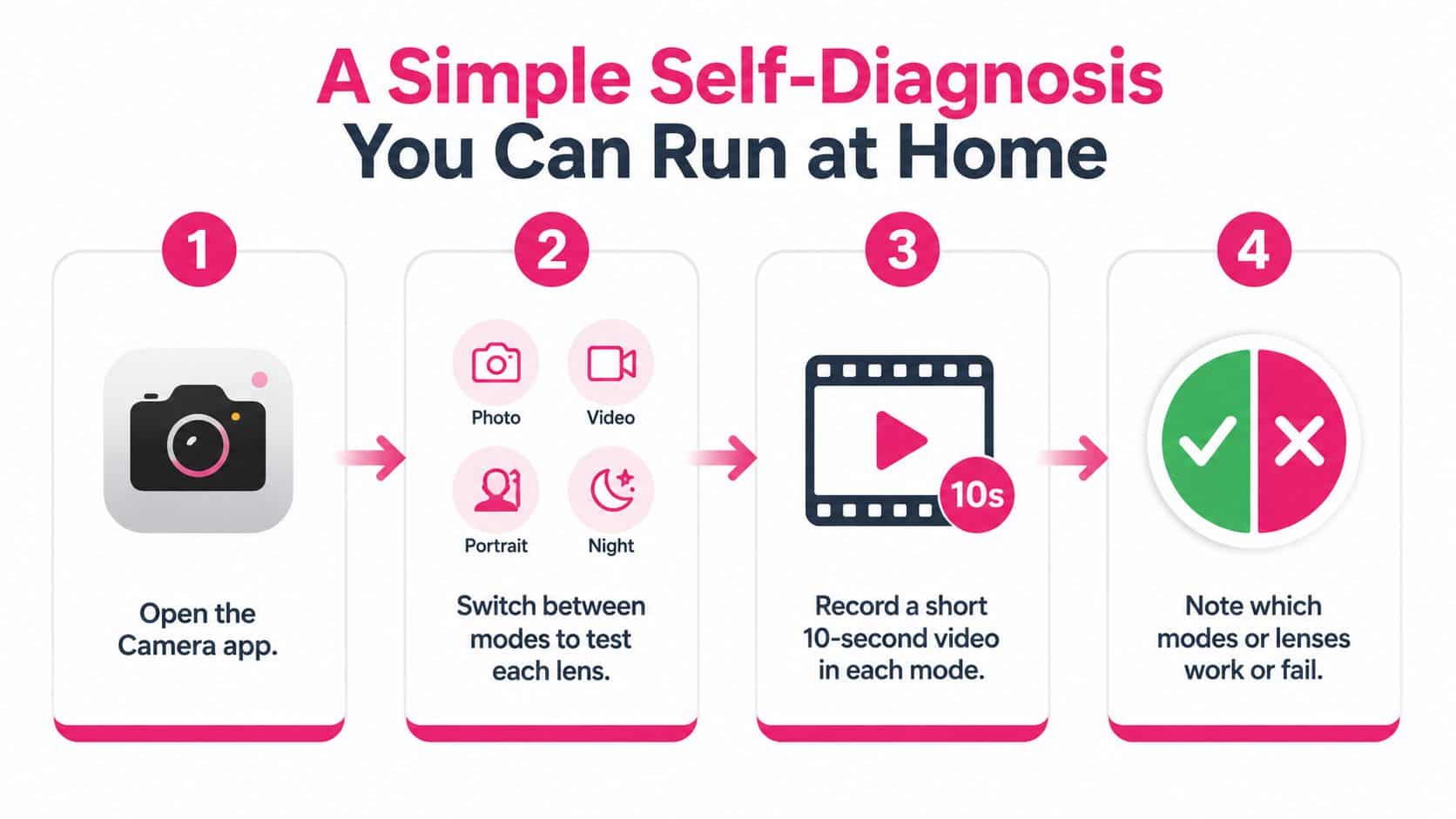
Open the Camera app and treat it like a set of separate tests, not one test. Switch through photo, video, portrait, and night mode, because each mode can expose a different fault. If the problem shows up only in portrait mode, that points somewhere different from a fault that affects every mode.
Use movement and flash to expose hidden faults
Record a short video while walking slowly, and keep the phone steady enough to judge whether stabilisation is working. If the image shudders badly or the camera sounds rough, that points straight at the stabilisation hardware. Then test the flash in a darker room. If the flash misfires, stays weak, or seems blocked, the fault may sit in the flash path or the rear glass area rather than the camera module itself.
Open Settings and look for an Important Camera Message or an Unknown Part warning. That usually means a previous repair used a non-genuine component, or the phone needs proper calibration after a replacement. Non-genuine modules can trigger parts and service warnings in iOS, and that warning should not be ignored.
Bottom line: one bad lens can be a parts issue, two bad lenses together usually aren't.
If two or more cameras misbehave together, or if the phone was recently dropped or exposed to moisture, stop troubleshooting at home. At that point, you are probably looking at a hardware repair that needs proper diagnostics.
Apple vs Third-Party Mail-In vs Local Walk-In
An iPhone camera fault does not automatically mean the same repair route makes sense for every owner. Apple gives you the tightest control over genuine parts and calibration, but it pushes camera faults through official service pricing, and that is rarely the quickest path. That route suits people who already have AppleCare+ or who want the cleanest component trail on the device.
A third-party mail-in specialist sits in the middle. You usually get a better balance of speed and booking simplicity than Apple, with tracked postage both ways, but parts quality and calibration still depend on the workshop doing the job. Local walk-in shops are usually the fastest answer for straightforward camera faults, but the quality range is wider and the warranty terms can vary a lot from shop to shop.
For readers who want a UK mail-in option, Repair My Crack offers nationwide postage-based repair with workshop handling and a warranty on eligible work. Use that kind of route when you want convenience plus a proper parts-and-testing process, not when your only aim is to shave off every pound.
| Option | Typical UK Price | Turnaround | Parts Quality | Warranty |
|---|---|---|---|---|
| Apple | Usually highest | Usually not same-day | Genuine Apple parts | Apple service terms |
| Third-party mail-in | Mid-range | Often 2 to 5 working days | Varies by provider | Often written, check terms |
| Local walk-in | Can be low or mid-range | Often same-day if stocked | Widest variation | Often inconsistent |
Pick Apple if you want the most controlled component path. Pick mail-in if you want a sensible middle ground on price and speed. Pick walk-in only if the shop is local, the fault is simple, and the warranty is written down in plain English.
For a clearer sense of what a camera repair should cost on the UK market, compare any quote against a typical iPhone rear camera repair cost guide, then check what parts, testing, and warranty are included.
Realistic UK Costs and Turnaround Times
A camera quote in the UK depends on the model first, then the fault. A basic rear camera on an older iPhone is a much simpler job than a multi-lens Pro model with tighter alignment, more testing, and more parts that can affect the result. That is why camera repairs often cost more than a battery swap or charging-port fix.
Match the quote to the model, not just the fault name
Older models with a single rear camera usually start at around £70. Newer mainstream models are more often £120 to £180. Pro Max models and other multi-lens assemblies can sit at £200+, because the repair often involves more than one precision part and a fuller test process before the phone goes back to the customer.
Turnaround time depends on how the shop handles intake, diagnostics, parts matching, repair, and final testing. Mail-in repairs are usually 2 to 5 working days once postage is part of the process. Same-day diagnostics can speed up the decision, and fast-track handling helps when the parts are already on the shelf.
A cheap quote on a Pro model usually means something has been left out. In this trade, that is where the hidden cost shows up later.
One important exception is iPhone 14 and iPhone 14 Plus. Some flash problems on those models can be caused by back-glass repair alone, so a full camera replacement should not be the first assumption. Apple's UK guidance covers that point (Apple UK back glass guidance).
If you want a more practical price reference, use our rear camera repair cost page to compare your exact model against the repair route you are considering. Use the model match and the included testing, not a generic “iPhone camera repair” label, to judge whether a quote is fair.
Why Parts Quality and Calibration Matter
A cheap quote often looks tidy on paper and causes trouble later. iPhone camera repair is not just about swapping a module and closing the phone back up. The part has to sit correctly, communicate with the device, and be calibrated so the camera behaves the way it should after the repair. Apple iPhone repair makes the same point in plain terms, proper service handling and the right parts matter for compatibility and for avoiding post-repair warnings.
Genuine, aftermarket, and pulled parts are not the same
OEM-grade or genuine parts are the safest route if you want the closest match to factory behaviour. High-quality aftermarket parts can perform well when they are tested and calibrated properly. Pulled modules from donor phones are the weakest option, because you rarely know what wear they have already taken on, or whether they will trigger warnings later.
That affects resale value, future iOS behaviour, and real camera performance. A phone can leave the shop looking fixed and still show a parts warning, or still struggle with focus, flash, or stabilisation because the module was changed without proper matching. Apple's guidance on non-genuine parts explains why those warnings exist in the first place (Apple genuine parts guidance).
A damaged lens cover makes this worse, because the camera can be working and still produce soft, hazy, or flare-heavy images. For that side of the job, read why professional iPhone camera lens repair matters before you assume the whole camera assembly has failed.
What a proper warranty should tell you
A solid 12-month warranty should state what is covered, what is excluded, and how the provider handles a repeat fault. If the wording stays vague, treat it as weak. A written warranty and a clear price-match promise both tell you the shop stands behind its parts and its testing process.
The key question is simple. Can they fit the right part, calibrate it properly, and stand behind the result? That is where the difference between a proper repair and a cheap repeat job shows up.
Your Next Step and Frequently Asked Questions
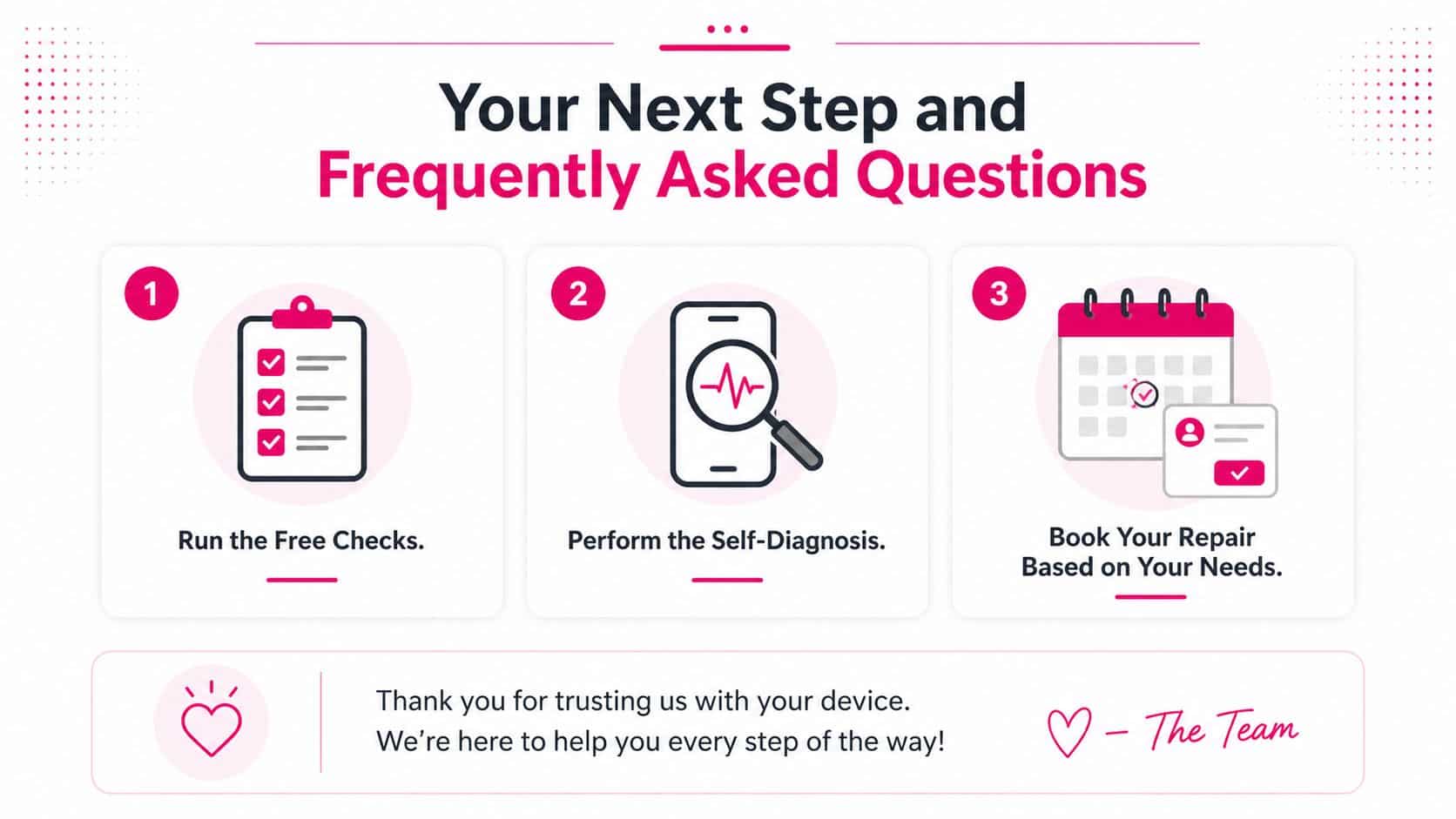
Run the free checks first. Then do the self-diagnosis. After that, book the route that fits your priorities, genuine parts and calibration, speed and convenience, or the lowest hassle for a straightforward fault.
If you're posting the phone in, back it up, power it down, remove the SIM tray if needed, and package it so the lens area can't take a knock in transit. If you're walking into a shop, ask whether the quote includes testing, parts matching, and a written warranty before you hand it over.
FAQ
Will a camera repair affect Face ID or water resistance?
Not if it's handled properly, but any repair that opens the device should be treated as a job that needs careful resealing and final testing.
What if my iPhone still shows an Unknown Part warning after repair?
That usually means the phone still detects a non-genuine part or a component that hasn't been authenticated and calibrated the way iOS expects.
Is it worth repairing an older iPhone camera?
If the rest of the phone is solid and the repair price is sensible, yes. If the device is already struggling elsewhere, replacement can make more financial sense.
Can I send the phone by post safely?
Yes, if it's backed up, powered off, packed securely, and sent through a tracked service with clear repair instructions.
– James Waterston, Device Repair Specialist at Repair My Crack
If your iPhone camera is acting up, don't guess at the fault and don't pay for a module swap before the basics are ruled out. Visit Repair My Crack to compare UK repair options, check model-specific camera pricing, and book a repair route that fits the fault you've got.