The battery is one of the most crucial components of your iPhone. Over time, however, all batteries degrade, and your phone’s performance can suffer as a result. While Apple claims that the iPhone battery should last up to 500 charge cycles, many factors influence this lifespan. If you’re noticing a decline in battery life, it may be time to consider a replacement. In this blog, we’ll explore common signs that indicate your iPhone battery needs replacing and why it’s important to address this issue promptly.
Signs That Your iPhone Battery Needs Replacing
Decreased Battery Life
One of the most obvious signs that your iPhone battery may need replacing is a noticeable decrease in its capacity to hold a charge. If your phone’s battery drains significantly faster than it used to, even with normal usage, this could be a sign of wear and tear. Many iPhone models will show a percentage indicator that reflects the battery’s overall health. If it’s consistently low, even after a full charge, it might be time for a replacement.
Unexpected Shutdowns
If your iPhone shuts down unexpectedly, despite having some charge left, it’s likely due to a battery issue. As batteries age, their ability to provide consistent power diminishes. This can cause your iPhone to turn off even when the battery shows a remaining charge. This is a clear signal that the battery is no longer performing as it should.
Slow Performance
Is your iPhone lagging or freezing more frequently than it used to? In some cases, a deteriorating battery can cause your phone to slow down in an attempt to preserve power. Apple introduced a feature that slows down the performance of older iPhones to prevent unexpected shutdowns, so if your phone seems sluggish, it could be due to battery health. Replacing the battery can help restore your iPhone’s speed and efficiency.
Battery Health Percentage Below 80%
Apple has a built-in feature that allows you to check your iPhone’s battery health. This can be found in the settings under “Battery” and then “Battery Health.” If the battery health percentage drops below 80%, it’s a sign that the battery is no longer performing optimally. At this point, it’s advisable to replace the battery to ensure the phone continues to work efficiently.
Overheating
If your iPhone gets excessively hot while charging or during regular use, it could be due to an ageing battery. Batteries that are near the end of their lifespan can overheat when under load, potentially causing damage to other internal components. If this is happening regularly, it’s important to replace the battery as soon as possible to avoid further issues.
Benefits of Replacing Your iPhone Battery
Restored Performance
Replacing a worn-out battery can restore your iPhone’s original performance. With a new battery, you can enjoy longer battery life and improved overall performance, as the phone won’t need to throttle its speed to preserve power.
Prevent Further Damage
Continuing to use an old battery can result in more severe issues, such as unexpected shutdowns, overheating, or even the battery swelling. Replacing the battery as soon as you notice a problem will prevent further damage to your iPhone and help it last longer.
Cost-Effective Alternative to Upgrading
If your iPhone is no longer holding a charge, replacing the battery can be a much cheaper option than purchasing a new phone. Many iPhone users find that replacing the battery restores their device to full functionality, saving them hundreds of pounds compared to buying a new model.
How to Replace Your iPhone Battery
If you’ve noticed any of the symptoms above and decided that your iPhone’s battery needs replacing, you have a couple of options.
Official Apple Battery Replacement
Apple offers a battery replacement service through their Apple Stores or authorised repair centres. You can contact Apple Support or visit the Apple website to find out more about pricing and availability. However, this process can be time-consuming, and you may have to wait for an appointment.
Repair My Crack: Your Local iPhone Battery Replacement Service
If you’re looking for a fast and reliable battery replacement service, we at Repair My Crack are here to help. Our team specialises in iPhone repairs, including battery replacements. With our skilled technicians and quick turnaround times, you won’t have to wait long to get your phone back in perfect working order.
We offer affordable pricing and a commitment to quality, ensuring your iPhone is in safe hands. If you’re experiencing battery issues, don’t hesitate to bring your phone to us for a replacement.
FAQ
How long does it take to replace an iPhone battery?
At Repair My Crack, we typically complete battery replacements in under an hour, depending on the iPhone model. We aim to offer a quick and hassle-free service, so you can continue with your day while we fix your phone.
Will replacing the battery affect my iPhone’s data?
No, replacing the battery does not affect your iPhone’s data. We take great care to ensure your personal information and settings remain intact during the repair process.
How much does an iPhone battery replacement cost?
The cost of an iPhone battery replacement can vary depending on the model and the service provider. At Repair My Crack, we offer competitive prices for battery replacements. Contact us for a quote based on your specific device.
Conclusion
Battery issues can greatly impact your iPhone’s functionality, but fortunately, replacing a worn-out battery is a simple and cost-effective solution. Whether you choose to go through Apple or use a trusted local service like Repair My Crack, timely replacement is key to restoring your phone’s performance. Don’t wait until the problem worsens – if your iPhone is showing signs of a failing battery, contact us today to schedule a replacement and keep your device running smoothly.
A cracked or shattered iPhone screen is one of the most common problems that users face. Whether it’s from a drop, pressure, or accidental impact, a damaged screen can impact your ability to use your phone. Unfortunately, it’s not just a cosmetic issue; a cracked screen can interfere with your phone’s performance and your user experience. In this blog, we’ll dive into what you need to know about iPhone screen replacement, including signs that you need a replacement, how to go about it, and why it’s important to get your screen fixed promptly.
Signs You Need an iPhone Screen Replacement
Cracked or Shattered Glass
The most obvious sign that you need a screen replacement is visible damage to the glass. A crack or a shattered screen can occur after a drop or impact, and while it may still be possible to use your phone, it’s important to address the issue quickly. Not only does it affect the phone’s aesthetic appeal, but sharp edges from the cracks can also cause harm, leading to further damage over time.
Unresponsive Touch Screen
Another common reason for an iPhone screen replacement is when the touch functionality becomes unresponsive. If you find that parts of the screen aren’t registering touch or if your phone is not responding to swipes and taps, it’s likely a sign of internal screen damage. This could be caused by cracks or pressure on the display.
Display Issues (Flickering, Lines, or Dark Spots)
If your iPhone’s screen starts displaying unusual issues, like flickering, lines, or dark spots, you could have underlying damage to the screen or the internal components. This is a serious sign that the screen’s functionality is compromised, and it may need replacing to restore full usability.
Dead Pixels or Colour Distortion
A malfunctioning screen may also display dead pixels or colour distortion, affecting the clarity and appearance of your display. This is often a result of impact damage to the screen, and it’s best to replace the screen to restore the vibrant, crisp visuals that your iPhone is known for.
Why You Shouldn’t Delay Your iPhone Screen Replacement
Prevent Further Damage
If you ignore a cracked or damaged screen, the issue may worsen over time. What starts as a small crack can spread, and the internal components of the iPhone may be exposed to dust, dirt, or moisture. This could lead to further damage to the phone, making the repair more expensive or potentially causing permanent damage.
Restoring Functionality
A damaged screen can make it difficult to interact with your phone. With unresponsive touch capabilities, you might find it hard to answer calls, send texts, or use your apps. A screen replacement restores the full functionality of your iPhone, allowing you to continue using it as intended.
Protecting Your Personal Data
A broken screen can also make your phone more vulnerable to other issues, such as data loss. Exposure of the internal components due to a cracked screen may increase the chances of more serious damage, which could lead to data loss. Replacing the screen as soon as possible ensures your data remains safe and protected.
How to Get Your iPhone Screen Replaced
Apple’s Official Screen Replacement
Apple offers an official screen replacement service for iPhones, but this process can be time-consuming and costly. You’ll need to visit an Apple Store or an Apple-authorised service provider, and there may be a wait for an appointment or the availability of parts. Apple also offers a warranty for screen replacements, but keep in mind that if your phone is out of warranty or if you’ve had previous repairs, the cost may be higher.
Repair My Crack: Your Local iPhone Screen Replacement Experts
At Repair My Crack, we understand the frustration of dealing with a broken iPhone screen, and we’re here to help. Our team of experts specialises in repairing cracked and shattered screens for iPhones, and we offer fast, affordable, and reliable service. We use high-quality parts to ensure that your iPhone is restored to its original condition.
With our efficient repair process, we can replace your iPhone screen in a short amount of time, often while you wait. You won’t have to deal with the long queues or high costs associated with Apple’s service. Whether you have an iPhone 7 or the latest iPhone 15, we can fix your screen and get you back to using your phone in no time.
FAQ
How long does an iPhone screen replacement take?
At Repair My Crack, we typically complete iPhone screen replacements within 1-2 hours, depending on the model. We aim to make the process quick and convenient, so you can continue your day with minimal disruption.
Will my iPhone be the same after a screen replacement?
Yes, after an iPhone screen replacement, your phone will look and function just like it did before the damage. We use top-quality replacement screens to ensure that the touch functionality, display quality, and overall performance are restored to their original standards.
How much does an iPhone screen replacement cost?
The cost of an iPhone screen replacement depends on the model and the extent of the damage. At Repair My Crack, we offer competitive pricing for all iPhone models. For an accurate quote, contact us today or visit our store.
Conclusion
If your iPhone screen is cracked, shattered, or malfunctioning, don’t wait to get it fixed. A screen replacement is a straightforward solution that restores your phone’s functionality, prevents further damage, and protects your data. Whether you choose Apple’s official service or come to us at Repair My Crack, getting your iPhone screen replaced as soon as possible is key to keeping your device in good working order. Contact us today to schedule your repair!
When your phone screen cracks or malfunctions, the decision to repair or replace it can be a difficult one. With the cost of new phones often running into the hundreds of pounds, many people find themselves wondering if replacing their device is the best option. However, repairing your phone can offer a number of benefits that not only save you money but also reduce your environmental impact. At Repair My Crack, we specialise in high-quality phone screen repairs for iPhones and Samsungs, and we believe that, in most cases, repairing your phone is a far more sensible choice than buying a brand-new one.
The Financial Benefits of Repairing Your Phone
Save Money on Expensive Replacements
The most obvious benefit of repairing your phone instead of replacing it is the cost savings. While the latest smartphones can cost upwards of £700, a screen repair generally costs much less. By opting to repair your phone, you avoid the steep price tag of a brand-new device, which is often unnecessary when only a small part of the phone, such as the screen, needs fixing.
Extend the Life of Your Device
Many people upgrade their phones every few years, but in reality, your device can last much longer with proper care. Repairing rather than replacing parts like the screen or battery can help extend the life of your phone by years. This is particularly helpful if your current phone still meets your needs and functions well aside from the damaged screen.
Environmental Benefits of Repairing Your Phone
Reducing Electronic Waste
The environmental impact of replacing your phone every time it gets damaged can be significant. Electronic waste is a growing problem, with millions of phones discarded each year. When you choose to repair your phone, you contribute to reducing this waste. Repairing rather than replacing means fewer phones are ending up in landfills, which helps reduce the environmental burden.
Saving Resources
Manufacturing new phones requires the extraction of raw materials, energy consumption, and the emission of carbon dioxide. By repairing your phone, you’re effectively using fewer resources and reducing your carbon footprint. It’s a simple yet effective way to make a positive environmental impact.
Convenience and Time Savings
Quick Turnaround for Repairs
Replacing a phone takes time – not only will you have to purchase a new one, but you’ll also need to transfer all your data, which can be a time-consuming task. In contrast, repairing your phone is often a much quicker process. At Repair My Crack, we aim to complete screen repairs within a few hours, so you don’t have to be without your phone for long.
Keep Your Personal Data Intact
Another key advantage of repairing your phone is that you don’t risk losing any personal data. With a replacement device, you’ll need to back up all your photos, contacts, and apps, then transfer them to the new phone. This can be tedious and may even lead to data loss. When you repair your phone, you keep everything as it is, without the hassle of transferring information.
Quality Repairs at Repair My Crack
Expert Repairs for iPhones and Samsungs
At Repair My Crack, we specialise in repairing cracked and smashed screens for both iPhones and Samsungs. Our team of experienced technicians uses high-quality parts to ensure that your phone works just as well as it did before the damage. We pride ourselves on providing fast, reliable service, so you can get back to using your phone in no time.
Affordable and Long-Lasting Solutions
We understand that a phone repair is an investment, which is why we offer competitive prices without compromising on quality. A properly repaired screen will not only look great but will also function just as well as a brand-new one, ensuring your phone continues to serve you for years to come.
FAQs
Is it cheaper to repair or replace a phone screen?
Repairing your phone screen is generally much cheaper than replacing the entire phone. Screen repairs typically cost a fraction of the price of a new device, allowing you to save money while restoring your phone to full functionality.
How long does a phone repair take?
At Repair My Crack, we strive to complete most screen repairs within a few hours, so you don’t have to be without your device for long. The exact turnaround time depends on the extent of the damage, but we aim to provide a quick and efficient service.
Will repairing my phone affect its performance?
No, a screen repair will not affect your phone’s overall performance. In fact, repairing your phone will restore it to its original functionality, making it look and work just like new. We use high-quality replacement parts to ensure your phone performs optimally after the repair.
Can I repair my phone myself?
While DIY phone repairs might seem like an appealing option, they can often lead to further damage and void your warranty. Professional repairs from experts like Repair My Crack ensure that your phone is repaired correctly, avoiding costly mistakes.
Conclusion
Choosing to repair your phone instead of replacing it offers several clear benefits, from cost savings and environmental advantages to maintaining the convenience of your device. At Repair My Crack, we make the process as easy and affordable as possible, ensuring that your phone is restored to its best condition. Whether you have an iPhone or a Samsung, our expert technicians are here to help. Contact us today to learn more about our phone screen repair services and how we can help you save money and reduce your environmental impact.
Samsung’s Galaxy range boasts improved battery technology, but every battery has a lifespan. Let’s uncover when to replace yours.
Understanding Battery Lifespan for Samsung Galaxy Models
Most Samsung Galaxy batteries last 2–3 years. Usage habits and charging frequency significantly affect this lifespan.
Which Samsung Phones Have the Best Battery Life?
Samsung Galaxy Ultra models:
Designed for all-day use with a large battery capacity.
Samsung Galaxy A-series:
Optimised for moderate use, offering long-lasting performance.
How Usage Habits Shorten Battery Life
Heavy app usage drains power faster.
Wireless charging generates more heat, which affects battery health.
Overnight charging stresses the battery over time.
When Should You Replace Your Samsung Galaxy Battery?
Replace your battery if:
It swells or shows visible damage.
The phone takes longer to charge fully.
Battery life lasts only a few hours despite light use.
How Repair My Crack Replaces Samsung Galaxy Batteries Safely
Our team uses genuine-standard batteries and tools. We ensure each replacement meets the manufacturer’s safety standards.
Extending the Life of Your Samsung Galaxy Battery
Turn off unused features like Bluetooth and GPS.
Reduce screen brightness or enable adaptive brightness.
Use power-saving modes when necessary.
Conclusion
Knowing when to replace your Samsung Galaxy battery prevents performance issues. Trust Repair My Crack for efficient and safe replacements that keep your phone in peak condition. Contact us today for more information
Samsung’s Galaxy phones deliver incredible performance, but even the best batteries degrade over time. Let’s explore the essentials of battery replacements for these devices.
Why Samsung Galaxy Batteries are Unique
Galaxy phones feature advanced lithium-ion batteries. They provide faster charging and better energy efficiency but need proper care.
Signs Your Samsung Galaxy Needs a Battery Replacement
Your phone struggles to hold a charge even when plugged in.
The battery drains unexpectedly fast or jumps from one percentage to another.
The device heats up even during light use which you usually feel in the middle of the device.
Your phone shuts down at higher charge percentages which will usually happen anywhere from 5 to 15% remaining.
Why Opt for Professional Samsung Galaxy Battery Replacement?
Replacing a Samsung Galaxy battery requires specialised tools. Professionals ensure safe removal without damaging internal components.
How Repair My Crack Handles Battery Replacements
We use genuine-standard Samsung batteries for replacements. Our skilled technicians follow precise steps to restore your phone’s performance.
Common Myths About Samsung Galaxy Batteries
Myth: Frequent charging damages the battery.
Fact: Modern batteries handle partial charges without harm and typically tend to have settings you can turn on to help preserve battery health.
Myth: Using third-party chargers is fine.
Fact: Non-Samsung chargers can overheat or shorten battery life especially if the charger is cheaply manufactured. This can also lead to electrical fires should the lead malfunction.
Tips to Extend Your Battery’s Lifespan
Avoid full discharges; recharge before the battery hits 20%.
Use Samsung-certified charging cables and adapters.
Avoid exposing your phone to extreme heat or cold.
Conclusion
A failing battery impacts your Samsung Galaxy’s performance and usability. At Repair My Crack, we provide reliable replacements to keep your phone running like new. Contact us today for more information.
Many believe modern iPhone screens are indestructible. In reality, even Gorilla Glass and Ceramic Shield have limits. Let’s debunk some common myths and learn how to protect these advanced screens.
Myth 1: Gorilla Glass is Completely Scratch-Proof
While Gorilla Glass resists scratches, sharp objects like keys or grit can leave marks. Tiny scratches weaken its structure.
Myth 2: Ceramic Shield Can’t Break
Ceramic Shield is tough, but extreme drops can still crack it. It offers better drop resistance but isn’t shatterproof.
Myth 3: Screen Protectors are Unnecessary with Modern Glass
Screen protectors add an essential layer of defence. Both Gorilla Glass and Ceramic Shield benefit from this added protection.
Why iPhones with Ceramic Shield or Gorilla Glass Still Crack
The force of impact and the phone’s angle during a drop are major factors. No glass is immune to all conditions.
How Repair My Crack Fixes Both Gorilla Glass and Ceramic Shield
Our repair specialists replace screens with precision. We ensure perfect alignment and use high-quality replacement parts.
Steps to Prevent Future Screen Damage
Apply a glass screen protector for your specific iPhone model covers edge to edge.
Use a case with raised edges to protect corners and shock absorbent technology built in.
Avoid placing your phone near heavy objects or sharp edges.
Handle your phone with care, especially near hard floors.
Conclusion
No iPhone screen is truly unbreakable, but proper care reduces the risk of damage. When accidents happen, Repair My Crack provides expert solutions for Ceramic Shield and Gorilla Glass repairs. Contact us today for more information
Cracked screens happen to the best of us, even with advanced glass technologies like Gorilla Glass and Ceramic Shield. If you’re wondering how they differ and why professional repairs are essential, this guide will clarify everything you need to know.
What is Gorilla Glass and Why is it Popular?
Gorilla Glass is a durable glass used in many iPhones. It resists scratches but isn’t crack-proof. Manufacturers like Apple rely on its strength and lightweight design, making it ideal for smartphones.
Ceramic Shield: What Makes it Different?
Ceramic Shield was introduced with the iPhone 12. It combines glass and ceramic for better drop protection. However, this doesn’t make it invincible against high-impact drops or repeated pressure.
Common Damage for Gorilla Glass Screens
Despite its durability, Gorilla Glass often suffers from corner cracks or deep scratches. Frequent drops weaken its integrity over time.
Typical Issues with Ceramic Shield Screens
Ceramic Shield resists drops better, but it’s prone to shattering under extreme stress. Cracks can spread quickly if left untreated.
Why Professional Repairs Matter for Gorilla Glass vs. Ceramic Shield
Repairing Gorilla Glass or Ceramic Shield requires precision tools and expertise. Attempting DIY fixes risks further damage or invalidating warranties.
How Repair My Crack Restores Your iPhone’s Screen
Our experts use manufacturer-grade tools to repair both Gorilla Glass and Ceramic Shield screens. Repairs are seamless and long-lasting.
Tips to Protect Your iPhone Screen After Repairs
Use a high-quality glass screen protector as this will help to better protect.
Invest in a shock-absorbing phone case as typical silicone and rubber cases typically don’t absorb enough to protect the screen.
Avoid placing your phone screen-down on hard surfaces or in pockets with other items that can damage or scratch the screen.
Conclusion
Understanding Gorilla Glass vs. Ceramic Shield helps in choosing the right repair solution. At Repair My Crack, we restore your screen with care, ensuring your phone looks and feels new. Contact us today to find out more information.
Third-Party iPhone LCD Repair vs Apple Repairs: Best Choice for iOS 18 Screen Fixes?
Screen damage on your iPhone can feel like a catastrophe and need an iPhone LCD Repair. You’re faced with two main options: official Apple repair or a third-party service. The choice isn’t always straightforward since both have pros and cons. Apple repairs promise genuine parts and uphold warranties, but can be pricey. On the flip side, third-party services may be cheaper, but there are risks like losing some functionality or voiding parts of your warranty, especially noteworthy with iOS 18 updates. So, which path should you take? Each option comes with its own benefits, and your decision might just come down to what you value most: cost, warranty, or peace of mind. Let’s explore these avenues so you can make an informed choice.
Understanding Screen Issues in iOS 18 Devices
With the new iOS 18 update, users have reported a variety of screen-related problems that can disrupt the functionality and usability of their devices after an iPhone LCD Repair. When your screen acts up, it becomes crucial to understand the extent of the issue and whether it necessitates professional repair.
Common Screen Problems
iOS 18 introduces several features, but it also seems to have opened the door to some screen issues. Here’s a closer look at what users are experiencing:
Cracks and Physical Damage: Always a concern, even with the latest iPhones. A slight drop can lead to noticeable cracks affecting device aesthetics and functionality.
Unresponsive Touchscreen: Some users report issues of screens freezing or not registering touch inputs. This can be frustrating, especially if it disrupts basic operations.
Display Flickering: This problem involves the screen flashing or flickering intermittently, often stemming from software issues or hardware malfunctions.
Black Screen Glitch: A screen that suddenly goes black during calls or tasks, as noted in user forums, can indicate deeper issues like software glitches.
Colour Inconsistencies: Reports of screens displaying discoloured patches have surfaced, which could be due to the screen’s internal issue or poor software calibration.
Symptoms of Screen Issues
Determining whether a screen issue demands an iPhone LCD repair can be tricky. Look out for these symptoms as they might point to more severe problems:
Persistent Unresponsiveness: If your screen frequently ignores your touch inputs or has a noticeable delay, it might need professional attention.
Frequent Crashes or Freezes: A screen that often freezes or lags, as detailed in this forum discussion, could be experiencing hardware fatigue or a software clash.
Visible Distortions and Pixels: If you see unusual colours or “dead” pixels, it’s time to consult a technician.
Inconsistent Brightness Levels: When the brightness fluctuates without input, it could signal internal issues.
Overheating: If the device gets unusually hot during use, which in turn affects the screen performance, take note and seek advice.
Understanding these issues and symptoms prepares you for the next step: choosing between third-party repair services and official Apple repairs. Will you value the potential cost savings, or will the assurance of an Apple-certified fix sway your decision? The choice ultimately rests on weighing your specific needs and preferences.
Official Apple Repairs: Pros and Cons
When your iPhone screen shatters, the decision to mend it via official Apple repairs can seem like a logical choice. Yet, is it truly the best route? Here, we explore the pros and cons of choosing official Apple repair services over third-party options.
Advantages of Official Repairs
Choosing official Apple repairs can be like bringing your child to a specialist doctor rather than a general practitioner. Why? Let’s break it down:
Warranty Assurance: One of the primary benefits is the maintenance of the warranty. If your device is still under warranty, or you have AppleCare+, repairs may even be cheaper or free. This protection ensures that any repair won’t void your existing coverage, keeping you tied into Apple’s support network (source).
Genuine Parts: Official repairs guarantee the use of genuine Apple parts. This means your iPhone is fitted with components specifically designed for it, retaining its build quality and assurance (source).
Expert Technicians: Apple’s technicians are not just any tech enthusiasts. They are accredited specialists who understand every nuance of the iPhone, ensuring that your device is repaired to the highest standards (source).
Disadvantages of Official Repairs
Despite the appealing advantages, official Apple repairs have their downsides. Much like dining at a five-star restaurant, the service comes with its own set of challenges:
High Costs: One significant drawback is the cost. Apple repairs can be pricey, especially when not covered by a warranty. It’s like buying a high-end designer item — you’re paying for the brand’s expertise and superior quality.
Long Wait Times: The popularity of Apple’s services often means long wait times. Whether for appointments or waiting for parts, you might find yourself phoneless for a while, which can be incredibly inconvenient in our always-connected world (source).
Potential Inconvenience: Official repair centres aren’t always easily accessible, particularly for those not living near an Apple Store. This lack of availability can make the process seem daunting, like travelling across town just to find a specialist when a generalist is next door (source).
Choosing between Apple and third-party repairs boils down to what you prioritise. Do you value the peace of mind and warranty protection, or are you looking for a cost-effective and speedy fix? With Apple, you get a premium, albeit it comes at a premium cost too.
Third-Party Repair Services: Pros and Cons
Navigating the labyrinth of iPhone LCD repair choices can feel overwhelming, especially when dealing with screen issues on iOS 18. While Apple offers a comforting embrace with its official repair services, third-party repair services present an enticing alternative. Let’s dissect the merits and pitfalls of opting for non-Apple repair routes.
Choosing third-party repairs for your iPhone screen can be a savvy choice for some users. Here’s why it might work for you:
Lower Costs: When it comes to budgets, third-party services usually win the day. They typically offer more affordable rates than Apple, making them a go-to for cost-conscious consumers. Why pay more when you can save on a service that looks after your device in a similar fashion?
Faster Service: Time is money, as they say, and third-party repairs often provide quicker turnarounds. Many local shops can whip your phone back into shape faster than waiting on an Apple appointment. It’s like opting for a fast-food experience over a sit-down dinner—quick, easy, and convenient.
Flexible Repair Options: Diverse repair options abound in the third-party market. From mobile services that come to your door to shops that handle a variety of devices, you have flexibility. Whether it’s a simple screen fix or additional repairs, third-party services often cater to a broader scope of needs.
Disadvantages of Third-Party Repairs
Despite their appeal, third-party repairs come with a set of challenges that you should consider:
Questionable Quality: Quality can be variable, and there’s a risk of encountering non-genuine parts. It’s a bit like rolling the dice—sometimes you win, other times you’re left with a dud. Certified shops are starting to emerge, but there’s no guarantee unless thoroughly vetted.
Warranty Implications: Beware of potential warranty voids when using third-party services. Apple’s wrath could result in losing warranty coverage if they identify unofficial repairs. This could mean future issues become more costly.
Risk of Non-Genuine Parts: The allure of cheaper parts might end badly if they’re not up to snuff. Non-genuine components may not just affect looks but could impact performance and longevity. It’s like putting cheap petrol in your car—it might run, but not for long.
When weighing these pros and cons, it’s crucial to align your choice with what’s most important for you and your iPhone LCD Repair. The decision is yours—do you choose affordability and speed, or warranty and quality assurance? Understanding both sides helps you pick the repair service best suited to your needs. For more insights into making this decision, check out these pro tips on balancing costs and quality with third-party repairs.
Impact of iOS 18 on Repair Options
With the release of iOS 18, iPhone users face new challenges and considerations when it comes to repair options. These updates not only enhance the device’s capabilities but also introduce changes that can significantly affect third-party repair processes, especially concerning screen issues.
Changes in Repair Functionality
iOS 18 brings several changes that impact the functionality of devices repaired with non-genuine parts. Apple’s latest software update introduces a “Repair Assistant” feature designed to assist with the configuration of replacement parts. However, this can also pose challenges for third-party repairs.
Parts Compatibility: iOS 18 enforces stricter compatibility checks for non-genuine parts, as highlighted in Apple’s Repair Assistant update. This might result in limited functionality or even complete dysfunction if substandard parts are detected.
Software Alerts: Should your device use non-certified parts, you may receive persistent notifications. This can create a layer of inconvenience, much like a car dashboard that regularly alerts you to service issues.
Performance Issues: As mentioned in user discussions, some have experienced performance dips post-third-party repair, pointing to compatibility issues stemming from the new update.
Warranty Concerns for Third-Party Repairs
Choosing third-party repairs over Apple’s official services can have warranty implications, which become more pronounced with iOS 18 changes.
Consider these factors:
Warranty Voidance: Repairing your device with third-party parts often risks voiding Apple’s warranty, as documented in their provided service terms. This might leave you unprotected for future software updates or issues. However, all Repairs by repairmycrack come with our 12 month warranty.
Limited Official Support: Apple’s policy typically restricts support for third-party repaired devices, potentially making future official repairs more problematic. Think of it as trying to get a car dealer to service your vehicle after it’s been modified by a local mechanic—it might not be straightforward.
Legal Considerations: On a more positive note, increased advocacy for the “Right to Repair” might shift these policies in the near future, promoting broader repair options without compromising warranties as outlined in recent legislation articles.
By keeping these updates and concerns in mind, you can better navigate repair options for your iOS 18-powered device, whether you decide on the savings of a third-party service or the security of official Apple repairs. Making an informed decision ensures your phone stays in top shape without unnecessary surprises.
Choosing the Right Repair Option
When faced with screen issues on your iOS 18 device, the decision between third-party and official repairs can feel uncertain. It’s about balancing various factors to find what fits your needs best, like picking the right tool for a specific task.
Assessing Costs vs. Benefits
iPhone LCD Repair costs can vary widely, making it essential to weigh what you’re willing to pay against the potential benefits. Repairing an iPhone through Apple might seem like spending money on luxury, but it offers peace of mind with genuine parts and warranty protection.
Financial Considerations: Think long term. While third-party repairs are often cheaper, consider if saving money today might cost more down the line in recurrent issues or warranty voids. Explore Apple’s service options to understand the cost structure.
Value Beyond Price: What’s the quality of service worth to you? Official fixes ensure reliability, much like investing in high-quality insurance. If you choose third-party, ensure the savings truly justify the potential compromises.
These factors make it critical to not just fixate on the price tag but to connect it with the broader picture of device longevity and satisfaction.
Evaluating Trustworthy Repair Services
Finding a reliable third-party service is like choosing a trustworthy mechanic. You need to research; the wrong choice could lead to more trouble than it’s worth.
Research and Reviews: Check online reviews and ratings to understand the reputation of repair shops. This Quora guide suggests focusing on customer experiences and satisfaction.
Certification and Experience: Confirm if the service centre is authorised to use genuine Apple parts. Technicians with ample experience can usually guarantee better results, similar to how an experienced chef never disappoints with their dish.
Warranty and Guarantees: Ask about return policies, warranties on repairs, and parts. A respectable service provider should stand by their work and offer a guarantee, much like any quality service should.
Combining thorough research with clear, defined expectations can help you find a repair service that hits the mark. Whether third-party or official, the right choice depends on balancing cost-effectiveness with reliability in line with your priorities.
Making an Informed Decision
Deciding whether to choose official Apple repairs or third-party services for your iOS 18 screen issues can feel like a tightrope walk. It’s all about weighing up what’s most important to you—cost, quality, or convenience. This section will help clarify the factors you need to consider to make the best choice for your situation.
Prioritise Your Needs
When you’re choosing between iPhone LCD repair options, it’s crucial to align your decision with your personal priorities. Are you looking to save money, or is maintaining warranty protection more important? Consider the following factors:
Cost vs. Warranty: Opting for third-party repairs can save money upfront but might void your warranty, as discussed in this Reddit discussion.
Quality Assurance: Apple ensures genuine parts and high-quality repair, which might be worth the extra cost if you prioritise reliability over savings.
Consider Long-Term Implications
Think beyond the immediate repair. How your decision aligns with the lifespan of your device is key:
Future Resale Value: Devices repaired with authentic parts might have a higher resale value, enhancing your return on investment.
Potential Risks: Non-genuine parts might lead to recurring issues, potentially costing you more in the long run. Understanding the long-term benefits and costs can aid in making a choice, as explained in this cost-benefit analysis.
Evaluate Service Providers
Choosing a reputable repair service is as vital as the repair itself:
Research Third-Party Options: Investigate local repair shops to ensure they have a good track record and use quality parts. Look for reviews or recommendations from other users.
Authorised vs. Non-Authorised: As noted in this Apple forum thread, the choice between authorised service providers and others can affect both the quality of the repair and your warranty status.
Reflect on Personal Experience
Your personal tech habits and experiences should also influence your decision. Do you frequently encounter issues that require tech support? If yes, sticking with Apple might be wise.
Knowing your tech habits, warranty status, and priorities can guide you. Remember, the best choice is one that not only fixes your current issue but supports your broader device use and budget needs.
Conclusion
Choosing between third-party and official Apple repairs for iOS 18 screen issues demands thoughtful consideration. The decision boils down to what matters most to you—price, quality, or security.
Opting for third-party services might save money upfront, offering speed and convenience, but holds risks like non-genuine parts and warranty voids. In contrast, official Apple repairs ensure genuine parts and retain warranty protection, often at a higher cost with possible wait times.
Decide what fits your lifestyle and budget. Do your research, read reviews, and verify repair credentials. Whichever option you choose, make sure it aligns with your long-term needs and device health.
Consider the broader picture, prioritise your needs, and take control of your repair decision. What’s your next move? Share your experiences and thoughts in the comments below.
Can a Broken iPhone Screen Be Repaired? Essential Information for iPhone Users
A cracked or shattered iPhone screen can be frustrating and even render your device difficult to use. With so much of our daily routines relying on our phones, getting the screen repaired quickly is a top priority. But many users wonder, “Can a broken iPhone screen be repaired?” The answer is yes, and at Repair My Crack, we specialise in restoring iPhone screens to their original condition. This guide covers everything you need to know about broken iPhone screen repairs, costs, options, and how Repair My Crack can help.
Common Causes of iPhone Screen Damage
Accidental Drops and Impacts
Dropping an iPhone is the most common cause of screen damage. Even a minor drop can cause cracks, scratches, or even shatter the glass if it hits at the wrong angle. Cases and screen protectors can help, but even these precautions don’t always prevent damage from a strong impact.
Pressure and Heavy Objects
Another way iPhone screens can crack is through heavy objects or pressure. Sitting down with your phone in your pocket or accidentally placing something heavy on it can lead to screen fractures or shattered displays.
Everyday Wear and Tear
Over time, minor scratches and scuffs can accumulate on the screen, which may not necessarily affect functionality but can make the device appear worn. However, when left unaddressed, even small cracks can grow and worsen over time.
Can a Broken iPhone Screen Be Repaired?
Yes, It Can Be Repaired
A broken iPhone screen can almost always be repaired, whether it’s a minor crack or a fully shattered display. The screen repair process involves replacing the damaged screen with a new one to restore touch sensitivity and visual clarity. Repair My Crack provides comprehensive screen repair services, using high-quality replacement parts to ensure your phone functions like new.
Types of Screen Damage and Repair Solutions
Small Cracks or Scratches: Minor cracks are often simple to repair and usually involve a straightforward screen replacement.
Shattered or Broken Display: A heavily damaged or shattered screen requires a full replacement. This includes the outer glass and, if necessary, the touch layer to ensure full functionality.
Malfunctioning Touch: If a damaged screen is affecting touch sensitivity, our technicians replace both the display and underlying touch components.
The Screen Repair Process at Repair My Crack
Diagnostic Evaluation
When you bring your iPhone to Repair My Crack, we perform an initial diagnostic to assess the extent of the screen damage. This step ensures that no other internal components, such as the touch or proximity sensors, are affected.
Screen Replacement
After the diagnostic check, our technicians carefully remove the damaged screen. We use high-quality replacement screens that meet iPhone specifications to restore your device’s original clarity and responsiveness. Our screen replacements include both the outer glass and the digitiser, ensuring a seamless touch experience.
Quality Assurance and Testing
Once the screen is replaced, we conduct thorough testing to ensure everything works properly. This includes checking touch sensitivity, display clarity, and alignment. At Repair My Crack, quality assurance is our priority, so you leave with a fully functional and reliable repair.
How Much Does iPhone Screen Repair Cost?
Factors Influencing Screen Repair Costs
The cost of iPhone screen repairs depends on several factors:
Model of iPhone: Newer models with more advanced screens (e.g., iPhone 12 or iPhone 13) may have higher repair costs due to more intricate technology and higher part costs.
Extent of Damage: Repair costs can vary based on whether only the glass is damaged or if the entire screen and digitiser need replacement.
Quality of Parts: At Repair My Crack, we use high-quality parts to ensure durability and performance, which contributes to a slightly higher yet competitive price.
Transparent Pricing at Repair My Crack
Repair My Crack offers transparent, upfront pricing so you’ll always know the cost of your repair before work begins. Our pricing is competitive, providing excellent value and a guarantee on all screen repairs. We also offer free diagnostics, so you’re aware of any additional issues that may need attention.
DIY vs. Professional iPhone Screen Repair
Risks of DIY Screen Repairs
While there are DIY kits available online, attempting to repair an iPhone screen at home carries several risks:
Further Damage: Without the right tools and expertise, it’s easy to accidentally damage the internal components of your iPhone.
Loss of Warranty: Opening your device without authorised assistance can void any existing warranty.
Reduced Quality: DIY kits often use lower-quality parts, which may affect display clarity, touch sensitivity, and durability.
Benefits of Choosing Repair My Crack
Opting for professional repair at Repair My Crack ensures:
Quality Parts: We use high-grade replacement screens, ensuring excellent resolution and touch response.
Expert Technicians: Our technicians are skilled in iPhone screen repair, reducing the risk of further damage.
Warranty on Repairs: All repairs come with a warranty, providing peace of mind and long-term reliability.
What to Expect During an iPhone Screen Repair
Fast Turnaround Times
At Repair My Crack, screen replacements are usually completed within an hour. We understand how important your phone is to you, so we aim to provide fast, high-quality service to get your device back in your hands as soon as possible.
Convenient Repair Options
We offer both in-store and mail-in repair options for your convenience. For those unable to visit, simply mail in your device, and we’ll perform the repair and return it to you promptly with tracking updates.
FAQs
Can I still use my iPhone with a cracked screen?
While you can technically use an iPhone with a cracked screen, it’s not recommended. Cracks can worsen over time, leading to further damage and potentially affecting touch sensitivity. Repairing the screen promptly is the best option to avoid more costly repairs down the line.
How long does it take to repair an iPhone screen at Repair My Crack?
Most iPhone screen repairs take about an hour. For mail-in repairs, we aim to complete the service and return the device as quickly as possible.
Is it cheaper to replace just the glass on an iPhone screen?
If only the glass is damaged and not the digitiser, the repair may be slightly less expensive. However, many repairs involve replacing the entire screen assembly to ensure quality and functionality.
Does Repair My Crack use genuine Apple parts for screen repairs?
We use high-quality parts that meet Apple’s specifications to ensure your iPhone functions as it should, though they may not be direct Apple-sourced parts. We prioritise quality and durability in all our replacements.
Will my data be safe during the repair?
Yes, your data is safe during screen repair. Our technicians focus solely on the screen repair process and do not access personal information. However, we always recommend backing up your data before any repair.
Does screen repair come with a warranty?
Yes, all our screen repairs come with a warranty. This guarantees that any issues related to the repair are covered, providing peace of mind.
Conclusion
If you’re dealing with a broken iPhone screen, the good news is that it can be repaired quickly and efficiently. Repair My Crack offers expert screen repair services, using quality parts and performed by skilled technicians. Whether you need a fast in-store repair or a convenient mail-in option, Repair My Crack ensures your iPhone screen is restored to like-new condition, so you can get back to your routine with a crystal-clear display. Don’t let a cracked screen slow you down—let Repair My Crack take care of it for you.
A cracked or shattered back glass on an iPhone is not just unsightly; more importantly, it can also affect the durability and safety of the device. Many iPhone users wonder, “Where can I fix broken iPhone back glass?” With modern iPhones featuring a glass back to support wireless charging, repairing or replacing it has become a common yet complex repair service. At Repair My Crack, we specialise in fixing broken iPhone back glass with precision, using quality parts and professional methods. In this article, we’ll cover your options, expected costs, and why choosing a reputable repair shop is essential.
Understanding iPhone Back Glass Repair
Why iPhone Back Glass Is More Fragile
The introduction of glass backs in iPhones, starting with the iPhone 8, was a design choice to enable wireless charging and enhance the phone’s appearance. However, glass backs are more vulnerable to cracking or shattering from drops and impacts. Moreover, when the back glass is damaged, it can also expose internal components to dirt, moisture, and further damage.
Common Causes of Cracked iPhone Back Glass
Drops and Falls: Even a short drop can lead to cracks or shattering, particularly if it lands on a hard surface.
Pressure and Weight: Accidentally sitting on the phone or placing heavy objects on it can cause fractures in the glass.
Daily Wear and Tear: Over time, small scratches can weaken the glass, making it more susceptible to damage.
Where to Fix Broken iPhone Back Glass
Repair My Crack: Quality and Expertise in iPhone Back Glass Repairs
Repair My Crack offers high-quality back glass repair services for various iPhone models. Our experienced technicians have the tools and skills needed to safely remove the broken glass and replace it with a new back panel, restoring the look and functionality of your iPhone. Furthermore, we use specialised equipment to carefully separate the damaged glass from the phone’s body, ensuring no internal parts are affected during the process.
Apple Store or Authorised Repair Providers
The Apple Store is another option for back glass repair. While they offer high-quality repairs using genuine parts, this option can sometimes be more costly and may have longer wait times. Additionally, repairs performed at an Apple Store are typically only available if you have AppleCare+. In this case, the repair cost is reduced; however, it is still higher than many third-party repair shops.
Independent Repair Shops
Several independent repair shops offer back glass repair services. Therefore, it’s essential to choose a trusted shop with experience in iPhone repairs; otherwise, the back glass repair may lack the precision needed to avoid damaging sensitive internal components. Notably, Repair My Crack is one such provider, offering affordable, high-quality repairs with a warranty on all back glass replacements.
How Is iPhone Back Glass Repaired?
Removing the Damaged Glass
The process of back glass replacement begins with carefully removing the damaged glass, often using a laser machine that softens the adhesive without harming internal components. In fact, this process requires specialised tools; for instance, newer iPhones have tightly adhered back panels.
Installing a New Back Panel
Once the old glass is removed, a new back panel is installed, ensuring it’s aligned perfectly for both aesthetics and functionality. At Repair My Crack, we use high-quality replacement panels that match the original’s durability and look, making it feel like new.
Testing and Quality Assurance
After installation, the device undergoes quality testing to ensure that all components, including the wireless charging functionality, work correctly. Specifically, we make sure everything is secure, clean, and ready for use before returning your device.
How Much Does It Cost to Fix iPhone Back Glass?
Factors Affecting Back Glass Repair Costs
The cost of repairing broken iPhone back glass can vary based on several factors:
iPhone Model: Newer iPhone models often have more complex glass backs, which may result in higher repair costs.
Extent of Damage: If only the glass is cracked, the repair may be less expensive. On the other hand, if internal components have been affected, additional repairs may be required.
Labour and Equipment: Repairing back glass requires precision equipment, which can increase labour costs.
Transparent Pricing at Repair My Crack
At Repair My Crack, we offer competitive, transparent pricing for all back glass repairs. Moreover, we provide a free diagnostic to assess the damage and give you a clear understanding of the repair cost before any work begins. As a result, you can make an informed decision without unexpected expenses.
Benefits of Choosing Repair My Crack for Back Glass Repair
Skilled Technicians
Our technicians are experienced in iPhone repairs, ensuring that your back glass repair is completed accurately and without risk to the phone’s internal components.
Quality Replacement Parts
Repair My Crack uses high-quality replacement parts that match the durability and aesthetic of Apple’s original back glass. Consequently, this ensures your phone looks and feels like new after the repair.
Warranty on Repairs
We stand by our work, offering a warranty on all back glass repairs. If any issues arise related to the repair, we’re here to address them and ensure your device is in top condition.
Fast Turnaround Times
Our goal is to provide fast, efficient service; however, we do not sacrifice quality. Typically, most back glass repairs can be completed within the same day, so you can have your device back as soon as possible.
FAQs
Can I replace my iPhone back glass at home?
Replacing iPhone back glass at home is highly discouraged; this is largely due to the complexity of the process. In particular, it requires specific tools, including laser machines, to remove the old glass safely. Therefore, attempting a DIY repair can lead to further damage, potentially increasing repair costs.
Is back glass repair covered under AppleCare+?
Yes, AppleCare+ typically covers back glass repair with a reduced fee. However, this is only available if your iPhone is covered by AppleCare+ and can be more expensive than many independent repair options.
How long does it take to fix broken iPhone back glass at Repair My Crack?
Most iPhone back glass repairs are completed the same day, depending on the extent of the damage and parts availability.
Will my iPhone’s wireless charging work after back glass repair?
Yes, when performed professionally, back glass repair will not affect the wireless charging functionality. At Repair My Crack, we ensure all features, including wireless charging, are tested and working after the repair.
Is the replacement glass as durable as the original?
Yes, at Repair My Crack, we use high-quality replacement glass that matches the durability and aesthetics of Apple’s original back glass.
How much does it cost to replace iPhone back glass without AppleCare+?
The cost varies by model and repair shop. At Repair My Crack, we offer competitive rates and a warranty on our work, ensuring quality and affordability.
Conclusion
A cracked back glass can detract from your iPhone’s appearance and functionality, but it doesn’t have to be a permanent problem. By choosing a reliable repair provider, like Repair My Crack, you can ensure your iPhone back glass is professionally replaced with quality parts and precision. With our experienced technicians, fast turnaround times, and warranty-backed service, we make it easy to restore your iPhone’s sleek appearance and durability. So, don’t let a cracked back slow you down—trust Repair My Crack to fix it right.
This website uses cookies to improve your experience while you navigate through the website. Out of these, the cookies that are categorized as necessary are stored on your browser as they are essential for the working of basic functionalities of the website. We also use third-party cookies that help us analyze and understand how you use this website. These cookies will be stored in your browser only with your consent. You also have the option to opt-out of these cookies. But opting out of some of these cookies may affect your browsing experience.
Necessary cookies are absolutely essential for the website to function properly. These cookies ensure basic functionalities and security features of the website, anonymously.
Cookie
Duration
Description
cookielawinfo-checkbox-analytics
11 months
This cookie is set by GDPR Cookie Consent plugin. The cookie is used to store the user consent for the cookies in the category "Analytics".
cookielawinfo-checkbox-functional
11 months
The cookie is set by GDPR cookie consent to record the user consent for the cookies in the category "Functional".
cookielawinfo-checkbox-necessary
11 months
This cookie is set by GDPR Cookie Consent plugin. The cookies is used to store the user consent for the cookies in the category "Necessary".
cookielawinfo-checkbox-others
11 months
This cookie is set by GDPR Cookie Consent plugin. The cookie is used to store the user consent for the cookies in the category "Other.
cookielawinfo-checkbox-performance
11 months
This cookie is set by GDPR Cookie Consent plugin. The cookie is used to store the user consent for the cookies in the category "Performance".
viewed_cookie_policy
11 months
The cookie is set by the GDPR Cookie Consent plugin and is used to store whether or not user has consented to the use of cookies. It does not store any personal data.
Functional cookies help to perform certain functionalities like sharing the content of the website on social media platforms, collect feedbacks, and other third-party features.
Performance cookies are used to understand and analyze the key performance indexes of the website which helps in delivering a better user experience for the visitors.
Analytical cookies are used to understand how visitors interact with the website. These cookies help provide information on metrics the number of visitors, bounce rate, traffic source, etc.
Advertisement cookies are used to provide visitors with relevant ads and marketing campaigns. These cookies track visitors across websites and collect information to provide customized ads.


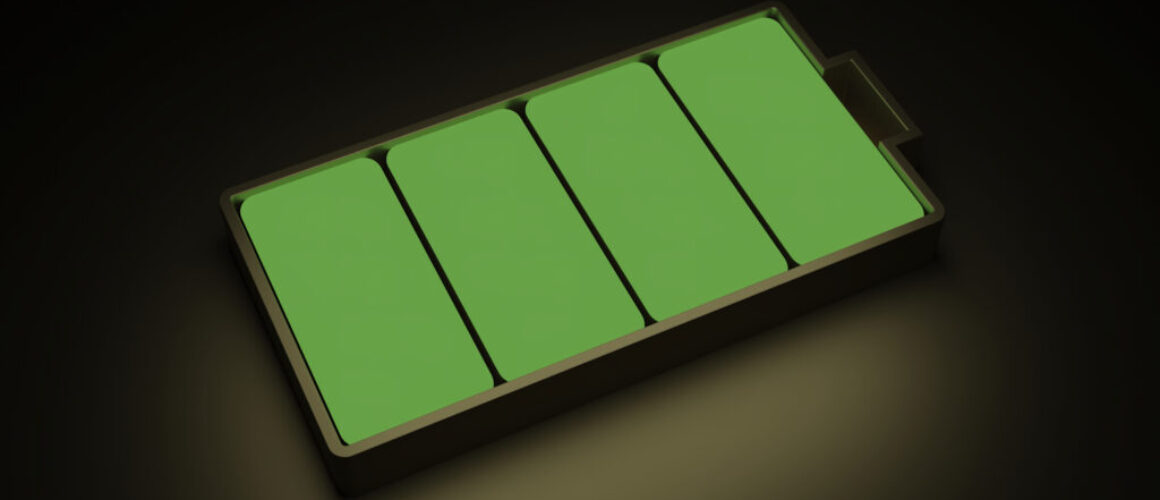
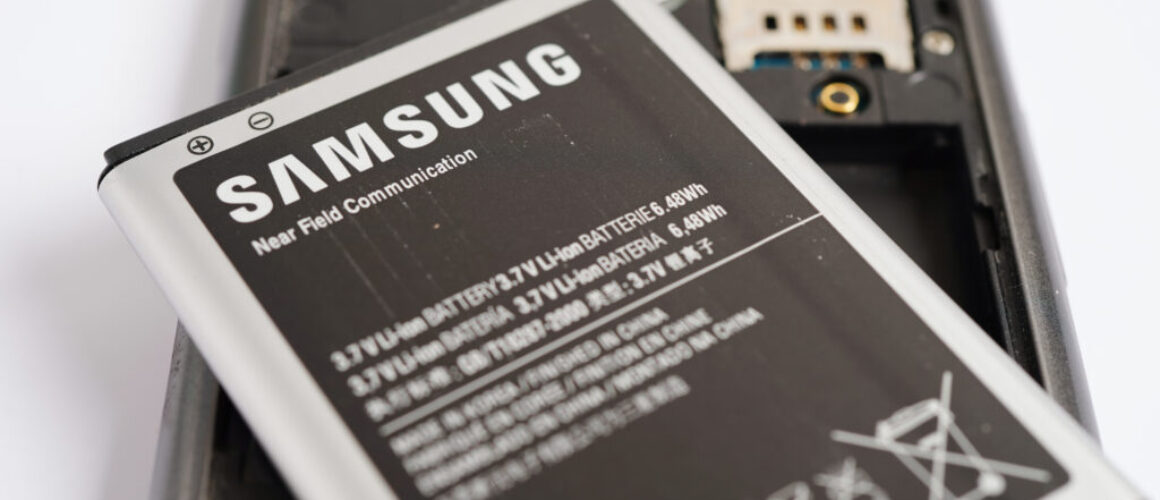

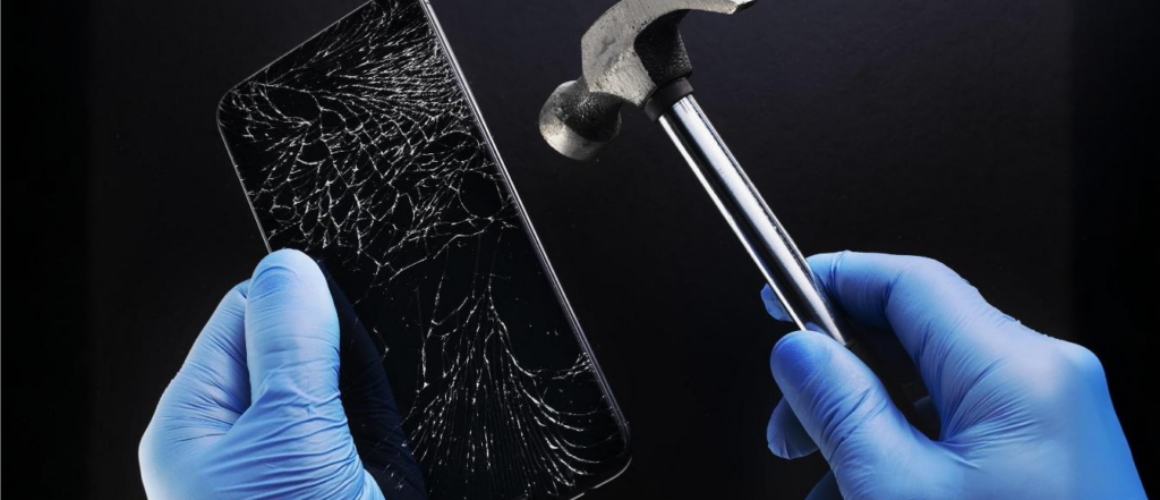
 Photo by
  Photo by