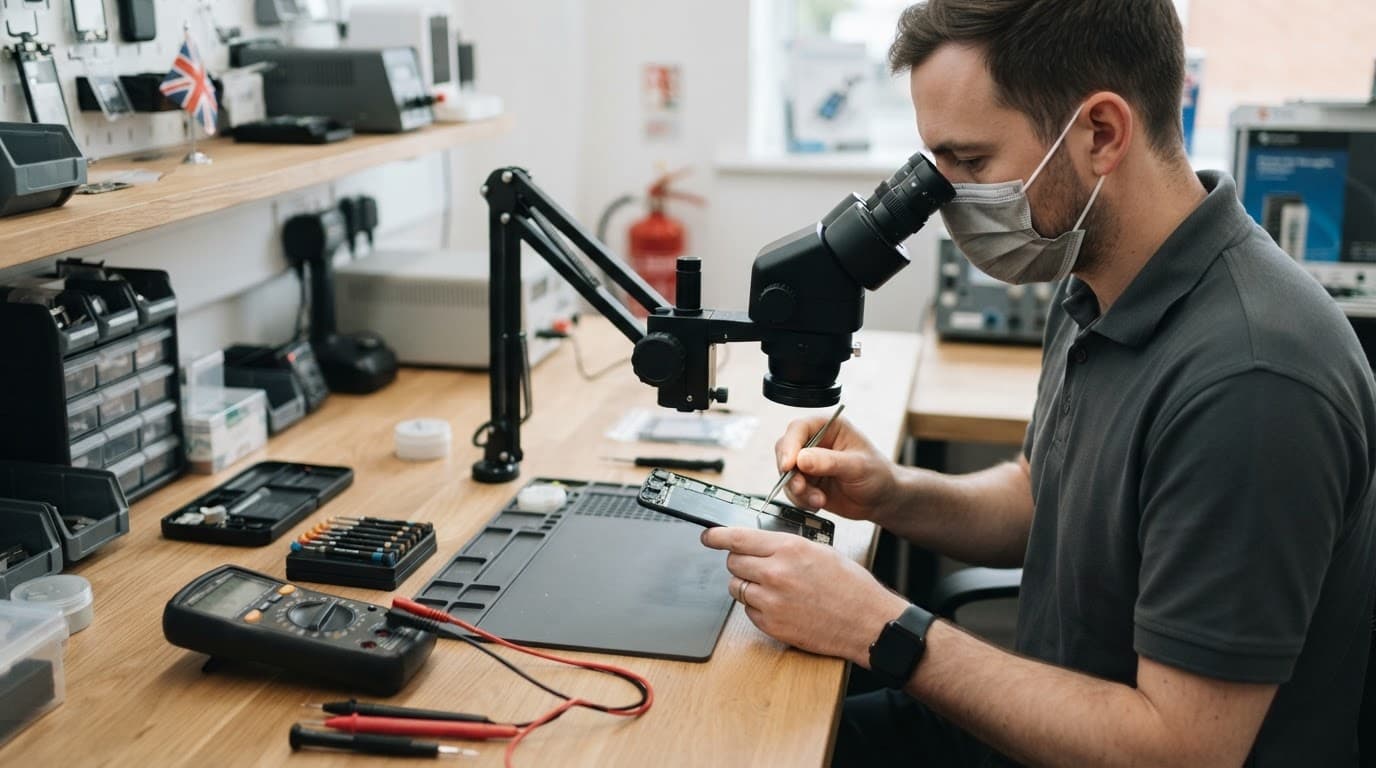
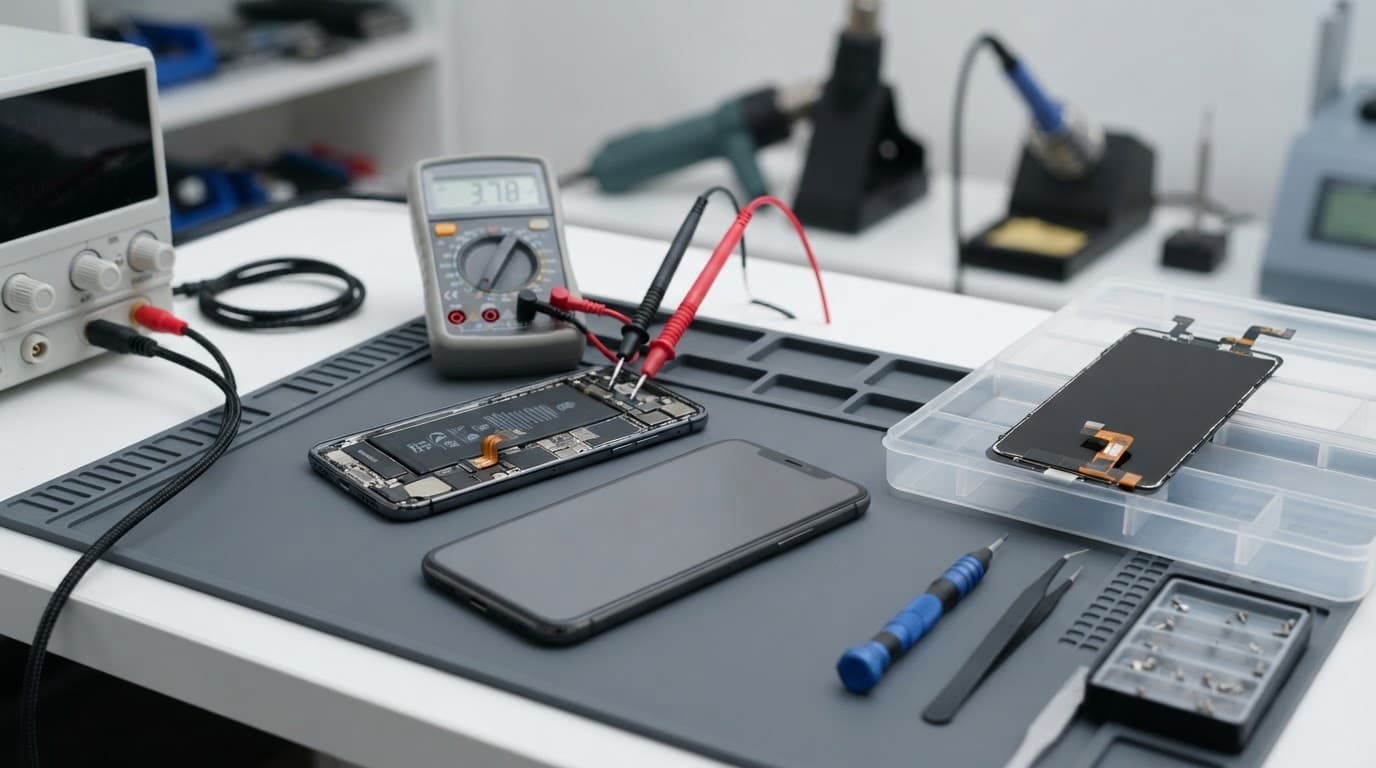
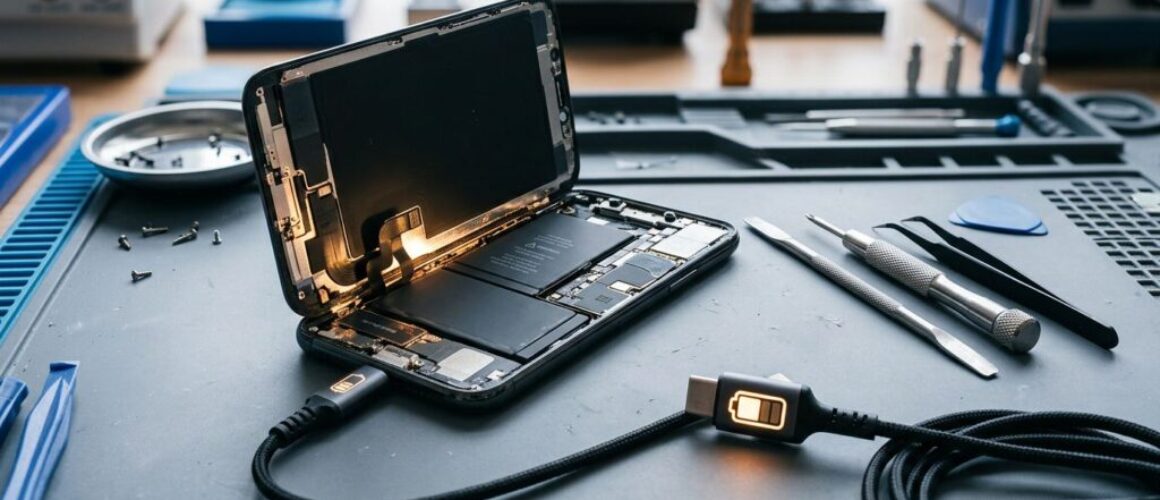
Few things are more worrying than posting a laptop that already has a cracked screen, a charging fault or a keyboard that has stopped working. However, knowing how to package laptop for repair properly protects it from a second round of damage in transit.
For most laptops, the safe approach is simple: back up your files, switch it off, use a rigid box and stop it moving inside. A few extra minutes at the kitchen table can save a lot of hassle later.
Prepare the laptop before it goes in the box
Packing starts before you reach for bubble wrap. A backup protects your files if the fault worsens, while clear notes help us test the right problem once the laptop reaches our Harlow workshop.
Back up data and describe the fault
Save important files to an external drive or cloud storage before sending anything away. Then write a short fault note with the laptop model, your order number and the behaviour you have seen.
Mention details such as whether it overheats, only charges at a certain angle, has lines on the display or shuts down after a few minutes. If testing needs a login, give access details through the agreed route, never on the outside of the parcel.
Photograph the laptop’s condition, including corners, ports and any existing marks. This gives everyone a clear record before the repair begins.
Check the battery before posting
Switch the laptop off fully, rather than leaving it asleep. Remove USB sticks, discs, memory cards and any loose accessories that aren’t needed for diagnosis.
A laptop with its battery fitted is normally easier to send than a separate battery. However, do not post a laptop with a swollen, leaking, recalled or visibly damaged battery. Royal Mail’s restricted items guidance confirms that damaged or recalled batteries are not accepted.
If the battery looks swollen, the case is lifting or the laptop becomes unusually hot, stop charging it and contact us before arranging postage.
How to package laptop for repair without transit damage
Use a sturdy cardboard box that is larger than the laptop on every side. The original retail box can help, but it still needs a strong outer box for postal travel.
Before you package laptop for repair, follow this simple order:
Close the laptop and place a clean sheet of card or soft cloth between the keyboard and screen.
Wrap the machine in several layers of bubble wrap, with extra protection around the corners.
Put it in the centre of the box, leaving room for padding on every side.
Fill empty spaces with packing paper, foam or air cushions until the laptop cannot shift.
Seal every opening with strong parcel tape, then add the delivery and return addresses clearly.
Royal Mail’s packaging advice for larger items also recommends robust packaging for laptops and other larger electronics. Give the sealed box a gentle shake. If you can feel movement, add more cushioning.
A laptop can look well wrapped but still suffer damage if it has room to slide into the corner of its box.
What to include in a repair parcel
Put your order number and contact details inside the parcel, ideally in a small envelope or folded note. This lets us match the laptop to its booking as soon as it arrives.
Keep chargers and extras at home
Only send the charger if the fault relates to charging and we have asked for it. A loose charger can scratch the laptop in transit, even when wrapped separately.
Remove cases, dongles, mice and external drives unless they help reproduce the fault. If the charging cable only works at a certain angle, tell us in your note rather than sending every cable from your desk drawer.
For display faults, our guide to UK postal MacBook screen repair covers what can affect the repair cost and why a bent housing matters. Independent repairs can affect a manufacturer’s warranty, so it is sensible to compare your options if your laptop still has cover.
What happens after the laptop arrives
We receive postal repairs from across the UK, not only Essex. Once your laptop arrives through our tracked repair process, we inspect the condition, check the reported fault and contact you if testing finds additional work.
A recent MacBook assessment involved a drink spill and several unresponsive keys. The laptop still started normally, but residue beneath the keyboard affected its operation. We checked for corrosion, explained the repair options and only moved forward after the customer had the information needed to decide.
The same preparation helps with phones and tablets
Clear notes and careful packing also make our UK phone hardware troubleshooting quicker. They help when we are checking a dropped iPhone, Samsung or Google Pixel for a component fault.
The same applies when an iPad needs a component diagnosis, when you have screen or display fault symptoms, or when a device will not turn on or charge. Describe what happened before the fault started, especially after a drop, liquid exposure or previous repair.
A secure parcel gives the repair a better start
The strongest rule is simple: a laptop should not move inside its box. Back up your files, power it down, protect the corners and avoid sending loose batteries or unnecessary accessories.
When you need to package laptop for repair, book the work first and include the order number inside. We will inspect the laptop properly, explain the options plainly and get it back to you as quickly as we can.
A phone can slip into the sink, get splashed by a drink, then appear completely normal. A few days later, it may refuse a cable, drain overnight or develop a flickering screen. It is a bit of a nightmare when the phone seemed to survive.
That delayed behaviour is typical of phone corrosion water damage. Liquid can leave residue inside the handset, even after the outside looks dry, and that residue can slowly damage connectors and components.
At Repair My Crack, we see this with iPhones, Samsung Galaxy phones, Google Pixels and iPads every week. Quick action gives you the best chance of avoiding a small issue becoming a costly one.
Phone corrosion water damage and late-onset faults
Water inside a mobile does not always cause an instant short circuit. Sometimes it does, especially if the handset is powered or charging. However, the more frustrating cases start when moisture dries and leaves minerals, salts or sticky residue behind.
That residue can corrode metal contacts around the charging port, battery connector, display cable, cameras and mainboard. As those tiny contacts deteriorate, the phone becomes less reliable.
Why a dry exterior proves very little
A handset can feel dry within hours while moisture remains beneath shields, inside connectors or behind the screen. Temperature changes, normal movement and repeated charging can then expose the fault.
Salt water, fizzy drinks and coffee are often worse than clean tap water because they leave more conductive residue. We also see phones affected by rain, condensation in a bathroom and damp pockets after a wet commute.
Water resistance does not last forever
An IP rating describes how a phone performed in controlled testing. It does not promise that every seal will stay perfect after years of use, a hard drop or a previous repair.
Google’s Pixel water-damage guidance also advises allowing a wet phone to dry at room temperature. Treat water resistance as useful protection, not a reason to keep using a wet device as normal.
The first hour after a phone gets wet
The safest move is to stop adding power. Disconnect any charging cable, remove the case and gently dry the outside with a clean, lint-free cloth. If the phone is already switched off, leave it off.
Avoid the usual kitchen-table fixes. They can turn a recoverable problem into a larger repair.
Do not charge the handset while there may still be moisture in the port.
Do not use a hairdryer, radiator or oven. Heat can soften adhesive and push moisture deeper inside.
Do not put it in rice, as dust and starch can enter the charging port.
Do not shake it hard or keep pressing buttons to see if everything still works.
Repeated charging tests are risky because liquid around closely spaced port contacts can create a short circuit.
If an iPhone shows a liquid-detection warning, unplug it and give it time to dry. Apple’s liquid-damage service policy states that liquid damage is not covered by its one-year limited warranty, so acting early can save a lot of faff.
Delayed fault patterns worth taking seriously
A working screen does not rule out internal damage. Corrosion can affect one small part at first, then spread along nearby contacts.
Charging and power problems
A device that won’t turn on or won’t charge needs a proper diagnosis, especially after a spill. The issue might be a dirty port, but it could also be a damaged charging assembly, weak battery connection or corrosion on the power circuit.
Look out for a cable that only works at one angle, a port that feels loose, sudden heat while charging, unexplained restarts or a battery percentage that drops far too quickly. These faults often worsen if you keep forcing a cable into the port.
For a Galaxy that starts acting up after moisture exposure, you can Book a Samsung Repair once the handset is safely dry and backed up.
Screen or display fault symptoms to watch for
Water damage can affect a display cable or the screen itself. Common screen or display fault symptoms include:
Flickering that appears at low brightness or after charging.
Green or white lines, black patches and unusual colour changes.
Touch working in some areas but failing in others.
A black screen while the phone still vibrates, rings or makes notification sounds.
Brightness changing on its own, or a display that fades in and out.
Muffled speakers, a weak microphone, misty camera lenses and Face ID or fingerprint faults can also point to trapped moisture. If a Pixel has these signs, you can book a Google Pixel repair before corrosion has more time to spread.
Proper diagnosis goes beyond restarting the phone
A restart or software update can resolve a genuine software glitch. It will not remove corrosion from a connector. For reliable UK phone hardware troubleshooting, we start with the simple checks before inspecting deeper.
What technicians check on the bench
We test with a known-good cable and charger, check whether the port grips properly, assess battery response and inspect affected connectors for residue. We also test charging stability, screen response, cameras, audio and wireless functions where the fault calls for it.
A phone can have more than one issue after liquid exposure. That is why phone repair quotes after inspection are more useful than a guess based on one symptom. If testing finds no fault, an inspection fee may apply under our standard charges.
A recent drop can complicate the picture
An iPhone component fault after a drop may sit alongside liquid residue, a bent frame or a loosened display connector. The crack on the front is not always the full story.
The same applies when a Samsung component fault after a drop affects the charging port, button flex or OLED display. A Google Pixel component fault after a drop can show up as intermittent charging, restarts or a black screen that still vibrates.
For an iPad, component-fault diagnosis needs extra care because the large display, battery and charging system sit in a thin housing. If your tablet has had both a knock and a spill, you can book an iPad repair for a full assessment.
A workshop example from Harlow
A recent iPhone 12 came into our Harlow workshop after a drink spill. It worked for two days, so the owner carried on using it. Then charging became unreliable, and the battery started dropping sharply overnight.
We found residue around the charging area and corrosion beginning near a connector. After careful cleaning and testing, the charging assembly needed replacement. The mainboard was still healthy, which kept the repair sensible.
Cleaning is not always the final repair
Internal cleaning can stop further corrosion, but it cannot bring back metal contacts that have already failed. Some phones then need a charging port, battery, screen or camera repair as well.
For an iPhone with a black screen, intermittent charging or sudden heat after a spill, you can book an iPhone repair and select the model before sending it in. We inspect the handset before carrying out chargeable work where possible.
Repair costs depend on what corrosion has reached
Water-damage treatment or assessment often starts around £60 to £120, depending on the handset and the level of corrosion. A charging port repair commonly falls around £50 to £90, while a battery replacement is often £40 to £80.
If the liquid has damaged an OLED display, camera module or power circuit, the quote can rise because those parts cost more. A damaged frame or previous poor-quality repair can also add work.
Google’s repair-charge information makes an important point for Pixel owners: internal damage is not always visible. That applies to every brand, which is why we test before promising a fixed outcome.
When repair is still the sensible choice
Repair usually makes sense when the phone has one clear fault and the screen, frame, battery and cameras remain healthy. A recent model with a corroded charging port is often worth saving.
The sums change when an older handset has a cracked display, weak battery, bent housing and board damage at the same time. We explain the options plainly rather than pushing a repair that does not add up. Independent repairs can affect remaining manufacturer cover, so Pixel owners may also want to check Google warranty eligibility before booking.
Sending a water-damaged phone for repair
Back up your data as soon as the phone is stable enough to do so. Then switch it off and avoid further charging tests.
Customers in Essex can arrange an appointment-only drop-off at our Harlow workshop. If you are elsewhere in the UK, use our postal repair service with free tracked Royal Mail postage. Pack the handset securely, include your order number and provide any required passcode so we can test the relevant functions.
We aim to start repairs as soon as a device arrives, often on the same day. However, corrosion, parts availability and additional faults can affect turnaround.
Questions customers ask after water exposure
Can a phone recover after drying out?
It can, but drying alone does not remove mineral deposits or corrosion. If the phone remains stable for several days, that is encouraging. New charging, battery, screen or sound faults still need attention.
Should a wet phone be switched on to back it up?
If it is wet, hot or showing charging warnings, keep it off. If it is already dry, stable and working normally, back up important data promptly before arranging a repair.
Does liquid damage have a warranty?
Liquid-damage treatment has separate terms from standard screen, battery and component repairs. Our warranty covers the work and parts stated on your repair, but it cannot cover a new spill, later impact damage or tampering.
Act before a small fault spreads
Phone corrosion water damage often starts with a minor annoyance, such as slow charging or a muffled speaker. Leaving it alone can give corrosion more time to affect parts that were healthy on the day of the spill.
Keep the handset switched off if symptoms are developing, back up what you can and get the fault checked before repeatedly charging it. If you are unsure what has failed, get in touch and we will help you choose the sensible next step.
James Waterston, Device Repair Specialist at Repair My Crack
A cracked iPhone 13 can turn an ordinary day into a bit of a nightmare, especially when touch stops working or glass starts catching on your thumb. The good news is that an iPhone 13 screen repair is usually far cheaper than replacing the whole phone.
At Repair My Crack, our published prices start at £69.99 for a Standard screen and £89.99 for a Premium option. The final cost depends on the display part, the condition of the frame and whether the drop caused other faults. Here is what UK customers need to know before booking.
The £69.99 and £89.99 Repair My Crack prices apply to a screen-only repair. A bent chassis, damaged Face ID components, a faulty charging port or battery damage can alter the quote after inspection.
Apple’s current UK estimate for out-of-warranty iPhone screen damage is £389. You can check the figure and service categories on Apple’s UK screen replacement guidance, as prices can change and depend on the damage recorded.
Standard and Premium screens
The two independent repair options exist because replacement screens vary in quality and cost. A Standard screen may suit customers who want the lowest sensible repair price. A Premium screen usually offers a closer match for brightness, touch response and colour.
Ask what the quote includes before agreeing to the work. Adhesive, fitting, testing and warranty cover should be clear. Our terms list a shorter warranty for the Standard iPhone screen and 12 months for the Premium screen, so the cheaper option is not automatically the better value for every customer.
Why the quote changes after a drop
A headline price only tells you what a straightforward screen replacement costs. It doesn’t tell you what happens when the phone has landed on a corner or hit a hard floor.
Glass damage is not always the whole fault
An iPhone component fault after a drop may sit behind a screen that still lights up. The touch layer can develop dead zones, black patches or ghost touches later. A damaged internal connector can also cause intermittent brightness or display failure.
The frame matters too. Even a small dent can stop a new screen sitting flat. Pressure around the edge may lead to lifting, bright spots or another cracked panel.
Related repairs can add to the bill. As guide figures, battery replacements often sit around £40 to £80, whilst charging port work may be roughly £50 to £90. These are not fixed quotes, because testing may reveal connector damage or corrosion.
Part quality affects value
A very cheap screen may use a lower-grade display with weaker viewing angles or less accurate colour. Some replacement parts also behave differently with automatic brightness or touch sensitivity.
We recommend asking three simple questions:
Which screen grade will be fitted?
Does the price include labour, adhesive and full testing?
What warranty covers that exact part?
A reliable iPhone 13 screen repair should restore normal touch and display performance, not only make the glass look tidy.
Screen or display fault symptoms worth checking
A crack is easy to spot, but the less obvious symptoms often tell us whether the entire display assembly has failed.
Screen or display fault symptoms to look for
Common signs include:
Touch fails in one strip or corner of the screen.
Black patches spread across the display.
Coloured lines appear after the phone is moved.
The screen flashes, dims or stays black while the phone still rings.
Brightness changes unpredictably.
The glass has lifted away from the frame.
Face ID or the proximity sensor stops working after the impact.
A cracked top layer does not always mean the phone needs immediate replacement. However, continued use can expose the panel to dust and moisture. Sharp fragments can also cause cuts, so cover the damaged area carefully rather than pressing loose glass back into place.
Safe checks before booking
For phone hardware troubleshooting in the UK, the sensible starting point is to separate a software problem from physical damage. Remove the case, inspect the frame under good light and check whether the phone responds to calls, buttons or vibration.
When a device won’t turn on or won’t charge, diagnosis starts with the cable, charger and charging port, followed by battery and internal checks. Don’t poke the port with a metal object, use a hairdryer or keep charging a phone that becomes hot.
Back up your data while the handset still works. If the screen is lifting, the battery looks swollen or the phone heats up quickly, switch it off and arrange an inspection instead of carrying on using it.
When an iPhone 13 repair makes financial sense
Repair usually makes sense when the phone has one main fault and the rest of the handset remains healthy. The iPhone 13 still has a capable camera, 5G connectivity and enough performance for everyday use, so replacing one damaged part can be sensible.
Compare the whole handset
Look at the battery condition, charging reliability, cameras, speakers and frame before authorising work. A £69.99 screen repair feels very different from a screen, battery and housing repair added together.
Replacement may be worth considering when the phone has heavy liquid damage, a badly bent frame or several existing faults. We check the whole handset because a cheap screen repair won’t solve a damaged board or unsafe battery.
An independent repair can also affect any remaining manufacturer warranty. If that cover is important, compare the manufacturer’s route with an independent repairer’s price and warranty before deciding.
A workshop example from Essex
We recently assessed an iPhone 13 from Essex after it fell from a sofa arm. The display still worked, the battery held charge and the cameras were clear, but the housing had picked up a slight bend.
Fitting a fresh screen onto that chassis would have left the panel under pressure. The housing needed attention first, yet the rest of the phone was in good condition. In that situation, repairing the handset made much more sense than replacing it.
What a quality iPhone 13 screen repair should include
A proper repair involves more than removing broken glass and fitting a replacement. The phone needs testing before and after the job.
Testing after the screen is fitted
Our technicians check touch response across the full display, brightness, speakers, microphones, cameras and charging. We also check Face ID, the proximity sensor and True Tone where applicable.
That final testing catches faults that a quick glance can miss. A screen that lights up may still have a dead touch area, uneven brightness or a connector that loses contact when the phone is handled.
We use quality replacement parts and accredited technicians for our express repairs. Timing depends on stock, workload and any extra damage, so we provide a clearer answer once the handset has been checked.
Warranty and manufacturer cover
Our published terms list a 3-month warranty for a Standard iPhone screen and 12 months for a Premium screen. Batteries and other components generally carry a 12-month warranty under the applicable terms.
Warranty cover relates to the fitted part and workmanship. It doesn’t normally cover a new drop, liquid exposure, accidental damage or tampering. Warranty seals may be fitted, and disturbing them can affect a claim.
If you have AppleCare+, check the terms before booking. Apple’s UK AppleCare information lists a £25 excess for screen-only accidental damage. Without that cover, Apple’s repair estimate is much higher than most independent options.
Harlow appointment or UK postal repair
Customers near our Harlow workshop can arrange an appointment-only drop-in repair. We also offer postal repairs across the UK, which helps when travelling to Essex isn’t practical.
How the postal option works
The process is straightforward:
Select the iPhone 13 and the required screen option online.
Complete the booking and follow the packing instructions.
Send the phone using free tracked Royal Mail postage.
We inspect, repair and test the device after it arrives.
We return it using tracked delivery.
We aim to begin work as soon as the phone reaches us, often on the same day. That isn’t a guaranteed completion time, because a bent frame or second fault can add work. However, clear screen-only jobs are usually quicker than repairs involving several components.
Preparing the phone before sending it
Back up your photos, messages and contacts before handing over the handset. Then remove the SIM card, case and any accessories you want to keep.
Write down the symptoms and what happened. Tell us if the phone was dropped, sat on, exposed to liquid or recently repaired elsewhere. If access to the phone is required for testing, follow the booking instructions about passcodes and security settings.
Pack the device in a sturdy box with protective padding. Don’t post a phone with a loose battery, serious swelling or a screen that is lifting without contacting the repair team first.
Questions customers ask before booking
Will a screen replacement erase data?
A standard screen replacement shouldn’t erase your files. Still, every phone should be backed up before repair because unexpected faults can develop during handling, especially after a hard impact.
Can other devices suffer hidden drop damage?
Yes. A Samsung component fault after a drop can affect the display, charging port, fingerprint sensor or internal flex cables. A Google Pixel component fault after a drop may appear as repeated restarts, a dead screen or a button that stops responding.
The same approach applies to an iPad component fault or diagnosis. A cracked tablet screen may sit alongside a bent corner, damaged connector or battery problem. Each model needs its own parts and testing, so avoid comparing prices without checking the exact device.
Is manufacturer repair always the better option?
Manufacturer repair may suit a newer phone with active cover, particularly when genuine parts and the original service route matter most. Apple customers can reserve Apple Genius Bar support for an official assessment.
An independent repair may cost less and offer a more convenient postal route. Compare the screen grade, warranty, testing process and total price rather than choosing the smallest number on a search page.
Final decision on iPhone 13 screen repair cost
For most iPhone 13 owners, repairing one cracked display costs far less than buying another phone. The current Repair My Crack options are £69.99 for Standard or £89.99 for Premium, but the frame and internal components must be checked before that price can be confirmed.
If the handset is otherwise healthy, you can book an iPhone repair online or contact the team for guidance. A clear diagnosis gives you the choice between repairing, using Apple’s service route or replacing the phone, without paying for work it doesn’t need.
James Waterston, Device Repair Specialist at Repair My Crack
A phone repair can become a bit of a faff when the screen is dead or the handset won’t charge. Fortunately, finding the IMEI is usually quick, even if you can’t unlock the device.
If you’ve searched for “find IMEI number” because your phone is heading to a repair bench, you’re in the right place. The IMEI identifies the handset, while the model, symptoms and repair history help us understand what has gone wrong.
How to Find IMEI Number on iPhone, Samsung and Pixel
The quickest method depends on the brand. Check the phone itself first, then use the box, account records or a connected computer if the device won’t respond.
iPhone
Open Settings > General > About and scroll down to find the IMEI or IMEI/MEID. Apple’s official IMEI guidance also covers EID, serial numbers and other device details.
If the screen works but touch does not, connect the iPhone to a Mac using Finder, or to a Windows computer using the Apple Devices app or iTunes. You can also sign in to your Apple Account and check the device list. The original box should show the IMEI on its barcode label.
Samsung Galaxy
On most Galaxy phones, open Settings > About phone. You can also open the Phone app and dial *#06#, which normally displays the IMEI and serial number.
If the screen is unusable, check the original box, purchase receipt or mobile contract. Samsung Members may also show the registered handset details. Samsung’s UK device-number guidance lists several ways to locate them.
Google Pixel and iPad
On a Pixel, go to Settings > About phone and look for the IMEI. If the phone is still linked to your Google Account, Find Hub or Google’s device records may show it when the handset is offline.
For an iPad, use Settings > General > About. Only iPads with mobile data have an IMEI. Wi-Fi-only models normally have a serial number instead. The IMEI may also appear on the original packaging.
Finding the IMEI When the Phone Won’t Turn On
The best way to find IMEI number details on a dead phone is to check records created before the fault happened. This is especially useful after a drop, liquid exposure or charging problem.
Check the box and account records
Look at the barcode label on the original packaging. Keep an eye out for two IMEIs, as dual-SIM phones can have IMEI 1 and IMEI 2. Record both if they appear.
You may also find the number in an Apple Account device list, Samsung Members, Google device records, a network account or a purchase receipt. For an iPhone, a previously trusted computer can sometimes display the number even when the handset screen remains black.
The IMEI does not diagnose the fault
For a “device won’t turn on or won’t charge” diagnosis, the IMEI only confirms which handset has arrived. It won’t tell us whether the problem sits with the battery, charging port, display, connector or main board.
It also isn’t a password or a way to unlock the phone. Treat it as private device information and avoid posting it publicly.
What to Record Before Sending the Phone
Once you find IMEI number details, write them down with the exact model and your repair notes. That gives the technician a clear starting point and reduces the chance of a mix-up.
Note every symptom
Include:
The IMEI or IMEI numbers, serial number and exact model.
What happened, such as a drop, liquid exposure or sudden charging failure.
Whether the phone rings, vibrates, heats up or connects to a computer.
Any previous repair, screen replacement or battery change.
Whether the fault is constant or appears only at certain angles.
Take photographs of the front, back, corners, camera area and charging port. Our phone repair preparation checklist covers useful pictures and details to include before posting a device.
Protect your data first
Back up photos, messages, contacts and authentication information while the phone still works. Apple recommends turning off Find My before service. If you can’t do that on the handset, use the Find My app or your Apple Account.
Remove the SIM card and don’t send loose accessories unless the repairer asks for them. If testing requires the passcode, provide it through the repair booking process rather than writing it on the parcel. Our passcode guidance for phone repairs explains why technicians may need access after a repair.
What an IMEI Cannot Tell You About Drop Damage
An IMEI identifies the device, but the symptoms point towards the repair. Our phone hardware troubleshooting in the UK starts with the timing of the fault, the physical condition and the functions that changed.
Record screen and component symptoms
Common screen or display fault symptoms include flickering, black patches, dead touch areas, coloured lines or a screen that stays black while the phone vibrates.
An iPhone component fault after a drop can involve the display, charging port, camera or an internal connector. A Samsung component fault after a drop may affect a button, camera or charging connection without leaving an obvious mark.
A Google Pixel component fault after a drop can appear as intermittent charging, restarts or a soft volume button. An iPad component fault or diagnosis may involve the display assembly, battery connection or charging circuit.
A workshop example
A recent Pixel arrived after hitting a pavement. The screen had no major crack, but the volume-down button felt soft and worked only intermittently. Inspection found that the side rail had taken the impact and was pressing against the button assembly.
The IMEI helped us match the device to the booking. The symptoms and physical checks showed that this was hardware damage, rather than an Android settings issue.
Sending the Phone for Repair
After recording the IMEI and backing up your data, pack the handset tightly in protective material inside a sturdy box. Include the order number, describe every known fault and keep the tracking details until the phone returns.
We offer UK mail-in phone repairs as well as appointment-only drop-off repairs in Harlow, Essex. We inspect the device before chargeable work where possible and contact you if the confirmed repair differs from the original booking. If no fault is found, an inspection fee may apply under our standard terms.
Repairs use quality replacement parts and include warranty cover according to the part and service. Independent repair may affect a remaining manufacturer warranty, so compare both options if the phone is still covered.
If you had to search for “find IMEI number”, save the result somewhere secure with the model, serial number and fault description. Record both IMEIs on a dual-SIM phone, back up your data and photograph the device before it leaves your hands.
That small amount of preparation makes the handover easier and gives us better information when testing begins. The IMEI identifies the handset, but careful notes help us identify the repair.
James Waterston, Device Repair Specialist at Repair My Crack
An iMac that worked perfectly yesterday can leave you staring at a black screen before breakfast. Before paying for an iMac not turning on repair, check the power path, remove accessories and establish whether the computer is actually off or simply failing to show an image.
Most basic checks take only a few minutes and won’t erase your files. If the iMac stays completely silent and unresponsive, stop pressing buttons and arrange a proper diagnosis. We’ll explain the safe checks first, then cover likely faults, repair costs and UK service options.
iMac not turning on: the quick answer
Start with the wall socket, power cable, rear power button and connected accessories. Apple recommends checking the cable, trying a working outlet, disconnecting external devices and holding the power button for around 10 seconds before pressing it normally again. Its Mac power-check guidance covers these steps in more detail.
If you hear sounds, see a faint image or notice connected devices receiving power, the iMac may be starting but suffering from a display or startup problem. If there are no sounds, no image and no response at all, the fault is more likely to involve power delivery, the internal power supply, the power button or the logic board.
When the iMac is truly off
A totally dead iMac usually shows no response when you press the rear button. The screen remains black, the keyboard does nothing and there are no signs of startup activity.
Modern Apple silicon iMacs can be almost silent, so the absence of fan noise doesn’t prove much on its own. However, if a known-good socket and cable make no difference, home troubleshooting has reached its sensible limit.
When the Mac is running but the screen is blank
A black display can point to a damaged panel, a backlight issue, a loose internal connection or a macOS startup problem. The computer may still respond to the keyboard, produce sound or appear on a network.
That distinction matters because replacing a screen won’t fix a failed startup drive. Likewise, reinstalling macOS won’t repair a damaged display connector.
Safe power checks before booking a repair
Work through these checks in order. Avoid opening the iMac, as the display and internal power components need specialist handling.
Check the cable and socket
Inspect the power lead for cuts, crushed sections or loose connections. Push it firmly into the iMac and the wall socket. Some 24-inch iMac models use a separate external power adapter, so check both sides of that connection too.
Try another wall socket that you know works. A socket controlled by a switched extension lead can catch people out, particularly when a desk has several chargers attached.
If you have a compatible replacement cable or adapter available, test it briefly. Don’t force a connector or use a cable with visible damage.
Reset the startup state
Disconnect printers, USB hubs, external drives, Ethernet accessories and mobile devices. Leave only the power connection, then:
Press and hold the iMac’s power button for about 10 seconds.
Release the button completely.
Wait a few seconds.
Press and release the power button normally.
Give the Mac time to respond before repeating the process.
Older Intel iMacs may benefit from a model-specific SMC reset. Apple silicon Macs don’t need the traditional SMC reset procedure, so don’t follow an old Intel guide blindly.
Repeatedly pressing the power button won’t revive a failed power circuit, and it can make the original symptom harder to assess.
Power failure or blank screen?
The next step is to observe what happens, rather than guessing from the display alone. A screen that stays black is only one part of the diagnosis.
Clues that point to a power fault
A likely power-related fault includes:
No response from the power button after testing the socket and cable.
No startup sound, image or keyboard response.
A sudden shutdown followed by complete silence.
A burning smell, unusual heat or visible damage around the cable.
A failure that began after a liquid spill, electrical incident or physical impact.
Don’t keep trying to start the iMac if you smell burning or see melted plastic. Unplug it from the wall and arrange an inspection.
Symptoms of a display or startup fault
Common screen or display fault symptoms include a faint backlight, vertical lines, coloured patches, flickering or an image that appears briefly before disappearing. A completely black screen with a working keyboard can also indicate a backlight or display connection problem.
If the Mac reaches a folder icon, progress bar or a warning screen, it has power but isn’t completing startup. Apple has separate startup troubleshooting guidance for Macs that stop before reaching macOS.
Don’t factory reset the iMac to solve a physical display fault. That can remove your data without addressing the failed component.
Run Apple Diagnostics when the Mac responds
Apple Diagnostics can test parts such as the logic board, memory and wireless hardware. It won’t diagnose every problem, and it doesn’t replace a hands-on inspection, but a reference code can give a repair technician a useful starting point.
Apple’s Apple Diagnostics instructions explain the process for different Mac generations. Disconnect external devices first, then place the iMac on a hard, stable surface with good ventilation.
Apple silicon iMacs
Shut the iMac down if possible. Press and hold the power button until the startup options appear. When you see the options screen, release the button, then hold Command-D.
The test normally takes a few minutes. Write down any reference code and description it displays. If the iMac has no power at all, Diagnostics won’t start, so there is no benefit in trying repeatedly.
Intel iMacs
Turn on the iMac and immediately hold the D key. If that doesn’t work, try Option-D to start Diagnostics over the internet, provided the Mac can connect to a network.
A clean result doesn’t prove that every part is healthy. Apple Diagnostics focuses on selected hardware and won’t identify every intermittent connection, display fault or macOS problem.
Faults we look for after the basic checks
When an iMac reaches our workshop, we don’t assume the most visible symptom tells the whole story. We check the power input, internal connections, display behaviour and startup process before recommending a repair.
Internal power and board faults
A failed power supply can leave an iMac completely dead, even when the cable and socket work properly. Logic board faults can cause similar symptoms, although the computer may sometimes start intermittently before failing altogether.
Power button faults, corrosion and damaged connectors can also interrupt startup. If liquid has reached the iMac, unplug it straight away and don’t use a hairdryer or radiator to dry it. Heat can damage adhesives and sensitive components.
The same checks apply across devices
Our workshop sees similar diagnostic mistakes with smaller devices. An iPhone component fault after a drop can sit beneath a cracked screen, while a Samsung component fault after a drop may involve the charging board or internal connector.
A Google Pixel component fault after a drop can be hidden by a bent frame. For an iPad component fault or diagnosis, we check charging, power, display and board behaviour instead of assuming the glass is the only problem.
That is why phone hardware troubleshooting in the UK should include the whole device. A “device won’t turn on or won’t charge” diagnosis starts with the history of the fault and finishes with proper testing.
Protect files before sending an iMac for repair
If the iMac starts occasionally, back up important files before carrying out more tests. Use Time Machine or copy essential documents to a trusted external drive. Include photos, work folders, browser data and anything stored on the desktop.
A completely dead iMac may need professional data access work, particularly if the storage or logic board has failed. Avoid erasing the Mac or reinstalling macOS until your files are safe.
Keep useful details for the technician
Write down when the fault started and what happened beforehand. Mention power cuts, liquid exposure, unusual noises, recent updates and whether the iMac had been moved.
If the machine starts but requires a login for testing, we can explain what access is needed. Never send your Apple Account password. Remove external drives and personal accessories before packing the computer.
Avoid DIY opening attempts
iMac displays are fragile and difficult to remove without the correct tools. A home attempt can crack the panel, damage cables or turn a straightforward power diagnosis into a screen repair as well.
If the iMac has suffered liquid damage, keep it unplugged. Further attempts to power it on can spread corrosion and make data recovery or board repair more difficult.
Repair costs, warranty and the UK service route
There isn’t one honest iMac repair price because a cable fault, power supply fault, display fault and logic board fault involve very different work. An inspection may be the only way to provide a reliable quote.
When repair makes financial sense
Repair often makes sense when the iMac has a good screen, useful performance and one clear fault. A healthy 24-inch iMac with a failed power component may be worth repairing, whereas an older Intel model with several faults may not justify a large board-level bill.
We compare the likely repair cost with the age, condition and current usefulness of the computer. If testing finds no fault, an inspection fee may apply under our standard charges. We explain chargeable work and revised options before proceeding where possible.
What warranty cover means
Eligible MacBook and iMac repairs carry a 12-month warranty under our published terms. Cover normally relates to the fitted part or the workmanship involved in the original repair. It doesn’t normally cover a later impact, liquid exposure, misuse or tampering with warranty seals.
You can read the Repair My Crack warranty information before booking. An independent repair may also affect a manufacturer’s remaining warranty, so choose an Apple route instead if preserving that cover is your priority.
Drop-off or postal repair
Customers near Essex can arrange an appointment-only drop-off at our Harlow workshop. For customers elsewhere in the UK, we can discuss the safest postal option for the iMac before booking, as an all-in-one desktop needs more protection than a phone.
We use quality replacement parts and accredited technicians, and we aim to begin work quickly once a device arrives and the required parts are available. Turnaround depends on the model, fault, workload and testing needed, so we don’t promise an automatic same-day repair.
Pack the iMac in a strong box with proper protection around the screen and stand. Include the order number and a clear description of the fault. If you’re unsure which route fits, get in touch before sending it.
Conclusion
When an iMac not turning on issue appears, start with the socket, cable, accessories and power-button reset. Then separate a true power failure from a blank-screen or startup problem. Apple Diagnostics can help when the Mac responds, but a silent machine needs physical testing.
We check the full device before recommending a repair, explain the likely cost and tell you when replacement makes more sense. A careful diagnosis protects both your data and your budget.
James Waterston, Device Repair Specialist at Repair My Crack
A cracked phone can look like a straightforward screen job, then behave like something much more complicated. That’s why phone repair quotes can change once a technician has opened the device and tested its internal parts.
The first estimate usually comes from the model, the fault you report and the damage visible from the outside. After inspection, we may find a bent frame, damaged connector, weak battery or liquid corrosion. We explain any difference before starting chargeable work, so you aren’t left with an unexpected bill.
The short answer is simple: phone repair quotes change when testing reveals more than the original symptom suggested. Here’s what we check and how to judge the revised price.
Why phone repair quotes change after inspection
A website estimate can identify a likely repair, but it cannot test how the rest of the phone has responded to an impact. A cracked display may be the obvious problem, yet the drop can also affect components underneath.
The outside damage is only the first clue
An iPhone component fault after a drop may affect the screen, Face ID sensors, battery connection or charging circuit. On a Samsung, a Samsung component fault after a drop can involve the display connector, frame, button flex or charging port.
A Google Pixel component fault after a drop may appear as intermittent charging, repeated restarts or a black screen while the phone still vibrates. For iPad component faults, diagnosis often includes checking whether the screen, battery and housing have moved together.
A small bend matters because replacement parts need a sound surface. If a new screen sits against a distorted frame, it can develop pressure marks, touch problems or lifting around the edge.
The replacement part may not be the same
“Screen replacement” covers different parts and grades. Older phones often use LCD panels, whilst many newer iPhone and Samsung models use OLED screens. OLED panels usually cost more because they are thinner, brighter and more complex.
The quote may also change if the repair needs extra adhesive, a complete display assembly instead of glass-only work, or a replacement connector. A low headline price can leave out testing, fitting, the correct part grade or warranty cover.
What we test before confirming the price
Our workshop checks the handset as a whole rather than quoting from the crack pattern alone. That approach gives you a more useful answer, even when the result is a higher figure.
We test touch response across the panel, brightness, colour, lines, dark patches and unexpected flickering. Common screen or display fault symptoms include:
A black display while the phone still rings or vibrates.
Green lines, black patches or unusual colours.
Touch working in some areas but failing in others.
Brightness that fades in and out.
Ghost touches or taps registering by themselves.
These signs can point to a damaged panel, loose cable or frame pressure. If the display is completely dead, we test with known-good parts to separate a screen fault from a power or board problem.
Power and charging checks
A diagnosis for a device that won’t turn on or won’t charge starts with the battery, charging port, cable and power path. We check whether the phone draws power, whether the port holds the cable securely and whether corrosion is present.
A port clean may solve a phone that only charges at an angle because of compacted pocket lint. It won’t fix a damaged connector or liquid corrosion. When a fault reaches the circuit board, our guide to advanced phone fault diagnosis explains why the repair can require more specialist work.
A workshop example: one drop, several faults
We recently inspected an iPhone 12 with shattered front glass. The image still appeared and most touch functions worked, so the customer expected a basic screen replacement.
Testing found dead touch areas near the impact point, along with a slightly disturbed display connection. The job needed a complete screen assembly, not a cosmetic glass fix. We also checked the frame before fitting the replacement, because a new panel would not sit correctly if the housing had bent.
When an iPhone stays completely dark after a fall, our guide to iPhone drop damage diagnosis covers safe checks before sending it in.
Typical UK repair costs and fair comparisons
These are our usual guide prices for common jobs. They are not fixed quotes, because the model and inspection result still matter.
Repair type
Typical guide price
What may change it
Screen replacement
£60 to £180
OLED type, model and frame damage
Battery replacement
£40 to £80
Swelling, connector damage and model
Charging port repair
£50 to £90
Corrosion, port design and board faults
Water-damage treatment
£60 to £120
Corrosion and failed internal parts
Premium OLED displays, bent housings and liquid damage can push the cost above these ranges. We confirm the fault and explain the revised options before proceeding.
Compare what each quote includes
When comparing phone repair quotes, check whether the price includes:
The exact part grade and model-specific assembly.
Labour, adhesive and post-repair testing.
Warranty terms for both the part and fitting.
Return postage and any inspection fee.
What happens if the repair is declined.
At Repair My Crack, many eligible repairs include 12-month warranty cover, although terms vary by part. Premium and standard iPhone screens can have different cover, so we explain the applicable warranty before work begins.
Google’s official UK Pixel repair guidance also asks customers to select all known issues, since additional damage can affect the final repair charge.
When repair may not be sensible
Repair usually makes financial sense when the phone has one clear fault, a straight frame and a healthy battery. A screen replacement on a recent iPhone, Samsung or Pixel is often cheaper than replacing the handset.
We look at the phone’s age, current value, battery condition, cameras and other existing problems. An older device with a damaged screen, weak battery and charging fault may cost more to restore than it is worth. If insurance is involved, compare the confirmed price with your excess using our advice on phone repair versus insurance claims.
How to reduce surprises before repair
You can make the first quote more accurate by providing:
The exact model, storage size if known and a clear photo of every damaged side.
Details of when the fault started, especially after a drop or liquid exposure.
Information about charging, cameras, buttons, touch and battery behaviour.
A recent backup, if the phone still allows access to your data.
Don’t press down a lifting screen, straighten a bent frame or heat a wet phone. If it becomes hot, smells unusual or the battery area starts swelling, stop charging it and arrange an inspection.
For postal repairs across the UK, we ask you to book online, package the device securely and include the order number. We aim to begin testing soon after it arrives, whilst appointment-only drop-ins are available at our Harlow, Essex workshop.
If testing finds no fault, an inspection fee may apply under our standard charges. If we find a different repairable fault, we contact you with the new choices rather than carrying on without approval.
Why an inspection protects your repair decision
A first estimate is useful, but it is based on limited information. The confirmed phone repair quote should reflect the actual model, part, damage and testing required.
A clear inspection helps you choose between repairing, claiming on insurance or replacing the handset. The strongest value usually comes from a repairer that explains what changed, uses suitable parts and provides clear warranty terms.
Use our Fix My Phone service when you’re ready to send a device in. We’ll assess the fault, explain the options and get it sorted as quickly as the condition and parts allow.
James Waterston, Device Repair Specialist at Repair My Crack
A phone can look fine after a fall and still hide a fault on its main board. When people search for board level phone repair, they usually want to know two things: can their data be saved, and will repair cost less than replacing the phone?
In many cases, the answer is yes. Board-level work can repair a damaged component or connection without replacing the whole logic board. However, the fault needs proper testing first. We see why when we inspect common post-drop problems in our workshop.
What board level phone repair actually involves
Board-level repair means working on the phone’s logic board, also called the mainboard or motherboard. This is the small circuit board that controls power, charging, display output, cameras, signal and many other functions.
A standard repair might involve replacing a screen, battery or charging port. Board work goes further. A technician uses magnification and specialist equipment to test circuits, locate a failed component and complete a precise micro-soldering repair.
Component repair instead of a whole board swap
A drop can damage a charging line, power-management component, connector or small filter on the board. Replacing the entire board may solve the fault, but it can be expensive and may leave the data on the original board inaccessible.
Component-level work keeps the original board in place whenever the damage allows it. That makes it particularly useful when the phone contains important photographs, business files, messages or authenticator details.
A successful repair isn’t guaranteed. Severe impact, corrosion, multiple failed components or a badly twisted frame can make the job uneconomical. We inspect the device before recommending a repair route.
Faults that may need board-level diagnosis after a drop
Impact damage doesn’t always announce itself with a shattered screen. A phone may still light up while losing charging, sound, signal or button functions. The location of the impact matters, as does the age and design of the handset.
A device won’t turn on or won’t charge diagnosis starts with simple checks, then moves towards internal testing if the obvious causes have been ruled out.
Power, charging and restart problems
A phone that stays completely dead after a drop may have a damaged battery connector, charging circuit or power-management component. Other warning signs include:
The phone boots for a few seconds, then switches off.
Charging works only at one angle or cuts in and out.
The handset becomes unusually warm while connected.
The phone restarts repeatedly or remains stuck on its logo.
A computer detects the device, but the screen stays black.
A charging port replacement won’t fix a damaged charging IC or board connection. Likewise, a new battery won’t solve a fractured power line. That is why repeated parts swapping can become expensive without a proper diagnosis.
A charging symbol doesn’t prove that the board is healthy. A damaged charging line can still allow intermittent power.
Before sending an iPhone, you can follow Apple’s official charging checks, including testing a known-good cable and adapter. If the phone remains unreliable after those checks, stop repeatedly connecting it.
For more detail on common causes, our guide to iPhone charging fault repairs covers port, battery and board-related problems.
Display faults that aren’t caused by the screen
Black patches, flickering, missing touch response and backlight failure can all look like a straightforward screen fault. Sometimes they are. A damaged display assembly is often the most sensible repair.
However, a drop can also disturb the display connector or damage the board’s image or backlight circuit. Common screen or display fault symptoms include:
The phone vibrates or rings, but the display stays black.
Touch works in one area and fails elsewhere.
The picture appears briefly during startup, then disappears.
Brightness changes cause flickering or a completely dark image.
A replacement screen shows the same fault as the original.
We test the phone before fitting a new display where possible. That prevents a customer paying for a screen when the real issue sits underneath it.
iPhone, Samsung, Pixel and iPad faults
Different manufacturers use different board layouts, connectors and repair methods. The symptoms can look similar, but the likely repair differs between models.
iPhone and Samsung impact damage
An iPhone component fault after a drop may affect the charging circuit, display connection, camera, Face ID-related hardware or a small connector. A side impact can also bend the frame and put pressure on internal parts without cracking the front glass.
A Samsung component fault after a drop can involve the mainboard, side-button flex, charging path or display connector. Samsung Galaxy phones with curved or OLED screens can also suffer hidden damage around the frame. A new screen may not sit correctly if the chassis has bent.
We recently saw a Galaxy S23 from Essex that charged only when the cable sat at a particular angle. The port contained compacted lint, but testing also showed damage around the connection. Cleaning alone would not have been a lasting fix, so we repaired the charging area and tested data transfer, charging stability and heat levels.
Samsung also offers an official UK route through its authorised repair centres. That option may suit a newer device where manufacturer handling and remaining cover matter most.
Google Pixel and iPad diagnosis
A Google Pixel component fault after a drop can appear as intermittent charging, a dead screen, repeated restarts or a faulty volume button. A bent side rail may press against the button assembly, while an internal flex cable or connector can lose contact.
Google’s repair guidance includes hardware problems where a Pixel won’t charge or turn on. You can check the available options through its Google Store repair information. Independent repair may provide another route, especially for an older or out-of-warranty phone, although you should compare warranty implications.
An iPad component fault or diagnosis needs extra care because the large laminated display, battery connector, charging port and logic board sit within a relatively thin body. A corner impact can bend the frame and stress more than one assembly. Sometimes the tablet is working, but the screen has failed. Other times the display is fine and the power or charging circuit has taken the damage.
Good phone hardware troubleshooting in the UK begins with checks that protect the device rather than create more damage. Start with the following:
Remove the case, SIM tray accessories and any magnetic attachments.
Inspect the frame, buttons, rear glass and screen under bright light.
Try one known-good cable and charger, but don’t keep forcing the connection.
Check whether the phone vibrates, rings or appears on a computer.
Back up your data if the device still works.
Photograph the handset, including corners, ports and any existing cracks.
Don’t straighten a bent frame by hand or press down on a lifting screen. Avoid pins, metal tools, hairdryers and compressed air around ports or buttons. Heat can affect adhesive and batteries, while sharp tools can damage contacts.
Our phone repair checklist includes useful photos to take before posting a device. Tell us exactly what happened, including whether the phone was dropped, sat on, exposed to liquid or repaired previously.
What we test in the workshop
We begin with the outside condition, button feel, charging response and signs of heat or corrosion. Then we check power draw, screen output, battery behaviour, connector condition and communication with diagnostic equipment.
If a part replacement is likely to solve the problem, we explain that option. If the results point to the board, we provide the clearest available choices before chargeable work starts. A factory reset won’t repair a broken connector or damaged circuit, so we treat it as a last resort when the fault began with physical damage.
Repair costs and when replacement makes more sense
Board repair prices vary widely because the model and failed component make a large difference. A straightforward component repair may cost around £70 to £150, while newer flagship phones, liquid damage and complex power faults can reach £300 or more. These are broad UK guide figures, not fixed quotes.
For comparison, common Repair My Crack guide ranges look like this:
Repair type
Typical guide range
What can change the price
Screen replacement
£60 to £180
Model, display type and frame damage
Battery replacement
£40 to £80
Battery condition and connector damage
Charging port repair
£50 to £90
Port design, corrosion and board faults
Water-damage treatment
£60 to £120
Corrosion and failed components
Board-level repair
About £70 to £300+
Model, circuit fault and repair complexity
Repair usually makes sense when the phone has one clear fault, a straight frame and a healthy screen, battery and camera. It can also be worthwhile when the data matters more than the handset’s resale value.
Replacement may be more sensible when the device has several existing problems, severe liquid damage, a badly twisted chassis or a repair cost close to the price of a dependable replacement phone. We would rather explain that clearly than recommend work that doesn’t add up.
Many of our repairs include a 12-month warranty on parts and workmanship. Screen warranty terms can vary by part grade, while liquid-damage treatment has separate conditions. Accidental damage after collection and further liquid exposure aren’t normally covered.
How the UK postal repair service works
Customers in Essex can arrange an appointment-only drop-in at Harlow. We also support customers across the UK by post, with tracked Royal Mail postage and tracked returns.
After booking online, package the device securely. Include the order number and any passcode needed for testing, but don’t send loose accessories unless we request them. If the phone still works, back up photographs, messages and important files before handing it over.
Once the device arrives, we aim to begin testing quickly, often on the same day when the fault is clear and the required part is available. Board-level diagnosis can take longer because the board needs detailed inspection. We contact you if testing changes the likely repair or price.
You can also get in touch if you aren’t sure whether the problem is a screen, port, battery or mainboard fault. A few details about the model and symptoms usually help us point you in the right direction.
Conclusion
Board level phone repair can save a device that appears dead, keeps restarting or refuses to charge after a drop. It may also protect access to the original data because the existing logic board stays in place, although no repair can promise recovery in every case.
Back up the phone, avoid risky home fixes and arrange a proper diagnosis before buying replacement parts. We check the whole device, explain the options and use quality parts with a clear price promise where the repair makes financial sense.
James Waterston, Device Repair Specialist at Repair My Crack
A cracked or failing iPhone can turn an ordinary day into a hunt for a spare handset. If you’re searching for “eSIM transfer iPhone repair”, the safest order is simple: protect your mobile service, back up your data, then prepare the phone for inspection.
An eSIM moves your mobile plan and number, not your photos, apps or messages. We explain how to transfer it to a spare iPhone, what to do if the damaged handset won’t cooperate, and how to reconnect your service after repair.
eSIM transfer iPhone repair: what to do first
Moving your eSIM before an iPhone repair makes sense when you need calls, texts, mobile data or two-factor authentication during the job. It also gives you a working phone if the damaged handset stops powering on.
However, don’t delete the eSIM from the damaged iPhone before the replacement device connects. If the transfer fails, you may need the original handset, your network account or a new activation code from your provider.
Check the spare iPhone and network
The spare iPhone must support eSIM and should run a current version of iOS. Connect both phones to Wi-Fi, keep them nearby, turn on Bluetooth and unlock the old handset when prompted.
On the replacement iPhone, look under Settings > Mobile Service or Settings > Cellular, then choose Add eSIM. Depending on your network and iOS version, you may see an option such as “Transfer From Nearby iPhone”.
Apple’s eSIM setup guidance explains the available transfer routes. Some networks support a direct Quick Transfer, whilst others require their app, a QR code or customer-service verification.
Activate the line and test it
Wait until the new iPhone shows your network before removing or resetting anything. Make a test call, send an SMS, open a website using mobile data and check that important verification messages arrive.
Banking apps and authenticator services can make a damaged phone more stressful than it first appears. Move any essential accounts to the spare phone while you still have access to the original.
If the transfer fails, contact your network provider and ask for a replacement eSIM or temporary service suspension. We also offer iPhone eSIM troubleshooting when connectivity problems began after a drop or repair.
Back up data before sending the iPhone
Your eSIM transfer does not create a backup. Photos, messages, contacts, notes and app data still need to be copied separately.
Use iCloud or a trusted computer
If the screen responds, leave the iPhone connected to power and Wi-Fi whilst the backup runs. Check Settings > your name > iCloud > iCloud Backup, then select Back Up Now.
A local backup to a Mac or Windows PC is useful when iCloud storage is full. An encrypted computer backup can also preserve more account and health data than an ordinary local copy. Apple’s UK iPhone transfer instructions cover Quick Start, iCloud and computer-based options.
Keep the phone still during the backup. Repeatedly pressing a cracked display can spread damage or create sharp glass fragments. If the screen has black patches, dead touch areas or flickering, a temporary screen connection may be needed before you can complete the backup.
Manage Find My, passcodes and erasure
Apple’s repair preparation advice generally includes backing up the phone, turning off Find My and erasing personal data before service. Its UK repair preparation guidance sets out those steps for devices being sent away.
Independent repair arrangements can differ. We may need an agreed screen passcode to test calls, cameras, charging and other functions after a repair, but we will never need your Apple Account password. If a passcode is required, follow the repairer’s instructions and change it when the phone returns.
Don’t factory reset a phone that contains the only copy of your data. A reset won’t repair a damaged display cable, charging port or logic board. Back up first, then confirm whether the repair service wants the device erased.
Remove any physical SIM card before posting the handset. An eSIM cannot be taken out like a tray SIM, so deal with the mobile plan through your network provider instead. Our advice on preparing your phone for postal repair covers the small details people often forget.
Hidden faults after a drop need proper testing
The visible crack is not always the main fault. An iPhone component fault after a drop may affect a connector, camera, Face ID part, battery connection or charging circuit. Samsung and Google Pixel phones can suffer similar internal damage even when the display still lights up.
If an iPad has a component fault or needs diagnosis, the same rule applies. Test the whole device rather than booking a screen replacement based only on what you can see.
Screen or display fault symptoms to report
Tell the repairer exactly when each symptom began. Useful details include:
The display flickers, shows lines, develops dark patches or changes colour.
Touch works in some areas but not others.
Brightness or auto-brightness behaves strangely.
The screen lifts from the frame or sits higher on one side.
Face ID, the front camera or the proximity sensor stopped working after impact.
The phone works normally until pressure is applied near the crack.
A screen that still shows an image may have damaged touch layers underneath. On many modern iPhones, the glass, touch layer and display are bonded together, so a complete display assembly may be needed.
Power and charging problems need a diagnosis
When a device won’t turn on or won’t charge, diagnosis should begin with safe checks. Try a known-good cable and charger, remove the case, inspect the port under good light and check for unusual heat or a lifting screen.
Don’t force a cable into a damaged port, straighten a bent frame or use a hairdryer on a phone. Heat and pressure can turn a connector fault into battery or display damage.
Good phone hardware troubleshooting in the UK follows the timing of the fault. If the problem started immediately after impact, a reset may rule out a software glitch, but it won’t fix a damaged flex cable, loose connector or bent housing.
Repair decisions become clearer after the eSIM is safe
Once your number works on a spare phone and your data is backed up, you can make a calmer repair decision. We inspect the device rather than treating every damaged iPhone as a quick glass swap.
A workshop example from Essex
We recently had an iPhone 13 arrive from Essex with a spiderweb crack across the upper part of the display. The customer could still unlock it, so we backed it up to a laptop before starting the repair.
The phone also needed testing around the earpiece, front sensors and touch area. The screen replacement was suitable because the frame remained straight and the rest of the handset responded normally. Had the phone also shown charging faults, battery swelling or a bent chassis, the quote and recommendation would have changed.
That is why we ask what happened, whether the phone became hot, and which features stopped working after the impact. A short explanation can save time during diagnosis.
Compare the repair with the phone’s condition
Our typical guide figures for common iPhone repairs are:
Screen replacement, around £60 to £180, depending on model and display type.
Battery replacement, around £40 to £80.
Charging port repair, around £50 to £90.
Water-damage treatment or assessment, around £60 to £120.
These are guide prices, not fixed quotes. Premium OLED screens, bent frames, corrosion and previous poor-quality repairs can change the final cost.
Repair usually makes sense when the handset is fairly recent, the frame is sound and there is one clear fault. Replacement may be more sensible when an older phone has a weak battery, cracked housing, unreliable charging and board damage at the same time.
Sending an iPhone by post without the faff
We support customers in Harlow and across the UK through tracked postal repairs. Customers can book online, pack the phone securely and send it with the order details. We aim to begin work as soon as the device arrives, often on the same day, although parts and diagnosis can affect timing.
A simple pre-posting checklist
Before handing the parcel to Royal Mail:
Transfer the eSIM or arrange a temporary network solution.
Back up photos, contacts, messages and authentication details.
Turn off Find My if the repairer requires it.
Remove the physical SIM, memory card, case and loose accessories.
Photograph the phone’s front, back, sides, buttons and charging port.
Pack the handset securely and include the order number.
Follow the repairer’s instructions about a screen passcode.
Our tracked postal phone repairs are suitable for screen, battery, charging port and diagnostic work. If the battery is swollen, the screen is lifting or the phone is getting hot, stop using it and contact us before posting.
Check warranty and part quality
Repair My Crack uses quality replacement parts and accredited technicians. Our terms provide 12 months for batteries, other components and tablets or iPads. iPhone Premium Screens have a 12-month warranty, whilst Standard Screens have a three-month warranty.
Accidental damage usually falls outside a repair warranty. If we fit a warranty seal, tampering with it can also affect cover. An independent repair may affect a remaining manufacturer warranty, so check the position before authorising work.
Reconnect the eSIM after repair
A transferred eSIM does not always return automatically when the original iPhone comes back. The next step depends on whether the phone kept its original logic board and what your network supports.
Use Quick Transfer or a new activation
Place the repaired iPhone and the temporary handset nearby. In the repaired phone’s Mobile Service or Cellular settings, choose Add eSIM and look for a transfer option.
If that option is unavailable, ask the network provider for a replacement eSIM, QR code or activation through its app. This is especially important if the repair involved a replacement handset or major board work.
Never assume that a successful screen repair means the old mobile plan is active again. Check the network name, phone number, mobile data and SMS before relying on the handset for work or banking.
Run a final function check
After the repair and eSIM activation, test:
Calls in and out.
SMS and mobile data.
Wi-Fi, Bluetooth and GPS.
Cameras, speakers and microphones.
Touch response and brightness.
Charging and battery behaviour.
Face ID or Touch ID, where fitted.
Banking and two-factor authentication apps.
Change any temporary screen passcode, confirm Find My is active again and check that your backup is still available.
Conclusion
The safest eSIM transfer iPhone repair routine is to move your mobile plan carefully, back up your data, follow the repairer’s security instructions and test the service again afterwards. Don’t delete the original eSIM or erase the phone until you know where your number and data are going.
A drop can damage much more than glass, so a proper inspection matters when charging, power, cameras or touch have changed. If your iPhone needs attention, you can arrange UK mail-in iPhone repairs and we will explain the options before chargeable work begins.
James Waterston, Device Repair Specialist at Repair My Crack
Your phone may still light up after a drop, yet the camera, charging port or touch controls can start misbehaving. A phone diagnostic checks what has actually failed before anyone replaces a part.
We begin with the symptoms you describe, then test the handset in a sensible order. That helps us separate a loose connector from a damaged component, a flat battery from a charging fault, and software trouble from impact or liquid damage. You receive a clear repair option and price before chargeable work starts.
What happens during a phone diagnostic?
A proper diagnosis is more than plugging in a cable and guessing. We record the phone’s condition, reproduce the fault where possible and check related components that may have been affected at the same time.
The intake and external inspection
We first ask what happened and when the problem began. A phone that stopped charging after a drink spill needs a different investigation from one that failed after landing on a pavement.
Next, we inspect the outside carefully. We look for:
Cracks, black spots, lines or gaps around the screen
A bent frame, loose buttons or a lifted display
Damage around the charging port
Signs of liquid, corrosion or residue
Previous repairs that may have disturbed a connector
Camera glass, rear-cover and speaker damage
This first look can reveal safety concerns. For example, a screen lifting from the frame may point to a swollen battery. In that situation, we stop treating the phone as a routine screen job and assess the battery before applying pressure or connecting a charger.
Basic power and function tests
We use known-good cables, chargers and test parts when needed. We check whether the phone draws power, shows a charging symbol, vibrates, rings, produces an image or responds to touch.
For a device that won’t turn on or won’t charge, diagnosis usually includes the battery, port, charging path, display and mainboard. A black screen does not always mean the phone is switched off. The handset may be running with a damaged display.
We also test features related to the reported fault. That can include cameras, speakers, microphones, buttons, wireless charging, biometric functions and mobile signal. A repair should not solve one problem while leaving a second impact fault undiscovered.
How technicians isolate the failed component
Once we understand the symptoms, we narrow down the cause rather than replacing parts at random. That saves money when the fault is small and avoids an unnecessary repair.
Charging faults and dead phones
A loose cable is not proof that the port needs replacing. Pocket lint can stop the plug seating fully, while a worn cable or faulty adapter can create the same symptoms.
We inspect the port, test it with reliable equipment and check whether charging changes when the phone is moved. If the connection only works at one angle, the port may have physical wear. Moisture or corrosion can also affect charging and data transfer, even when the phone still powers on.
Samsung’s guidance confirms that a water-drop icon can block charging when moisture is detected in the USB port. If that warning appears, disconnect the charger and allow the phone to dry. Repeated alerts or a port that remains unreliable need a proper inspection, not a pin pushed into the socket. Samsung explains the safe steps in its guidance on moisture and charging faults.
Screen, touch and button faults
Screen or display fault symptoms include flickering, coloured lines, dark patches, uneven brightness, dead touch areas and a display that works only intermittently. We test touch across the whole panel, not only the corner where you first noticed the issue.
A cracked iPhone 12 can still show a clear image while its touch layer has suffered hidden damage. In that case, fitting a complete screen assembly is usually more reliable than treating the glass as a cosmetic problem.
Physical buttons need their own checks. A key that feels flat or mushy may have a damaged switch, flex cable or bent frame. A button that clicks normally but does nothing may have a connector or software-related fault. Good phone hardware troubleshooting in the UK should check both possibilities before recommending a part.
When internal inspection is needed
We don’t open every phone automatically. If external checks identify a simple blocked port, we may not need to go further. However, unexplained power loss, liquid exposure, a loose display or impact damage can justify internal inspection.
With the correct tools, we check connectors, flex cables, corrosion, battery condition and board-level damage. We may use a known-good screen or battery to confirm the diagnosis. Testing with a replacement part is different from fitting one without evidence.
Common diagnostic patterns across iPhone, Samsung, Pixel and iPad
Different brands have their own construction and repair considerations, but drops and liquid exposure often create similar symptoms.
iPhone and Samsung faults after impact
What looks like an iPhone component fault after a drop may involve the display connector, battery connection, side-button flex or a slightly bent chassis. We check the whole phone because an impact rarely follows a neat repair category.
A Samsung component fault after a drop can affect the AMOLED display, charging assembly, earpiece, camera or side buttons. A phone may look intact but still have a damaged flex cable underneath.
A Galaxy S23 Ultra that came into the workshop had charging that kept stopping and starting. The cable and adapter passed testing, but the port had compacted debris and would not hold a steady connection. After the port was cleaned and tested with a reliable data cable, the connection held properly. That was a port issue, not a battery replacement.
A Google Pixel component fault after a drop may involve the volume-button assembly, screen cable, battery connection or frame. We pay attention to how a button feels as well as whether Android responds. A mushy key suggests physical damage, while a normal click with no response can point towards the internal flex or software.
Google’s Repair Mode gives some Pixel owners a way to protect personal data during service. Google still recommends backing up the phone, removing the SIM and checking the device before handing it over. Its Pixel Repair Mode guide explains the preparation.
When an iPad has a component fault, diagnosis often includes the larger display assembly, battery, charging port, speakers and frame. A tablet can suffer pressure damage inside a bag, even without a dramatic drop. You can book an iPad repair if you already know the affected part, or contact us if the symptoms are unclear.
What the diagnostic means for price and warranty
The diagnostic gives you a confirmed repair route rather than a hopeful estimate. At Repair My Crack, typical guide prices for common jobs sit within these ranges:
Repair type
Typical guide range
What can change the quote
Screen replacement
£60 to £180
Model, display type, frame damage
Battery replacement
£40 to £80
Model, swelling and connector damage
Charging port repair
£50 to £90
Port design, corrosion and board faults
Water-damage treatment
£60 to £120
Corrosion, liquid type and extra failed parts
These are guide figures, not fixed promises. Premium OLED screens, bent housings and liquid damage can increase the cost. We confirm the fault and explain the price before proceeding.
Repair or replacement?
Repair usually makes sense when the handset has one clear fault and the rest of the device works well. A screen replacement on a recent iPhone or Samsung is often more sensible than buying another phone.
We look at the phone’s age, battery condition, frame, cameras and other existing problems. An older handset with several faults may not justify the total cost. In that case, we explain the options honestly rather than pushing you towards a repair.
If testing finds no fault, an inspection fee may apply under our standard charges. Independent repairs can also affect a manufacturer’s warranty, so compare the routes if that cover matters to you. Apple’s UK service and repair information sets out its own service process.
What warranty applies?
Many Repair My Crack repairs carry a 12-month warranty, including batteries and many replacement components. Screen terms can vary by grade, and liquid-damage treatment has separate conditions.
The warranty generally concerns faulty parts or workmanship. It doesn’t normally cover a new drop, cracked glass, liquid exposure after collection or damage caused by tampering. Our phone repair warranty terms explain the cover before you book.
How to prepare your phone for testing
A few sensible steps make the diagnostic safer and protect your data.
Back up photos, messages, contacts and important files before handing over the phone.
Remove bank cards from Apple Wallet or Google Pay where possible.
Remove the SIM card before posting a Pixel or another phone.
Include the cable or charger if the reported fault concerns charging.
Write down the symptoms, including when they started and whether the phone was dropped or exposed to liquid.
If we need a passcode for testing, we ask for it clearly. Never include banking PINs or unrelated passwords.
If the phone is wet, hot, smoking, swelling or has a display lifting from the frame, stop charging it and tell us before sending it. Don’t use a hairdryer, radiator, rice or sharp tools in the port. Our guide to iPhone water damage repairs covers the same cautious approach for liquid-related black screens.
Customers near Essex can arrange an appointment-only drop-in repair in Harlow. Across the UK, our mail-in phone repair service uses free tracked Royal Mail postage. We aim to start work as soon as the phone arrives, often on the same day, although the confirmed fault, parts and workload affect turnaround.
A clear answer before any repair
A phone diagnostic should leave you knowing what failed, what the repair involves and what it will cost. We check the visible symptoms alongside the parts that may have suffered hidden damage, so a quick screen fix doesn’t mask a charging or battery problem.
If you’re unsure which service fits your phone, you can get in touch before booking. We can assess the symptoms, explain the sensible options and help you decide whether repairing the handset is worthwhile.
James Waterston, Device Repair Specialist at Repair My Crack
A screen replacement should finish a stressful day, not leave you searching for a charger by lunchtime. Yet iPhone battery drain straight after a repair can be alarming, especially when the percentage falls quickly or the phone feels warm.
The short answer is that a small, temporary drop can come from background setup activity. Severe or continuing drain points more towards an ageing battery, a poor-quality replacement screen, a loose connector or damage caused during the original impact. We start by separating those possibilities before recommending another part.
Is iPhone battery drain normal after a screen replacement?
A little extra battery use during the first few hours isn’t automatically a fault. After a repair, iOS may re-index photos, restore apps, complete updates or run background tasks that weren’t active while the phone was switched off.
However, persistent drain isn’t an expected result of replacing a screen. If the battery loses a large percentage while the phone is idle, the handset becomes hot, or it shuts down unexpectedly, the device needs proper testing.
Short-term battery use after repair
Give the phone a little time to settle after the repair. Use it normally for several hours, then check whether the drain is still excessive when the screen is off.
A one-off drop after restoring data doesn’t prove the repair has failed. Battery performance can also look worse when you restore a large photo library or install several updates at once.
Signs of a genuine fault
The problem deserves a return visit when:
Battery percentage falls rapidly during light use.
The phone gets warm when it is sitting idle.
The display stays lit or wakes without being touched.
The iPhone restarts, freezes or switches off unexpectedly.
Drain began immediately after the screen was fitted and continues after a restart.
Apple explains that battery capacity reduces as lithium-ion batteries age in its iPhone battery and performance guidance. A tired battery may therefore become noticeable after a screen repair, but the replacement display itself shouldn’t be assumed to be the cause without testing.
Checks to complete before booking another repair
Start with information already available on the iPhone. It can show whether an app, the display or the battery system is using more power than expected.
Read the battery information
Open Settings > Battery and review the usage graph. Check whether one app is responsible for the change, or whether the drain continues while the phone is locked.
Next, open Battery Health & Charging. A low maximum capacity or a service message supports the case for battery replacement, although the percentage alone doesn’t explain every fault. A battery can show reasonable health and still perform poorly after physical damage.
Apple’s iPhone battery service information also recommends arranging a proper assessment when battery performance has become unreliable.
Run safe checks at home
Before sending the phone back to a repairer, work through these low-risk steps:
Restart the iPhone and monitor it through a normal charge cycle.
Install any available iOS update, provided the phone has enough charge.
Remove a thick case or recently fitted accessory and check whether heat or screen waking changes.
Check that the display turns off normally during calls and when the phone is locked.
Take a screenshot of the Battery page so you can show the repairer what happened.
Avoid opening the handset, pressing down on the display or repeatedly disconnecting internal cables. A partial connector reseat can become a damaged flex cable or torn display assembly. A factory reset should also be a last resort, because it won’t repair physical damage.
What can go wrong during a screen replacement?
Modern iPhones pack several delicate components into a very small space. A display repair involves disconnecting the screen, battery and, depending on the model, front sensor components.
Connectors, flex cables and pressure
A display connector that isn’t fully seated can cause flickering, touch problems, random screen wakes or intermittent restarts. A pinched flex cable may also create unstable behaviour that looks like battery failure.
The frame matters too. If the phone was bent during the original drop, the replacement display may sit under uneven pressure. That can affect touch response, brightness, proximity sensing or the way the phone wakes and sleeps.
We also check for damage around the battery connector and charging circuit. A device that won’t turn on or won’t charge needs more than a quick screen inspection, even if the display is the obvious damaged part.
Replacement part quality makes a difference
Not all replacement screens have the same power requirements or performance. Newer iPhones often use OLED displays, which differ from cheaper LCD alternatives in contrast, brightness and energy use.
A poor-quality display can also cause inaccurate touch input, uneven brightness or repeated wake events. Those faults may increase power consumption, particularly when combined with a sensor or connector problem.
We use quality replacement parts and test the phone after reassembly. That includes touch, brightness, cameras, speakers, charging, battery behaviour and the features affected by the repair. A screen that looks clear on the bench still needs to work properly during normal use.
When a drop has damaged more than the screen
A cracked display can distract you from less visible damage. An iPhone component fault caused by a drop may involve the battery connection, charging port, frame or logic board.
The same principle applies across other brands. A Samsung component fault after a drop can appear as failed fast charging or an intermittent display. A Google Pixel component fault caused by an impact may involve a button flex, battery connection or screen assembly. An iPad component fault needs a wider diagnosis because the larger display and frame can hide pressure damage.
The workshop example we see often
One iPhone 12 repair came to us from Essex with a smashed screen and a charging port that only worked when the cable sat at an angle. The owner suspected the battery because the phone kept losing charge, but testing showed a worn dock connector and compacted lint in the port.
The screen and port needed attention. Replacing the battery alone would not have fixed the problem. This is why we test the whole handset before chargeable work begins, particularly after a hard drop.
Look out for these screen or display fault symptoms alongside battery problems:
Lines, black patches or flickering across the display.
Ghost touches or areas that don’t respond.
Brightness that changes without a clear reason.
A screen that sits higher on one edge.
Charging that cuts out when the phone moves.
Unusual heat near the display or charging port.
For phone hardware troubleshooting in the UK, sharing every symptom saves time. Mention the original drop, previous repairs, liquid exposure, overheating and any change in charging behaviour.
Repair costs and when the job makes sense
A confirmed fault is easier to price than a guess based on battery percentage. Our usual guide ranges for common repairs are:
Screen replacement: around £60 to £180, depending on model and part grade.
Battery replacement: around £40 to £80.
Charging port repair: around £50 to £90.
Water-damage assessment or treatment: around £60 to £120.
These figures are guides rather than fixed quotes. Newer premium iPhones with OLED displays can cost more, while a bent frame, corrosion or several faults can change the repair route.
Repair usually makes sense when the iPhone has a healthy logic board, a straight enough frame and one clear problem. It becomes less attractive when the handset has serious battery damage, liquid corrosion, a damaged board and an expensive display at the same time.
Our repairs include a price promise where possible, accredited technicians, quality parts and warranty cover. Batteries and other components carry a 12-month warranty under our terms. Premium iPhone screens have a 12-month term, while standard screens have a shorter warranty, so check the exact part and cover before approving the work. If testing finds no fault, an inspection fee may apply under our standard charges.
You can review model-specific options through our iPhone battery replacement services before deciding whether the battery or screen needs attention.
What to do before sending the iPhone back
If another repairer fitted the screen, contact them first. A fault that starts immediately after their work should be inspected under their repair warranty. Using a different workshop or opening the phone yourself may affect that cover and any remaining manufacturer warranty.
Before handing over the device:
Back up photos, messages, contacts and authentication details.
Record the battery symptoms, including when the drain began.
Photograph the phone’s exterior if the frame or display is damaged.
Remove the SIM card and accessories unless the repairer asks for them.
Pack the iPhone securely, especially if the glass is cracked or lifting.
For phone hardware troubleshooting in the UK, a postal repair can be useful when you aren’t near Essex. With our UK mail-in phone repair service, you book online, package the device securely and include the order number. A passcode may be needed for full testing, and we aim to begin work as soon as the phone arrives, often on the same day, depending on parts and workload.
We provide tracked Royal Mail postage and tracked returns. If a warranty seal has been fitted, don’t tamper with it, as that can invalidate the repair warranty.
Questions customers ask about battery drain
Can a new screen cause iPhone battery drain?
It can contribute to unusual drain if a connector is loose, a flex cable is damaged, the display is poor quality or the phone keeps waking. A worn battery or unrelated impact damage can also be responsible, so testing comes first.
How long should temporary drain last?
There is no fixed period for background activity after a repair. The important point is whether performance settles after updates and normal use. Ongoing rapid drain, heat or shutdowns need assessment rather than repeated charging tests.
Will a battery or screen repair erase data?
Most standard screen and battery repairs don’t require data deletion. We still recommend a backup before any repair because unexpected damage, testing requirements or a device that won’t turn on can limit access to your files.
Getting the iPhone battery issue properly diagnosed
Persistent iPhone battery drain after a screen replacement shouldn’t be dismissed as bad luck. Check Battery settings and iOS first, then ask the repairer to inspect the display, connectors, battery, charging port and frame together.
If the fault began after the repair, return to the original provider where possible. If you need a fresh assessment, you can book an iPhone repair through Repair My Crack for an Essex appointment or UK postal service. A proper diagnosis usually costs less than replacing parts by guesswork.
James Waterston, Device Repair Specialist at Repair My Crack
This website uses cookies to improve your experience while you navigate through the website. Out of these, the cookies that are categorized as necessary are stored on your browser as they are essential for the working of basic functionalities of the website. We also use third-party cookies that help us analyze and understand how you use this website. These cookies will be stored in your browser only with your consent. You also have the option to opt-out of these cookies. But opting out of some of these cookies may affect your browsing experience.
Necessary cookies are absolutely essential for the website to function properly. These cookies ensure basic functionalities and security features of the website, anonymously.
Cookie
Duration
Description
cookielawinfo-checkbox-analytics
11 months
This cookie is set by GDPR Cookie Consent plugin. The cookie is used to store the user consent for the cookies in the category "Analytics".
cookielawinfo-checkbox-functional
11 months
The cookie is set by GDPR cookie consent to record the user consent for the cookies in the category "Functional".
cookielawinfo-checkbox-necessary
11 months
This cookie is set by GDPR Cookie Consent plugin. The cookies is used to store the user consent for the cookies in the category "Necessary".
cookielawinfo-checkbox-others
11 months
This cookie is set by GDPR Cookie Consent plugin. The cookie is used to store the user consent for the cookies in the category "Other.
cookielawinfo-checkbox-performance
11 months
This cookie is set by GDPR Cookie Consent plugin. The cookie is used to store the user consent for the cookies in the category "Performance".
viewed_cookie_policy
11 months
The cookie is set by the GDPR Cookie Consent plugin and is used to store whether or not user has consented to the use of cookies. It does not store any personal data.
Functional cookies help to perform certain functionalities like sharing the content of the website on social media platforms, collect feedbacks, and other third-party features.
Performance cookies are used to understand and analyze the key performance indexes of the website which helps in delivering a better user experience for the visitors.
Analytical cookies are used to understand how visitors interact with the website. These cookies help provide information on metrics the number of visitors, bounce rate, traffic source, etc.
Advertisement cookies are used to provide visitors with relevant ads and marketing campaigns. These cookies track visitors across websites and collect information to provide customized ads.