When a Samsung that used to last all day is hunting for a charger by lunch, it stops being handy and starts being a nuisance. We’ve seen it plenty of times in Harlow and through our post bag from around the country.
The short answer is simple. In 2026, the samsung battery replacement cost in the UK usually sits between £45 and £119. Budget and mid-range Galaxy A models tend to cost less, while newer S-series phones cost more. If the phone is otherwise sound, a battery swap is usually far cheaper than replacing the device.
What samsung battery replacement cost looks like in 2026
As of March 2026, live UK pricing checks point to a broad but fairly stable range. Most independent repairers sit around £50 to £100, while official routes can be higher depending on model and stock.
Here’s a quick guide based on current UK market data.
Samsung model
Typical UK battery price
Galaxy S24
£99 to £119
Galaxy S23
£89 to £109
Galaxy A54
£49 to £69
Galaxy A34
£45 to £59
Older S21 and S22 models
£59 to £99
That tells us two things. First, newer flagships cost more because the parts and labour are trickier. Second, mid-range phones are often excellent value to keep going for another year or two.
At Repair My Crack, we always confirm the exact fault first. A weak battery is common, but not every charging issue is a battery issue. Sometimes it’s the port, cable, or power circuit. That’s why we quote by model and condition, not guesswork. If you’re comparing options, our Samsung repairs in Essex and across the UK page is a good place to start.
The signs are usually obvious, and sometimes urgent
Fast drain is the one most people notice first. Then come random shutdowns, overheating, or a percentage that jumps about like it can’t make up its mind. If the phone swells, that needs quick attention.
A swollen battery isn’t one to “keep an eye on”. Stop charging it and get it checked.
A few things push the price up. Newer phones are harder to open. Some Samsung models need more delicate work around the screen and frame. If the back glass is cracked, or the charging port is also worn, the final bill can change. Part quality matters too, which is why cheap fixes can become a false economy.
Last week, we had a customer from Chelmsford with a Galaxy S23 that dropped from 40 per cent to single digits before the school run. The phone also ran hot during normal use. We tested it, ruled out a charging fault, fitted a fresh battery, and the phone settled straight away. That’s a typical workshop job, and it’s much cheaper than binning a phone that still works well.
We handle plenty of enquiries from people searching for samsung phone repair UK help. Often, they just want a clear answer without the faff. Fair enough.
When a battery repair makes sense, and how we make it easy
Most battery jobs are worth doing if the phone still performs well, the screen is good, and the repair cost is nowhere near the price of a new handset. That’s the same logic people use when comparing iphone battery replacement UK prices, iphone screen repair UK quotes, or even cracked iphone screen repair costs. If the device still suits your day-to-day use, repairing it usually wins.
That applies whether you need phone repair Essex locally or a postal phone repair UK service from further afield. We cover both, with express repairs where possible. In fact, plenty of customers looking for mobile phone repair UK options send Samsung devices to us because they want a straightforward quote, quality parts, and our price promise.
Our process is simple:
Book online: Start the repair and tell us the model and fault.
Pack it securely: Include your order number, and your passcode if testing needs it.
Send it in: We offer tracked post, and we aim to start work once it arrives.
We test before return: That helps us check charging, battery health, and general stability.
If you’d rather stay local, our trusted phone repair Essex service is handy for Harlow and nearby areas. Either way, we aim to keep downtime low, use quality parts, and back repairs with a 12-month warranty, terms applying.
Quick answers we hear all the time
Will a new battery make my Samsung feel new again?
It can make a big difference, especially if battery health is the main issue. You should see longer use between charges, better stability, and less heat. It won’t fix a slow processor or a damaged port, though.
Does battery replacement wipe data?
Not usually, but we always recommend a backup first. Repairs involve opening the phone and testing it, so a recent backup gives peace of mind.
Is an older Samsung still worth repairing?
Usually yes, if the phone meets your needs and the rest of it is sound. A Galaxy S21 or A54 with a fresh battery can still serve well. If the screen, back glass, and battery all need work, then the maths changes.
The bottom line is simple. In 2026, samsung battery replacement cost in the UK is usually manageable, and often far better value than replacing the whole phone. If your battery is draining fast, overheating, or swelling, don’t leave it to chance. Book a repair online and send it in, or visit us in Essex, and we’ll get it sorted as quickly as we can.
James Waterston, Device Repair Specialist at Repair My Crack
Wireless charging is meant to be the easy option. So when samsung wireless charging not working crops up, it feels like your phone’s playing a practical joke, especially when you’re trying to get out the door.
The good news is this fault is usually simple. In our workshop, most “dead” wireless charging cases come down to placement, cases, power, or a setting that’s been toggled off after an update. Only a smaller chunk ends up being a parts issue.
Below, we’ll walk through the checks we’d do at the bench, in the same order, so you don’t waste time.
First checks when samsung wireless charging not working (the 2-minute wins)
Before we go anywhere near repairs, we rule out the boring stuff. Boring is good, because boring is cheap.
Start here:
Centre the phone properly: Wireless pads have a “sweet spot”. If the phone sits slightly off-centre, it may connect, then drop. Take the case off, lay it flat, and nudge it until it holds a steady charge.
Remove anything between phone and pad: Thick cases, MagSafe-style rings, pop sockets, metal plates, cards, and even some camera bump protectors can block charging.
Wipe both surfaces: A bit of grit on the pad can lift the phone just enough to break the link. Use a soft cloth, not kitchen roll.
Try a different wall plug and cable: Many wireless pads rely on a decent mains adapter. A tired USB plug can make charging start, then fail.
Test without “fast wireless” expectations: Some pads will charge slowly but reliably. That’s still a useful clue.
If you want an official baseline for how Samsung expects it to behave, Samsung’s own guide on issues with wireless charging is worth a quick skim.
If wireless charging works with the case off, the phone usually isn’t “broken”. It’s just being blocked.
Settings and software that can quietly stop wireless charging
If the basics don’t help, we move to the phone itself. In 2026 we’re seeing more cases where a setting change or a small glitch is the real culprit, not hardware.
Check charging settings (it’s easy to miss)
On many Galaxy models, you can toggle wireless speed and behaviour:
Go to Settings > Battery > Charging settings
Make sure Fast wireless charging is switched on (where available)
It won’t fix every case, but it’s a fast win when the phone accepts a connection then gives up.
Restart properly, then update
A normal restart solves more than people expect because it resets charging services.
Hold Power + Volume Down to reboot
Then check Settings > Software update > Download and install
If you’re still stuck, a quick sanity check from a reputable troubleshooting summary can help you spot something you missed. TechWiser’s rundown of fixes for wireless charging on Samsung Galaxy phones covers the common user-side issues well.
A quick diagnosis table we use at the counter
Here’s how we usually interpret the symptoms:
What you see
What it often means
What to try next
Charging starts, then stops
Misalignment, case, weak adapter
Reposition, remove case, try different adapter
No response at all
Pad/adapter fault, debris, hardware
Test another pad, clean, then diagnostics/repair
Works on one pad but not another
Power mismatch, pad quality
Use a stronger adapter, certified Qi pad
Phone gets warm, no charge gained
Poor connection or coil issue
Case off, re-seat, then inspect for damage
If wireless works on any other pad, we can usually keep it as a home setup problem.
When it’s not your pad: common hardware faults we repair
If you’ve tried multiple chargers and it still won’t play ball, we start suspecting hardware. Wireless charging has a few parts that can fail without any obvious outside damage.
The faults we see most
Damaged wireless charging coil: A drop can crack the coil or disturb its alignment. Sometimes the back glass looks fine, yet the internals have taken the hit.
Back glass damage letting in dust or moisture: Even small cracks can create long-term problems. This is one reason we’re big on sorting back glass early, the same logic applies whether it’s a Galaxy or an iPhone (we see it daily on iPhone screen repair and back glass jobs too).
Charging port board issues on some models: On certain Samsungs, related components share boards or connectors. A “wireless only” symptom can still trace back to a connection issue inside.
A real workshop example (from last week)
We had a Galaxy S-series handset in from Essex that “wouldn’t charge wirelessly on any pad”. Wired charging worked, so the owner assumed the pad was the issue. After a quick strip-down, we found a slightly torn coil flex and signs the phone had been opened before. We replaced the damaged part, re-seated the connections, and wireless charging came straight back.
If you’re weighing up options, our Samsung repair services page covers the sort of faults we deal with every day, including charging-related issues.
Getting it sorted in Essex or by post (and what we need from you)
When troubleshooting runs out, we can still keep it simple.
For locals, phone repair Essex customers often drop into our Harlow set-up for quick diagnostics. For everyone else, we offer postal phone repair UK options, so you don’t have to take a day off work just to get a handset charging again.
A few quick notes that make repairs smoother:
Back up your data first if you can.
Include your order number in the box.
Add your passcode/pattern if you want us to fully test charging after the fix (we don’t go through your personal content, we just need to verify functions).
If you’re wondering how safe it is to send a phone away, our guide on mail-in phone repair safety explains how we recommend packaging and tracking.
We repair across brands too, so if your household has a mix of devices, you can keep it all under one roof: mobile phone repair UK for everyday faults, samsung phone repair UK when Galaxy hardware gets fussy, plus the Apple classics like iphone battery replacement UK, iphone screen repair UK, and the all-too-common cracked iphone screen repair after a pocket-height drop onto pavement.
Quick FAQ we get in the UK
Will a thick case really stop charging?
Yes. It’s like trying to toast bread through the bag. Some cases are fine, but anything chunky, metal-lined, or with add-ons can break the connection.
Is slow wireless charging a fault?
Not always. Pad quality, adapter wattage, and heat all affect speed. If it holds charge steadily, the phone may be fine.
Should we keep trying different pads?
Try one known-good Qi pad and a decent adapter. If two reliable setups fail, it’s time for diagnostics.
Conclusion
When samsung wireless charging not working, it’s usually a simple block: placement, case thickness, dust, or the wrong power adapter. After that, settings and updates are the next best bet. If none of that helps, a coil or internal connection may need attention.
If you’re stuck, we can diagnose it quickly and talk you through the sensible fix, either in Essex or via post, with our usual price promise and quality parts.
– James Waterston, Device Repair Specialist at Repair My Crack
Your Galaxy comes back from a screen repair, it looks spotless, then the bad news lands: Samsung fingerprint sensor not working. No unlock, no banking app login, no quick tap to get on with your day. It’s a bit of a nightmare.
Here’s the straight answer I give across the counter: after a screen replacement, fingerprint issues are usually caused by the screen assembly, fitting, or parts quality, not your finger. The good news is that most cases are fixable, either with a few checks or by refitting the screen properly.
I’m James Waterston from Repair My Crack, and below I’ll run through what’s happening, what you can try at home, and when it’s time to bring it back to a technician.
Why your Samsung fingerprint sensor stops working after a screen repair
When someone says “it worked before the repair”, I listen. That detail matters.
Modern Samsung phones often use under-display fingerprint sensors (optical or ultrasonic). Think of them like a torch and camera (optical) or a tiny sonar ping (ultrasonic) that needs the right “window” through the display. If that window changes, the sensor can struggle.
Common repair-related causes I see:
The replacement screen isn’t the right spec, so the sensor can’t “see” clearly.
The screen is fitted slightly out of position, so the fingerprint area doesn’t line up.
Adhesive, dust, or a protective film is left in the sensor zone.
A connector isn’t fully seated, or the flex is stressed during the refit.
The phone has a screen protector added after, and it’s too thick for reliable reads.
Older models with a rear or side-mounted sensor can still fail after a screen repair, but it’s usually down to a knock during disassembly or contamination that crept in.
If the fingerprint sensor worked before, and stopped right after the screen repair, odds are it’s a fitting or parts issue, not a sudden “software fault”.
Last week, I had a customer in Essex with a Galaxy S21. Another shop replaced the screen, then fingerprint enrolment failed at 10%. The screen looked fine, but the sensor area had a faint residue line. A proper clean and refit sorted it.
Samsung fingerprint sensor not working: quick fixes to try before you rebook a repair
Before you spend more money, try a few sensible checks. Keep it simple, and don’t start factory resetting in a panic.
Step-by-step checks (takes 10 to 20 minutes)
Clean the screen properly
Use a microfiber cloth, then try again with dry hands. Oils make scanners sulk.
Remove any new screen protector
Even “fingerprint compatible” protectors vary. If it works without it, you’ve found the culprit.
Delete and re-add fingerprints
Go to Settings, Biometrics, Fingerprints. Remove old prints, then add fresh ones. Register the same finger twice for better coverage.
Turn on touch sensitivity (if available)
Some Samsungs have a setting for use with screen protectors. It can help, but it won’t fix a poor-quality screen.
Restart and update
Install pending updates, then reboot. Small firmware tweaks can improve biometrics stability.
Check for damage signs
If the display has dead zones, flicker, or ghost touches, that points back to the screen assembly.
Test in Safe Mode
If it works in Safe Mode, a third-party app may be interfering.
Here’s a quick way to match symptoms to likely causes:
What you’re seeing
Most likely cause
What usually fixes it
Fingerprint enrolment won’t start
Screen type or fit is wrong
Refit with correct part
Works sometimes, fails often
Protector thickness or residue
Remove protector, clean, re-enrol
“Sensor not responding” errors
Connector issue or flex strain
Open and reseat, inspect
Only one finger works
Old enrolment data doesn’t match
Delete prints, add again
If the sensor won’t enrol at all after these steps, it’s time to treat it as a repair quality issue.
When the repair needs redoing (and how to avoid paying twice)
A proper Samsung screen job should leave the phone working as it did before, including biometrics. If not, ask the right questions.
What to ask the repairer
Start with: what screen type was fitted, and does it support under-display fingerprint properly? Then ask if they’ll re-open and check alignment, connectors, and adhesive. Any decent shop should be comfortable doing that.
In the UK, you also have protections when a service isn’t carried out with reasonable care and skill, which is why I always recommend keeping your receipt and any warranty details.
At Repair My Crack, we do Samsung Phone repair and Samsung Repairs daily, plus iPhone repairs. We see everything from cracked screens to battery woes and charging faults. If you need mobile phone repair UK support, our team covers walk-in style help in Essex and postal phone repair UK for everywhere else.
People often ask about cost and timing too. Samsung screen replacement cost UK varies by model, but it’s typically higher on flagship Ultra devices. iPhone screen replacement cost UK also swings depending on the model and whether it’s OLED. If you’re weighing up value, the question “is it worth repairing a cracked iPhone screen” has the same answer as Samsung most of the time: if the phone is otherwise sound, a good repair is usually cheaper than replacing the handset. And yes, how long does phone screen repair take UK depends on parts and model, but we aim to start repairs as soon as the device arrives, often the same day.
We also cover the stuff that ruins a week:
phone battery replacement UK, including iPhone battery replacement and iPhone battery replacement Essex
broken charging port repair and phone not charging repair
water damaged phone repair UK diagnostics
If you’re local, we handle mobile phone repairs Essex, phone screen repair Essex, iPhone repair Essex, iPhone screen repair Essex, Samsung phone repair Essex, and Samsung screen repair Essex.
If you’re posting your device, our phone repair by post UK process is simple:
Book online, note your order number.
Pack the phone securely, include the fault description.
Add any required passcodes (so we can test properly).
We back repairs with a phone repair with warranty UK approach for peace of mind. You’ll also see some companies advertise lifetime warranty phone repairs. That can be fine, but always read the terms and what’s actually covered. Above all, you deserve affordable phone repairs UK without corner-cutting.
For iPhone owners reading this, we also do iPhone screen replacement if you need to fix cracked iPhone screen, and we’ll talk you through alternatives to Apple Store screen repair UK if you want a faster, more flexible option.
If you’re searching around, you’ll probably see phrases like “Repair My Crack phone repair” and “Repair My Crack reviews. best phone repair shop in Essex”. Use reviews as a guide, but also check what warranty and parts quality you’re getting.
If you run a company fleet, we can help there too: business mobile phone repairs UK. business laptop and tablet repairs. trusted phone repair service UK.
The bottom line if your Samsung fingerprint sensor isn’t working
If your Samsung fingerprint sensor not working started right after a screen repair, trust your instincts. Try the quick checks, especially removing a thick protector and re-enrolling prints. If it still won’t behave, the screen fit or part choice is usually the real issue.
If you’re stuck with it today, book in online and either pop in (if you’re nearby) or use our postal service. We’ll get it checked properly and get your phone feeling normal again.
– James Waterston, Device Repair Specialist at Repair My Crack
Dropped your Samsung, picked it up, and now the fingerprint won’t read at all? It’s the sort of problem that turns a normal day into a proper faff.
If your Samsung fingerprint not working started right after a knock, the cause is usually one of two things: a simple blockage (cracked protector, grime, moisture), or a hardware issue (loose connection, damaged screen sensor layer). The good news is you can rule out the easy stuff in minutes, before paying for a repair.
I’m James Waterston from Repair My Crack, and I see this exact fault most weeks, especially on newer Galaxy models with in-display sensors.
Why a drop can stop your Samsung fingerprint sensor overnight
Modern Samsung phones often use an in-display fingerprint sensor (including ultrasonic sensors on many Galaxy S models). That sensor sits under the glass and needs a clean, stable path to “see” the ridges of your finger. A drop can ruin that in a few different ways, even if the screen looks mostly fine.
First, a cracked or lifting screen protector can scatter the read. Even a hairline crack near the sensor area can be enough. I’ve had customers swear the protector is “barely damaged”, then the sensor works the moment it’s removed.
Second, impact can cause micro-cracks in the display layer right above the sensor. With in-display sensors, the fingerprint hardware and screen work as a pair. When that pair gets damaged, the phone might show errors like “Fingerprint sensor isn’t responding” or just keep failing the scan.
Third, a drop can slightly bend the frame and pull on internal connections. That’s when you’ll often see other clues too, like a phone not charging repair situation brewing, or a flaky broken charging port repair need, because the same impact can shift parts inside.
If you want a quick sense of how common these issues are, it’s worth scanning real user reports on the Samsung Community fingerprint thread. You’ll notice the same themes: impacts, protectors, and settings resets.
Samsung fingerprint not working: 10-minute checks before you book a repair
Before you assume the worst, try these in order. They’re free, safe, and often sort the problem.
Clean the screen and your hands
Use a microfibre cloth on the sensor area. Dry fingers scan better than sweaty ones. Avoid hand cream for a bit.
Remove the screen protector (just to test)
If it’s cracked, thick, or cheap, take it off and test again. If it works, replace it with a better protector.
Restart the phone properly
A reboot clears minor glitches. Simple, but it works more often than people expect.
Delete and re-add fingerprints
Go to Settings, remove existing prints, then add them again. Make sure you roll your thumb and vary pressure.
Run Samsung’s built-in diagnostics
If you have Samsung Members installed, run the fingerprint test. It can help separate software weirdness from hardware failure.
Try Safe mode
If it works in Safe mode, a third-party app is interfering.
Wipe the cache partition (advanced, still safe)
This can fix odd behaviour after impacts and updates.
If the fingerprint reader is totally dead after a drop, a factory reset rarely fixes it. Back up first, because resets can wipe your data and still leave you with the same fault.
When it’s hardware damage: UK repair options, times, and realistic costs
If you’ve tried the checks and your Samsung fingerprint not working problem stays the same, it’s usually physical damage. On many models, the fingerprint system is tied to the display assembly, so the “fix” may be a screen job rather than a tiny sensor swap.
That’s why people ask about Samsung screen replacement cost UK so often. As a rough guide, you’re typically looking at £80 to £250 depending on model and whether you choose an independent specialist or a manufacturer route. Foldables and Ultras sit at the high end.
Here’s how the options compare in plain English:
Repair route
Best for
What to expect
Manufacturer service
Phones in warranty (no drop damage), or if you want official parts
Often higher cost if out of warranty, booking slots vary
Independent repair shop
Faster turnaround, good value
Quality varies, pick a trusted tech and expect a warranty
Post-in repair
If you’re not local
Convenient, especially for mobile phone repair UK customers
In our shop we do Samsung Phone repair and broader Samsung Repairs daily, including Samsung phone repair Essex and Samsung screen repair Essex. We also handle mobile phone repairs Essex and phone screen repair Essex for all the usual drop damage. Last week, a customer from Chelmsford came in with a Galaxy that looked fine, yet the sensor failed every time. The display had a tiny bruise right over the reader, and a screen swap sorted it.
If your drop also caused visible damage, you might be weighing up cracked screen repair UK options anyway. In that case, it’s helpful to know that fingerprint faults after a fall can be linked to screen damage. AskVG explains why this happens, especially around screen work, in its guide to fingerprint issues after screen replacement.
A quick note on warranties, because people search phrases like phone repair with warranty UK and even lifetime warranty phone repairs. Realistically, reputable shops offer a clear written warranty on parts and labour. At Repair My Crack, we include a repair warranty for peace of mind, plus a strong price promise, so you’re not overpaying for affordable phone repairs UK.
iPhone mention (because drops don’t discriminate)
Even if you’re here for Samsung, plenty of households have both. We also see the same “it fell once and everything changed” story with Apple devices, from iPhone repairs to iPhone screen replacement and iPhone battery replacement.
If you’re comparing jobs, people often ask: is it worth repairing a cracked iPhone screen? In many cases, yes, especially if Face ID and the camera are fine. Common searches include fix cracked iPhone screen, iPhone screen replacement cost UK, how long does phone screen repair take UK, and alternatives to Apple Store screen repair UK. Locally, we handle iPhone repair Essex, iPhone screen repair Essex, and iPhone battery replacement Essex, plus general phone battery replacement UK work.
We also repair the boring but important faults, like water damaged phone repair UK diagnostics, and charging issues that come after a drop.
Postal phone repair UK: how our post-in service works
Not in Essex? No problem. We do postal phone repair UK every day, and it’s a handy option if you need phone repair by post UK without travelling.
The basic flow is simple:
Book online with us at Repair My Crack (pick the fault as best you can).
Pack the phone securely, include your order number, and add your passcode if needed for testing (we can’t test a locked device properly).
Post it to us, then we aim to start work as soon as it arrives, often the same day.
If the fingerprint issue turns out to be screen-related, we’ll confirm the options before going ahead.
Tip from the bench: set up a PIN before posting. If biometrics fail during testing, a PIN keeps everything accessible without messing about.
Quick FAQ
Will a new screen protector fix it?
Sometimes, yes. If the protector is cracked or too thick, the sensor can’t read properly. Test without it first.
Is it dangerous to keep trying fingerprints after a drop?
No, but repeated failures can lock you out temporarily. Use your PIN while testing.
Could it be a software update?
It can be, but drops usually point to hardware or a protector issue. Still, a restart and re-register is worth doing.
Do you repair business devices too?
Yes. People find us with searches like business mobile phone repairs UK. business laptop and tablet repairs. trusted phone repair service UK, and that’s exactly the sort of work we handle for teams who can’t be without their kit.
Getting your fingerprint working again without wasting money
When Samsung fingerprint not working starts right after a drop, start with cleaning, protector removal, and re-registering prints. If it’s still dead, you’re probably looking at a screen-related fix, and a proper diagnostic saves time.
If you ended up here by searching Repair My Crack phone repair or even Repair My Crack reviews. best phone repair shop in Essex, you can book online and post your device in, or pop in if you’re local. We’ll get you a clear quote, then get it sorted as quickly as we can.
– James Waterston, Device Repair Specialist at Repair My Crack
Dropped your Samsung Galaxy and now the display’s doing that nasty strobe effect? Samsung screen flickering after a knock is one of those faults that feels minor at first, then gets worse at the worst possible time (usually when you’re trying to pay for a coffee).
Here’s the simple truth: if the flicker started right after a drop, it’s often hardware-related, even if the glass looks fine. Still, a few quick checks can rule out software in minutes, and that can save you money.
I’m James Waterston, and at Repair My Crack we see this daily, from a light tap on a kitchen tile to a full-on pavement slam. Let’s get you sorted.
Why Samsung screen flickering after a drop usually points to hardware
A modern Galaxy screen is a bit like a window with the wiring built into the glass. When the phone hits the floor, the impact can damage the OLED panel, the connector, or the tiny components that control power to the display. You might not see a crack, yet the panel can still be hurt underneath.
Common “drop flicker” patterns I see on the bench include:
Flicker that gets worse at higher brightness
Random blackouts, then the screen comes back
Green or white flashes, lines, or a “half-dark” display
Flicker when you press the frame or the back
That last one is a big clue. It can mean a slightly loose screen connector or a flex cable that’s been tugged. On some models, the screen is tightly bonded, so a shock can also create micro-cracks in the display layers. In other words, it’s not always about shattered glass.
A quick story from last week: a customer swore their screen was “perfect”. No cracks, no dents. Under the light, you could just see a tiny mark on the corner, yet the OLED had started to fail and it showed up as flicker.
If flickering began immediately after a drop, don’t keep “testing it” by bending the phone or pressing the screen. You can turn a borderline repair into a full screen replacement.
Safe DIY checks first (the ones I’d tell you at the counter)
Before you book a repair, do these quick steps. They’re safe, they don’t need tools, and they help separate software glitches from physical damage.
Restart the phone properly Use Power + Volume Down, then restart. A simple reboot fixes more than you’d think.
Update the software Go to Settings, Software update. A bug can cause flicker, even if the timing feels like the drop did it.
Boot into Safe Mode If flicker stops in Safe Mode, an app could be causing trouble. Remove any recent installs.
Turn off Adaptive Brightness Set brightness to a steady mid-high level. Damaged panels often look worse when the phone constantly adjusts brightness.
Try a different display situation Take a screenshot. If the screenshot looks normal on another device, the problem is likely the screen hardware. Also try the always-on display off, and change refresh rate settings if your model allows it.
Back up your data now If the display is failing, it can go from “annoying” to “unusable” quickly. Save your photos, WhatsApp, and anything you can’t lose.
Some people also share real-world symptoms on repair forums. For example, this iFixit thread on a dropped phone with a screen that flickers black matches what we see when a connector or panel is compromised.
If you’ve tried the steps above and it still flickers, I’d treat it like impact damage and plan a proper fix.
UK repair options, costs, and what we do at Repair My Crack
When Samsung screen flickering is caused by a drop, the fix is usually one of two things: reseating and securing internal connections (where possible), or replacing the screen assembly. With many Galaxy models, replacing the screen is the reliable route because the panel layers are so delicate.
People always ask about price first, which is fair. Samsung screen replacement cost UK varies a lot by model (A Series vs S Ultra vs foldables). The same goes for iPhone screen replacement cost UK. For a rough market snapshot, PhoneMend publish average pricing info on their mobile phone repair prices page. Exact quotes depend on your model and the damage.
Here’s how the main UK routes compare:
Repair route
Best for
What to watch
Manufacturer service
Warranty checks and official routes
Can cost more, and turnaround varies
Local specialist (like us)
Fast diagnosis, quality parts, practical advice
Ask about parts quality and warranty
Mail-in service
If you’re not local, or you need convenience
Pack well, back up first, include passcode info if needed
At Repair My Crack, we focus on Samsung Phone repair and Samsung Repairs, plus iPhone repairs. If you’re local, we’re well known for mobile phone repairs Essex, including phone screen repair Essex, Samsung phone repair Essex, and Samsung screen repair Essex. We also handle iPhone repair Essex and iPhone screen repair Essex daily.
Not in Essex? No drama. Our postal phone repair UK option (also searched as phone repair by post UK) means you can book online at Repair My Crack, then send your device securely with your order number. We aim to start work as soon as it arrives, often the same day.
We also fix the other “while I’m here” problems that come with a hard drop, like broken charging port repair and phone not charging repair. Battery health takes a beating too, so we offer phone battery replacement UK, including iPhone battery replacement, and local iPhone battery replacement Essex.
If your phone took a dunk as well as a drop, we can help with water damaged phone repair UK diagnostics. Just don’t charge it “to see if it’s fine”.
As for peace of mind, always ask about cover. We provide phone repair with warranty UK terms on our work and parts. You’ll also see people searching for lifetime warranty phone repairs; check what that really means, because it often has limits.
Finally, if you’re running a company fleet, we do: business mobile phone repairs UK. business laptop and tablet repairs. trusted phone repair service UK. In plain English, we keep staff devices working, so you’re not stuck sharing one charger and a prayer.
Quick FAQs people ask me about flickering screens
Is it always the screen?
Not always, but after a drop it often is. A loose connection can mimic a dead panel, yet you still need an experienced check.
How long does phone screen repair take UK?
In many cases it’s same-day once parts are available, although some models take longer. Postal jobs add delivery time.
Is it worth repairing a cracked iPhone screen?
Usually, yes, if the phone is otherwise healthy. If you want to fix cracked iPhone screen issues properly, don’t ignore frame damage, because it can affect the new display fit.
What are alternatives to Apple Store screen repair UK?
A good independent repairer can be a solid option, especially for speed and pricing. The key is parts quality and a clear warranty.
If you’re comparing options, you’ll probably see searches like “Repair My Crack phone repair” and even “Repair My Crack reviews. best phone repair shop in Essex“. Reviews are useful, but also look for straight answers on parts, testing, and warranty.
Getting your Samsung flicker sorted, without the faff
A dropped phone that starts flickering rarely fixes itself. Do the quick software checks, back up your data, then plan a proper repair if it persists. Most importantly, don’t keep flexing the handset to “see if it stops”.
If you’re in Essex, we can help in person with affordable phone repairs UK standards and a proper test process. If you’re elsewhere, book online and use our postal service, we’ll get your Samsung screen flickering issue sorted as quickly as we can.
– James Waterston, Device Repair Specialist at Repair My Crack
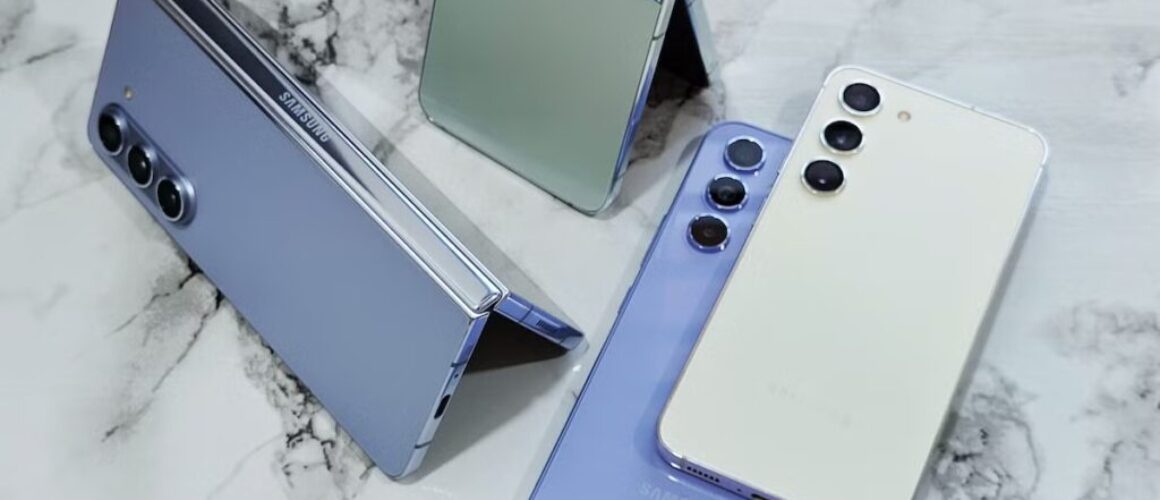
Nothing kills your day like a Samsung that suddenly can’t make calls, send texts, or use mobile data. You look at the screen and there it is, Samsung SIM not recognised, even though the SIM hasn’t moved in months.
The good news is that a “No SIM” message often comes down to a simple fit, a dirty contact, a network setting, or a software wobble. Before you pay for a Samsung Phone repair, it’s worth running through a few checks that solve a big chunk of these cases.
I’m James Waterston from Repair My Crack, and below are the fixes I’d try at the bench, in plain English, before we talk repairs.
Why your Samsung says “SIM not recognised” in the first place
A SIM connection is basic, but it’s picky. Your phone needs clean contact points, a snug fit in the tray, and a working SIM reader. If any part of that chain slips, Android throws the error.
Here are the common causes I see in the UK:
The SIM isn’t seated properly: It happens after a drop, or after swapping SIMs in a hurry.
Grime or oxidation on the SIM: Pocket lint is undefeated. A tiny film on the gold contacts can break the connection.
A worn SIM tray or bent SIM: Slight warping can stop the contacts meeting evenly.
Network or software settings: Updates, roaming settings, or a corrupted network profile can trigger a “No SIM” message.
Carrier issues or SIM activation: Sometimes the SIM is fine, but the account is paused, barred, or mid-transfer.
Hardware damage: A damaged SIM reader, liquid ingress, or board-level fault (more likely after water exposure).
Samsung SIM not recognised: quick UK fixes to try at home (in order)
Do these in order, because each step rules out a different cause. Keep it calm and don’t force the tray. If it doesn’t feel right, stop.
Restart the phone
A reboot clears a lot of temporary network hiccups. If it’s a Samsung that’s frozen, use the power and volume-down button combo.
Check Airplane mode and mobile data
Toggle Airplane mode on for 10 seconds, then off. Also check mobile data is enabled.
Reseat the SIM (properly)
Power the phone off, remove the tray, lift the SIM out, then place it back flat. Make sure it sits flush in the tray cut-out.
Clean the SIM gently
Wipe the gold contacts with a dry, soft cloth. Avoid liquids. Don’t scrape it with anything sharp.
Try a different SIM in your phone
If another working SIM is recognised, your SIM may be the issue. If no SIM works, your phone likely is.
Try your SIM in another phone
If your SIM fails in a second handset, call your network and ask for a replacement SIM (or an eSIM swap).
Reset network settings
This clears saved APNs, WiFi, and Bluetooth pairings. It often helps when calls and data fail together.
Check for software updates
Updates can fix modem and connectivity bugs. Install any pending updates, then restart again.
If the SIM tray feels tight or “gritty”, don’t ram it home. Forcing it can damage the SIM reader, and that turns a quick fix into a repair.
Here’s a quick way to match the symptom to the most likely cause:
What you see
What it often means
What to do next
“No SIM” after a drop
Tray shifted, contacts not meeting
Power off, reseat SIM, inspect tray
SIM works sometimes
Dirty SIM, worn tray, weak reader
Clean SIM, try another SIM, book diagnostics
SIM works in other phone
Phone-side issue
Reset network settings, then consider repair
No SIMs work at all
SIM reader or board fault
Stop testing, arrange a technician check
When it’s probably hardware (and what we do in a Samsung phone repair)
If you’ve tried two known-good SIMs and your Samsung still won’t read either, you’re usually looking at a hardware fault. In the workshop, that tends to be one of these:
Damaged SIM reader (common after impact)
Liquid damage (even “a tiny splash” can creep)
Board-level issues (less common, but it happens)
At that point, it’s not guesswork time. It’s inspection and diagnostics time. We’ll check the tray alignment, inspect the SIM reader, and look for signs of corrosion. If liquid is involved, you may also need a water damaged phone repair UK service rather than a simple parts swap.
People often come in for one issue and mention another. It’s normal. If your handset also needs broken charging port repair or phone not charging repair, we can sort that alongside SIM diagnostics. The same goes for screens and batteries, because life happens: cracked screen repair UK, phone battery replacement UK, and the usual “it died by 2pm” battery complaint.
We’re also not iPhone-only or Samsung-only. Our bench sees plenty of iPhone repairs, from iPhone screen replacement (if you’re trying to fix cracked iPhone screen) to iPhone battery replacement. Customers regularly ask about alternatives to Apple Store screen repair UK, especially when they want a fast turnaround and a sensible quote.
For price expectations, I keep it honest: iPhone screen replacement cost UK and Samsung screen replacement cost UK vary by model (and whether it’s OLED). If you’re wondering is it worth repairing a cracked iPhone screen, it often is, as long as the phone’s otherwise healthy.
Local in Essex or anywhere in the UK: booking a repair without the faff
If you’re local, we handle mobile phone repairs Essex, including phone screen repair Essex, iPhone repair Essex, iPhone screen repair Essex, Samsung phone repair Essex, and Samsung screen repair Essex. If you’re not nearby, we can still help with mobile phone repair UK jobs using postal phone repair UK options, in other words phone repair by post UK.
The basic flow is simple: book online at Repair My Crack phone repair, package the device securely, include your order number, and send it in. We aim to start work as soon as it arrives, often the same day.
Businesses also use us when downtime costs money. We cover: business mobile phone repairs UK. business laptop and tablet repairs. trusted phone repair service UK.
On warranties, always read the terms. Many people search for phone repair with warranty UK or even lifetime warranty phone repairs. In real life, warranty length depends on the repair and parts, so we’ll always be clear before you go ahead.
Quick FAQ (the questions I hear at the counter)
Will a new SIM fix “Samsung SIM not recognised”?
Sometimes, yes. If your SIM fails in another phone, get a replacement from your network first.
How long does phone screen repair take UK?
In many cases it’s same-day, depending on model and parts availability. If you post it in, add delivery time.
Can I lose data while fixing a SIM issue?
Reseating and network resets won’t wipe photos. A factory reset can, so back up before you go that far.
Do you do iPhone battery replacement Essex too?
Yes, we do iPhone battery replacement Essex and battery work across the UK.
The takeaway if your Samsung SIM isn’t recognised
Most “No SIM” faults are either a seating issue or a settings issue, so the home checks are worth your time. If Samsung SIM not recognised persists after testing with a second SIM, it’s sensible to stop poking and get it diagnosed properly.
If you want a hand, book in with us at Repair My Crack for Samsung Repairs or any of the usual fixes, and we’ll get you sorted with affordable phone repairs UK and a clear warranty on the work. People often find us by searching “Repair My Crack reviews. best phone repair shop in Essex“, and we work hard to earn that trust.
– James Waterston, Device Repair Specialist at Repair My Crack
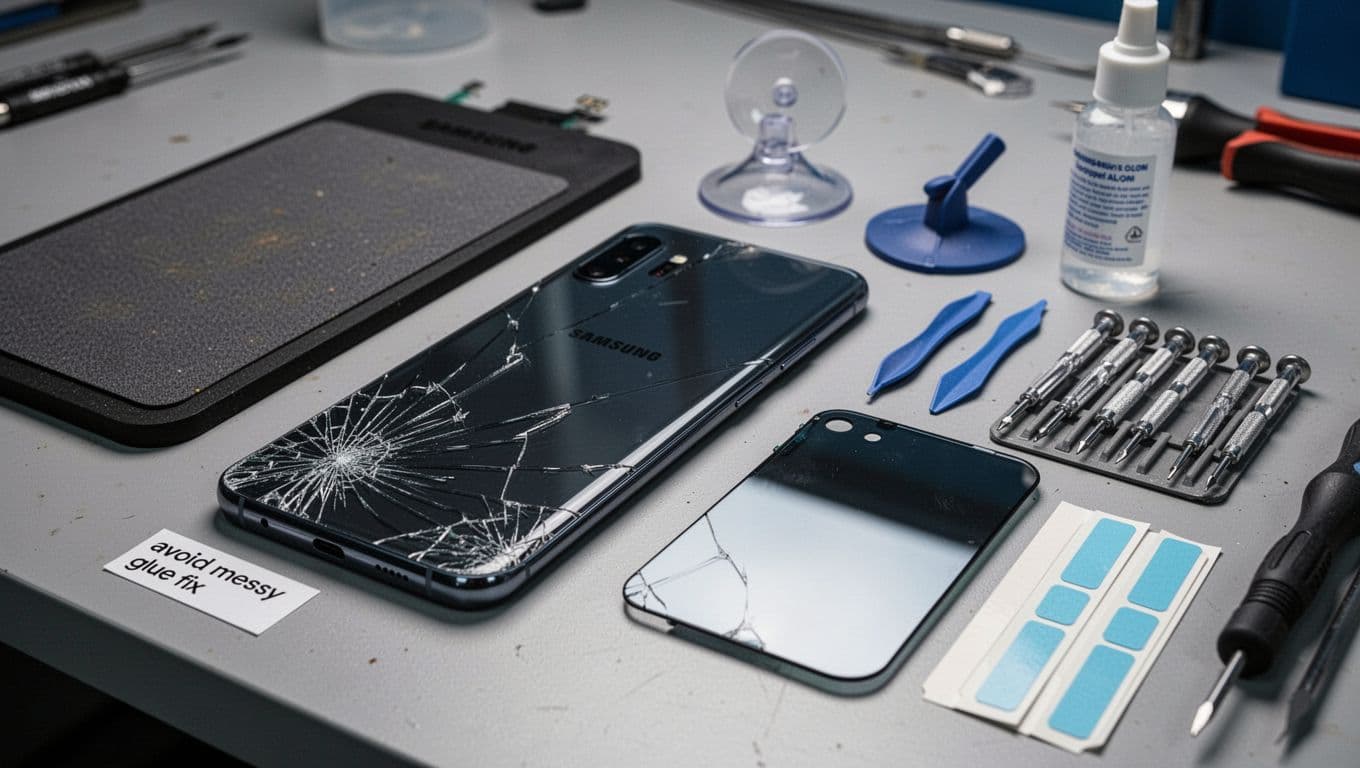
That sickening moment when your Samsung lands back-first on a kerb, you pick it up, and the rear glass has turned into a spiderweb. In 2026, I see it daily, cracked backs on Galaxy S and A models, and foldables too.
Here’s the straight answer: a proper Samsung back glass repair is usually worth it, because it restores the phone’s structure, stops shards and dust getting in, and avoids the “sticky, wonky” look you get with cheap glue jobs. The key is knowing what a real repair replaces, what it doesn’t, and what you should pay in the UK.
I’m James Waterston from Repair My Crack, and below is what I’d tell you over the counter before you spend a penny.
What a proper Samsung back glass repair actually replaces (and why it matters)
Cracked back glass and the proper tools for a clean replacement, created with AI.
A “proper” back glass job is not just sticking the old panel down again. Done correctly, we remove the shattered panel, clean the frame, and fit a replacement back glass panel that sits flush and seals evenly.
What gets replaced in a proper job
In most Samsung back glass repair bookings, we replace:
The rear glass panel itself (colour-matched where possible).
The adhesive that bonds the glass to the frame (old adhesive gets removed, not layered over).
Any rear camera lens covers or trims that are cracked (model-dependent).
The fiddly bit is the clean-up. If tiny glass pieces are left behind, you can end up with high spots, poor bonding, or gaps that invite pocket fluff and moisture. A decent shop will also check that wireless charging and NFC still behave, because the back area is where those components live.
If you want a quick reference of how some services describe back glass replacement, have a look at this example of a Galaxy S24 back glass replacement service, the description matches what most reputable repair benches aim to do.
A quick reality check on water resistance
After any back glass replacement, treat the phone as splash-resistant at best, even if it had an IP rating when new. Seals and adhesives can be excellent, but factory waterproofing is hard to recreate perfectly in the real world.
Typical UK costs in 2026 (and why quotes vary so much)
A before-and-after look at back glass replacement results, created with AI.
For most mainstream Galaxy models in the UK right now, back glass repairs tend to sit in a fairly sensible range. In 2026, many shops price standard models lower than people expect, while foldables are still the wallet-wincing exception.
Here’s a realistic guide for walk-in or mail-in services:
Phone type (example)
Typical UK price (2026)
Notes
Galaxy S series (recent)
£59 to £109
Parts quality and warranty affect the quote
Galaxy A series
£49 to £99
Often cheaper parts, but still needs careful fitting
Older Galaxy S models
£39 to £79
Plenty of parts availability keeps prices down
Z Flip / Z Fold
£199+
More risk, more labour, pricier parts
Why the spread? You’re paying for three things: the part (genuine vs compatible), the time (clean removal takes patience), and the comeback risk (a shop offering phone repair with warranty UK builds that into pricing).
Back glass is also miles cheaper than front screens. The Samsung screen replacement cost UK is usually far higher because you’re dealing with the display, touch layer, and in many cases OLED. For iPhones, it’s similar, the iPhone screen replacement cost UK can vary widely by model, and “cheap” often means compromises. That’s why people search alternatives to Apple Store screen repair UK when they want a reliable fix without premium pricing.
For another example of back glass pricing structure, this Samsung Galaxy S23 back glass repair page shows how many services present the repair as a straightforward replacement, rather than a glue patch.
How to avoid the messy glue fix (and choose a repair that won’t bite you later)
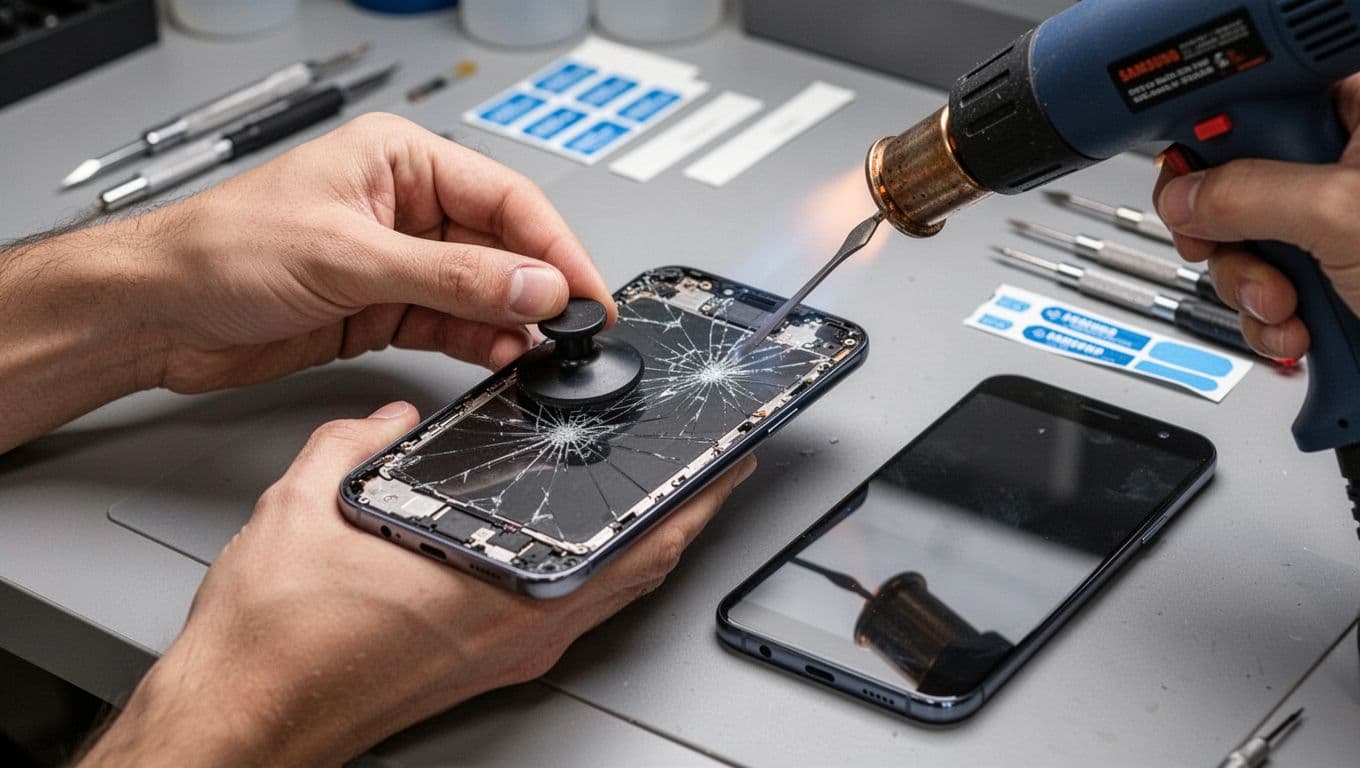
Removing shattered back glass safely with heat and lifting tools, created with AI.
A messy glue fix is tempting because it feels like a quick win: squeeze adhesive into cracks, press down, done. The problem is it’s like repairing a cracked mug with superglue, it might hold, but you won’t want to drink from it.
Here’s what we see after DIY glue attempts: cloudy camera lenses, glue creeping into buttons, uneven backs that snag on pockets, and glass that pops off a week later. Worst case, glue and heat can make later repairs harder, and that can push costs up.
What to do right after the back glass cracks
Keep it simple:
Wipe off loose shards carefully, then tape over the back (clear packing tape works in a pinch).
Put the phone in a case to stop more chipping.
Back up your data.
Keep it away from rain and steamy bathrooms.
If the phone is already acting odd, don’t ignore it. We often get “simple” crack jobs that turn into water damaged phone repair UK because moisture crept in through a gap.
Picking the right repair route (Essex or post)
If you’re local, we handle mobile phone repairs Essex, including phone screen repair Essex, plus back glass. For Apple customers we do iPhone repair Essex and iPhone screen repair Essex, and for Samsung owners it’s Samsung phone repair Essex and Samsung screen repair Essex as well.
If you’re not nearby, our postal phone repair UK service is built for it. Book online, pack the device securely with your order number, then use our phone repair by post UK process so we can start as soon as it arrives (often the same day).
We’re not just a one-trick glass shop either. On a typical week we do iPhone repairs, Samsung Phone repair, and Samsung Repairs alongside iPhone battery replacement, iPhone battery replacement Essex, and general phone battery replacement UK jobs. We also see plenty of charging faults, broken charging port repair requests, and the classic phone not charging repair panic.
For battery advice (especially if your Samsung is draining fast or swelling), this Samsung battery replacement guide gives a decent overview of symptoms and timing.
A lot of customers find us by searching “Repair My Crack phone repair” or even “Repair My Crack reviews. best phone repair shop in Essex”. If you’re doing the same, start here: Repair My Crack.
Quick answers we hear all the time
“Can you fix cracked iPhone screen too?” Yes. People ask “is it worth repairing a cracked iPhone screen” all the time, and in most cases it is, because a good iPhone screen replacement keeps the phone usable and helps resale value.
“How long does phone screen repair take UK?” It depends on model and part availability, but many common repairs are same-day once the device is with us. Postals add transit time, of course.
Final word
A cracked back isn’t just cosmetic, it’s an open door for dirt and moisture. A clean Samsung back glass repair replaces the glass and adhesive properly, fits flush, and keeps your phone feeling solid, without the sticky mess.
If you want it sorted quickly, book online and either pop in (if you’re local) or send it in via our postal service, we’ll aim to get you back up and running fast, with proper parts and affordable phone repairs UK options.
– James Waterston, Device Repair Specialist at Repair My Crack
If your Samsung Galaxy Fold (Z Fold 4, 5, 6 and friends) suddenly won’t close flat, you’re not alone. One day it shuts like a book, the next it stops short and leaves a little gap, like it’s sulking.
Here’s the bottom line: don’t force it. A Fold hinge is clever, but it isn’t stubborn-proof. In most cases, a proper inspection and the right repair option will get you sorted, whether that’s warranty, a specialist Galaxy Z Fold hinge repair UK service, or a safe postal repair.
I’m James Waterston, and at Repair My Crack we see this fault a lot alongside everyday jobs like Samsung Phone repair, Samsung Repairs, iPhone repairs, and the classic iPhone screen replacement that always seems to happen right before a big night out.
What “not closing flat” usually means on a Galaxy Fold hinge
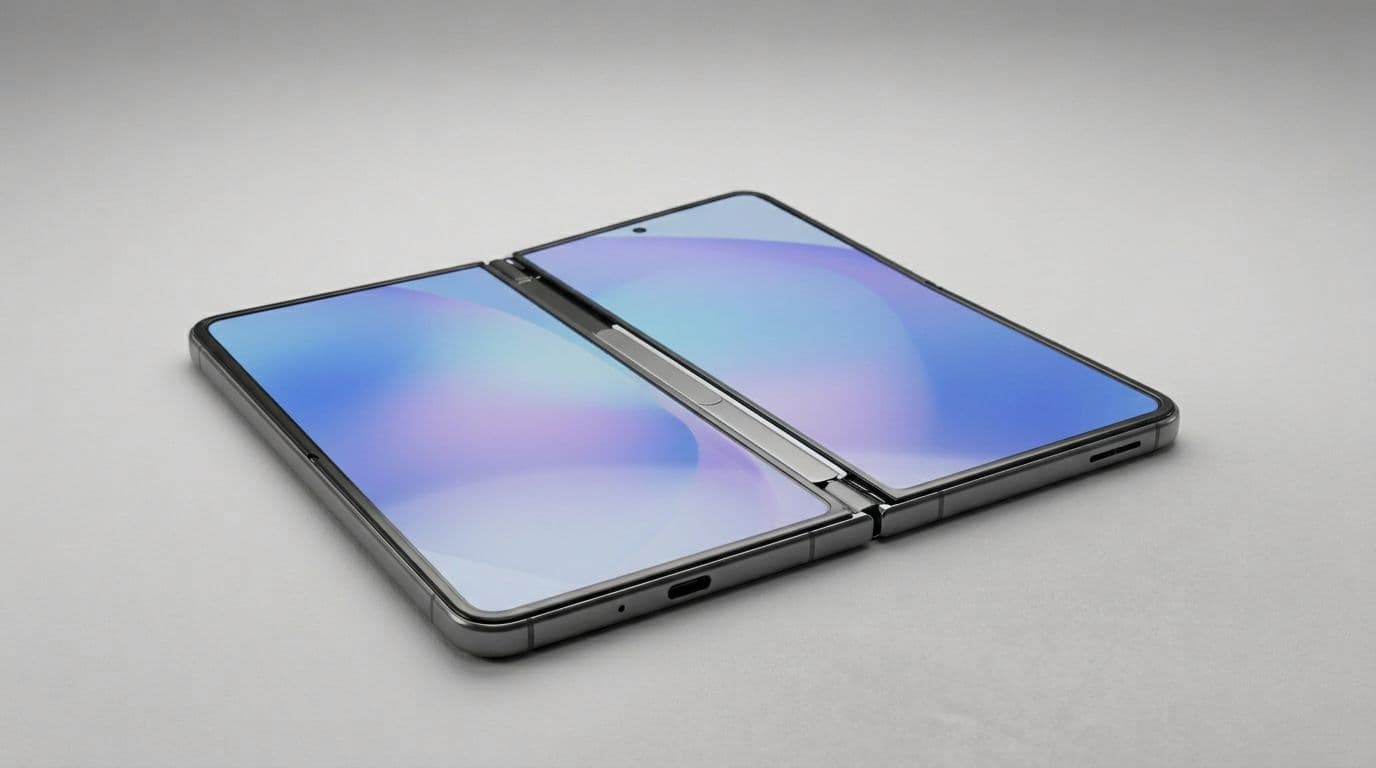
An example of a foldable phone that stops short and won’t fully close flat, created with AI.
A Fold that won’t close flat is normally caused by one of three things:
1) Debris in the hinge area
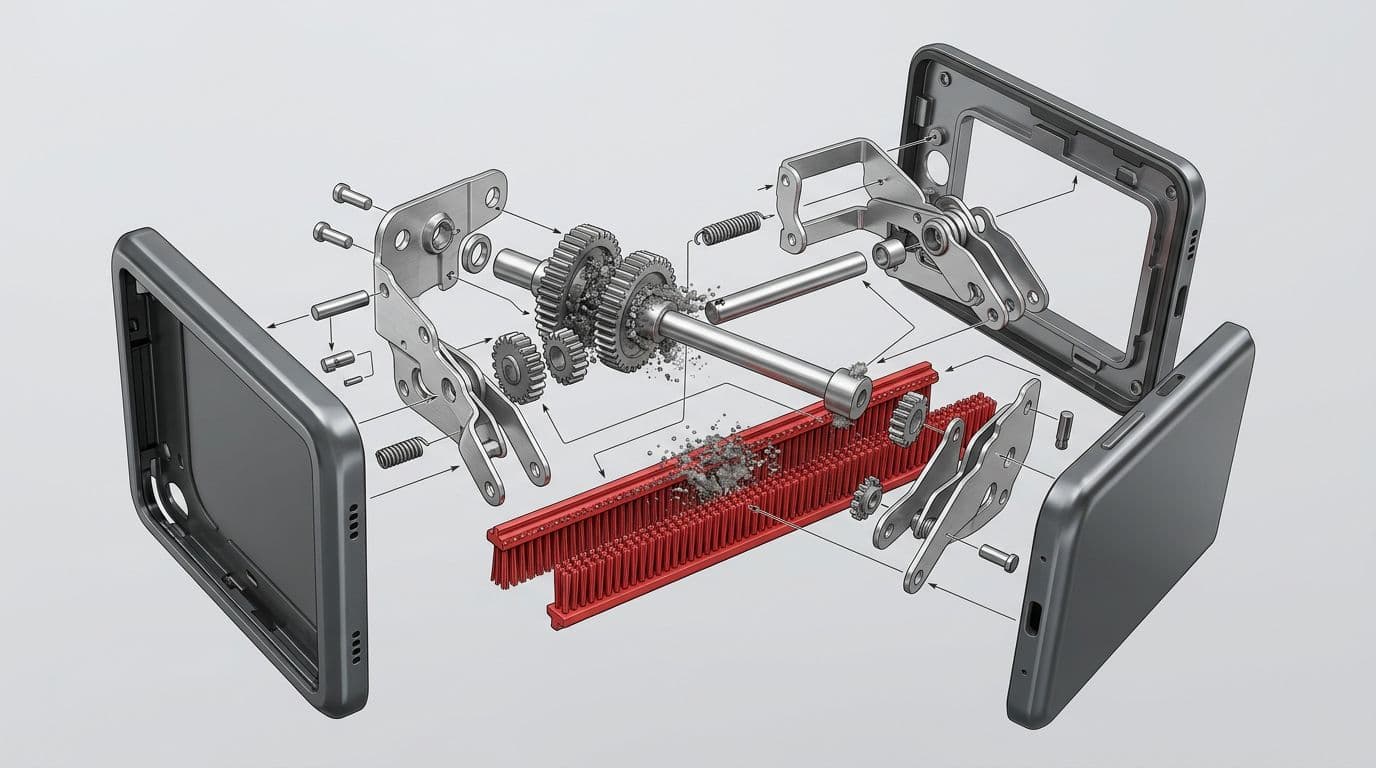
Pocket fluff, grit, makeup powder, and tiny bits of everyday life can work their way in. The hinge has brushes and tight tolerances, so it doesn’t take much to change how it folds.
2) Impact or twist damage
A drop can knock things out of alignment even when the screens look fine. Sometimes the phone lands on a corner, the frame shifts slightly, and the hinge can’t complete its full range.
3) Internal wear, or a damaged mechanism
With time, parts can wear. If the hinge “catches”, feels rough, or makes new noises, that points to a mechanical issue rather than a simple blockage.
If your Fold stops at about 170 to 175 degrees, treat it like a warning light, not a challenge.
This is also why hinge faults can overlap with screen issues. On some jobs, what looks like a hinge problem turns out to be a frame bend affecting the inner display, and then you’re into bigger-ticket repairs like inner screen work.
Safe checks you can do at home (without turning a small issue into a big one)
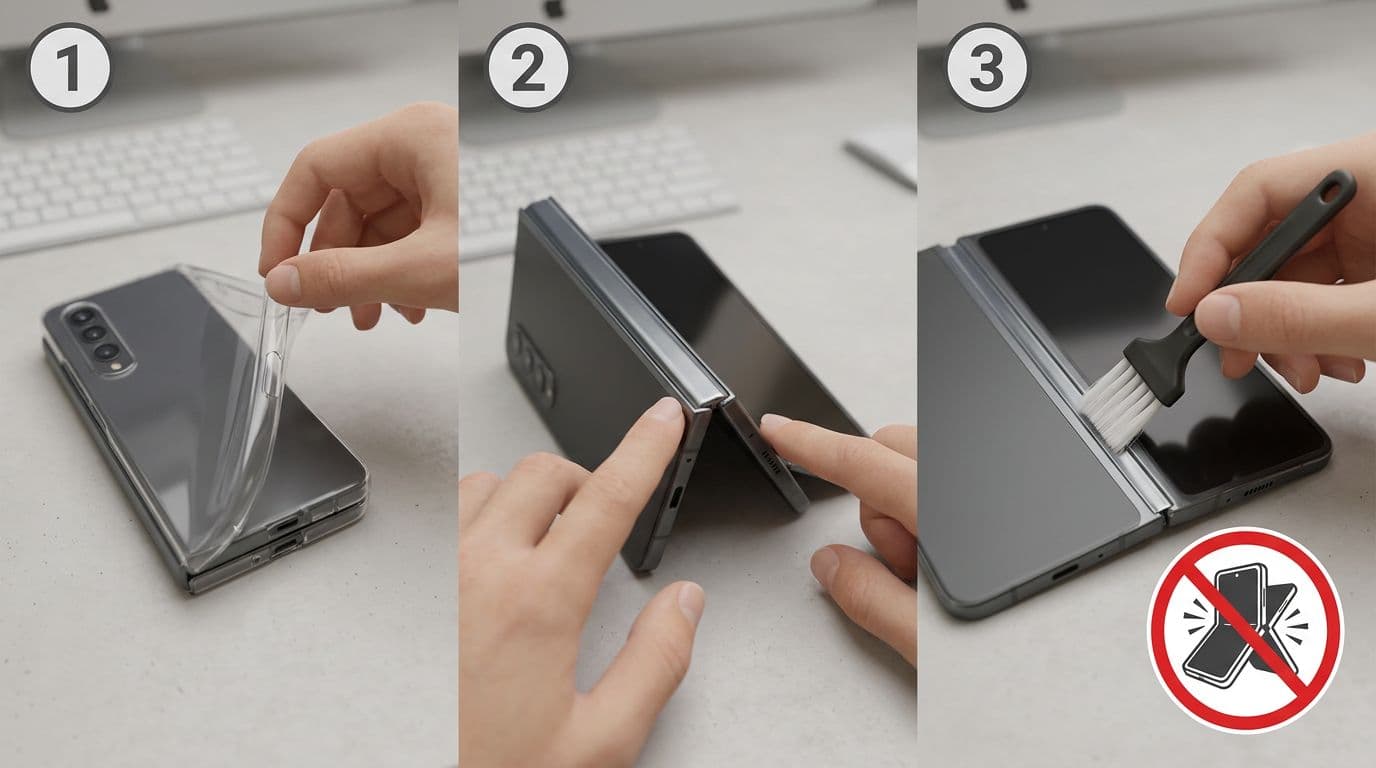
Simple safe checks you can do before booking a repair, created with AI.
A quick bit of troubleshooting can help, as long as you keep it gentle. Here’s what I’d do at the counter, and what you can do at home.
First, remove the case. Some cases press on the hinge or snag the edge when closing. It sounds obvious, but it catches people out.
Next, check the hinge area in good light. If you can see debris, use a soft, clean brush (think camera brush or a brand-new soft toothbrush) and sweep away from the hinge. Don’t poke into gaps, and don’t use metal tools.
After that, fold the phone slowly. Listen for clicks, grinding, or a “springy” feel. Stop if it feels wrong. Forcing it is how a hinge issue becomes an inner screen issue.
Avoid compressed air down the hinge. It can push grit deeper. Also skip liquids and sprays. If you’re dealing with moisture too, that’s a different job, and water damaged phone repair UK needs proper diagnostics.
If you rely on the phone for work, back it up now. A hinge repair is still a repair, and it’s always best to protect your data before any mobile phone repair UK service.
Galaxy Z Fold hinge repair UK options (and realistic cost expectations)
An exploded-style look at the kind of hinge areas where blockages can happen, created with AI.
In March 2026, there still isn’t a neat public price list for hinge-only repairs across the UK. Costs depend on model, damage, and whether the inner screen or frame is involved. In the real world, hinge repairs are often bundled into larger assemblies.
Here’s a practical comparison to help you choose.
Repair route
Best for
Typical UK price reality
Main trade-off
Samsung (warranty or paid service)
Newer devices, insurance, peace of mind
Can be high out of warranty, sometimes £600+ reported when hinge and inner assembly are involved
Stricter checks for impact marks, turnaround can vary
Independent specialist (in-person)
Faster turnaround, hinge-focused experience
Often similar to inner screen pricing if assembly is required, commonly £529 to £630 for inner display level work
Quality varies, ask about parts and warranty
Postal repair
If you’re not near a fold specialist
Prices vary, but can be cheaper than replacing the phone
A quick note on related costs people ask us about daily: Samsung screen replacement cost UK can jump sharply on Folds because the inner display and hinge area are linked. The same goes for iPhones, where iPhone screen replacement cost UK depends on model and screen type.
Essex and UK-wide repair: how we handle Fold hinge faults at Repair My Crack
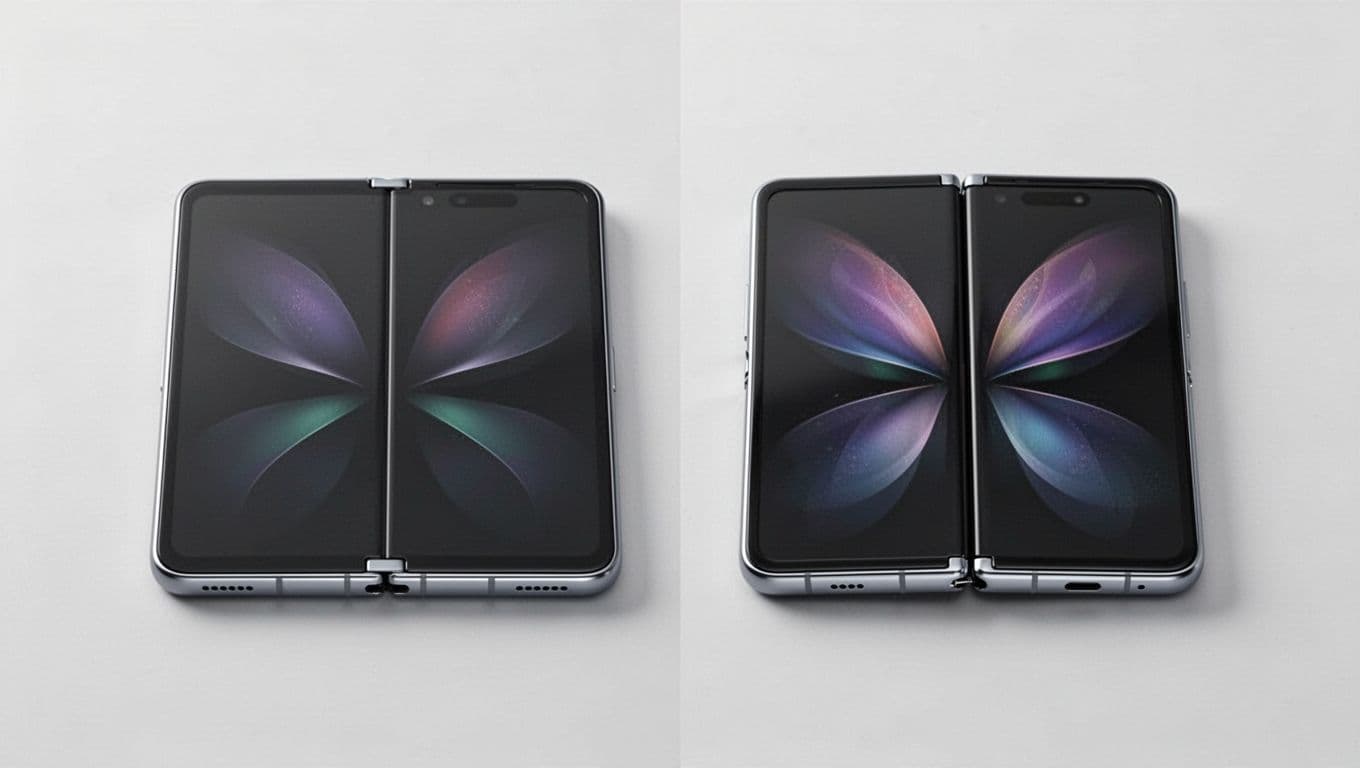
Side-by-side example of a Fold that closes flat versus one that doesn’t, created with AI.
At Repair My Crack, we treat hinge faults like we treat any complex repair: confirm the cause first, then quote properly. Sometimes it’s a clean-out and calibration. Other times it needs deeper work. Either way, we’ll explain what we’ve found in plain English.
We cover mobile phone repairs Essex and UK-wide customers through postal phone repair UK. People also find us by searching phone repair by post UK when they can’t get to a local shop.
We also fix plenty of non-fold problems every week, like broken charging port repair, phone not charging repair, and phone battery replacement UK jobs. If you’re in the area, we see lots of phone screen repair Essex, plus Samsung phone repair Essex and Samsung screen repair Essex bookings. On the Apple side, we do iPhone repair Essex, iPhone screen repair Essex, and iPhone battery replacement Essex all the time.
You’ll also want a warranty. Ask any shop what’s covered and for how long. Customers often search for phone repair with warranty UK, and you might even see lifetime warranty phone repairs advertised. That can be fine, but always check what “lifetime” actually means.
To book with us, head to Repair My Crack phone repair, place your order, then post the device securely with your order number. We aim to start work as soon as it arrives, often the same day.
Quick FAQ (the stuff people ask me at the counter)
Is it worth repairing a cracked iPhone screen?
For most people, yes. If the phone works well otherwise, is it worth repairing a cracked iPhone screen comes down to cost versus replacement. We can fix cracked iPhone screen damage quickly, and it’s usually far cheaper than a new handset. If you’re comparing alternatives to Apple Store screen repair UK, check warranty terms and part quality.
How long does phone screen repair take UK?
It depends on model and parts, but how long does phone screen repair take UK is often same-day for common iPhones and Samsungs. Fold jobs can take longer because diagnostics matter.
What if my Fold hinge fault came with a cracked screen?
Then you may be looking at cracked screen repair UK plus hinge work. On Folds, those two faults can be linked.
Do you repair business devices too?
Yes. We handle business mobile phone repairs UK. business laptop and tablet repairs. trusted phone repair service UK for teams who can’t afford downtime.
Conclusion
A Galaxy Fold that won’t close flat is annoying, but it’s usually fixable. The key is acting early, avoiding force, and choosing the right Galaxy Z Fold hinge repair UK route for your budget and timeline.
If you’re stuck, book online and send it in, we’ll inspect it properly and talk you through the options, no drama. People often look up Repair My Crack reviews. best phone repair shop in Essex before posting a device, and that’s a sensible move. When you’re ready, we’ll get your Fold folding properly again.
– James Waterston, Device Repair Specialist at Repair My Crack
Is Samsung Phone Repair Safe? A Complete Guide to Protecting Your Data and Device
Sending your Samsung phone for repair might feel like a leap of faith, especially when it involves personal data. While most repair centres operate with integrity, data breaches during the repair process aren’t unheard of. With photos, messages, and personal files stored on your device, the possibility of privacy risks is enough to raise concerns. Thankfully, with the right precautions—like backing up data, enabling maintenance mode, or performing a factory reset—you can protect your information while getting your Samsung Screen repair or other repairs done. Before you hand over your phone, it’s worth understanding the steps that safeguard both your data and your device.
The Rise in Samsung Screen Repair and Phone Repair Services
Smartphones are a staple of modern life, and Samsung phones are no exception. Over time, wear and tear, accidents, and software glitches make repairs inevitable. There’s been a growing demand for Samsung screen repair and phone repair services, driven by multiple reasons. People today are looking for sustainable options, cost savings, and convenience over simply discarding and replacing their phones. Here’s what you need to know to find out if your Samsung Phone repair is safe.
Why Opt for Samsung Repairs?
Why do so many people now turn to repairs instead of purchasing a new phone? For starters, getting your Samsung screen repair is often far more cost-effective than splurging on a new device. Many users suffer from sticker shock when they realise just how expensive flagship smartphones have become. Repairs offer a budget-friendly alternative without compromising the usability of your device.
Environmental concerns also play a key role. Opting to repair rather than replace aligns with sustainable living. E-waste is a mounting global challenge, with used phones often ending up in landfills. By choosing a Samsung screen repair, you contribute to reducing waste and extending the lifecycle of your tech devices.
Additionally, the sheer convenience and professional services available at designated Samsung repair centres make repairs straightforward. Services like Samsung’s authorised repair centres provide expert technicians who use genuine Samsung parts, ensuring your device is good as new post-repair.
Common Issues Requiring Samsung Screen Repair
Samsung owners often find themselves urgently reaching for repair services due to common problems, many of which are avoidable yet all too familiar:
Cracked Screens: Accidental drops often lead to shattered or severely damaged displays. Today’s Super AMOLED screens, while stunning, are particularly fragile.
Battery Degradation: Over time, you may notice your Samsung battery losing its ability to hold charge. This is a natural consequence of consistent use.
Software Malfunctions: Performance issues, lags, or apps crashing unexpectedly can often be resolved with a software repair or restoration.
Charging Problems: Issues with charging ports, or phones not charging at all, also drive people to seek professional Samsung repairs.
The good news? Swift and reliable services like Samsung Screen Repair at Timpson phone repairs are equipped to handle these issues efficiently, ensuring you don’t have to live without your phone for long.
Official vs Third-Party Samsung Repairs
When it comes to addressing these issues, there’s often a debate between opting for Samsung-authorised repair centresversus visiting independent third-party repair shops. Each option has its pros and cons.
Official Repair Centres: Choosing an authorised centre, such as Samsung Repair, means you’ll be dealing with Samsung-trained professionals who use genuine parts. You maintain your phone’s warranty (if it’s still covered), and repairs are performed to Samsung’s quality standards. However, this often comes with higher costs and potentially longer waiting periods.
Third-Party Repair Shops: Independent repair stores, like Fix My Broken Screen, offer cost-effective solutions and faster service. These services are ideal if you’re out of warranty or trying to save money. The risk? Lower-quality parts or technicians without specialised Samsung training, which could impact your phone’s performance or longevity.
Ultimately, the choice depends on your priorities. If warranty and genuine replacement parts are high on your list, an authorised repair centre is the way to go. Looking to save cash while tackling a straightforward issue? A reputable third-party repair shop could be a good alternative.
Your phone is your life organiser, sometimes even an extension of you. Whether you’re fixing a shattered screen or repairing that battery that dies before lunchtime, there’s a repair service out there to get your Samsung screen repair and your phone back to looking and performing its best.
Understanding Data Risks During Repairs
When sending your phone for repair, the safety of your personal information is a major concern. Your photos, messages, and sensitive details remain on the device, but ensuring they’re out of reach from prying eyes can sometimes feel challenging. Let’s break down the potential risks and how you can safeguard your data during repairs.
The Threats of Data Breaches
Have you ever wondered what happens to your phone once it’s handed over for repair? There have been real-world cases where technicians were found browsing through private files. A striking example involved a woman whose private photos were accessed and leaked by repair staff.
According to a Cisometric report, repair shops may inadvertently or intentionally breach privacy. Technicians are often given access to your data under circumstances that are hard to control. The danger lies not only in the malicious misuses of photos or texts but also in sensitive data like banking details falling into the wrong hands.
Taking precautions is crucial. While many repair services take pride in maintaining professional standards, the risk of data leaks cannot be ignored.
Samsung’s Maintenance Mode: How It Protects Your Data
For Samsung phone users, the brand has integrated a clever solution: Maintenance Mode, available on devices running One UI 5 or higher. Activating this feature places your phone in a secure environment, which hides personal data from repair technicians.
In Maintenance Mode, essential phone functions are still accessible for diagnostics, but technicians won’t be able to view your photos, messages, or even app data. This ensures privacy without interrupting the repair process. Learn more about using this feature through Samsung’s guide. It’s a highly effective way to leave your phone safely in someone else’s hands.
Steps to Back Up and Secure Your Data
Before sending your Samsung phone for repair, one of the most crucial steps is creating a backup. Not only does this protect your data in case of accidental erasure during the repair, but it also helps you restore your phone seamlessly afterward. Here’s how to do it:
Samsung Smart Switch: Use this app to back up your data to a computer or another device. It’s user-friendly and works perfectly with Samsung phones. Instructions can be found via the official guide.
Google One: If you prefer cloud storage, enable automatic backups through Google One. Data like photos, contacts, and app history can be stored securely on your Google account. Find out more on Google Support.
Micro SD Cards: For older Samsung models with expandable storage, transferring files to an SD card is a straightforward solution. This physical backup method guarantees data is safely stored away from the device.
Taking these precautions means that even if data is wiped during the repair process, you’re fully prepared to restore it.
Should You Perform a Factory Reset?
A factory reset is another step to ensure no personal information is accessible to repair technicians. When your phone is reset, it wipes all data, restoring it to its original settings. But is it always necessary?
The decision depends on the repair type. If the issue involves hardware and doesn’t affect the software, a reset may not be required. However, for any repair that involves system tools or analysis, it’s safer to reset the device.
To perform a factory reset:
Back up all your data first (see methods above).
Go to Settings > General Management > Reset > Factory Data Reset.
Follow the prompts, and your Samsung phone will be restored to default settings.
For detailed guidance on when and why to reset, refer to expert recommendations in this article. Remember, protecting your data often outweighs the minor inconvenience of starting fresh.
With these precautions in place, sending your phone for repair can be a worry-free experience. Make informed choices and use the tools at your disposal to keep your data secure.
Preparing Your Samsung Phone for Repair
When preparing to send your Samsung phone for repair, it’s essential to take the necessary precautions to protect your personal information and ensure your device arrives safely. Whether visiting an authorised centre or opting for mail-in service, these steps help safeguard your device and data.
Removing SIM and eSIM Profiles
Start by removing your physical SIM card and deactivating any eSIM profiles from your device. This simple but crucial step prevents your mobile number from being exploited while it’s out of your hands. SIM cards store personal data, including your contact list and messages, which could be accessed if left in the phone.
To safely deactivate your eSIM on a Samsung device:
Navigate to Settings > Connections > SIM Card Manager.
Select your eSIM and tap Remove or Disable.
Power off your device and eject the physical SIM card.
This ensures your connectivity profile stays secure. For detailed guidance, visit Samsung Support’s article.
Packaging Tips for Shipping Repairs
If you’re sending your phone for mail-in repair, proper packaging is vital to avoid damage in transit. Samsung recommends the following steps to secure your device:
Use the Original Box: Whenever possible, pack the phone in its original packaging. These boxes are designed to provide maximum safety for the device.
Add Cushioning: Place foam, bubble wrap, or soft padding around the device to minimise impact.
Avoid Loose Accessories: Remove cables, chargers, and cases. Only send additional items if requested explicitly by the repair service.
Seal the Package Securely: Use durable packing tape and double-check that the box won’t open accidentally.
For peace of mind, consider using shipping services that offer tracking and insurance. You can learn more through Repair My Crack.
Choosing Reliable Samsung Repair Centres
Selecting the right repair centre can make all the difference. Choosing Samsung-authorised centres ensures you’ll receive expert service and genuine replacement parts that won’t compromise your device’s performance.
Key factors to consider include:
Authorisation Status: Opt for Samsung-authorised service providers like Samsung Repair. They employ certified technicians trained to handle Samsung devices specifically.
Warranty Protection: Engaging unauthorised centres could void your device’s warranty. Stick to recognised names for repairs covered under warranty.
Customer Reviews: Research centres with high ratings and reviews. Sites like Samsung King’s Cross London are trusted options with positive feedback.
Location Flexibility: Some services, like Samsung Repair UK, provide mobile workshops, letting you book repairs at your home or workplace.
Choosing a reliable repair centre reduces the risk of further problems and guarantees a smooth repair experience. By taking these precautions, you can rest assured your Samsung phone is in safe hands.
Should You Repair or Replace Your Phone?
For many, a broken phone feels like an extension of ourselves out of commission. But when that screen cracks or the battery fails, the big question looms: should you repair or replace your device? It’s a tough decision influenced by price, the environment, and how long repairs can keep your phone running smoothly. Let’s break it down.
Cost Comparison: Repair vs Replacement
The cost of smartphone repairs varies depending on the issue and model. For Samsung phones, common issues like screen damage or battery degradation often fall into an affordable range when compared to the expense of purchasing a brand-new device.
For instance:
Screen Repairs: Cracked Samsung displays can cost between £79 to £250, depending on the model. High-end flagships like the Galaxy S series are on the pricier end. (Repair My Crack)
Battery Replacement: A degraded battery can often be replaced for £50–£100, a fraction of a new phone’s price.
Other Repairs: Issues like charging port repair or camera malfunction tend to range from £20 to £150, still more cost-effective than replacing your Samsung handset. (Support | Cracked Screen Repair)
By contrast, a brand-new Samsung Galaxy device will set you back anywhere from £700 to well over £1,000, which is a major financial commitment. For budget-conscious consumers or those who want to maximise their device’s lifespan, repair offers a clear advantage.
Switching to repair isn’t just about saving money; it also addresses other factors like sustainability and long-term usability, which we’ll explore below.
Environmental Impact of Repairs
Every time we toss out old tech to replace it, we contribute to a growing e-waste issue. Did you know that over 50 million tonnes of e-waste are produced globally each year? When you repair your Samsung device instead of replacing it, you’re actively reducing your carbon footprint. (The Environmental Benefits of Repair)
Here’s how repairing helps:
Reduced E-Waste: Many replaced devices end up in landfills, where toxic components pollute the soil and water. Repairs extend your phone’s lifecycle, keeping it out of the trash.
Resource Efficiency: Producing a new phone requires massive amounts of water, energy, and rare minerals like cobalt and lithium. Opting for repair decreases demand for new resources. (The Hidden Environmental Impact of Our Smartphones)
Sustainability: Choosing to repair your phone aligns with a circular economy model, promoting reuse and longevity over single-use consumption. (Phone Repair vs. Replacement)
Repairing your Samsung phone isn’t just better for your wallet, it’s a stand against unsustainable consumption patterns contributing to environmental degradation.
Longevity After Repairs
A common concern is whether a repaired phone will hold up as well as a brand-new one. The truth? It often depends on the quality of repair and the components used.
Authorised Repairs: Opting for Samsung-authorised service centres ensures your phone is repaired with genuine parts, restoring functionality to near-new condition. Repairs done correctly can leave your device running just as effectively as the day you bought it. (Samsung Repair UK)
Third-Party Repairs: While independent shops may offer cheaper solutions, choosing non-genuine parts can impact performance and reliability. Be sure to select reputable third-party centres with good reviews and skilled technicians.
Expected Lifespan: Studies have shown that repaired or refurbished phones can last between 3–5 years or more, particularly with proper care. (Durability and Reliability)
With advancements in repair techniques and the availability of quality parts, repairing your Samsung phone can deliver exceptional durability, often comparable to purchasing a new device.
Weighing Your Options
Whether repair or replacement is the right choice ultimately boils down to your priorities. Repairs are affordable, eco-conscious, and often restore your phone to full working order. By investing in reputable services and taking care of your refurbished device, you’ll keep it running beautifully—saving money and the planet in the process.
Conclusion
Protection and awareness are key when sending your Samsung phone for repair. While the process is generally safe, understanding potential risks ensures you’re prepared. From backing up data to using features like Samsung’s Maintenance Mode, small steps can shield your personal information and give you peace of mind.
Repairs offer a cost-effective and sustainable alternative to replacing your device, especially when handled by reliable repair services like Samsung Repair or Repair My Crack. Choose services that prioritise professionalism and authenticity, and don’t compromise on quality.
Ultimately, the decision boils down to preparation. Secure your data, pick a trusted repair provider, and rest easy knowing your phone—and privacy—are in good hands. This means your Samsung Phone repair is Safe no matter what. What steps will you take before your next repair?
By continuing to browse our site, you agree to the use of our cookies.
This website uses cookies to improve your experience while you navigate through the website. Out of these, the cookies that are categorized as necessary are stored on your browser as they are essential for the working of basic functionalities of the website. We also use third-party cookies that help us analyze and understand how you use this website. These cookies will be stored in your browser only with your consent. You also have the option to opt-out of these cookies. But opting out of some of these cookies may affect your browsing experience.
Necessary cookies are absolutely essential for the website to function properly. These cookies ensure basic functionalities and security features of the website, anonymously.
Cookie
Duration
Description
cookielawinfo-checkbox-analytics
11 months
This cookie is set by GDPR Cookie Consent plugin. The cookie is used to store the user consent for the cookies in the category "Analytics".
cookielawinfo-checkbox-functional
11 months
The cookie is set by GDPR cookie consent to record the user consent for the cookies in the category "Functional".
cookielawinfo-checkbox-necessary
11 months
This cookie is set by GDPR Cookie Consent plugin. The cookies is used to store the user consent for the cookies in the category "Necessary".
cookielawinfo-checkbox-others
11 months
This cookie is set by GDPR Cookie Consent plugin. The cookie is used to store the user consent for the cookies in the category "Other.
cookielawinfo-checkbox-performance
11 months
This cookie is set by GDPR Cookie Consent plugin. The cookie is used to store the user consent for the cookies in the category "Performance".
viewed_cookie_policy
11 months
The cookie is set by the GDPR Cookie Consent plugin and is used to store whether or not user has consented to the use of cookies. It does not store any personal data.
Functional cookies help to perform certain functionalities like sharing the content of the website on social media platforms, collect feedbacks, and other third-party features.
Performance cookies are used to understand and analyze the key performance indexes of the website which helps in delivering a better user experience for the visitors.
Analytical cookies are used to understand how visitors interact with the website. These cookies help provide information on metrics the number of visitors, bounce rate, traffic source, etc.
Advertisement cookies are used to provide visitors with relevant ads and marketing campaigns. These cookies track visitors across websites and collect information to provide customized ads.