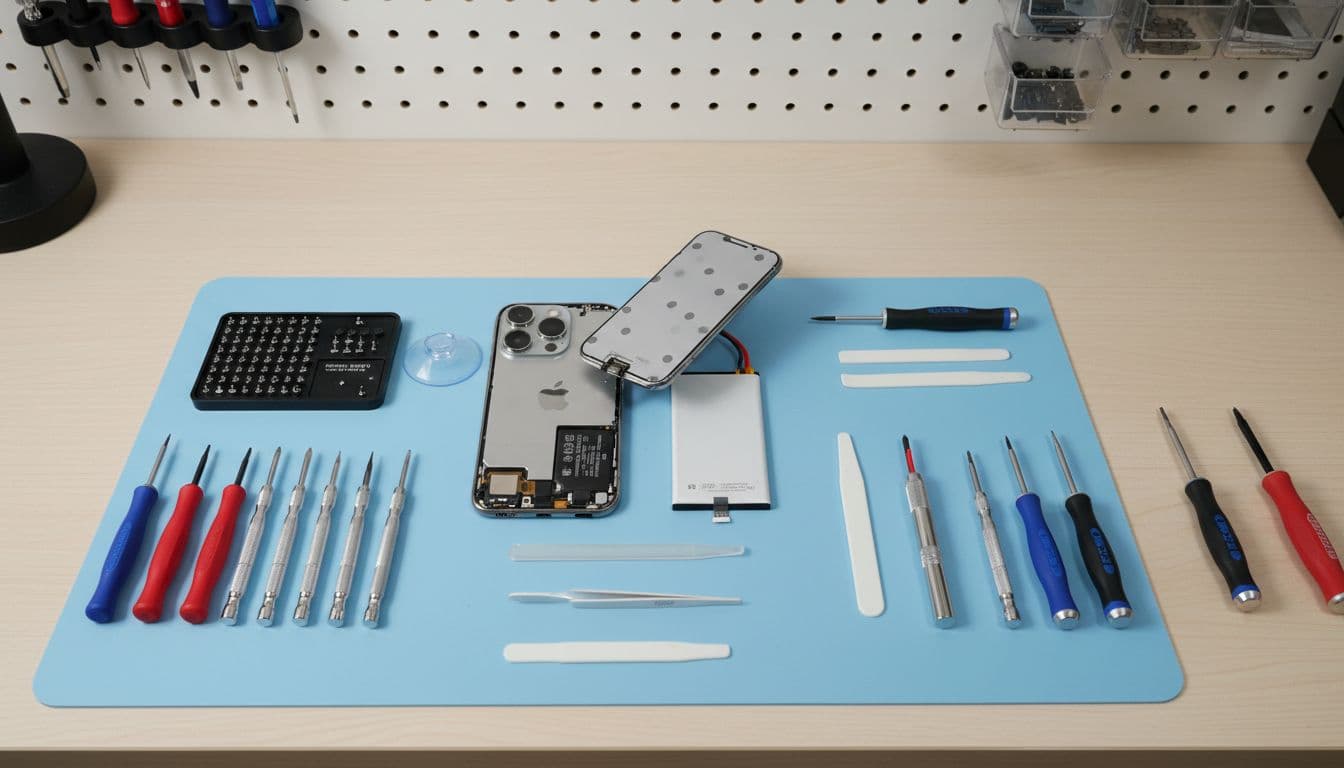
Dropped your iPhone and now MagSafe won’t snap on or charge? In most cases, a fall has shifted or damaged the charging coil, magnets, back glass, or the charger itself. The good news is that an iPhone MagSafe not working fault is often fixable, and it doesn’t always mean a new phone.
We see this after pocket-height drops, car park slips, and those sofa-to-tile accidents that somehow do the most damage. If cable charging still works, start with simple checks first, then treat MagSafe as a likely hardware issue.
Why iPhone MagSafe not working after a drop is usually a hardware problem
A MagSafe system is simple on the outside and fussy underneath. Your iPhone needs the magnets to line up, the wireless charging coil to sit flat, and the back of the phone to stay clean and uncracked. A drop can knock any of that out.
We often find one of four faults: a case now blocks contact, the charger cable took a hit, the back glass cracked around the ring, or the internal coil shifted. Sometimes the phone still charges by cable, yet MagSafe feels weak or drops in and out. That’s the classic clue.
If MagSafe stopped after impact but wired charging still works, we treat it as a likely drop-damage fault, not a random setting.
A fall can also bring friends along. The same impact may leave you needing common iPhone repair issues sorted, such as a charging port clean, back glass repair, or a bruised display. Plenty of customers first search for iPhone screen repair UK or cracked iPhone screen repair, then realise MagSafe failed on the same day.
Battery symptoms matter too. If the screen is lifting, the phone gets hot, or charge drops fast, mention that straight away. In those cases, iPhone battery replacement UK can become part of the job. We also repair Samsung devices every week, so the same kind of impact faults turn up in samsung phone repair UK bookings as well.
The checks we do first, before we open the phone
Before we reach for tools, we rule out the easy stuff. It saves time, and sometimes saves money too.
Remove the case and clean the phone back and charger with a dry microfibre cloth.
Test the iPhone with a cable. If it charges normally, the fault is MagSafe-specific.
Try another power adaptor or another MagSafe charger.
Force restart the phone, then check for the latest iOS update.
Test the charger on another compatible iPhone.
This quick table shows how we narrow it down:
Symptom
Likely cause
Best next step
No magnetic snap
Case, damaged magnets, cracked back glass
Remove case, inspect rear glass
Snaps on but won’t charge
Coil fault, charger fault, power adaptor issue
Test cable charging and another charger
Charges on and off
Misalignment, loose coil, damaged cable
Re-test without case, bench diagnosis
Gets warm then stops
Software bug, poor power supply, internal damage
Restart, update iOS, test hardware
Recent 2026 reports show that software can muddy the water, so it’s worth updating first. We’ve seen readers compare their symptoms with this wireless charging troubleshooting guide. Still, after a drop, hardware is the usual culprit.
A quick bench example from Essex
Last week, we had an iPhone 13 in for phone repair Essex after a pavement drop. Cable charging was fine, but MagSafe only connected if the charger sat at a funny angle. Once we opened it, the charging coil had taken the impact and the back glass had a hairline crack near the ring.
That sort of job is common in mobile phone repair UK work. We see similar knock-on faults with cameras, NFC, and wireless charging after what looked like a harmless drop.
When repair makes sense, and how to get it sorted in the UK
If the phone is otherwise healthy, repair usually makes more sense than replacement. A MagSafe fault on its own is a bit of a faff, but it doesn’t mean the whole handset is finished. We look at the age of the device, the state of the battery, and whether the board or back glass has deeper damage.
Repair becomes less attractive if the phone has several major faults at once. For example, if you have back glass damage, Face ID trouble, screen damage, and battery swelling, the bill can climb. That’s when we give a clear quote first, then let you decide without the hard sell. We use quality parts, offer clear warranty terms, and our price promise is worth asking about if you already have a quote.
If you’re local, our trusted phone repair Essex service is handy for quick drop-ins by appointment. If you’re elsewhere, our postal phone repair UK option works across the country. Book online, pack the phone securely, include the order number, and remove the SIM if you can. We may need the passcode for testing, but never your Apple ID password.
A lot of MagSafe faults arrive alongside other jobs, such as iPhone battery replacement UK, back glass repairs, or classic iphone screen repair UK work after the same drop. We also handle Samsung repairs, tablets, and wider mobile phone repair UK cases, so if the impact damaged more than one feature, we can test the lot together.
Two questions we hear all the time
Can MagSafe stop working even if the back glass looks fine?
Yes. The coil or magnet ring can take the hit underneath, even when the outside looks tidy.
Will Apple software fixes solve it?
Sometimes they help if charging became erratic after an update. If the problem started right after a drop, though, software is rarely the full answer.
A dropped iPhone can look fine and still have hidden charging damage. That’s why an iPhone MagSafe not working fault needs proper testing, not guesswork.
If you’re stuck with it now, book the repair online and send it in, or pop into Essex if you’re nearby. We’ll tell you straight whether it’s a quick fix or a sign of bigger damage, then get it sorted as fast as we can.
James Waterston, Device Repair Specialist at Repair My Crack
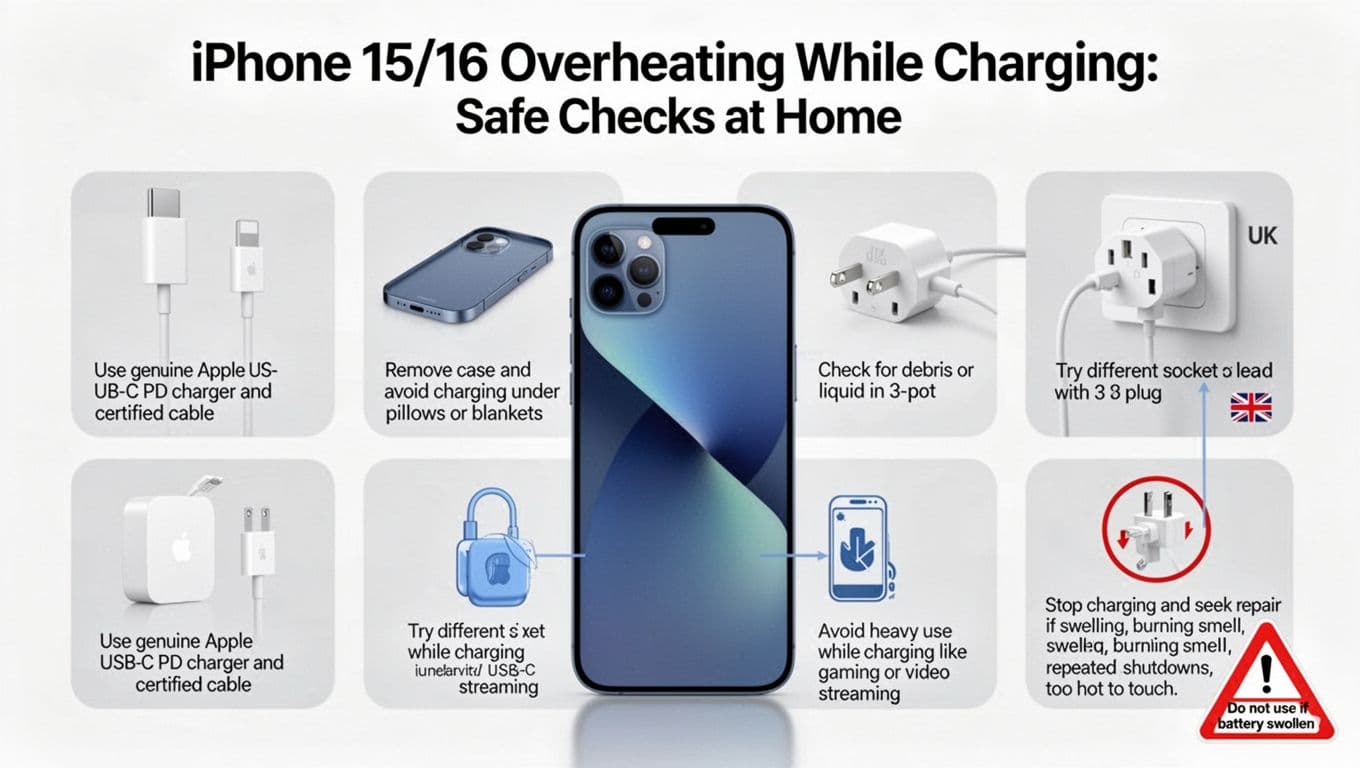
Seeing an iphone battery message pop up on your screen is enough to make anyone wince. It sounds serious, but in most cases it does not mean your iPhone is unsafe or about to die on the spot.
In 2026, this warning usually means Apple cannot verify the battery fitted inside the phone. We see it after third-party repairs, second-hand purchases, and the odd bargain fix that looked cheap for a reason. The trick is working out whether you only have a parts warning, or a battery that genuinely needs replacing.
What the iPhone important battery message actually means
On newer iPhones, the alert often reads something like “Unable to verify this iPhone has a genuine Apple battery”. In some cases, it also shows as an “Unknown Part” warning. Apple treats this as a parts verification issue, not a simple battery age warning.
For many models, the message sits on the lock screen for about four days. After that, it moves into Settings for roughly another 15 days. During that time, the phone may hide battery health details such as maximum capacity and cycle count. Apple explains the wider battery health system in its UK battery usage and health guide.
The warning is about verification, not normal battery wear.
That matters, because plenty of people assume the message means the battery is dangerous. Usually, it doesn’t. If the phone charges, holds power, and stays cool, the warning alone does not mean performance or safety has dropped. It only tells you Apple cannot confirm the part in the usual way.
You can also check Parts and Service History in Settings, under General, then About, on iPhone XR and newer. That section often gives the clearest clue about what has been fitted and when.
How we tell a warning from a worn-out battery
This is where a lot of confusion starts. A phone can show the iphone battery message and still work fine. On the other hand, it can show the message and have a poor-quality battery fitted, which is a different headache.
When we assess a device, we start with four simple checks:
We look for real symptoms, such as rapid drain, random shutdowns, overheating, or a swollen screen.
We check whether Battery Health is visible, and whether maximum capacity is below 80%.
We review Parts and Service History for any battery or display notes.
We make sure a recent iOS update has not muddied the waters with temporary post-update drain.
Apple’s battery tools in iOS 26 have become a bit more useful, and 9to5Mac’s report on the new battery features gives a decent snapshot of that change. Even so, software clues only tell part of the story. Bench testing still matters.
If your iPhone drains fast, switches off at 20%, or struggles through half a day, then an iPhone battery replacement UK search is probably taking you in the right direction. If you are local, our phone battery replacement Essex service is designed for exactly that sort of fault.
What we see in the workshop most often
A common real-world example came in from Essex not long ago. The customer had an iPhone 13 with the important battery message, poor battery life, and a screen that had started lifting at one edge. On opening it up, we found a previously fitted battery that was not verified, plus poor adhesive and early swelling. That phone needed a proper battery swap, careful resealing, and full testing before it was safe to send back out.
That sort of repair often overlaps with cracked iPhone screen repair too. A hard drop can damage more than the glass. We regularly see phones booked in for iPhone screen and battery repairs Essex after an impact has weakened the screen, battery adhesive, or internal connectors.
People often arrive after searching iphone screen repair UK, mobile phone repair UK, or phone repair Essex, because the fault is not always obvious at first glance. Meanwhile, Samsung owners ask similar questions when comparing samsung phone repair UK options, although this exact battery verification message is an Apple-specific issue.
The bottom line is simple. If the warning is the only problem, you may choose to live with it. If the phone also runs badly, gets hot, or shows physical swelling, then repair stops being optional.
Best repair route in the UK, and what it usually costs
Here’s the short version before spending money.
Repair route
Best for
Rough UK battery cost
Apple or authorised repair
Removing the warning and restoring official battery health data
If your main goal is removing the message completely, Apple or an authorised provider is the safest bet. That is because the battery needs to be properly verified within Apple’s system. If your main goal is getting the phone working well again for less money, an independent repair can still make good sense, but the message may remain.
For customers outside Essex, our postal phone repair UK guide explains how we handle tracked mail-in jobs. We aim to start repairs quickly once the device arrives, and we’ll always tell you upfront what to expect. That includes whether the alert is likely to stay.
Quick questions we hear every week
Is it safe to keep using the phone?
Usually yes, unless the battery is swelling, overheating, or the screen is lifting.
Will a new battery always remove the message?
No. A battery can be fitted properly and still trigger the warning if Apple cannot verify it.
Should we repair or replace the whole phone?
If the handset is otherwise solid, repair is often far cheaper than buying a new one. It also saves the faff of moving everything across.
That scary-looking iphone battery message is often more bark than bite. What matters is the phone’s real behaviour, not the wording alone.
If your iPhone is draining fast, shutting down, or showing signs of battery damage, book a repair and let us check it properly. Whether you need local help in Harlow or a postal phone repair UK service, we’ll get it sorted as quickly as we can, with our price promise and warranty-backed repairs.
James Waterston, Device Repair Specialist at Repair My Crack
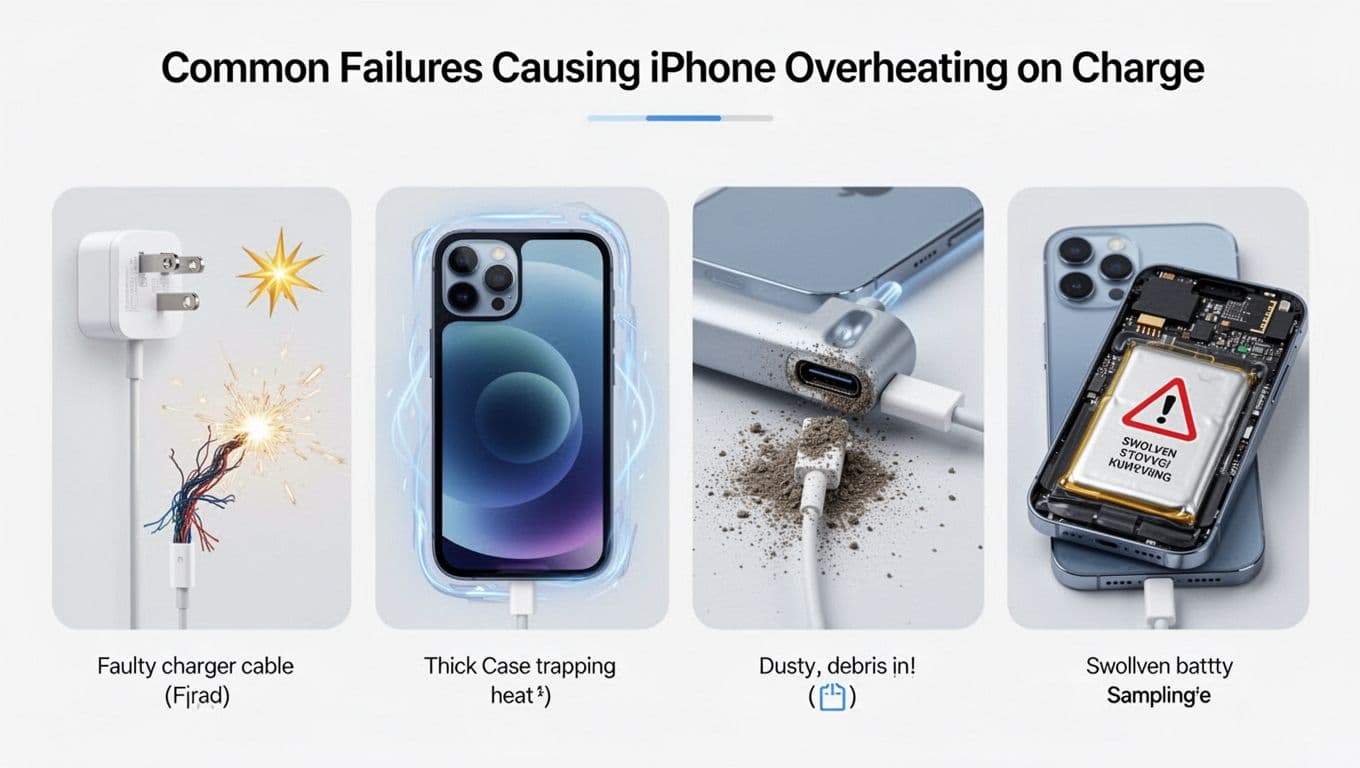
When your iPhone takes ages to charge, it stops feeling smart and starts feeling like a tethered desk phone. If your iPhone charging slowly in 2026 has become a daily annoyance, the good news is this usually comes down to a few familiar faults.
Across mobile phone repair UK jobs, we keep seeing the same culprits, weak chargers, worn cables, blocked ports, heat, and tired batteries. Most of them are easy to sort once we test the phone properly.
iPhone charging slowly in 2026, the usual culprits
Slow charging rarely means your iPhone is finished. In most cases, the power going in is limited before it even reaches the battery.
The first thing we check is the charger. Older 5W plugs still work, but they feel painfully slow on modern iPhones. For fast, stable charging, a 20W or higher USB-C power adapter is the safer bet. A damaged cable can do the same kind of mischief, especially if the phone only responds when the cable is held at a certain angle.
Then there’s dirt. Pocket lint loves charging ports. We see this on both Lightning and USB-C iPhones, and a tiny blockage can stop the cable seating fully.
The most common causes we see are:
Old or low-wattage charging plugs
Frayed or cheap charge cables
Dust and lint packed into the port
Charging while the phone is too hot or too cold
Heavy app use during charging
Battery health dropping below 80%
Temperature matters more than people think. iPhones charge best between 0°C and 35°C. If the handset gets too warm, it slows charging to protect the battery. Thick cases, gaming, video calls, and charging in a hot car all make this worse. Apple’s Optimised Battery Charging can also pause charging around 80%, which is normal battery protection, not always a fault.
Never poke the charging port with a pin or paperclip. One slip can turn a simple clean into a proper repair.
We never jump straight to an iPhone battery job. First, we test the phone with a known-good cable and charger. After that, we inspect the port under magnification, because what looks clean to the eye often isn’t.
Next, we check Battery Health in Settings. If the maximum capacity is under 80%, that battery is usually on borrowed time. If the phone charges slowly on several chargers, warms up fast, or shuts down unexpectedly, the battery becomes the main suspect. We’ve covered more of those common iPhone battery problems we fix here.
Software can play a part too. An iOS update can clear odd charging behaviour, and background apps can eat power while the phone is plugged in. That makes charging look slower than it really is.
People searching phone repair Essex often bring us this exact fault. Last week, we had an iPhone 14 from Harlow that seemed to need nearly four hours for a decent top-up. The customer thought the battery had gone. Under the microscope, the port was stuffed with lint. After a careful clean and retest, the cable clicked in properly and charging returned to normal speed. No battery needed, no drama.
That’s why proper testing matters. Guesswork usually costs more than the fix.
When a repair is the right fix
Sometimes the charger isn’t the problem, and neither is a dirty port. At that point, a repair makes more sense than buying random cables and hoping for the best.
If you’re comparing an iPhone battery replacement UK quote, the phone’s age and battery health matter most. A worn battery can throttle charging, drain fast, and make the handset feel sluggish all day. If the cable only works at an angle, the charging port may be damaged rather than dirty. We also see the same pattern in Samsung phone repair UK bookings, especially on well-used USB-C phones.
This quick guide helps set expectations:
Symptom
Likely fix
Typical UK range
Slow charging on multiple chargers, battery health under 80%
Battery replacement
£45 to £95
Cable feels loose or only charges at an angle
Port clean or port repair
£35 to £89
Slow charging with overheating or random restarts
Diagnostics first
Quote after testing
The main point is simple, repair is usually far cheaper than replacing the phone.
We often combine battery work with iPhone screen repair UK jobs too. A drop can weaken the charging area, damage the frame, or leave a cracked iPhone screen repair on the same booking. In those cases, doing both at once saves time and repeat postage. If you’re unsure whether the battery is done, our guide on when to replace your iPhone battery explains the signs in plain English.
If you’re outside Essex, getting it sorted is still easy
Not everyone can drop into Harlow, and that’s fine. Our postal phone repair UK service is built for customers across the country who want a trusted fix without the faff.
You can book online, pack the phone securely, include your order number and any needed passcode, then send it in. We aim to start repairs as soon as the device arrives, often the same day, and return it with tracked delivery. That works well for customers comparing mobile phone repair UK options and wanting clear pricing, quality parts, a price promise, and a 12-month warranty on repairs (terms apply).
If your iPhone charging slowly has become normal, don’t treat it like normal. Most of the time, the fix is a proper charger, a clean port, or a fresh battery, not a new phone.
If you’re in Essex or anywhere else in the UK, book the repair and let us test it properly. We’ll tell you what’s wrong in plain English and get it sorted as quickly as we can.
James Waterston, Device Repair Specialist at Repair My Crack
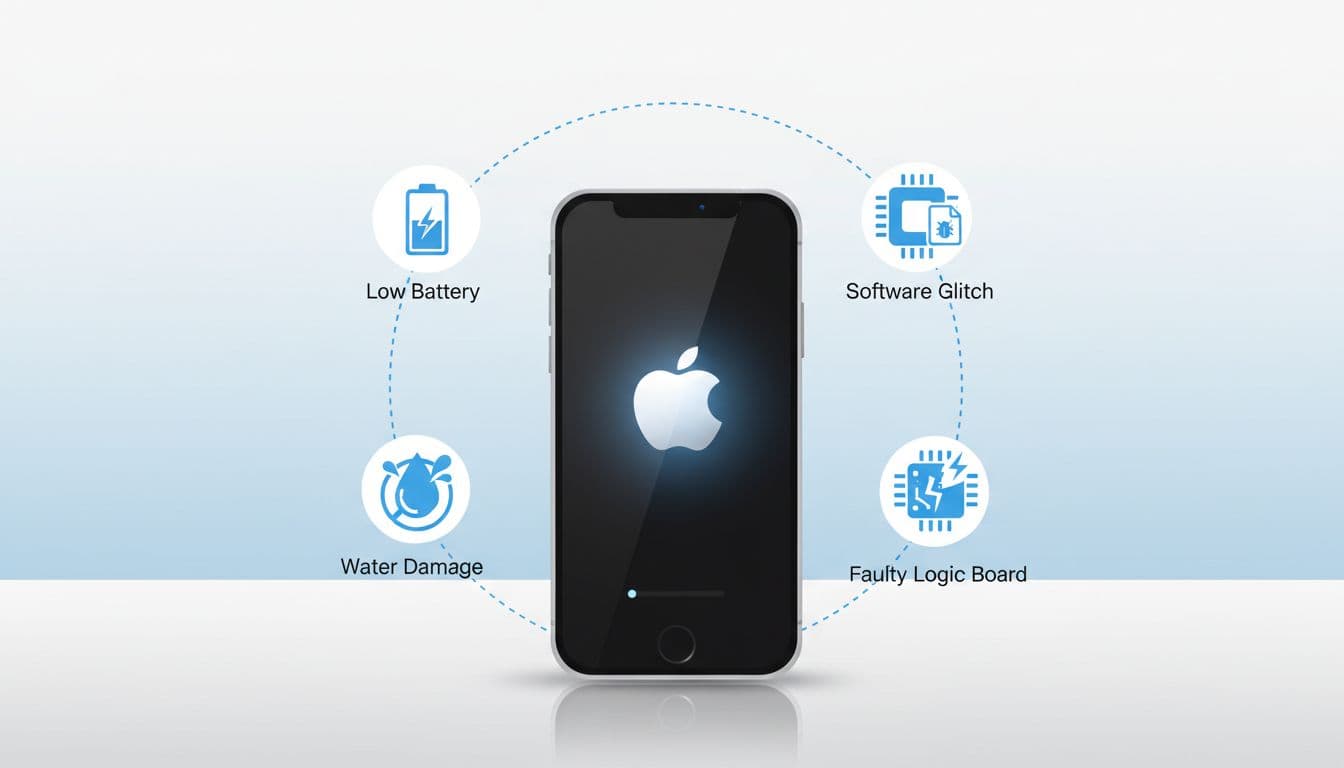
A worn-out iPhone battery is a bit like a leaky bucket. You keep topping it up, but it still empties far too fast. If you’re checking the iphone battery replacement cost uk, the short answer is this: in March 2026, most UK customers pay about £49 to £139 with Apple, while many independents charge £30 to £70, depending on the model, parts used, and warranty.
For plenty of people, a battery swap makes far more sense than buying a new phone. We see that every week at the bench. If the phone is still quick, the camera works, and the screen is fine, replacing the battery is often the cheapest way to get another year or two out of it.
What the iPhone battery replacement cost UK looks like in 2026
Here’s the rough shape of current UK pricing.
iPhone range
Apple UK guide price
Typical independent price
Older models
£49 to £69
£30 to £50
iPhone 13 range
£49 to £80
£60 to £70
iPhone 14 and 15 range
£79 to £95
£60 to £70
iPhone 16 range
Around £119
£60 to £70
Apple’s live pricing can change, so it’s worth checking Apple’s UK battery service page before booking. If you’ve got AppleCare+ and the battery health has dropped below 80%, Apple may cover it.
Independent prices vary more. That’s because some shops fit budget batteries, while others use higher-grade parts and include a longer warranty. For a snapshot of genuine-part pricing on the independent side, iCorrect’s iPhone battery repair prices are a useful comparison point.
If your iPhone still does everything you need apart from holding charge, a battery replacement is usually better value than replacing the whole handset.
That’s why we always tell customers not to chase the lowest figure alone. The real cost includes parts quality, testing, and whether the phone comes back stable afterwards.
Signs your battery needs replacing, not just charging more often
A phone that needs two top-ups a day isn’t always ready for the bin. In many cases, it just needs a fresh battery.
The signs we look for are usually pretty clear:
Battery health below 80% in Settings
Random shutdowns, even with charge left
Slow performance during normal use
Heat while charging or a swollen battery
A service warning saying the battery needs attention
Last week, we had an iPhone 12 in from Essex with 74% battery health. The customer thought the phone was finished. It wasn’t. After a battery replacement and testing, it was back to lasting most of the day again.
Still, not every drain issue is battery wear. Heavy background apps, poor signal, and charging faults can all mimic the same problem. We also see phones with damage from drops, where the customer comes in asking about battery life and leaves needing iPhone screen and battery repair Essex advice because the device has taken a proper knock.
If the frame is bent, the phone has serious liquid damage, or the logic board is unstable, a battery alone may not be worth it. That’s when honest advice matters.
What pushes the price up, or keeps it sensible
The biggest factor is the model. Newer iPhones are fussier to work on, and the parts cost more. An iPhone 16 battery won’t sit in the same price bracket as an older SE.
Screen condition also matters. If a handset already has display damage, opening it can carry extra risk. That’s why people comparing battery costs often notice a big jump when they also need iphone screen repair UK work. A battery job is usually cheaper than cracked iphone screen repair, especially on OLED models.
For local phone repair Essex customers, we often explain the price this way:
Model age affects part cost
Battery quality affects reliability
Extra faults change labour time
Warranty cover adds peace of mind
We also handle plenty of samsung phone repair UK enquiries, and Samsung battery pricing can differ again because some repairs involve more stripping down and different parts supply.
If you’re comparing quotes, our Repair My Crack price guarantee is worth a look. The goal is simple, fair pricing, not mystery numbers.
How we sort iPhone battery replacement in Essex and across the UK
We offer both local and nationwide options, so there’s no need to be nearby. That matters if you’re after mobile phone repair UK coverage rather than a walk-in shop only.
For customers in Harlow and wider Essex, we handle repairs in person. For everyone else, our postal phone repair service UK makes it straightforward.
The process is simple:
Back up your iPhone first.
Book online with the model and fault.
Pack it securely with your order number.
Include the passcode if needed for testing, but never your Apple ID password.
Send it tracked, then we test, repair, and return it tracked.
We aim to start work as soon as the phone arrives, often the same day in straightforward cases. That applies to iphone battery replacement UK jobs, but also to screen, charging-port, and other faults. So if a battery issue turns out to be a dock connector or power-management problem, we can confirm that before going ahead.
That’s also why postal phone repair UK keeps growing. It saves a trip, and it keeps the process clear.
Quick questions we hear all the time
Is an iPhone battery replacement worth it?
Usually, yes. If the phone still suits your needs, a new battery is far cheaper than a new handset.
Will I lose my data?
A battery replacement shouldn’t wipe data, but we still recommend backing up first. It’s the safe option.
How long does it take?
Bench time is often quick. The full turnaround depends on the model, testing, and whether you’re using a local booking or post.
If your battery is draining like a tap left running, the iphone battery replacement cost uk is usually modest compared with replacing the phone. The key is getting the right diagnosis, decent parts, and a repair you can trust. If you’re stuck with poor battery life right now, you can book online, post it in, or visit us in Essex and we’ll get it sorted as quickly as we can.
James Waterston, Device Repair Specialist at Repair My Crack
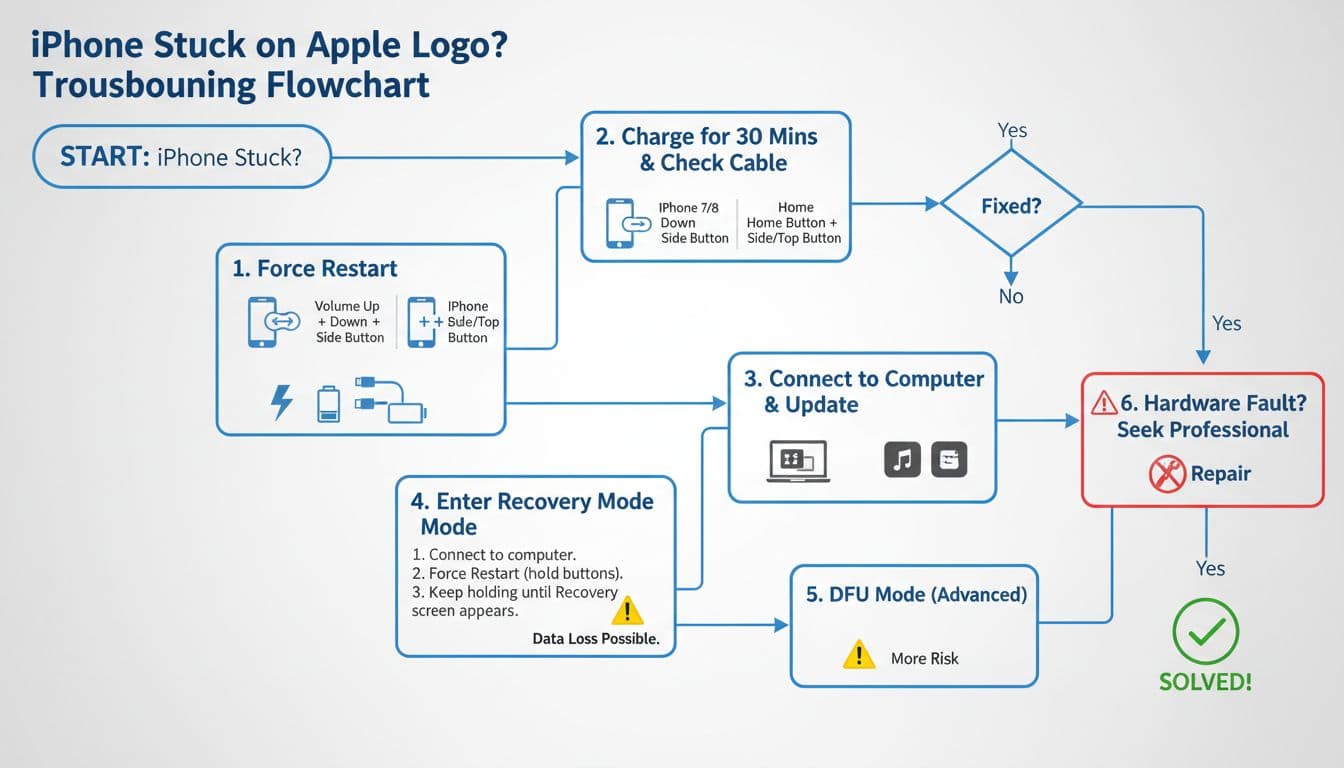
Cracking a screen on the way to work is bad enough. The real stress often starts when you ask, “Is this covered under warranty?” and get three different answers from three different people.
Here’s the simple truth about phone repair warranty UK cover: most warranties protect you against faulty parts and poor workmanship, not fresh damage, liquid, or wear and tear you’ve caused. Once you know the usual rules, it’s much easier to choose the right repair option (and avoid paying twice).
I’m James at Repair My Crack, and I see warranty mix-ups every week. Let’s clear up what’s normally covered, what usually isn’t, and how to protect yourself.
What a phone repair warranty UK usually covers (and what “covered” really means)
A repair warranty is not the same as your phone’s manufacturer warranty. It’s a promise from the repairer that the part they fitted, and the work they did, will hold up under normal use for a set period.
In plain terms, a phone repair with warranty UK claim is most likely to be accepted when the fault is linked to the repair itself. For example, after an iPhone screen replacement, the touch stops responding along one edge, even though the phone hasn’t been dropped since. That’s a classic “come back in and we’ll sort it” job.
These are the most common warranty covered fixes we see in day-to-day iPhone repairs and Samsung Repairs:
An iPhone screen replacement or Samsung Phone repair screen job where the display develops lines, dead zones, or touch issues without new impact.
An iPhone battery replacement where the battery is clearly faulty (unexpected shutdowns, swelling, or a rapid drop that doesn’t match your usage).
A broken charging port repair where the port becomes loose again due to a fitting issue.
A phone not charging repair that fails because a part was faulty, not because the cable snapped inside later.
Manufacturer cover is different, and it has its own rules. Apple’s terms are public, and it’s useful bedtime reading if you struggle with sleep, see the Apple UK and Ireland warranty terms.
To set expectations, here are typical UK price ranges people ask us about, including iPhone screen replacement cost UK, Samsung screen replacement cost UK, and phone battery replacement UK costs. Exact pricing depends on model and parts, so treat this as a guide.
Repair type
Typical UK range
Notes
iPhone screen replacement cost UK
£90 to £350
Model and screen type change the price most
Samsung screen replacement cost UK
£120 to £400
Some models use pricier panels
phone battery replacement UK
£40 to £120
Cheaper on older models, more on sealed premium phones
Charging port repair
£50 to £140
Often includes cleaning and diagnostics
The takeaway: warranty cover is mainly about the repair quality, not the next accident.
What isn’t covered, and why warranty claims get refused
Most warranty arguments come down to one question: did something happen after the repair that could have caused the problem?
A repair warranty usually won’t cover:
Fresh drops, twists, pressure damage, or a new cracked screen repair UK situation.
Liquid exposure, including “It was only a splash.” A proper water damaged phone repair UK is normally treated as a new incident.
Accidental damage that happens after the repair, even if it “looks unrelated”.
Tampering, DIY parts, or another shop changing something first (especially on newer iPhones and some Samsungs).
Here’s a quick real-life example. Last week, a customer came in after trying to fix cracked iPhone screen damage with a cheap kit. The screen went on, but the phone started restarting. At that point, any warranty from the original repair is out the window because we can’t confirm what the kit changed.
If a shop can see new impact marks, bent frames, or signs of liquid, they’ll usually class it as a new fault, not a warranty return.
Also, don’t get dazzled by marketing phrases. You’ll sometimes see “lifetime warranty phone repairs” online. It can be genuine, but it often comes with strict conditions, and it rarely covers accidental damage or liquid. Always ask what “lifetime” means in years, and what proof they need.
If a warranty provider refuses to honour cover, it helps to know your options. Which? explains practical next steps in their guide to warranty disputes.
Finally, if you’re weighing alternatives to Apple Store screen repair UK, keep this in mind: third-party repair does not automatically erase your consumer rights. However, a manufacturer can refuse a free manufacturer fix if a fault links to non-authorised work. That’s why quality parts and proper fitting matter.
Choosing the right repair route: Essex repairs, postal repairs, and protecting your rights
If you’re local, we handle mobile phone repairs Essex every day, including phone screen repair Essex, iPhone repair Essex, and iPhone screen repair Essex. We also see a lot of Samsung phone repair Essex bookings, including Samsung screen repair Essex when a handset’s taken a tumble.
Not in Essex? No problem. A postal phone repair UK service is often the easiest option when you can’t get to a shop. With phone repair by post UK, the main thing is packing and paperwork. We ask customers to book online at Repair My Crack, note the order number in the parcel, and package the device securely so it can’t rattle about. If your phone needs testing after repair, we may also need your passcode (or you can set up a temporary one), otherwise we can’t fully confirm everything works.
People also ask about speed. For “how long does phone screen repair take UK“, the honest answer is: it depends on model, parts availability, and how busy the bench is. In-store repairs are often same-day, while post adds delivery time. Either way, we aim to start work as soon as the device arrives.
Your legal rights sit alongside any warranty too. If a service isn’t done with reasonable care and skill, you can ask for it to be put right. This overview on mobile phone consumer rights is a solid, plain-English starting point, and if a warranty won’t help, what to do when a warranty doesn’t cover your issue explains the next steps people often take.
Quick warranty FAQs I get at the counter
Is it worth repairing a cracked iPhone screen if the phone is older? Often, yes, if the phone works well otherwise and the frame isn’t bent.
Does an iPhone battery replacement Essex visit come with cover? It should, because batteries can be faulty like any part. Ask what’s included before booking.
What about businesses? We do repairs for work devices too, and if you’re searching “business mobile phone repairs UK. business laptop and tablet repairs. trusted phone repair service UK“, you’re already thinking the right way, keep staff online and downtime low.
You’ll also see searches like “Repair My Crack phone repair” and even the slightly odd “Repair My Crack reviews. best phone repair shop in Essex“. Either way, check recent feedback and ask questions before handing your device over.
Conclusion
A phone repair warranty UK promise should give you peace of mind, but it has limits. In most cases, it covers faulty parts and workmanship, not new drops, liquid, or wear you’ve caused after the repair. If you want the least drama, choose a repairer who explains the exclusions clearly, uses quality parts, and stands by the work.
If you’re dealing with a cracked screen or a tired battery right now, book online and we’ll get it sorted as quickly as we can.
James Waterston, Device Repair Specialist at Repair My Crack
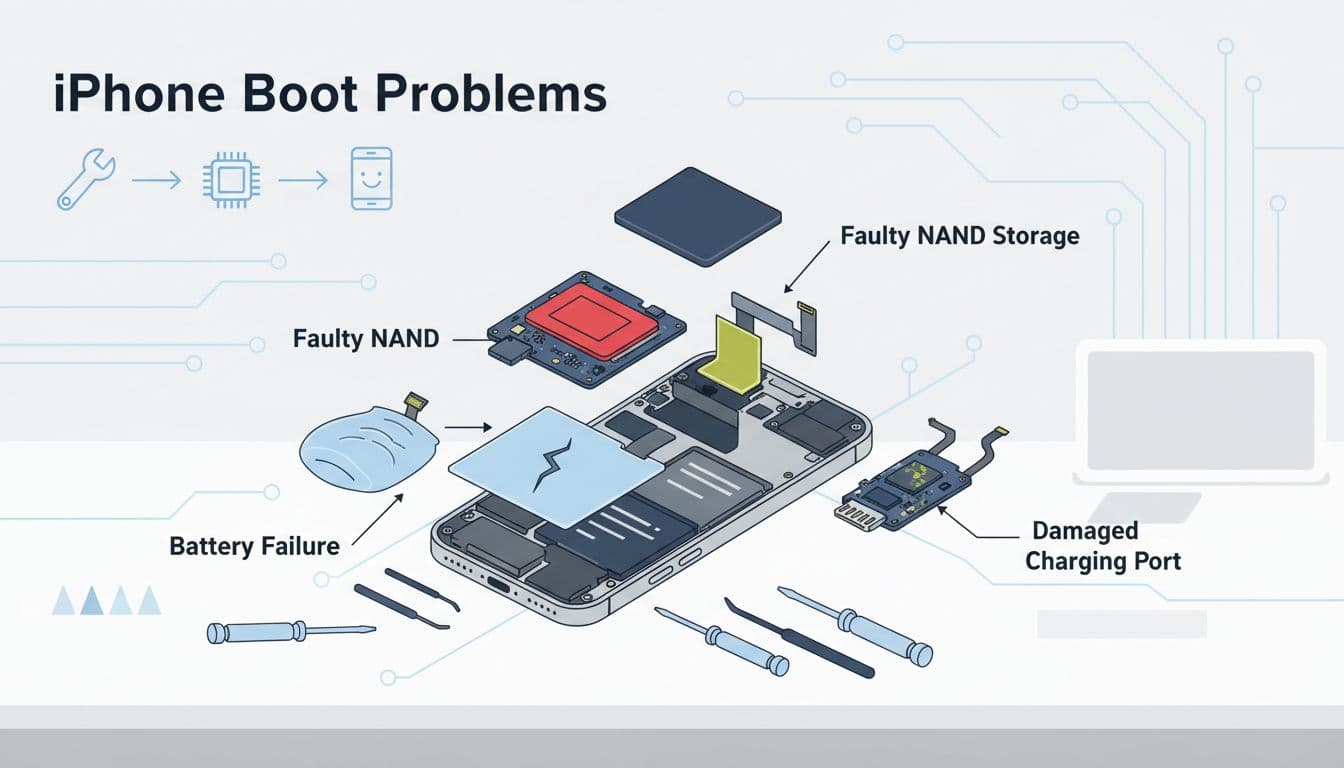
Your phone breaks at the worst time, doesn’t it? One minute you’re replying to a message, the next you’re staring at spiderweb glass or a battery stuck on 3%.
The good news is mail in phone repair UK services are now normal, safe, and fast, if you know what to expect. In this guide, I’ll walk you through what happens from the moment you post your device to the day it lands back at your door, repaired and tested.
I’m James Waterston, and at Repair My Crack we run postal repairs every week for customers across the UK, plus local walk-ins in Essex.
From booking to return delivery: the full postal repair journey
A proper postal phone repair UK process should feel like tracking a parcel, not like sending your phone into a black hole.
Here’s the usual flow for phone repair by post UK with us:
You book the repair online (screen, battery, charging, diagnostics, the lot), then you get an order reference.
You package the device securely and include your details and fault description.
Your phone arrives and is checked in, then we confirm what’s needed before we start.
We repair and test, using quality parts and experienced technicians.
We send it back tracked, so you can see where it is at each step.
Most repairs are straightforward, like an iPhone screen replacement or iPhone battery replacement. Others need diagnosis first, especially water damaged phone repair UK jobs or anything with power issues.
If you’re booking iPhone repairs or Samsung Repairs, you’ll usually know the fault. If the issue is vague (random restarts, no signal, overheating), we’ll treat it as a diagnostic first, then confirm next steps.
For peace of mind, we keep our warranty clear too, see our repair warranty information before you post anything off.
Packing, data, and tracking: sending your phone safely
Posting a phone is simple, but a little prep saves a lot of hassle later. I always tell people to treat it like sending a pair of glasses, protect it from knocks, and protect your data.
Before you send it, do this:
Back up your phone: Use iCloud, Google, or a computer backup.
Remove your SIM and memory card: They’re easy to forget.
Charge it a little if you can: Even 20% helps testing.
Turn off accessories: Don’t send cases, chargers, or screen protectors unless we ask.
Pack it properly: Bubble wrap, padded envelope or a small box, then tape well.
Use tracked postage: Don’t risk untracked for an expensive handset.
Apple also explains official service routes and what they’ll need from you, which is handy context if you’re comparing options. Start with Apple’s iPhone repair and service page.
One privacy point that matters: we may ask for a passcode for testing (for example, checking cameras, speakers, biometric prompts, and touch). Still, you should never share your Apple ID password.
If anyone asks for your iCloud or Google account password, stop. A legit repair needs access to the phone for tests, not your account login.
In the workshop: diagnostics, iPhone and Samsung repairs, and testing
Once your phone reaches us, we log it in, confirm the model, then test the fault you reported. After that, we repair, re-test, and do final checks before it goes back out.
The most common repairs we see are:
cracked screen repair UK jobs (including “I dropped it getting out the car” classics)
phone battery replacement UK (sudden shutdowns, rapid drain, swelling)
broken charging port repair and phone not charging repair (lint, wear, liquid exposure)
Camera faults, speaker issues, and button problems
water damaged phone repair UK diagnostics (often salvageable, sometimes not)
People ask me how long does phone screen repair take UK wide. The repair itself can be quick, but post adds time. In most cases, once it’s on the bench, a screen or battery job is completed the same day. The overall turnaround depends on delivery times and whether the device needs extra testing.
Last week, I had a customer from Essex whose handset “just wouldn’t charge”. It looked like a dead battery. In reality, it needed a proper clean-out and a charging port repair. That’s why testing matters.
For Samsung owners comparing service routes, it’s worth seeing Samsung UK’s repair booking page so you understand the official process too.
Prices, warranty, and Essex options (walk-in or post)
Let’s talk money, because it’s usually the second question after “can you fix it?”.
Pricing varies by model and parts. For example, iPhone screen replacement cost UK can jump depending on whether it’s an older LCD model or a newer OLED model. The same goes for Samsung screen replacement cost UK, especially on curved displays.
Here’s a rough guide to typical UK ranges you might see:
Repair type
Typical UK price range
Notes
iPhone screen replacement
£89 to £329
Model and screen type change the price most
Samsung screen repair
£99 to £349
Some models cost more due to display assemblies
iPhone battery replacement
£39 to £109
Battery health and model affect cost
Charging port repair
£49 to £139
Cleaning vs part replacement differs
Water damage diagnostics
£0 to £49
Depends on assessment and symptoms
If you’re weighing up alternatives to Apple Store screen repair UK, the real question is often: is it worth repairing a cracked iPhone screen? If the phone is otherwise solid, repairing usually makes sense. You also avoid the faff of setting up a new handset. If you’re trying to fix cracked iPhone screen damage quickly, a repair is normally the fastest route back to normal.
On warranty, look for a clear phone repair with warranty UK policy. Some places talk about lifetime warranty phone repairs, but always read what “lifetime” means in practice (it often has exclusions).
If you’re local, we cover mobile phone repairs Essex with walk-in options as well as post. That includes phone screen repair Essex, iPhone repair Essex, iPhone screen repair Essex, Samsung phone repair Essex, and Samsung screen repair Essex.
We also support companies who can’t afford downtime. (People literally search for this phrase) business mobile phone repairs UK. business laptop and tablet repairs. trusted phone repair service UK. If that’s you, start here: business repairs and support.
Do you repair iPhones and Samsungs by post?
Yes, we handle mobile phone repair UK wide by post, and we see a lot of iPhone and Samsung Phone repair work.
Should I send my passcode?
If we need it for testing, we’ll explain why. Don’t send your Apple ID password.
Can you sort charging issues?
Yes, phone not charging repair and charging faults are common, from port damage to battery wear.
Where can I check trust and feedback?
Many customers look up “Repair My Crack phone repair” and searches like “Repair My Crack reviews. best phone repair shop in Essex“. If you’re comparing, focus on clear warranty terms, parts quality, and how the process is explained.
The takeaway
A good mail in phone repair UK service should be clear, trackable, and properly tested, not mysterious. Pack it well, back up your data, and choose a team that stands behind the work with a real warranty.
If you’re stuck with a smashed screen, a dying battery, or a phone that won’t charge, you can book online and pop it in the post. We’ll get it sorted as quickly as we can.
– James Waterston, Device Repair Specialist at Repair My Crack
You get your iPhone repaired, then the next day it rains (because, of course it does). The phone’s fine, but a little voice in your head starts up: “Is it still water-resistant… or have I now got a very expensive sponge?”
Here’s the honest answer most people need straight away: after an iPhone repair, you shouldn’t assume the same water resistance as before. Sometimes it’ll still cope with splashes, sometimes it won’t, and no decent technician will promise “waterproof”.
I’m James Waterston at Repair My Crack. I see this worry all the time after an iPhone screen replacement or iPhone battery replacement, especially when customers rely on their phone for work and travel.
What “water-resistant” really means on an iPhone (IP ratings in plain English)
Most modern iPhones are sold as water-resistant, not waterproof. That difference matters. Water resistance is more like a good raincoat than a drysuit. It helps in accidents, but it’s not a licence to swim with your phone.
Apple uses IP ratings (Ingress Protection). On many recent iPhones, you’ll see IP68, which in lab tests can mean surviving submersion for a period at a certain depth (it varies by model). Those tests use fresh water, steady temperature, and a phone in great condition.
Real life is messier. Your iPhone gets dropped, twisted in pockets, heated in cars, and chilled on winter commutes. Over time, the seals compress and tiny gaps can appear. Even without repairs, water resistance can fade.
Also, it’s worth being clear about warranty expectations. Apple says liquid damage is not covered under the standard warranty, even if your iPhone has an IP rating. You can read Apple’s own wording in Apple’s UK guidance on liquid damage.
So, if you’ve had a near miss with water before, you’re not imagining it. Two iPhones of the same model can behave differently, purely based on wear and tear.
iPhone water resistance repair: what changes after a screen, battery, or port job
When people ask about iphone water resistance repair, they usually mean one of three things: screen work, battery work, or a charging issue. All three involve opening the phone.
An iPhone’s water resistance comes from a mix of precision fit, screws torqued correctly, and factory adhesive seals around the display and frame. Once we open the device, that seal is no longer “factory fresh”. Even if we replace adhesive and fit everything carefully, it’s still not identical to how it left Apple’s production line.
A quick real-world example: last week I had an iPhone in for a fix cracked iPhone screen job. The owner told me it had survived the sink twice before. After the repair, I gave the same advice I give everyone: treat it like it’s lost its “sink privileges”. The screen was sorted, but I’d rather be boring than wrong.
Here’s where it often gets relevant:
iPhone repairs that open the device (screen, battery, housing) can reduce water resistance.
An iPhone battery replacement can disturb seals, even though the screen looks unchanged.
A broken charging port repair (or phone not charging repair) can be even trickier, because ports are obvious entry points for moisture.
If you need your phone to survive water, plan like it won’t. Use a case, avoid steamy bathrooms, and keep it away from sinks.
And if the worst happens, don’t “dry it with heat” and hope. Get proper help fast. This UK guide to handling water damage covers sensible first steps, and it matches what we see on the bench.
Repair choices in Essex and across the UK (costs, time, and peace of mind)
People find us in a few different ways. Some want mobile phone repairs Essex because they’re local and need help today. Others are searching mobile phone repair UK options because they’re nowhere near Essex. Either way, the questions are similar: cost, turnaround, and warranty.
In Essex, we get plenty of walk-in type enquiries for phone screen repair Essex, iPhone repair Essex, and iPhone screen repair Essex. We also do lots of Samsung work, so Samsung Repairs are a big part of our week, from Samsung Phone repair bookings to Samsung phone repair Essex jobs and Samsung screen repair Essex replacements.
For customers outside the county, our postal phone repair UK service keeps things simple. If you’ve searched phone repair by post UK and felt unsure, you’re not alone. The key is packing well, adding your order number, and sending it securely. We aim to start the repair as soon as it arrives, often the same day.
A lot of people also want a rough idea of pricing before they commit. These are typical UK ranges (exact quotes depend on model and what we find once opened):
Repair type (UK)
Typical range
Notes
iPhone screen replacement cost UK
£99 to £349
Model and screen type change the price a lot
Samsung screen replacement cost UK
£129 to £399
Many Samsung panels cost more as parts are pricier
phone battery replacement UK
£39 to £109
Includes iPhone battery replacement Essex bookings
Time matters too. For cracked screen repair UK jobs, we usually aim for fast turnaround, but it depends on parts and model. If you’re Googling how long does phone screen repair take UK, the best answer is: ask your shop for a realistic estimate for your exact handset.
Warranty is another one. Customers often look for phone repair with warranty UK, and that’s sensible. We provide a repair warranty for peace of mind, but I’ll be straight: you’ll also see phrases like lifetime warranty phone repairs online. Always read the terms, because “lifetime” often has limits.
Finally, if you’re comparing alternatives to Apple Store screen repair UK, it usually comes down to budget and convenience. Apple can be the right route for some people. On the other hand, independent repair can be faster and more flexible, especially if you need a human to talk it through.
Quick FAQ (the stuff people ask at the counter)
Is it worth repairing a cracked iPhone screen? Often, yes, especially if the phone is otherwise healthy. A new handset costs far more than a screen in most cases.
Can you guarantee water resistance after repair? No. We reseal carefully, but we won’t pretend it’s factory certified.
What if I’ve already got liquid damage? We can help with water damaged phone repair UK diagnostics. Quick action improves the odds.
Do you only repair iPhones? No, we handle iPhone and Samsung, plus other devices. We also support companies searching: business mobile phone repairs UK. business laptop and tablet repairs. trusted phone repair service UK.
People also look us up by name, for example Repair My Crack phone repair, or even the very specific search: Repair My Crack reviews. best phone repair shop in Essex. If you’re doing that now, you’re in good company.
The bottom line
After an iphone water resistance repair situation (screen, battery, or port), treat your iPhone as less water-resistant than before. It might cope with light splashes, but it’s not something to test in the rain.
If you need help with an iPhone screen replacement, iPhone battery replacement, Samsung repairs, or a charging fault, you can book with us at Repair My Crack and, if you’re not local, use our post-in service. We’ll get you sorted as quickly as we can, with clear advice and no nonsense.
– James Waterston, Device Repair Specialist at Repair My Crack
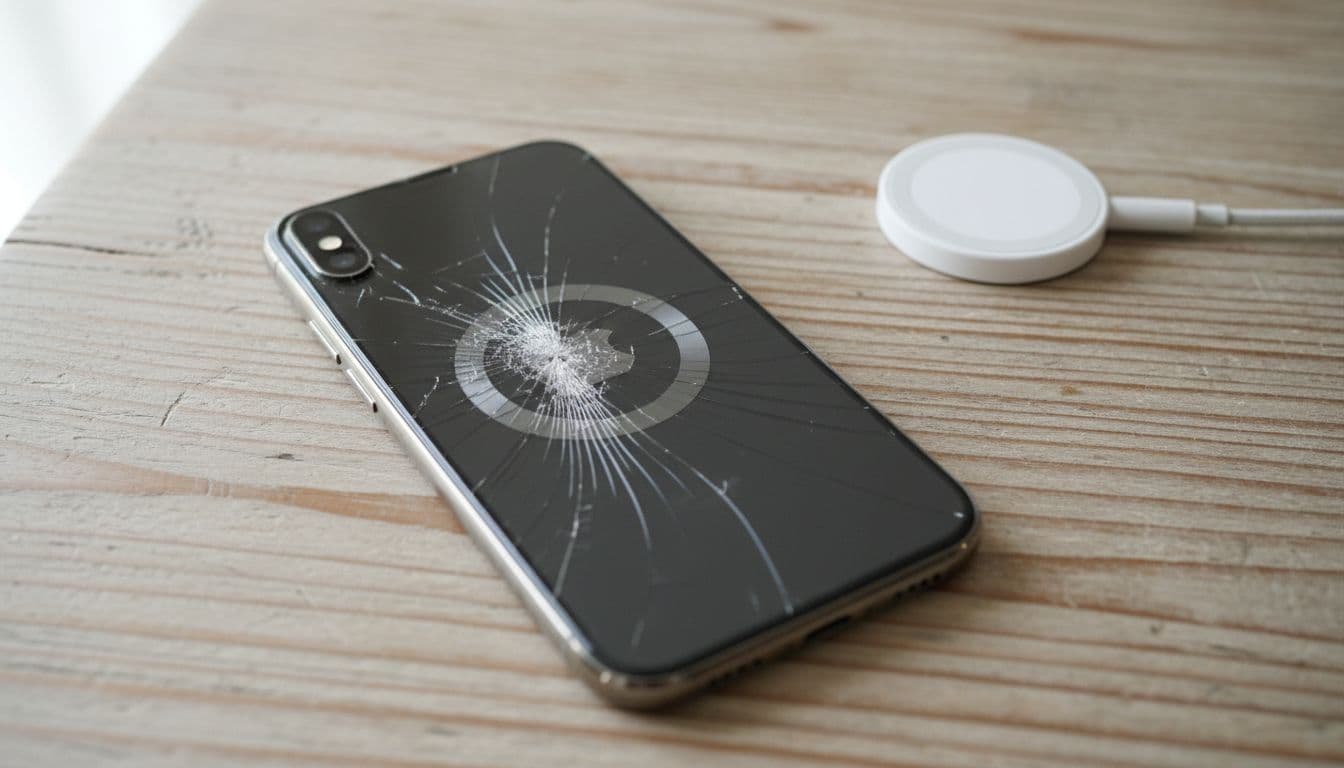
Why iPhone Battery Replacement and Apple Screen Repairs Sometimes Take Longer Than Expected
Nothing’s worse than needing your phone fixed and realising it’s going to take longer than expected. Whether it’s an iPhone battery replacement or an Apple screen repair, delays can feel incredibly inconvenient, especially when you rely on your device daily. But why do repairs sometimes stretch out? It often comes down to factors like part availability, repair complexity, or even the workload at the repair centre.
Understanding these delays not only helps manage expectations but also allows you to explore alternatives, like purchasing a refurbished iPhone from trusted places like Used Mobiles 4U. And if you’re weighing up where to repair your phone, Repair My Crack is a great option for quick, reliable fixes in the UK. Either way, knowing your options can save you time, money, and unnecessary stress.
Factors That Determine Repair Times
When your phone breaks, it’s easy to feel frustrated by repair delays, especially for something as urgent as an iPhone battery replacement or Apple screen repair. However, repair times can be influenced by several factors. From part availability to technician expertise, here’s what often prolongs the process.
One of the biggest culprits for delays is the availability of genuine parts. Apple screen repair and iPhone battery replacement depend heavily on authentic components, and these aren’t always in stock. Service centres or third-party repair shops may need to order specific parts, leading to wait times ranging from days to weeks.
For repairs in the UK, opt for shops like Repair My Crack that prioritise sourcing quality parts. Alternatively, consider getting a refurbished iPhone from Used Mobiles 4U if speedy repairs aren’t possible.
Repair Complexity
Not all phone problems are created equal. A shattered screen or a worn-out battery is relatively straightforward to fix, while something like a water-damaged iPhone motherboard can be far trickier. Complex repairs often require advanced diagnostic tools and an extended timeframe to ensure long-term functionality.
If your device faces a complex issue, it might be worth exploring whether repair or replacement is the more cost-effective choice. Learn more about repair options through Apple Repair and Service.
Repair Centre Workload
Repair shops work on a first-come, first-served basis, and authorised centres like Apple Stores are often overloaded. During peak seasons — think post-holidays — you might face longer queues, even for simple issues.
It helps to schedule appointments in advance or explore local centres with shorter waiting times. Check queue times and repair policies at Repair My Crack, or consider same-day services for certain common repairs.
Technician Expertise
A skilled technician with access to modern tools ensures faster, more accurate repairs. Unfortunately, not all centres have technicians experienced in handling advanced repairs like iPhone battery replacements or circuit-board-level fixes. Some shops also lack the precision tools needed for high-quality outcomes.
For peace of mind, take your phone to certified providers or research independent shops with verified expertise. Sites like Your Fix outline what to look for in a reliable technician.
Device Model and Age
The make and model of your phone can significantly impact repair times. Newer models often have better part availability, whereas older or less common models may require ordering from specialised suppliers, extending the wait.
If sourcing parts for an older model becomes too tedious, replacing your device might be a smarter option. For reliable refurbished iPhones, explore Used Mobiles 4U.
Understanding these factors can save you frustration the next time your phone needs attention. An informed choice can help strike the perfect balance between waiting for a repair or shopping for a replacement.
Specific Challenges for iPhone Repairs
When it comes to repairing iPhones, it’s not just about the hands-on time with the device. Several factors impact how long it takes to get your phone back in working order. Let’s explore some of the key challenges that might be slowing down your repair process.
Delays in Apple Screen Repair
Apple screen repairs often come with longer-than-expected lead times. Why? One significant factor is Apple’s stringent quality checks. The repair process involves testing and validating the replacement screen to ensure it meets Apple’s high standards. This is especially true for authorised Apple repair centres that want to maintain warranty validity.
Additionally, these repairs require specific, compatible tools that aren’t readily available everywhere. Third-party repair shops may avoid these stricter protocols, letting them deliver quicker turnarounds, but this can compromise the durability or performance of the screen. If you’re considering an Apple screen repair, check trusted repair providers like Repair My Crack who balance speed and reliability.
Wondering why simpler processes like a screen swap take time? Every step, from diagnostics to re-testing the screen’s performance after installation, adds extra minutes (or hours) to the process.
iPhone Battery Replacement Lead Times
Replacing your iPhone battery sounds easy enough, but it’s not always a quick job. One major hurdle is the supply chain for genuine parts. Apple is known for its tightly-controlled component access, making it tough for independent repair shops to stock up on certified parts. This can lead to delays, especially when dealing with older or less common iPhone models.
Moreover, Apple’s warranty policies sometimes require you to visit an authorised repair centre, which may already be facing a backlog of repairs. During busy periods like holidays, this can stretch battery replacement from same-day service to a wait of several days or even weeks.
If a long wait doesn’t meet your needs, consider alternatives like trusted UK-based shops such as Repair My Crack. Otherwise, it might be worth exploring the option of upgrading to a refurbished iPhone through a site like Used Mobiles 4U, should the delay feel too disruptive.
Third-Party Versus Authorised Repairs
Choosing between a third-party repair service and an authorised Apple centre often comes down to the classic trade-off: speed versus quality. While third-party services often boast quicker turnaround times, it’s important to think about what you might be sacrificing.
Speed and Cost: Many third-party shops operate on a first-come, first-served basis and avoid certain protocols required by Apple, speeding up the process. However, keep in mind, using non-certified parts or skipping diagnostic tests could affect your phone’s long-term performance.
Warranty and Quality: Authorised repair centres ensure that only Apple-certified parts are used, and thorough testing is completed to meet Apple standards. This might take more time, especially if parts need to be ordered, but it maintains the integrity of your device and its warranty.
For example, independent UK repair shops like Repair My Crack can offer a middle ground by providing quality parts without the extended lead times of an Apple Store.
Balancing speed and quality depends on your priorities and how much risk you’re willing to take for a quicker fix. For devices still under warranty or critical repairs, sticking with an authorised provider is often the best bet.
Each repair decision comes with its own challenges, but knowing the trade-offs can help you pick the best option.
What Repair Delays Mean for Your Phone
Repair delays come with their fair share of headaches. Whether you’re patiently waiting for an iPhone battery replacement or stressed over a delayed Apple screen repair, it’s a situation no one enjoys. Beyond just the inconvenience, these delays can significantly impact how you use (or don’t use) your phone in your everyday life.
Increased Downtime and Disruption
A delayed repair can turn your entire routine upside down. For many, a phone isn’t just a communication tool—it’s also a work hub, a navigation device, or even a lifeline in emergencies. Imagine missing a critical work call because your phone is stuck in a queue for servicing, or being unable to navigate your commute because your screen is still shattered.
For professionals and students alike, a functional phone is often irreplaceable. Phones today offer features that help manage schedules, send emails, and attend virtual meetings. Repair delays can disrupt workflows entirely, pushing users into using outdated setups or borrowing devices, which can feel like trying to drive a car with flat tyres—doable, but frustrating.
Risks of Prolonging Repairs
While you’re waiting for an overdue repair, it’s tempting to keep using the damaged phone. But this could make things worse. If your phone has cracked glass or a flickering screen, pushing it to its limits risks worsening the damage. A small issue can quickly turn into a costly repair—or worse, create safety hazards like cuts from shattered glass.
Similarly, delaying an iPhone battery replacement can lead to overheating issues or reduced battery life. This risks not only damaging the phone further but could even void your device warranty. And let’s face it, warranties are hard enough to navigate without giving manufacturers additional reasons to deny claims.
If you’re facing delays from your repair centre, consider reputable UK’s options like Repair My Crack for faster results. They use quality parts that won’t further jeopardise your phone’s condition.
Considering a Replacement Instead
When repair delays start to drag on, it might be time to rethink the situation. Spending weeks waiting for a repair, especially if your phone is old or heavily damaged, can feel like an uphill battle. That’s where buying a refurbished phone comes in as a smart alternative.
UK websites like Used Mobiles 4U offer affordable and reliable refurbished phones. They carry models like the iPhone 11 or Samsung S21, which feel as smooth as getting a fresh start without the steep price tag of brand-new gadgets. Plus, refurbished models come with warranties, giving you peace of mind while skipping the repair-time roulette.
In short, knowing when to cut your losses and explore options like refurbished devices can save you time, frustration, and sometimes money. Your phone is an essential part of everyday life—don’t let delays keep you on hold longer than necessary.
Tips to Minimise Repair Times
When your phone is damaged, the wait for a repair can feel endless. Fortunately, there are ways to speed up the process and make the experience less stressful. Here are some practical tips to minimise repair times and get your phone back in your hands as quickly as possible.
Picking the right repair service can save you time and headaches. Authorised centres and reputable repair shops often have direct access to genuine parts, state-of-the-art tools, and skilled technicians. Shops like Repair My Crack offer faster services while ensuring the highest quality and durability for your devices.
Why choose a reputable service? Unauthorised repair shops might cut corners, and this can lead to longer delays if additional fixes are needed. Stick with trusted providers in the UK to ensure your repair is done efficiently and correctly the first time.
Enquire About Loaner Devices
Ever find yourself stuck without a phone during a lengthy repair? Many repair centres, such as Repair My Crack, offer loaner devices you can use in the meantime. Be sure to ask upfront whether this service is available.
A loaner device acts as a temporary replacement, keeping you connected to your work, family, and essential apps. It’s especially helpful if your repair requires ordering rare parts, or if your phone’s issue is particularly complex. Don’t hesitate to ask about this option—it can make all the difference during extended wait times.
Back-Up Your Data in Advance
Backing up your data is one of the simplest ways to reduce potential delays during repairs. Why? If a technician needs to access or reset your phone software, having a backup ensures your files, photos, and contacts are safe without any interruptions in the process.
Here’s how to quickly back up your iPhone:
Use iCloud: Go to Settings > [your name] > iCloud > iCloud Backup, and turn it on.
Via iTunes: Connect your device to a computer, open iTunes, and select “Back Up Now.”
By doing this before heading to a repair shop, you not only protect your important information but also allow the technicians to focus solely on fixing the hardware problem—saving time and trouble.
Taking these simple yet effective steps can significantly minimise repair delays and ensure your experience is as smooth as possible. Stick with trustworthy services like Repair My Crack and stay proactive with your preparation.
When to Opt for Replacement Over Repair
Sometimes waiting for a repair is just not worth the hassle. Whether it’s about saving time or avoiding spiralling costs, knowing when to replace your phone can be a game-changer. Below, we unpack the key factors to consider when deciding whether to repair or replace.
Cost-Benefit Analysis
When faced with repair woes, the financial trade-off should guide your decision. Is your repair bill creeping close to the cost of simply buying a refurbished phone? If yes, you’re likely throwing good money after bad. For instance:
Less than 50% of the replacement cost: Repairs are still reasonable.
More than 50%-70% of the replacement cost: A refurbished phone might be a smarter choice.
Aging or outdated device: Spending money on repairs makes less sense if the phone is more than 3–4 years old.
Refurbished phones often provide excellent value and performance comparable to new ones, letting you sidestep ongoing repair costs. Explore budget-friendly options in the UK from Used Mobiles 4U where you can score excellent deals on popular models like iPhones and Samsungs.
Advantages of Refurbished Phones
Refurbished phones are rising stars in the world of smart replacements. Ever wondered why so many UK buyers are opting for them? Here’s why they’re worth considering:
Cost-Efficiency: Refurbished handsets are significantly cheaper than new models, making premium devices like iPhone 13s more affordable.
Warranties: Many refurbished phones come with warranties, ensuring peace of mind.
Sustainability: Repurposing functional components means less electronic waste.
Pre-Checked Performance: Refurbished doesn’t mean “used and abused.” These devices undergo thorough testing and repairs before being resold.
Access to Older Models: Prefer an older iPhone model that functions perfectly for your needs? It’s much easier (and cheaper!) through a refurbished route.
If repair delays feel like they’re derailing your plans, check out options like Used Mobiles 4U for well-maintained refurbished devices that could replace your broken phone without breaking the bank.
Environmental Impacts
Repairing instead of replacing is undeniably more environmentally friendly. It reduces e-waste and conserves the resources required to manufacture a new device. However, there’s a practical side to consider: repair delayscan sometimes make replacement the only sensible option.
Think of it this way: extending a repair timeline multiplies the inconvenience, often forcing you to use temporary or backup devices with reduced functionality. Replacing your phone with a refurbished model helps bridge the gap between eco-friendliness and convenience:
Repairs: Sustainable but sometimes too slow, especially if unique parts need ordering.
Refurbished replacements: Still a green choice, but quicker and less stressful.
Opting for a refurbished phone keeps your carbon footprint small while letting you regain full functionality in no time. Explore sustainable options from reliable sellers like Used Mobiles 4U if you’re weighing this route.
Ultimately, whether you opt to repair or replace, balancing your needs, budget, and the environment can help steer you toward the best solution.
Conclusion
Understanding why repairs take longer can save you stress and help you make informed decisions for your device. Factors like part availability, repair complexity, and even technician workload all play a part. These considerations highlight why iPhone battery replacement or Apple screen repair times can vary, even with trusted services.
When delays feel unmanageable, exploring alternatives like buying a reliable refurbished iPhone from Used Mobiles 4Uis a solid option. For those committed to repairs, opting for trusted providers such as Repair My Crack ensures quality results without unnecessary setbacks.
Ultimately, the choice between repair and replacement depends on your circumstances. Whether you stick it out or make the switch, knowing your options puts you back in control. Have you encountered a repair delay before? Share how you handled it!
Affordable iPhone Battery Replacement in the iOS 18 Era: Tips and Tricks from Repair My Crack
In the fast-paced world of tech, iOS 18 sets a new standard for how we engage with our iPhones meaning Affordable iPhone Battery Replacement is a necessity. As captivating as innovations are, keeping your iPhone running at its best is crucial, and that starts with the battery. Fortunately, with Repair My Crack, iPhone battery replacement doesn’t have to drain your wallet. Embrace the chance to explore affordable options that won’t skimp on quality. Say goodbye to premature shutdowns and hello to a device that keeps up with your busy life. Many UK services offer competitive pricing, and Repair My Crack is one to watch. Ready to breathe new life into your iPhone without breaking the bank? Let’s jump in.
For additional tips and guidance on battery replacement, check out this step-by-step video tutorial on YouTube.
Understanding iPhone Battery Life
In today’s gadget-driven society, keeping our devices ready and reliable is essential, especially when it comes to battery life. With the introduction of iOS 18, this topic has become even more relevant. Let’s unpack how knowing when to replace your iPhone battery and understanding the nuances of the latest iOS can keep your phone running smoothly.
Signs Your iPhone Battery Needs Replacement
Distinguishing the signs of a battery that needs replacing can save you time, hassle, and unwanted disruptions. Here are key indicators signalling it might be time for a battery switch:
Rapid Battery Drain: Notice your battery depleting faster than usual? If so, this could be an early sign it’s time for replacement.
Unexpected Shutdowns: Frequent random shutdowns, particularly when your battery isn’t completely exhausted, indicate underlying issues.
Sluggish Performance: Experience lagging performance alongside battery warnings? Your iPhone might be throttling to conserve battery power.
Battery Health Warning: If your Battery Health, found in settings, drops below 80%, Apple suggests considering an affordable iPhone battery replacement.
By nipping these hints in the bud, services like Repair My Crack ensure you don’t miss a beat in your daily routine without breaking the bank on repairs.
With each iOS update, there’s generally talk about what’s changed, particularly when it comes to battery performance. iOS 18, like a new conductor, orchestrates how your components engage with each other for more efficiency. But how does it play out?
Improved Background Efficiency: Enhanced features mean background apps use less juice, stretching battery lifespan across the day.
Adaptive Charging Features: These smarter algorithms oversee charge cycles more effectively, ultimately maintaining the battery’s long-term health.
New Power Management Tools: iOS 18 brings enhanced monitoring, providing insightful reports about battery usage patterns and suggestions for potential savings.
Even with these advances, consistent checks on your battery health can prevent unexpected hitches. Services like Repair My Crack offer budget-friendly solutions tailored to your iPhone’s needs, helping maintain peak performance without a hefty price tag.
Understanding these signals and changes equips you with the knowledge to decide wisely on getting that affordable iPhone battery replacement whenever necessary. Stay powered up, whatever the day throws at you.
Cost of iPhone Battery Replacement
Replacing an iPhone battery doesn’t have to be a daunting task, especially in our fast-paced world where staying powered up is essential. Here’s a look into the various pathways you can take to keep your iPhone’s energy intact without breaking the bank.
Apple’s Official Replacement Service
When considering iPhone battery replacement, Apple’s official service may be the first thing to pop into your head. It’s like choosing a Michelin-star chef to whip up a quick meal – reliable, but potentially costly. Visiting an Apple Store or sending your device in via their mail-in service are the two main paths. Prices for out-of-warranty battery replacements are generally around £79, but they fluctuate depending on your iPhone model and additional service fees. Getting a battery replacement through Apple assures quality, but if budget constraints strike, looking elsewhere might be useful.
Independent Repair Options
Venturing into independent repair services is much like discovering a gourmet burger truck – delightful surprises with potential savings. Independent repair shops, like Repair My Crack, offer competitive pricing with skilled service. Picture this: professional tech repair savants ready to swap out your battery for notably less than what Apple charges. Independent shops can save you considerable amounts while extending your device’s life without compromising quality. Plus, you’re supporting local businesses, which is always a plus.
Comparison of Prices Across UK Repair Services
Exploring options in the UK for iPhone battery replacements reveals variation akin to picking out a new tie – prices can vary significantly, so comparison is key. Here are some price ranges to expect from various UK service providers:
Apple Stores: ~£79 plus additional fees
Repair My Crack: More budget-friendly options tailored to your specific iPhone model and needs, offering a full service and affordable iPhone battery replacement.
Other Independent Repairs: Prices can be as low as £40-£60, depending on the availability and model of your iPhone
Researching and comparing prices through UK websites ensures you’re in the know and paying what you’re comfortable with. Repair shops, online reviews, and customer feedback can be your best friends here.
Finding the right balance between cost and service can rejuvenate your mobile experience, making sure your iPhone is running smoothly in the iOS 18 era. Understanding your options puts the power of choice back in your hands, perfect for those prioritising affordability and reliability.
DIY Battery Replacement: Is It Worth It?
Pondering over whether to swap out your iPhone battery on your own can be quite the pickle. It’s akin to pondering a DIY haircut—rewarding if done right, but potentially messy. Let’s unravel whether a DIY approach to iPhone battery replacement is a worth a shot for your wallet and sanity.
Tools Needed for DIY Replacement
Embarking on a DIY battery replacement requires not just gumption but the right gear. Just like a chef needs knives, you too need your essential toolkit to venture safely into your iPhone’s innards.
Precision Screwdriver Set: Key for removing tiny screws that hold your iPhone together.
Adhesive Tape: Essential for securing the new battery in place securely.
Plastic Opening Tools: Prevents damage to delicate internal components.
Spudger: Helps in prying open connectors without causing any damage.
Anti-Static Wrist Strap: Safeguards sensitive electronics from static electricity.
Replacement Battery: Ensure it’s compatible with your model, ideally sourced from reliable providers like Repair My Crack.
Arming yourself with these tools ensures you’re prepared to tackle your iPhone’s battery head-on, minimising risks of accidental havoc.
Navigating through a safe battery swap is like strolling through a minefield—one wrong step and trouble might loom. Follow these steps to make your DIY venture as smooth as possible.
Power Off Your Device: Safety first! Ensure your iPhone is completely turned off before starting.
Remove Pentalobe Screws: Gently unscrew the pentalobe screws located at the bottom edge nestled beside your lightning port.
Open the iPhone: Utilise your plastic opening tool to carefully separate the display while mindful of cables and connectors.
Disconnect the Battery: Locate the battery connector and splice it out using your spudger to prevent any electrical flow.
Remove the Old Battery: Careful prying will promptly unseat the battery from the adhesives fixed underneath. Tug gently to avoid any distortion to the battery shell.
Place the New Battery: Firmly secure the freshly placed battery and reverse steps to re-connect connectors and screws.
Test the Device: Once reassembled, power it up to confirm smooth operation and congruence with its happy occupant—a new battery.
Considering this path demonstrates capability and potential savings. There’s delight in tackling your device challenges—success serves as its own applause.
For comprehensive, step-by-step help reminiscent of a map for your DIY quest, engaging further resources online can be as handy as having a side-kick throughout the process.
Maintaining Your New iPhone Battery
Keeping your iPhone battery in tip-top shape, especially in the ever-evolving iOS 18 era, requires more than just occasional monitoring. Incorporating sound habits and making the most of the built-in features of the latest iOS can preserve battery longevity. Let’s explore how to make your device’s battery last longer and operate at its best.
Best Charging Practices
When it comes to charging habits, small changes can make a big difference in how long your iPhone battery stays healthy. Here’s what you need to know:
Avoid Extreme Temperatures: It’s important to keep your iPhone away from temperatures above 35°C as heat can damage the battery for good. Similarly, too cold environments might cause it to drain faster.
Optimise Charging Routine: Try keeping your battery level between 20% – 80%, rather than letting it go from 0% to 100% regularly. This practising ‘partial charging’ boosts longevity.
Utilise Original Equipment Manufacturer (OEM) Chargers: Using non-OEM can jeopardise your battery’s health. Stick with Apple’s chargers or trusted equivalent brands for safer and efficient charging.
Use Low Power Mode: Engage this feature under settings to extend your battery’s charge significantly during crucial periods, slowing down battery drain rate.
By adopting these practices, you effectively extend the functioning lifespan of your battery—much like ensuring a car engine remains purring smoothly with regular maintenance.
Monitoring Battery Health in iOS 18
iOS 18 offers intuitive ways to check your battery’s wellness, keeping you informed and empowered to make decisions timely.
Battery Health Feature: Navigate to Settings > Battery > Battery Health to see your Maximum Capacity, which reveals how much charge your battery can hold relative to when it was new. A figure above 80% is ideal.
Battery Usage by App: Access Settings > Battery to identify how each app utilises power. Keeping the background activity of certain apps to a minimum can significantly improve battery life.
Optimised Battery Charging: Ensure this setting, found under the Battery Health section, is enabled. It utilises on-device machine learning to slow the rate of battery ageing by reducing the time your iPhone spends fully charged.
With these tools at your fingertips, you’re well-prepared to face any battery challenges head-on, enabling you to get the best out of your beloved iPhones without frequent upheavals to Repair My Crack or other service providers.
Engaging with these strategies will ensure your iPhone dances through days without losing a beat, offering you the very essence of reliable connectivity and convenience.
Conclusion
As we navigate through the iOS 18 era, the prowess of keeping your iPhone’s battery functioning efficiently becomes central. Ultimately, an affordable iPhone battery replacement is not just a task but an avenue to improve life on your device. Whether it concerns recognising those warning signs early, flipping through options like UK’s Repair My Crack, or even weighing up the DIY chatter, choices are aplenty and affordable.
Replacing an iPhone battery shouldn’t put a dent in your wallet nor leave you stranded. Just like keeping an eye on a plant that needs watering, monitoring your battery can save headaches down the line. In the realm of swift technologies, Repair My Crack represents one of many avenues where quality meets cost-effective solutions.
It’s time to grasp the opportunity to give your device the revitalising care it deserves. Armed with this guide, you’re now ready to decide on the best path forward, ensuring that your iPhone remains your constant companion in both efficiency and reliability. Why wait until the dreaded screen of death? A vibrant and capable iPhone is merely a till-replacement-solution away.
Without saying goodbye, stay savvy with style and savings as your iOS journey continues uninterrupted.
By continuing to browse our site, you agree to the use of our cookies.
This website uses cookies to improve your experience while you navigate through the website. Out of these, the cookies that are categorized as necessary are stored on your browser as they are essential for the working of basic functionalities of the website. We also use third-party cookies that help us analyze and understand how you use this website. These cookies will be stored in your browser only with your consent. You also have the option to opt-out of these cookies. But opting out of some of these cookies may affect your browsing experience.
Necessary cookies are absolutely essential for the website to function properly. These cookies ensure basic functionalities and security features of the website, anonymously.
Cookie
Duration
Description
cookielawinfo-checkbox-analytics
11 months
This cookie is set by GDPR Cookie Consent plugin. The cookie is used to store the user consent for the cookies in the category "Analytics".
cookielawinfo-checkbox-functional
11 months
The cookie is set by GDPR cookie consent to record the user consent for the cookies in the category "Functional".
cookielawinfo-checkbox-necessary
11 months
This cookie is set by GDPR Cookie Consent plugin. The cookies is used to store the user consent for the cookies in the category "Necessary".
cookielawinfo-checkbox-others
11 months
This cookie is set by GDPR Cookie Consent plugin. The cookie is used to store the user consent for the cookies in the category "Other.
cookielawinfo-checkbox-performance
11 months
This cookie is set by GDPR Cookie Consent plugin. The cookie is used to store the user consent for the cookies in the category "Performance".
viewed_cookie_policy
11 months
The cookie is set by the GDPR Cookie Consent plugin and is used to store whether or not user has consented to the use of cookies. It does not store any personal data.
Functional cookies help to perform certain functionalities like sharing the content of the website on social media platforms, collect feedbacks, and other third-party features.
Performance cookies are used to understand and analyze the key performance indexes of the website which helps in delivering a better user experience for the visitors.
Analytical cookies are used to understand how visitors interact with the website. These cookies help provide information on metrics the number of visitors, bounce rate, traffic source, etc.
Advertisement cookies are used to provide visitors with relevant ads and marketing campaigns. These cookies track visitors across websites and collect information to provide customized ads.